5 Best Motion Graphics Software for Beginners for 2026, Vetted and Compared
5 products for the top motion graphics software for beginners, ranked by fit, with starting costs and free tiers. Strengths and weak spots are spelled out.
- Editor's choice
 DaVinci Resolve
Beginners who also need editing and color
Starts atSee websiteVisit blackmagicdesign.comFull review - Great alternativePowtoon
Fast branded videos and presentations
Starts at$8 a monthVisit powtoon.comFull review - Also consider
 Vyond
Business explainer and training video
Starts at$58 a monthVisit vyond.comFull review
Direct answer
DaVinci Resolve is the first pick on this list for beginners who also need editing and color. Listed starting prices: Powtoon from $8 a month, Vyond from $58 a month and Animaker from $10 a month. Powtoon is better for fast branded videos and presentations, and Vyond is better for business explainer and training video. Details, prices and limits for the rest of the 5 tools are below.
TL;DR:
- The list opens with DaVinci Resolve, aimed at beginners who also need editing and color.
- Before buying Animaker, weigh this: online tools rely on a stable connection.
- Adobe After Effects fits learners aiming at professional motion graphics.
- Powtoon is the lowest-priced starter here at $8 per month.
- Just one of the 5 tools, Powtoon, has a free plan.
Last checked November 2026. Prices and plan details were read from the vendors' own pages in November 2026; vendors change plans often, so confirm the current price on the vendor site before you buy.
Quick comparison
| Tool | Best for | Starts at | Free plan? | |
|---|---|---|---|---|
| DaVinci Resolve | Beginners who also need editing and color | See website | Not stated | Visit |
| Powtoon | Fast branded videos and presentations | $8 a month | Yes | Visit |
| Vyond | Business explainer and training video | $58 a month | Free trial | Visit |
 Animaker | Online animation for beginners and pros | $10 a month | Free trial | Visit |
 Adobe After Effects | Learners aiming at professional motion graphics | See website | Not stated | Visit |
Tool-by-tool breakdown
Short on time? The summary and table above give the quick view of 5 motion graphics software for beginners, and the profiles that follow give the detail behind each entry.
Where DaVinci Resolve fits: beginners who also need editing and color. Blackmagic Design describes DaVinci Resolve as professional video editing, color correction, visual effects and audio post production in a single application, with free and premium versions for Mac, Windows and Linux.
Downsides: Wide feature set can feel overwhelming.
Beyond that, beginners who want one environment for editing and motion work benefit from learning inside a single tool. This comparison lists no price for DaVinci Resolve; ask the vendor. Free options: Not stated.
- Editing, color
- Windows and Linux
- Motion graphics is one part of a bigger suite
Powtoon
Best for: Fast branded videos and presentations
Powtoon is aimed squarely at fast branded videos and presentations. It fits teams producing onboarding, marketing and presentation videos.
Points against: Less control over advanced animation.
Worth adding: if you need distinctive motion design or frame-level timing, a timeline-based tool is a better fit, and Powtoon fits best for quick, branded communication. Starting cost for Powtoon: $8 per month. A free plan is available with Powtoon.
- Made for business-ready branded output
- Text-to-speech and AI translation listed
- Template-driven look can feel familiar
Vyond serves business explainer and training video. Vyond markets itself as an AI video creation system for business, letting teams build videos in any style immediately and easily. More specifically, pick a general animation tool instead when the project is creative or brand-specific beyond usual corporate formats.
For beginners in corporate settings, that means a guided path to explainer, training and communication videos without deep animation skills. Vyond is oriented toward business video instead of artistic motion graphics, so creators wanting expressive design control may feel constrained by its style library. The starting price for Vyond: $58 per month. Free options: Free trial.
Downsides: Less suited to cinematic motion design.
- Guided workflow for non-designers
- AI-assisted video creation for business
- Business focus shapes the available styles
Animaker makes the most sense for online animation for beginners and pros. Animaker presents itself as an online animation maker for beginners and pros, promising animated videos in minutes.
Where it falls short: Online tools rely on a stable connection.
For everyday use, if you need advanced compositing or precise motion control, a professional desktop tool is the more solid choice, whereas Animaker serves accessible everyday animation. More specifically, browser-based animation still takes practice once scenes grow complicated, and heavy projects can feel slower than desktop workflows. What you pay to start with Animaker: $10 per month. As for free access: Free trial.
- Browser-based animation maker
- Positioned for both beginners and pros
- Complicated scenes need patience
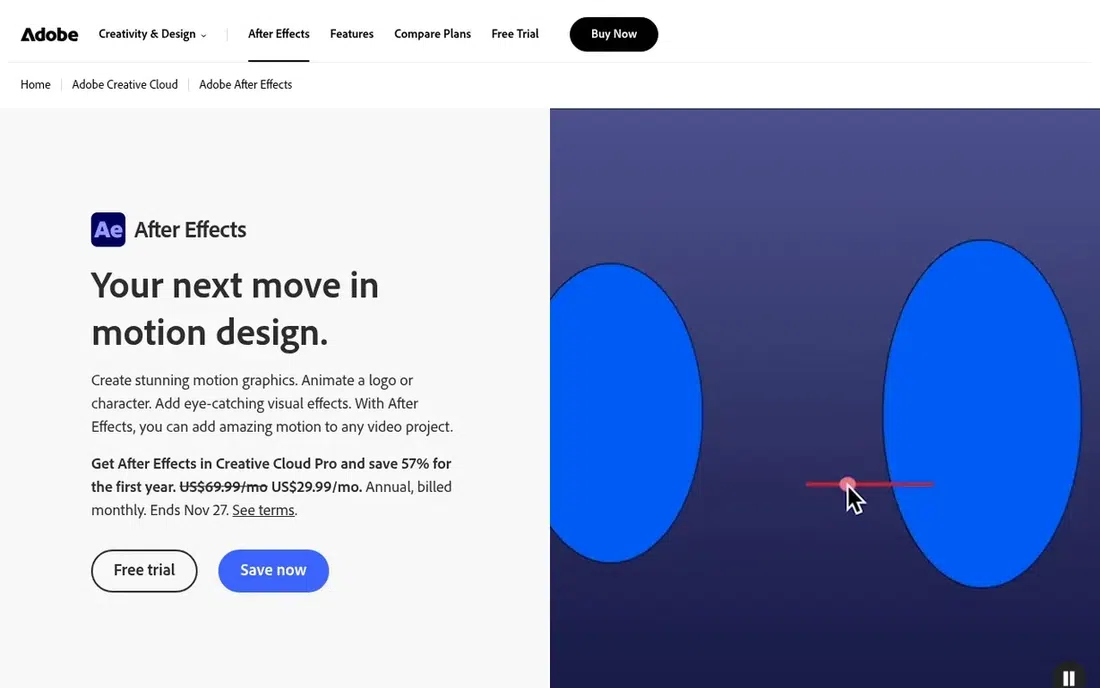
Adobe After Effects is built with learners aiming at professional motion graphics in mind. It suits learners who are comfortable investing time in tutorials and practice.
What to check first: Heavier system demands than online editors.
No starting price is listed for Adobe After Effects here; confirm pricing on the vendor site. Free access: Not stated.
- Industry-standard motion graphics toolset
- Deep animation and compositing control
- Steep ramp-up time for newcomers
How we chose
Selection started from tools commonly considered for motion graphics software for beginners, then narrowed to 5 that have clear pricing information or a clear quote process. Plan names, prices and limits change often. Treat the figures here as a starting point and verify them with the vendor. The sequence is a judgement call: typical use case first, then pricing transparency, then free access. Use the profiles to check fit.
Things to verify first
- Confirm the entry price on the vendor page. For DaVinci Resolve and Adobe After Effects that means a quote rather than a fixed price.
- Test the free plan from Powtoon against your real workload before relying on it.
- Use real work to test the free trial from Vyond and Animaker, rather than a demo project.
- Before choosing DaVinci Resolve, weigh its main limit: broad feature set can feel overwhelming.
- Check how data leaves Adobe After Effects: formats, limits and whether exports are available on every plan.
- Read the plan comparison for Vyond carefully; key features often start on a higher tier.
FAQ
Do these tools publish their prices?
Not all of them. DaVinci Resolve and Adobe After Effects publish no starting price, so expect a quote request for those. The rest, Powtoon included, show a starting price, though seats and billing terms still change the final cost.
How are the tools for motion graphics software for beginners ordered?
The order follows typical fit for motion graphics software for beginners, with DaVinci Resolve first and Adobe After Effects last, then price clarity and free access. It is editorial judgement, not a score, so another team could rank the tools differently.
Can I learn motion graphics with free tools?
Check each vendor page for what the no-cost choice bundles. In daily use, features and limits change, so confirm before relying on them.
Which options for motion graphics software for beginners have a free plan?
Powtoon is the only tool in this list with a free plan. Free plans usually cap users, projects or features, so check the limits on the vendor page. Several others offer a trial instead. Prices, free plan details and limits for all 5 tools in this motion Graphics software for beginners roundup sit on the individual cards above.
Is DaVinci Resolve the right pick for everyone comparing motion graphics software for beginners?
No single tool suits every team. DaVinci Resolve comes first because it fits beginners who also need editing and color, while Powtoon suits quick branded videos and presentations and Vyond suits business explainer and training video. Match the tool to your own size, budget and workflow before deciding.
What should beginners learn first in motion graphics?
Focus on timing, spacing and straightforward keyframe animation before tackling complicated effects. Understanding how elements enter, hold and exit a frame boosts work in any tool.
Sources
- https://www.blackmagicdesign.com/products/davinciresolve
- https://www.powtoon.com
- https://www.vyond.com
- https://www.animaker.com
- https://www.adobe.com/products/aftereffects.html