Best 2D Animation Software for Beginners in 2026: 8 Tools Compared
We compared the best 2d animation software for beginners, from free drawing tools to paid studio software, with prices, learning curves and honest limits.

- Editor's choice
 Pencil2D
Simple frame-by-frame drawing
Starts atFreeVisit pencil2d.orgFull review - Great alternative
 Krita
Drawing and short animation in one tool
Starts atFreeVisit krita.orgFull review - Also consider
 OpenToonz
Studio grade tools at no cost
Starts atFreeVisit opentoonz.github.ioFull review
TL;DR:
- Start free with Pencil2D, Krita or OpenToonz before paying, because the style you enjoy matters more than the price tag.
- Moho Debut, at $59.99 one time, is the cheapest paid route into rigged character animation without a subscription.
- Toon Boom Harmony Essentials and Adobe Animate are the paid standards, with trials that let you finish a short test scene first.
- Animaker suits explainer videos and social content, but it does not teach frame-by-frame drawing skills.
Quick comparison
| Tool | Best for | Starts at | Free plan? | |
|---|---|---|---|---|
| Pencil2D | Simple frame-by-frame drawing | Free | Yes | Visit |
| Krita | Drawing and short animation in one tool | Free | Yes | Visit |
| OpenToonz | Studio grade tools at no cost | Free | Yes | Visit |
 Synfig Studio | Vector tweening without redrawing | Free | Yes | Visit |
 Moho | Rigged characters on a one-time price | $59.99 one time | No | Visit |
 Toon Boom Harmony | A professional 2D pipeline | $30 per month | No | Visit |
 Adobe Animate | Vector animation for web and video | $22.99 per month | No | Visit |
 Animaker | Template based explainer videos | Free | Yes | Visit |
The best 2D animation software for beginners
We compared official pricing pages, feature pages and public reviews, focusing on how easy each tool is to learn, whether it teaches transferable skills, and what it costs to keep using it after the first month.
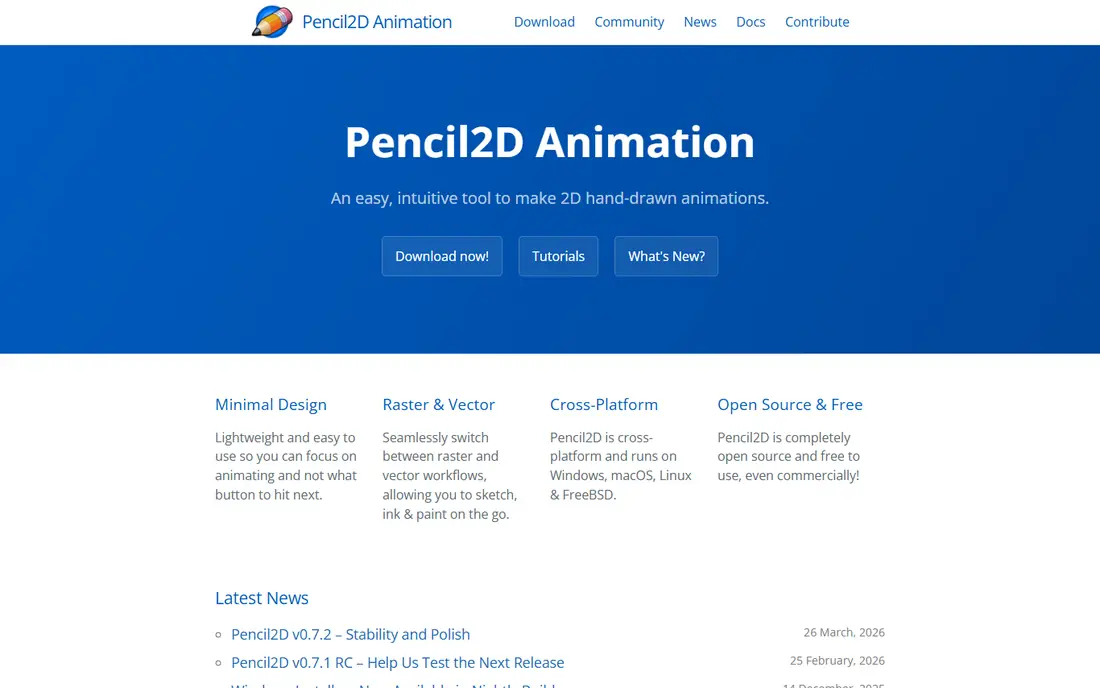
Pencil2D is the best place to learn the core idea of animation: draw a frame, change it slightly, draw the next frame, and play them back. The interface has only the tools a beginner needs, including onion skinning, which shows faint copies of nearby frames so you can judge movement. That simplicity is a strength, because you spend time animating instead of learning menus.
The limit is clear. Pencil2D does not offer character rigging, advanced camera moves or a deep effects system, so a longer project will outgrow it. Treat it as a first month tool: if you enjoy drawing every frame, move on to Krita or OpenToonz; if you find redrawing tedious, try a rigged tool such as Moho.
- Very small learning curve
- Bitmap and vector layers
- Onion skinning for frame-by-frame work
- No rigging or advanced effects
- Not suited to long or complex productions
Krita is first a digital painting tool, and that is why many beginners like it: you can draw characters, paint backgrounds and animate short scenes without switching apps. The brush engine covers pencils, inks, watercolour style brushes and textures, and the animation workspace adds a timeline, onion skinning and audio import for timing a scene to sound. It opens and saves PSD files, which helps if you also work in other design tools.
The honest catch is that Krita is not a full animation studio. Rigging, complex camera work and advanced compositing are thinner than in Toon Boom Harmony or Moho, and lip-sync work usually needs an external audio tool. For GIFs, short films, social clips and practice scenes, however, Krita gives a beginner a complete and free workflow.
- Free and open source with a deep brush engine
- Animation timeline with onion skinning and audio import
- Runs on Windows, macOS and Linux
- Animation tools are basic beside a dedicated animation suite
- Sound and lip-sync support is limited
OpenToonz is the open source release of Toonz, software used in professional film production, and it gives a beginner access to real studio tools at no cost. It handles traditional frame-by-frame work and cut-out animation, it supports both raster and vector images, and it includes scanning tools for digitising paper drawings plus particle effects and compositing for finished scenes. There are no paid tiers holding features back.
The price of free is polish. The interface feels older than modern apps, setup takes more patience, and you will lean on community tutorials more than on vendor training. If Pencil2D feels too simple and a paid subscription feels too early, OpenToonz is the middle ground that costs nothing and teaches real production skills.
- Free and open source, including for commercial use
- Scanning tools for hand-drawn paper animation
- Particle effects and compositing
- Interface feels dated and less polished
- Documentation and tutorials are thinner than paid tools
Synfig Studio suits a beginner who likes clean vector art and wants the computer to fill in the frames between key poses. You draw a character, set keyframes for its position or shape, and Synfig creates the in-between frames, which saves hours compared with redrawing every frame. The bone system adds rigged movement, and the wide layer system covers gradients, distortions and filters.
The trade-off is roughness around the edges. Users report occasional crashes, so frequent saving and versioned files are essential, and the timeline and colour tools take time to learn. Synfig is still a strong free choice for explainer style animation, educational videos and short films where vector style and tweening matter most.
- Free and open source
- Automatic tweening between keyframes
- Bone system for rigged characters
- Over 50 layer types
- Stability reports include occasional crashes, so save often
- Learning curve is steeper than Pencil2D
Moho, formerly Anime Studio, is built for rigged character animation: you build a character once, add bones, and then pose it instead of redrawing it for every frame. Smart Bones bend joints and change expressions automatically as bones move, which makes walk cycles, talking heads and repeated actions far faster than frame-by-frame work. The Debut edition at $59.99 one time is the cheapest paid entry into that workflow, while Pro at $399.99 one time adds deeper rigging and effects.
The limit is drawing. If your main joy is hand-drawn, frame-by-frame animation, Moho will feel like the wrong tool, because its drawing and frame tools are weaker than its rigging side. Choose Moho when you want reusable characters for a series, a course or a regular video channel.
- Smart Bones rigging for natural joint movement
- One-time Debut price with no subscription
- Built-in physics for gravity and collisions
- Frame-by-frame tools are weaker than the rigging tools
- Free trial only, no permanent free plan
Toon Boom Harmony is what professional 2D studios use for television series and feature work, and the Essentials tier at $30 per month puts that pipeline within a beginner's reach. Its strength is cut-out animation: build a character from separate pieces, rig it with bones, and animate by posing the rig, with deformers bending limbs in a natural way and a node compositor handling effects and scene layering. It also supports traditional paperless drawing, so you can mix hand-drawn scenes with rigged scenes in one project.
The catch is depth. Harmony has a large toolset, and a beginner should expect several weeks of tutorials before work feels fast. The 14-day trial is long enough to finish a short test scene, so use it to confirm that you like the workflow before paying. If your goal is professional animation work, learning Harmony is the most direct path, because many studios already use it.
- Industry standard for TV and film 2D work
- Cut-out rigging, deformers and node compositing
- Traditional paperless and hybrid workflows
- Subscription adds up over time
- Learning curve is steep for a complete beginner
Adobe Animate is the practical choice for web, advertising and interactive work. You can draw vector characters, animate them with rigs or frame-by-frame tools, and export for HTML5 Canvas, video, GIF and interactive projects, which makes it popular for banner ads, social clips, explainer videos and simple games. If you already use Photoshop or Illustrator, assets move between Adobe apps with little friction, and the Asset Warp tool can animate a still image without rebuilding it.
The downside is the subscription model and the breadth of the tool. At $22.99 per month on an annual plan, it costs more over two years than a one-time tool such as Moho Debut, and a beginner who only wants to draw short hand-drawn films may find Krita or OpenToonz a better fit. Choose Animate when your output is mainly for the web or for clients who expect Adobe files.
- Vector animation with HTML5 Canvas and video export
- Works well with Photoshop and Illustrator
- Asset Warp for animating still images
- Subscription cost adds up
- Overkill if you only want simple frame-by-frame drawing
Animaker takes a different route: instead of drawing, you pick characters, scenes and props from a library, add text and voice, and assemble a video in a browser. That makes it the fastest tool in this list for a business explainer, a school project or a social media clip, and the free plan lets you test the workflow before paying. For a non-animator with a deadline, that speed matters more than craft.
The limit is originality and skill growth. Template videos can look similar to each other, free exports carry limits, and Animaker will not teach you frame-by-frame drawing or rigging. Use it for content that needs to ship this week, and use a drawing tool from this list if you want to learn animation as a craft.
- Free plan with templates, characters and scenes
- Fast results for explainer and social videos
- No drawing skill needed
- Free exports can carry a watermark and limits
- Template style can look generic
- Does not teach drawing or rigging skills
How we picked these
We compared vendor pricing pages, feature pages and public reviews, and we kept only tools that are actively maintained, run on current Windows or macOS systems (with Linux where stated), and suit a beginner rather than a specialist. We favoured tools with a free plan or trial, a clear learning path through tutorials or community help, and output formats that work for video and the web. We did not claim hands-on testing; our notes rest on published features, prices and user feedback.
How to choose your first animation tool
The best first tool is the one you will actually open every day, so match the tool to the kind of animation you want to make, not to the longest feature list. A short trial with one finished scene tells you more than a week of reading reviews.
Decide between drawing and rigging
If you love drawing, start with Pencil2D or Krita and learn frame-by-frame timing, spacing and onion skinning. If you prefer building a character once and reusing it, start with Moho or Synfig and learn bones, keyframes and tweening. You can learn both later, but starting with one method keeps the first month focused.
Check your computer and your budget
Paid studio tools such as Harmony need a reasonably strong computer, with enough memory and a decent graphics card, to run smoothly on complex scenes. Free tools are lighter, but they still benefit from a drawing tablet for hand-drawn work. Set a budget for the first year, including any subscription, and remember that a $30 per month plan costs $360 in a year.
Finish one short scene before you upgrade
Pick a 10 to 20 second scene, such as a character waving or a ball bouncing, and finish it from drawing to export. That single finished piece will show you whether the timeline, brushes and export options suit you, and it gives you a sample to compare fairly against a second tool.
FAQ
What is the best 2d animation software for beginners?
For most beginners, Pencil2D is the simplest start, Krita is the best free all-rounder for drawing and short animation, and Moho Debut is the cheapest paid step into rigged characters. If you aim for professional studio work, Toon Boom Harmony Essentials is the most direct path, despite its steeper learning curve.
Is there free 2D animation software that is actually good?
Yes. Pencil2D, Krita, OpenToonz and Synfig Studio are all free and open source, and each teaches real skills. OpenToonz is the most powerful of the free group, Krita is the best for drawing, Pencil2D is the simplest, and Synfig is best for vector tweening.
How much does Toon Boom Harmony cost for a beginner?
Harmony Essentials starts at $30 per month on recent pricing, with a 14-day trial on all tiers. Advanced and Premium tiers cost more and add effects, compositing depth and network features that a beginner usually does not need at first.
Do I need a drawing tablet for 2D animation?
A tablet helps a lot for hand-drawn and frame-by-frame work, because pressure sensitive pens give natural line control, but it is not required to start. Rigged and template tools such as Moho and Animaker work well with a mouse, and many beginners start with a mouse before buying a tablet.
Can I make money with beginner 2D animation software?
Yes, for short social clips, explainer videos, educational content and simple client work, but paid client work usually needs clean exports, consistent style and reliable delivery. Free tools can produce paid work, while Harmony and Animate help when clients ask for specific file formats or studio pipelines.
Which is easier, Moho or Toon Boom Harmony?
Moho is generally easier for a beginner who wants rigged characters quickly, because its bone system and one-time Debut price lower the barrier. Harmony is more powerful and more complex, with a node compositor and deeper rigging, so it takes longer to learn but covers larger productions.