The 5 Best XML Databases for Remote Teams in 2026, Ranked
Weighing the best XML databases for remote teams? We lined up 5 products by cost, free access and fit. Each pick lists its main limit. Refreshed for 2026.
- Editor's choiceAmazon DocumentDB
Managed document database on AWS
Starts atSee websiteVisit aws.amazon.comFull review - Great alternative
 MongoDB Atlas
Managed document product for distributed apps
Starts atSee websiteVisit mongodb.comFull review - Also considerBaseX
Light open source XML storage and query
Starts atSee websiteVisit basex.orgFull review
Direct answer
Amazon DocumentDB leads the list, best for managed document database on AWS. Listed starting prices: Couchbase Capella from $0.15 per hour per node. If your case is different, MongoDB Atlas suits managed document system for distributed apps and BaseX suits light open source XML storage and query. The full list of 5 tools follows, with prices and free plan facts.
TL;DR:
- Number one here is Amazon DocumentDB, a fit for managed document database on AWS.
- For managed operational data with cloud sync, Couchbase Capella is worth a look.
- MarkLogic comes with a trade-off: wide product may be heavy for small projects.
- Amazon DocumentDB, MongoDB Atlas, BaseX and MarkLogic: pricing is by quote only, so plan time for a sales conversation.
- Free plans exist at 3 of 5 tools (Amazon DocumentDB, MongoDB Atlas, Couchbase Capella).
Last checked November 2026. Prices and plan details were read from the vendors' own pages in November 2026; vendors change plans often, so confirm the current price on the vendor site before you buy.
Quick comparison
| Tool | Best for | Starts at | Free plan? | |
|---|---|---|---|---|
| Amazon DocumentDB | Managed document database on AWS | See website | Yes | Visit |
| MongoDB Atlas | Managed document product for distributed apps | See website | Yes | Visit |
| BaseX | Light open source XML storage and query | See website | Not stated | Visit |
| MarkLogic | Complicated multi-model XML data at scale | See website | Free trial | Visit |
| Couchbase Capella | Managed operational data with cloud sync | $0.15 per hour per node | Yes | Visit |
The full XML databases for remote teams list
Choosing XML databases for remote teams usually comes down to price, fit and limits. This LinkVetted guide sets 5 tools side by side on those three points, with the facts kept short and checkable.
Amazon DocumentDB
Best for: Managed document database on AWS
Amazon DocumentDB is a good fit for managed document database on AWS. Amazon DocumentDB is a serverless, completely managed, MongoDB API-compatible document database service.
Pricing for Amazon DocumentDB is not stated here, so ask the vendor for current figures. A free plan is available with Amazon DocumentDB.
Watch-outs: Tied to the AWS ecosystem.
- MongoDB API compatible
- Completely managed service
- Document model, not native XML
Choose MongoDB Atlas for managed document system for distributed apps. MongoDB Atlas is described as an intelligent data product for building AI applications and agents, bringing together live data, intelligent retrieval and governed action. Atlas is not a native XML database, so XML-centric teams must plan how documents map to its data model and how queries translate.
Where it falls short: Needs schema and mapping decisions.
Remote teams can use it as a shared managed product reachable from anywhere. If native XQuery and XML storage are hard requirements, a dedicated XML database is a better fit. Check the vendor site for MongoDB Atlas pricing; none is listed in this comparison. MongoDB Atlas has a free plan.
- Managed cloud data system
- Live data and retrieval features
- Document model, not native XML
BaseX
Best for: Light open source XML storage and query
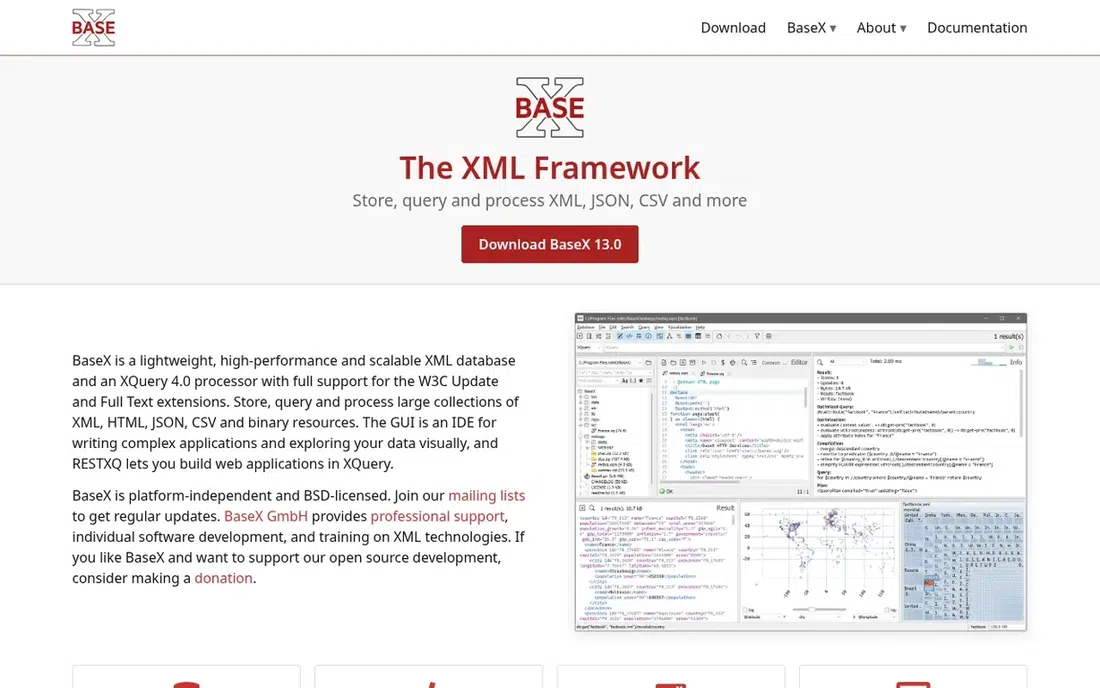
BaseX works best for light open source XML storage and query. Teams needing managed cloud services or wide document database features should look at the managed choices instead.
In practice, BaseX is an open source XML framework that merges a XML database with a XQuery processor. Pricing for BaseX is not stated here, so ask the vendor for current figures. Free access: Not stated.
Highlights: Manages XML. The main drawbacks: Fewer enterprise management features.
- JSON and CSV
- Open source XML framework
- Teams must deal with their own operations
MarkLogic
Best for: Complicated multi-model XML data at scale
Where MarkLogic fits: complicated multi-model XML data at scale. MarkLogic, offered through Progress, is a multi-model data management product that the vendor describes as adaptable and AI-ready.
Watch-outs: Wide system may be heavy for small projects.
Check the vendor site for MarkLogic pricing; none is listed in this comparison. Free plan details: Free trial.
- Manages complicated data challenges
- Positioned for AI-ready workloads
- Needs planning to adopt completely
Couchbase Capella
Best for: Managed operational data with cloud sync
Couchbase Capella serves managed operational data with cloud sync. Couchbase Capella is presented as an operational data system for AI, with sub-millisecond performance, cloud-to-edge sync and support for production AI agents.
Remote teams benefit from cloud access and synchronization across locations. Also, as a managed product, it also means based on a vendor for operations. On cost, Couchbase Capella starts like this: $0.15 per hour per node. Couchbase Capella includes a free tier.
Honest limits: Document-oriented instead of pure XML.
- Cloud-to-edge sync support
- Positioned for AI workloads
- Managed service ties you to a vendor
How we compared the tools
For each of the 5 tools we noted price, free plan or trial, fit for XML databases for remote teams and the main limit, using vendor pages and documentation. Where a price is missing, the vendor does not list one publicly or ties it to a quote. Always confirm before budgeting. The ranking is editorial: typical fit first, then clear pricing, then free access. If your needs are unusual, read the profiles rather than relying on position.
What to check before you buy
- Get a written quote from Amazon DocumentDB, MongoDB Atlas, BaseX and MarkLogic; the list shows no starting price for them.
- Read the fine print on the free plans from Amazon DocumentDB, MongoDB Atlas and Couchbase Capella; seat, project and feature caps differ.
- Take the trial from MarkLogic and push a live task through it before you pay.
- Read the limits listed for Amazon DocumentDB first: document model, not native XML.
- Check the support hours and onboarding help MarkLogic offers; smaller vendors vary a lot here.
- Check whether the features you need in Amazon DocumentDB sit on the entry plan or only on higher tiers.
FAQ
How should a remote team start evaluating these tools?
List your core requirements first, like native XML storage, query language, editing needs and hosting preferences. Then compare only the tools that match those needs. Confirm current features and access choices on each vendor site before deciding.
What makes a database a decent match for remote XML teams?
Remote teams benefit from tools that are reachable over the network, well documented and consistent across operating systems. Managed services can also cut the operational burden on distributed teams.
Which options for XML databases for remote teams have a free plan?
On this list, Amazon DocumentDB, MongoDB Atlas and Couchbase Capella include a free plan. Caps on seats, usage or features are common, so test the free plan against your real workload. One other tool offers a trial instead.
Do these tools publish their prices?
Not all of them. Amazon DocumentDB, MongoDB Atlas, BaseX and MarkLogic publish no starting price, so expect a quote request for those. The rest, Couchbase Capella included, show a starting price, though seats and billing terms still change the final cost.
Can I try these tools before paying?
Often, yes. Amazon DocumentDB, MongoDB Atlas and Couchbase Capella have a free plan and MarkLogic offers a free trial. Use your own data and a real task during the test, and check what the free tier or trial limits before you rely on it.
How are the tools for XML databases for remote teams ordered?
The order follows typical fit for XML databases for remote teams, with Amazon DocumentDB first and Couchbase Capella last, then price clarity and free access. It is editorial judgement, not a score, so another team could rank the tools differently.
Sources
- https://aws.amazon.com/documentdb
- https://www.mongodb.com/atlas
- https://basex.org
- https://www.progress.com/marklogic
- https://www.couchbase.com