React Flow Alternatives in 2026: 8 Tools Compared
We compared react flow alternatives for node graphs, covering JointJS, GoJS, Cytoscape, D3, and more for React, Vue, and plain JavaScript work in detail.
- Editor's choice
 JointJS
Polished diagram apps
Starts atSee websiteVisit jointjs.comFull review - Great alternative
 GoJS
Mature feature-rich diagrams
Starts atSee websiteVisit gojs.netFull review - Also consider
 Cytoscape.js
Graph analysis and networks
Starts atFreeVisit js.cytoscape.orgFull review
TL;DR:
- JointJS is our pick for most diagram apps that need a polished, supported library with layouts, shapes, and commercial support.
- GoJS suits teams that need a mature, feature-rich diagram library and are happy to pay for a licence.
- Cytoscape.js fits graph analysis and network visualization, where layout algorithms and graph theory matter more than drag-and-drop editing.
- Vue Flow is the closest React Flow sibling for Vue teams, since it shares the same concepts and family as React Flow.
- D3.js fits custom visualizations where a team wants full control over rendering, at the cost of building editor features by hand.
Quick comparison
| Tool | Best for | Starts at | Free plan? | |
|---|---|---|---|---|
| JointJS | Polished diagram apps | See website | Yes | Visit |
| GoJS | Mature feature-rich diagrams | See website | Free trial | Visit |
| Cytoscape.js | Graph analysis and networks | Free | Yes | Visit |
 D3.js | Fully custom visualizations | Free | Yes | Visit |
 Rete.js | Node editors and visual programming | Free | Yes | Visit |
 Vue Flow | Vue node graphs | Free | Yes | Visit |
 AntV G6 | Large graph visualization | Free | Yes | Visit |
 jsPlumb | Connections and flowcharts | See website | Yes | Visit |
The best react flow alternatives
React Flow, now part of the xyflow family, is a popular React library for node-based graphs, flowcharts, and editors. Teams look for alternatives when they use Vue, need a different licence, need graph analysis, or need a more mature diagram toolkit. We compared libraries on editing, layouts, rendering, licences, and framework fit, and we kept only tools that still work in 2026.
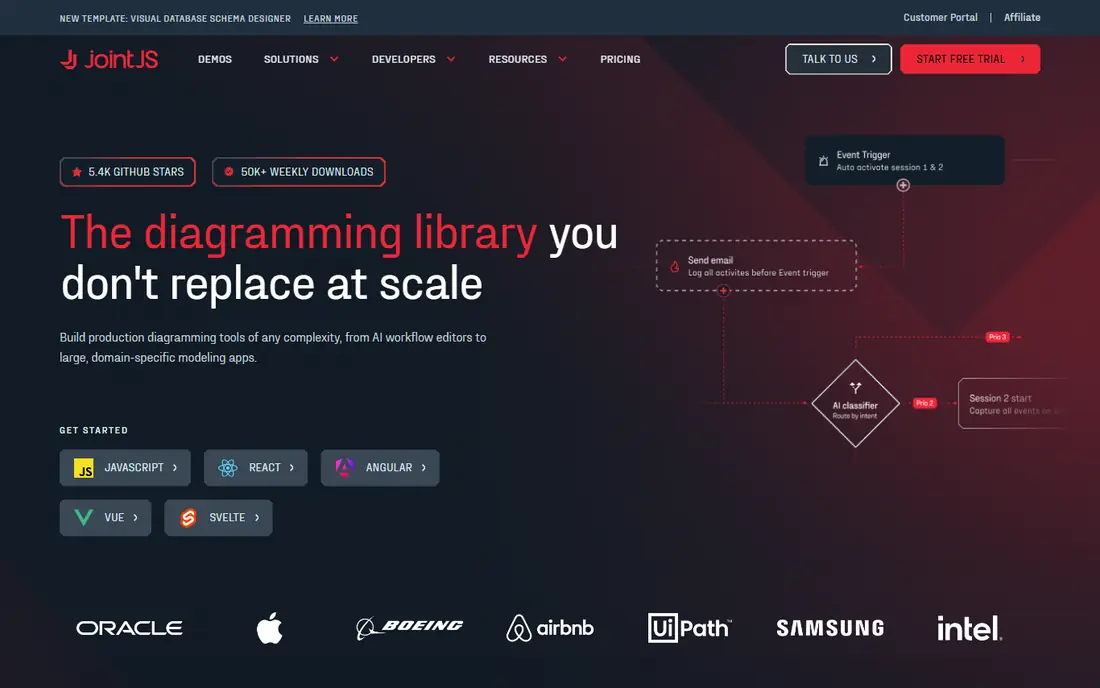
JointJS, with its open-source core JointJS and commercial JointJS Plus, is a strong all-round diagram library. It offers shapes, links, layouts, ports, and interaction handling, plus plugins for features like stencil palettes, navigators, and clipboard support. That breadth suits product teams building diagram editors, workflow builders, and modeling tools.
The TypeScript support and documentation help larger teams adopt it with confidence. Developers can build custom shapes and tools, handle events, and serialize diagrams to JSON for saving and loading. Commercial support is available for teams that need help or service agreements.
The catch is licensing. The open core covers many needs, but JointJS Plus features, including some layouts and advanced tools, require a paid licence with pricing on request. Teams should check which features sit in Plus before planning a build around them.
- Rich shapes, layouts, and plugins
- TypeScript support
- Commercial support and docs
- Full JointJS Plus features need a paid licence
- Learning curve for advanced customization

GoJS from Northwoods Software is one of the most mature diagram libraries available. It covers flowcharts, org charts, BPMN, state charts, and network diagrams, with many layouts, tools, and samples to start from. Teams that need a proven library for a complex diagram app will find most features already built.
The sample library is a practical strength. Developers can start from a sample close to their use case, then adapt shapes, layouts, and interactions, rather than building an editor from scratch. GoJS works with plain JavaScript and with frameworks through wrappers, so it is not tied to React.
The trade-off is cost and style. GoJS requires a paid licence for production use, with an evaluation version for testing, and its API feels more traditional than the React component style of React Flow. Teams that value maturity over modern React ergonomics will still find it a strong pick.
- Very mature and feature-rich
- Many samples and layouts
- Works with plain JavaScript and frameworks
- Paid licence for production use
- API style feels older than React Flow
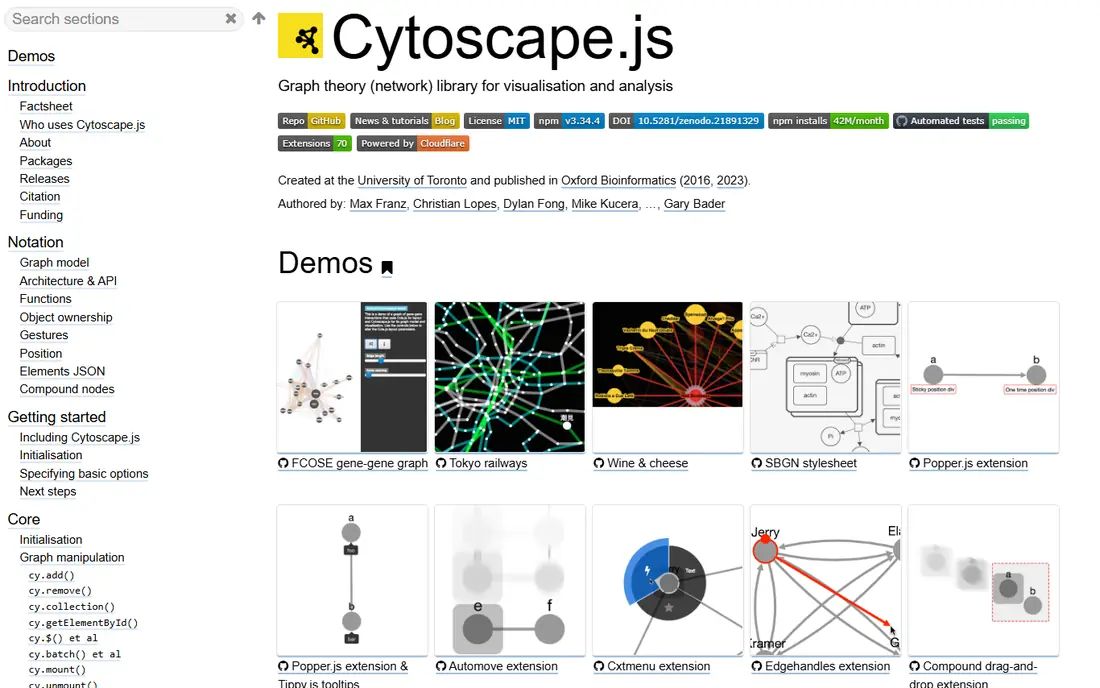
Cytoscape.js is built for graph theory and network visualization, not just pretty flowcharts. It offers many layout algorithms, from force-directed to hierarchical, plus tools for selecting, filtering, and analyzing nodes and edges. That makes it a good fit for social networks, biological networks, fraud graphs, and other data-heavy visualizations.
The library is free and open source, with a large extension range for layouts, export, and interaction. Developers can render large graphs with canvas, style nodes by data, and add tooltips and panels for detail views.
The limit is editing. Cytoscape.js does not offer a full node editor out of the box in the way React Flow does, so drag-and-drop editing, ports, and custom node controls need more manual building. Choose it when analysis and layout matter most, and pair it with custom UI for editing when needed.
- Free and open source
- Strong layout algorithms
- Good for large networks and analysis
- Editing features are lighter than React Flow
- Styling and interaction need more manual work
D3.js is not a diagram editor, but it is a common alternative when a team wants full control. It binds data to SVG, canvas, or HTML, and it offers force simulations, hierarchies, and zoom behavior that can power custom node graphs. For a unique visualization that no off-the-shelf library can match, D3.js gives the freedom to build it exactly.
The community and example range help a lot. Developers can find examples for force graphs, trees, sankey diagrams, and custom layouts, then adapt the code to their data. D3.js works with any framework, including React, through refs and effects, though careful integration is needed to avoid conflicts.
The catch is effort. D3.js provides building blocks, not a ready editor, so nodes, edges, dragging, connection validation, and saving all need custom code. Teams with a tight deadline should prefer JointJS, GoJS, or Vue Flow, while teams with a unique visual need and time to build will get the most from D3.js.
- Free and open source
- Full control over rendering and interaction
- Huge community and examples
- No built-in node editor
- Building a full editor takes significant time
Rete.js is built specifically for node editors and visual programming, which makes it a close conceptual match for many React Flow uses. Developers define nodes, sockets, and controls, then use plugins for rendering, area handling, and connections. That modular design lets teams pick a React, Vue, or Angular renderer, or a plain JavaScript one.
The visual programming focus helps for tools like shader editors, automation builders, and data pipeline editors, where nodes represent functions and edges represent data flow. Rete.js handles connections, validation, and data processing in a way that a generic graph library does not.
The trade-off is community size. Rete.js has a smaller community than React Flow, and plugin docs can vary in completeness, so teams may need to read source code for edge cases. For a visual programming tool, though, its node-first design is a strong fit.
- Free and open source
- Built for node editors
- Modular plugins for rendering and controls
- Smaller community than React Flow
- Docs and examples vary by plugin
Vue Flow is the Vue sibling of React Flow, from the same xyflow family, and it is the obvious pick for Vue teams. It offers nodes, edges, handles, minimap, controls, and background patterns, with Vue components and composables that feel native to Vue apps. A Vue developer who knows React Flow concepts can transfer that knowledge directly.
The feature parity with React Flow is a practical strength. Teams can build flowcharts, workflow editors, and node graphs with familiar patterns, including custom nodes, edge types, and layout helpers. The library is free and open source, with paid support options for teams that need them.
The limit is framework scope. Vue Flow only helps Vue teams, so a React team looking to leave React Flow for another React library should look at JointJS, GoJS, or Rete.js instead. For Vue, though, Vue Flow is the closest and cleanest alternative on this list.
- Free and open source
- Same concepts as React Flow
- Vue-native components and composables
- Vue only, so React teams gain nothing by switching
- Smaller ecosystem than React Flow
AntV G6, from Ant Group, is built for large graph visualization and analysis. It offers many layouts, behaviors, and plugins, with canvas rendering that handles larger node counts than SVG in many cases. That makes it a good fit for knowledge graphs, network analysis, and data platforms where graph size matters.
The layout range is a strength. Hierarchical, force, radial, and grid layouts help teams present large graphs in a readable way, and behaviors for dragging, zooming, and selecting are built in. G6 also integrates with the wider AntV visualization family for charts and related tools.
The catch is editing and docs. G6 focuses more on visualization than on full node editing, so editor features need custom work, and some docs are translated from Chinese, which can make advanced topics harder to follow. Teams that need analysis at scale will still find G6 a strong free option.
- Free and open source
- Strong layouts for large graphs
- Good performance with canvas rendering
- Editing features are lighter than React Flow
- Docs are partly translated from Chinese
jsPlumb is known for connections. Its Community edition lets developers connect DOM elements with lines, endpoints, and anchors, with drag-and-drop support, which suits flowcharts and visual builders built on HTML elements. The Toolkit edition adds data binding, layouts, and more advanced features for larger apps.
The connection model is flexible. Developers can control endpoint types, connector styles, overlays, and validation, which helps for workflow tools where connection rules matter. jsPlumb works with plain JavaScript and frameworks, so it is not tied to React.
The trade-off is licensing and style. Toolkit features require a paid licence, with pricing on request, and the API style differs from React Flow component patterns. Teams that mainly need strong connections, rather than a full React node editor, will get good value from jsPlumb Community, with Toolkit as an upgrade path.
- Strong connection and endpoint handling
- Community edition is free
- Toolkit adds data binding and layouts
- Toolkit features need a paid licence
- API style differs from React component libraries
How we picked these
We compared official docs, licences, layout options, and framework support, and we checked that each library still works in 2026. We favored libraries with active maintenance, clear docs, and a distinct fit, from Vue support to graph analysis to full diagram editing. We left out abandoned diagram libraries, since an unmaintained library can break with new framework versions.
We did not claim hands-on builds for every library. Our comparison rests on published docs, licences, samples, and public project activity. Developers should prototype their hardest interaction, such as custom nodes or large graph performance, before committing to a library.
How to choose a React Flow alternative
Start with framework, then with the job. A Vue team has a clear answer, while a React team must choose between a React-friendly library and a framework-agnostic one.
Match framework first
Vue teams should start with Vue Flow, since it shares React Flow concepts and feels native to Vue. React teams can stay with a React-friendly approach using JointJS or Rete.js with React rendering, or use a framework-agnostic library like GoJS or Cytoscape.js with careful integration. Mixing a Vue-only library into a React app will waste time.
Decide editor or visualization
If users must create and edit nodes, pick an editor-first library like JointJS, GoJS, Rete.js, or Vue Flow. If users mainly view and analyze a graph, pick a visualization-first library like Cytoscape.js, AntV G6, or D3.js. Editor features built on a visualization library take far longer than expected, so be honest about which job you need.
Check licence and cost early
Free open-source libraries like Cytoscape.js, D3.js, Rete.js, Vue Flow, and AntV G6 suit most budgets, while GoJS and JointJS Plus need paid licences for full production use. Check licence terms for commercial use, redistribution, and support, before building a product around a library. A free library with no support may still cost more in maintenance than a paid library with help.
Test performance with real data
Test with your real node and edge counts, not with a ten-node demo. Large graphs stress rendering, layout, and interaction in ways small demos hide. Check frame rates during pan, zoom, and drag, and test on the devices your users actually use, since canvas and SVG behave differently at scale.
FAQ
What is the best react flow alternative for Vue?
Vue Flow is the best React Flow alternative for Vue, since it comes from the same xyflow family and shares the same node, edge, and handle concepts. It is free, open source, and Vue-native, with components and composables for custom nodes. Vue teams should start there before looking at framework-agnostic libraries.
Are there free reactflow alternatives?
Yes, several alternatives are free and open source, including Cytoscape.js, D3.js, Rete.js, Vue Flow, AntV G6, and the community editions of JointJS and jsPlumb. GoJS and JointJS Plus offer paid licences for full commercial features, with evaluation or trial options. Check licence terms for your use case before shipping a commercial product.
Is JointJS better than React Flow?
JointJS is better for teams that need a mature, supported diagram toolkit with many shapes, layouts, and plugins, especially outside React. React Flow is better for React teams that want a modern component API and a large React community. Choose JointJS for a polished, framework-agnostic editor, and React Flow for a React-native editor.
Can I use Cytoscape.js for a flowchart editor?
Cytoscape.js can render flowcharts and graphs, but it is built for analysis and visualization rather than full editing. You would need to build node creation, connection validation, and custom controls yourself. For a full flowchart editor, JointJS, GoJS, Rete.js, or Vue Flow will save significant time.
What should I use for a large network graph?
Cytoscape.js and AntV G6 are strong choices for large network graphs, thanks to layout algorithms and canvas rendering. D3.js also works for custom large visualizations, if you have time to build rendering and interaction yourself. Test with your real data size, since performance at scale is the deciding factor.