Best Thumbnail Design Software for YouTubers in 2026: Prices, Free Plans and 5 Picks
Need the best thumbnail design software for YouTubers? We compare 5 tools on cost, free access and who each suits. Honest caveats for every entry. Start here.
- Editor's choice
 Placeit
Mockups, templates and video assets
Starts at$7.47 a monthVisit placeit.netFull review - Great alternative
 PicMonkey
Photo editing plus graphic templates
Starts atSee websiteVisit picmonkey.comFull review - Also consider
 Canva
Quick template-based thumbnail creation
Starts atSee websiteVisit canva.comFull review
Direct answer
If you need Mockups, templates and video assets, Placeit is the first tool to look at here. Listed starting prices: Placeit from $7.47 a month, Snappa from $10 per month and Piktochart from $10 per member per month. PicMonkey is the stronger choice for photo editing plus graphic templates, while Canva suits quick template-based thumbnail creation. The other 2 tools in the list cover narrower or pricier cases.
TL;DR:
- Placeit is the opening pick, best for Mockups, templates and video assets.
- Piktochart is the one to check for data and infographic-style visuals.
- The cheapest monthly starting price in the list is $7.47 per month, offered by Placeit.
- A free plan is available from 3 of the 5 tools: Placeit, Snappa, Piktochart.
- What to know about Canva first: fine layer control is restricted.
Last checked November 2026. Prices and plan details were read from the vendors' own pages in November 2026; vendors change plans often, so confirm the current price on the vendor site before you buy.
Quick comparison
| Tool | Best for | Starts at | Free plan? | |
|---|---|---|---|---|
| Placeit | Mockups, templates and video assets | $7.47 a month | Yes | Visit |
| PicMonkey | Photo editing plus graphic templates | See website | Free trial | Visit |
| Canva | Quick template-based thumbnail creation | See website | Not stated | Visit |
 Snappa | Prompt-driven graphics for social channels | $10 per month | Yes | Visit |
 Piktochart | Data and infographic-style visuals | $10 per member per month | Yes | Visit |
The best thumbnail design software for YouTubers
LinkVetted put together this guide to thumbnail design software for YouTubers for readers who want a clear shortlist without reading every vendor page. It compares 5 tools on starting price, free plans, who each one suits and where each one falls short.
Placeit targets Mockups, templates and video assets. Placeit concentrates on mockups, logos, videos and design templates that you customize in the browser. More specifically, pick it when speed and volume matter, and pair it with an editor when a thumbnail needs a distinctive look.
Where it shines: Customization in the browser.
For everyday use, for YouTubers, its catalog is handy for channel branding, end cards and promotional graphics that sit alongside thumbnails. Beyond that, since Placeit leans on templates, thumbnails can start to look familiar if you stay inside its catalog. Placeit cost at the entry level: $7.47 per month. Placeit has a free plan.
Honest limits: Less suited to unique hand-built art.
- Videos and flyers
- Large template and mockup catalog
- Template-led instead of freeform
Choose PicMonkey for photo editing plus graphic templates. PicMonkey is not built around video thumbnails specifically, and its compositing depth sits below a professional editor.
It fits creators who want one place for light retouching and straightforward design. Check the vendor site for PicMonkey pricing; none is listed in this comparison. Free plan details: Free trial.
Watch-outs: Advanced compositing is restricted.
- Simple photo editing tools
- Templates
- Less specialized for video thumbnails
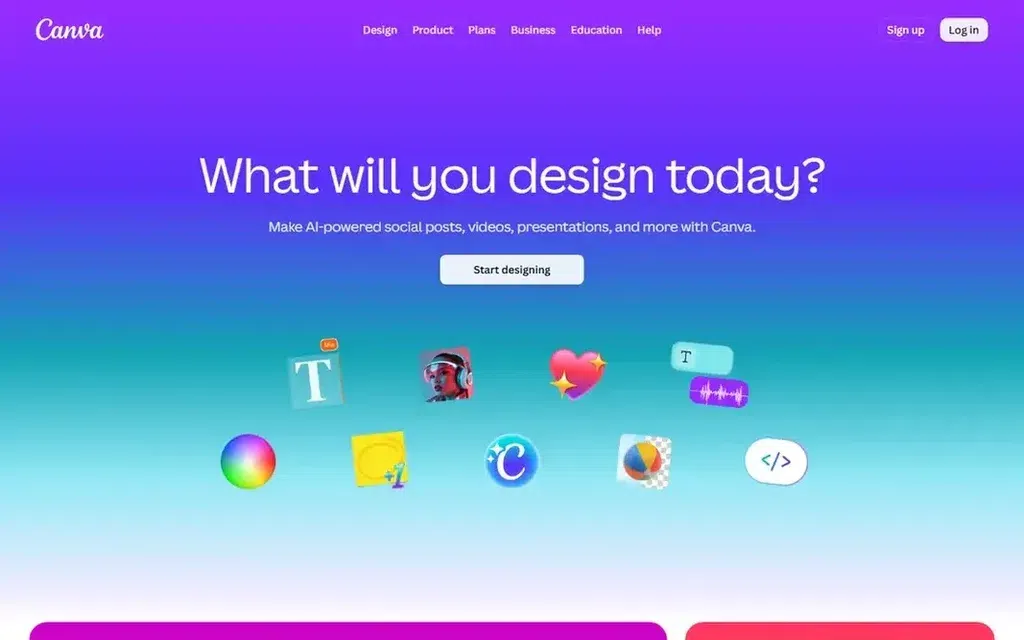
Canva is aimed squarely at quick template-based thumbnail creation. Canva is an online visual design suite that handles social posts, presentations, posters, videos, logos and more. In practice, the tradeoff is precision.
Where it falls short: Fine layer control is restricted.
Canva is not designed for deep masking, channel work or pixel-level retouching, so heavily edited thumbnails can feel constrained. More specifically, if your thumbnails rely on compositing multiple photos with fine control, a dedicated image editor is the better fit. Canva shows no starting price here, so confirm the cost on the vendor site. Free options: Not stated.
- Large template and element library
- Browser-based with straightforward drag-and-drop
- Complicated compositing is better elsewhere
Snappa is designed for prompt-driven graphics for social channels. Snappa describes itself as AI graphic design software that turns a single prompt into graphics for social media, ads, blogs and more.
It is a concept and speed tool, not a precision one. If your thumbnails depend on exact typography and image placement, a manual editor will serve you better. The starting price for Snappa: $10 per month. Snappa offers a free plan.
Points against: Narrower than full design suites.
- Straightforward path from idea to graphic
- Pitched at social media and ads
- Less control over fine detail
Piktochart is designed for data and infographic-style visuals. For YouTube, it is most handy on channels where thumbnails carry information, like comparisons, statistics or explainer content.
Drawbacks to consider: Not thumbnail-specific.
Piktochart is aimed at information design, so entertainment-style thumbnails with dramatic imagery are outside its sweet spot. Its chart and layout strengths do not replace image compositing. Entry price for Piktochart: $10 per member per month. Piktochart has a free plan.
- Handles presentations and reports too
- Infographic and visual storytelling focus
- Better suited to information layouts
How we compared the tools
We compared the tools on published pricing, free plan or trial availability, feature coverage for thumbnail design software for YouTubers, and the limits each vendor documents. Where a price is missing, the vendor does not list one publicly or ties it to a quote. Always confirm before budgeting. We ordered the tools by general fit, then by how clearly pricing is shown, then by free access. A buyer with unusual needs may reorder them.
A buyer's checklist
- Confirm the entry price on the vendor page. For PicMonkey and Canva that means a quote rather than a fixed price.
- Check what the free option really includes: Placeit, Snappa and Piktochart offer a free plan, and usage caps differ.
- Use real work to test the free trial from PicMonkey, rather than a demo project.
- Read the limits listed for Placeit first: template-led instead of freeform.
- Compare total cost, not headline price: for Placeit, add extra seats, add-ons and any usage-based charges.
- Pick one real project and run it in Canva first; a small pilot shows fit faster than a checklist.
FAQ
How are the thumbnail design software for YouTubers ordered?
Placeit sits first and Piktochart last because the order follows typical fit for thumbnail design software for YouTubers, then price clarity and free access. It is a judgement call, so read each profile for fit and limits.
What should I check before choosing a thumbnail tool?
Confirm export sizes and formats, font and brand asset support, and how the editor manages layered files. Also, if others approve your thumbnails, check collaboration features, and review the vendor's terms on asset usage.
Which thumbnail design software for YouTubers have a free plan?
Placeit, Snappa and Piktochart offer a free plan in this list. Free plans usually cap users, projects or features, so check the limits on the vendor page. One other tool offers a trial instead.
Which tool is a good match for a team that reviews thumbnails together?
For most readers this guide would start with Placeit, built for Mockups, templates and video assets. PicMonkey is the alternative for photo editing plus graphic templates, and Canva for quick template-based thumbnail creation. The right answer depends on budget and workflow.
Can I try these tools before paying?
Often, yes. Placeit, Snappa and Piktochart have a free plan and PicMonkey offers a free trial. Use your own data and a real task during the test, and check what the free tier or trial limits before you rely on it.
Do I need professional software to make decent YouTube thumbnails?
No. Template-driven editors like Canva handle most thumbnail needs, especially for creators publishing often. Professional image editors matter more when thumbnails rely on complicated compositing, cutouts or in-depth retouching.
Sources
- https://placeit.net
- https://www.picmonkey.com
- https://www.canva.com
- https://snappa.com
- https://piktochart.com