Best 3D Web Design Services Providers in 2026: 7 Providers Compared
We compared the best 3d web design services providers for configurators, product visuals and interactive sites, with pricing, strengths and honest limits.
- Editor's choice
 Threekit
Manufacturers selling configurable products
Starts atSee websiteVisit threekit.comFull review - Great alternative
 Cylindo
Furniture and home goods brands
Starts atSee websiteVisit cylindo.comFull review - Also consider
 Expivi
Configurators with live pricing
Starts atSee websiteVisit expivi.comFull review
TL;DR:
- Threekit and Expivi suit manufacturers and retailers selling complex configurable products, while Zakeke and Vectary fit smaller stores that need a faster start.
- Expect to pay for 3D asset creation on top of any monthly platform fee, since models, materials and rules take real work to build well.
- Sketchfab is the simplest route to embed an interactive model on a page, but it is not a full configurator or quoting tool.
- Ask every provider for a live demo using your own product, because render quality and load speed vary a lot between catalog examples and real items.
Quick comparison
| Tool | Best for | Starts at | Free plan? | |
|---|---|---|---|---|
| Threekit | Manufacturers selling configurable products | See website | No | Visit |
| Cylindo | Furniture and home goods brands | See website | No | Visit |
| Expivi | Configurators with live pricing | See website | No | Visit |
 Zakeke | Small stores adding 3D and AR | $29 per month | Yes | Visit |
 Vectary | Teams building 3D scenes without code | Free | Yes | Visit |
 Sketchfab | Embedding interactive models on any page | Free | Yes | Visit |
 ColorWhistle | Custom 3D web builds done for you | See website | No | Visit |
The best 3D web design services providers
We compared platforms and agencies that build interactive 3D for the browser, from product configurators to full custom sites.

Threekit is built for products with many options, such as windows, furniture and industrial equipment. Buyers pick features in a guided flow, the 3D view updates with each choice, and the rules stop combinations that cannot be made. That matters when a wrong configuration would mean a return, a remake or a lost sale.
The trade-off is scope. Threekit works best when you already know your product rules and price books, and when sales run through dealers or reps as well as a website. Smaller stores with a few simple products may find it more platform than they need, and they should ask for a clear implementation timeline before signing.
- Rule-based configuration that blocks invalid builds
- Real-time pricing and quoting
- Connects with Salesforce, SAP and other business systems
- Enterprise pricing that is not published
- Setup takes time and planning

Cylindo turns product data, dimensions and swatches into high quality 3D visuals that can run across product pages, configurators and marketing channels. Furniture retailers use it because shoppers want to see fabric, finish and scale before buying a large item, and flat photos often leave too much to guesswork.
The catch is that Cylindo is a managed content platform rather than a do-it-yourself tool. You hand over product details and its team produces the visuals through an automated pipeline. That can be a relief for a large catalog, but brands that want to tweak every scene themselves should check how much control they keep after launch.
- Photorealistic product visuals at scale
- 360 degree views and augmented reality
- Content API for feeds and channels
- Pricing is quote based
- Strongest fit is furniture and related categories
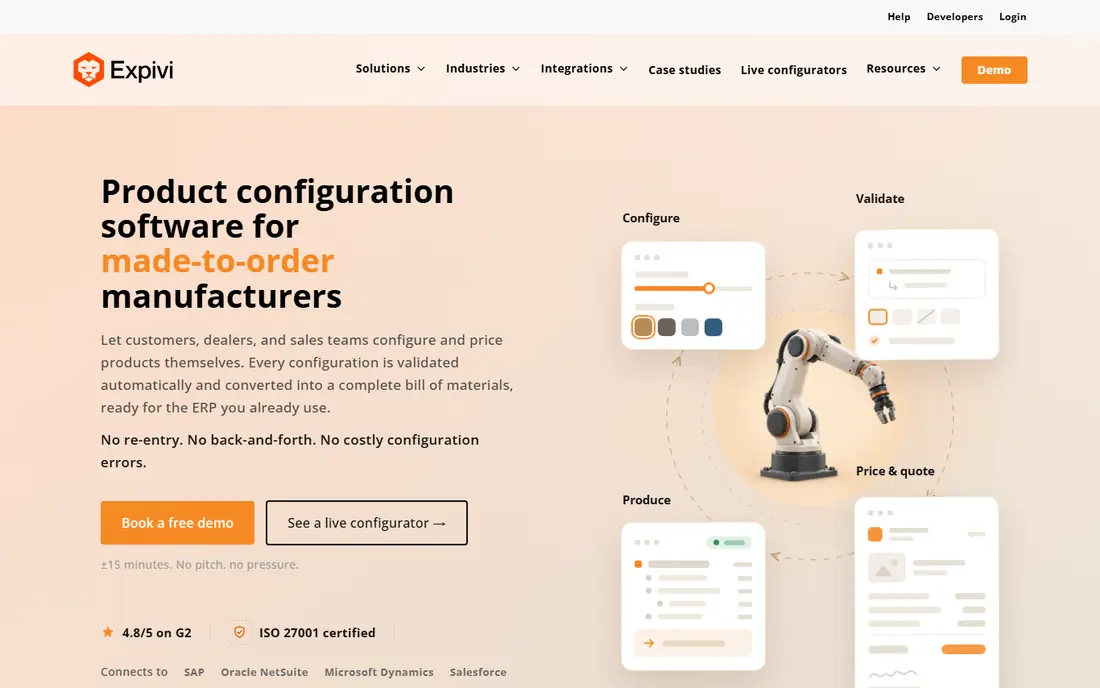
Expivi sits in the same space as Threekit, with a focus on 3D and augmented reality configurators tied to pricing rules. A shopper can build a product, see the price change with each option, and move toward an order without a sales call. It also supports bundles and multi-step products, which suits items sold as systems rather than single pieces.
We would shortlist Expivi for retailers and manufacturers that sell configurable goods online and need the configurator to feed orders cleanly into their back office. The honest cost is the setup phase, where product rules, materials and pricing logic all need to be right before the visual work pays off.
- Handles millions of product variations
- Built-in pricing and bundle logic
- Connects with commerce and ERP systems
- Pricing is quote based
- Complex products need careful setup
Zakeke is the friendliest entry point on this list for a small store. It offers 3D and augmented reality previews, product customization and pricing rules, and it plugs into major commerce platforms without a development project. The published basic tier and free trial make it easy to test on a handful of products before committing.
The limit is depth. Zakeke handles many standard customization cases well, but products with strict engineering rules or dealer quoting may need a platform like Threekit or Expivi instead. Our pick for most small stores is to start here, prove that shoppers use the 3D view, and then decide if a bigger platform is warranted.
- Published starting price with a free trial
- No-code setup for common store platforms
- Dynamic pricing and print-ready files
- Advanced features sit on higher tiers
- Very complex products may outgrow it
Vectary gives designers a web-based studio for building interactive 3D scenes, product presentations and augmented reality previews. Teams that want to prototype a 3D story or a step-by-step product walkthrough can do so without hiring a WebGL developer for the first version.
Vectary is best seen as a design and presentation tool rather than a sales system. It does not replace pricing rules, quoting or order validation, so stores that need those should pair it with their commerce platform or pick a configurator platform instead. For marketing pages, lookbooks and simple product scenes, it is strong value.
- Browser-based 3D editor with a free tier
- Ready-made interface elements
- AR preview and API access
- Free tier has limits
- Not a full quoting or CPQ platform
Sketchfab is the simplest way to put an interactive 3D model on a website. Upload a model, embed the viewer, and visitors can rotate, zoom and inspect the product. It also hosts a large community library, which helps teams find example models and test ideas fast.
The weakness is that Sketchfab alone does not configure, price or quote a product. It is a viewer and a hosting platform, so brands that want shoppers to build and buy a custom version will need a configurator on top of it. For portfolios, product pages and education, though, it is hard to beat for speed.
- Huge library of models and an easy embed
- Works in most browsers and devices
- AR and VR viewing options
- Not a configurator with pricing rules
- Paid plans needed for business features
ColorWhistle is an agency rather than a platform, so it fits brands that want a custom 3D website or configurator built for them. Its published guidance puts a basic 3D viewer in a lower range than a full configurator, with AR work and CAD integration higher again, which gives buyers a realistic starting point for budgeting.
The honest catch with any agency route is that you are buying a project, not just software. You will need to supply product data, approve models and plan for updates when products change. That works well for a flagship product or a launch site, and less well for a catalog that changes every week unless a maintenance plan is included.
- Full-service builds including viewers, configurators and AR
- Published example price ranges for viewers and configurators
- Works across many industries
- Project pricing varies widely with scope
- Timelines depend on model complexity
How we picked these
We compared official feature pages, pricing pages and public product documentation for platforms and agencies that deliver interactive 3D on the web. We favored providers with a live product that works in a browser today, clear use cases, and a realistic path from model to published page. We left out pure desktop 3D tools and freelance listings with no company product behind them, since a business buyer needs support and continuity after launch.
What to check before you buy
A 3D project can look great in a sales demo and still disappoint on your own site, so test the details that affect shoppers directly.
Start with one product, not the catalog
Pick a product with options that shoppers actually struggle to picture, such as fabric, finish or size. Measure whether the 3D view gets used, whether questions to support fall, and whether returns change. A single strong result is worth more than a whole catalog of unused models.
Ask about load speed on phones
Large models can slow a page, and most shoppers will view them on a phone. Ask for load times on a mid-range device, how models are compressed, and what happens on a slow connection. A beautiful model that takes too long to appear will cost sales rather than win them.
Confirm who owns the models
Ask whether you receive the source models and materials, what format they are in, and what updates cost when a product changes. Ownership and update pricing matter more over two years than the launch price, especially for catalogs that refresh each season.
FAQ
How much does a 3D web design project cost?
Costs vary widely with scope. A simple viewer can cost under a few thousand dollars, while a full configurator with pricing rules and integrations can run far higher. Platform subscriptions start around $29 per month for small stores, while enterprise platforms are quote based. Always budget for model creation on top of software fees.
Do shoppers need an app to view 3D on a website?
No, modern WebGL and WebXR experiences run in the browser on desktop and mobile without a separate app. Augmented reality views may open the device camera through the browser or a system viewer, depending on the device. Test on the phones your customers actually use before launch.
What is the difference between a 3D viewer and a 3D configurator?
A viewer lets shoppers rotate and inspect a fixed model. A configurator lets them change options, such as color, material or size, and see the model and price update. Viewers suit portfolios and simple products, while configurators suit products sold in many valid combinations.
Will 3D slow down my website?
It can if models are large or poorly optimized, so ask about file sizes, compression and lazy loading. Good providers deliver models that load progressively and adapt to the device. Run a speed test on a product page with and without the 3D view before you roll it out widely.
Which provider is best for a small store?
Zakeke and Vectary are the easiest starting points, since both offer free tiers or trials and no-code setup. Sketchfab is a good choice if you only need an embedded model. Move to Threekit or Expivi when you need strict product rules, dealer quoting or deep system integrations.
Do I need CAD files to start?
CAD files help for manufactured products, but many providers can build models from photos, dimensions and material samples. CAD-based work tends to be more accurate for technical products, while photo-based modeling suits furniture and consumer goods. Ask what inputs each provider needs for your product type.