Product Photography Software in 2026: The 6 Best Options Side by Side
Need the best product photography software? We compare 6 tools on cost, free access and who each suits. Limits and pricing notes included. Numbers first.
- Editor's choice
 ON1 Photo RAW
All-in-one raw editing and organization
Starts at$49.99Visit on1.comFull review - Great alternative
 Adobe Lightroom
Efficient photo organizing and editing
Starts atSee websiteVisit adobe.comFull review - Also consider
 Affinity Photo
Precise editing without subscription
Starts atSee websiteVisit affinity.serif.comFull review
Direct answer
For all-in-one raw editing and organization, ON1 Photo RAW is where this list starts. Listed starting prices: ON1 Photo RAW from $49.99 and Topaz Photo AI from $19 per month. For a different need, Adobe Lightroom covers efficient photo organizing and editing and Affinity Photo covers precise editing without subscription. The other 3 tools in the list cover narrower or pricier cases.
TL;DR:
- The list opens with ON1 Photo RAW, aimed at all-in-one raw editing and organization.
- Skylum Luminar Neo fits AI-assisted fast edits.
- One limit worth knowing about ON1 Photo RAW: may be slower on large catalogs.
- Topaz Photo AI has the lowest monthly starting price in this list: $19 per month.
- Neither ON1 Photo RAW nor Skylum Luminar Neo, nor any of the other 4 tools, has a permanent free plan; trials and quotes are the norm.
Last checked November 2026. Prices and plan details were read from the vendors' own pages in November 2026; vendors change plans often, so confirm the current price on the vendor site before you buy.
Quick comparison
| Tool | Best for | Starts at | Free plan? | |
|---|---|---|---|---|
| ON1 Photo RAW | All-in-one raw editing and organization | $49.99 | Free trial | Visit |
| Adobe Lightroom | Efficient photo organizing and editing | See website | Not stated | Visit |
| Affinity Photo | Precise editing without subscription | See website | Not stated | Visit |
 Topaz Photo AI | AI-driven image enhancement | $19 per month | Not stated | Visit |
 Adobe Photoshop | Advanced retouching and compositing | See website | Not stated | Visit |
| Skylum Luminar Neo | AI-assisted fast edits | See website | No | Visit |
Tool-by-tool breakdown
LinkVetted compared 6 tools for product photography software. The goal is a practical shortlist: published prices, free plan facts, best-fit use cases and honest limits for every entry.
For all-in-one raw editing and organization, ON1 Photo RAW is a natural candidate. ON1 Photo RAW is an AI-powered raw photo editor that merges editing, organizing, and processing in one application.
Where it falls short: May be slower on large catalogs.
ON1 Photo RAW can be resource-intensive with large image catalogs, and its interface may take time to learn. On cost, ON1 Photo RAW starts like this: $49.99. Free access: Free trial.
- AI-powered tools
- Merges editing and organizing
- Interface can be overwhelming

Adobe Lightroom was built for efficient photo organizing and editing. It gives you feature-rich photo editing and organizing tools across desktop, web, and mobile, making it well suited to product photographers who want a simplified workflow from capture to output.
Honest limits: Subscription required.
More specifically, Lightroom lacks the advanced layer-based compositing found in Photoshop, so complicated retouching may need switching to another tool. Check the vendor site for Adobe Lightroom pricing; none is listed in this comparison. As for free access: Not stated.
- Non-destructive editing
- Available on desktop and mobile
- Restricted advanced compositing
Affinity Photo is built with precise editing without subscription in mind. Affinity Photo has a ramp-up time similar to Photoshop and may lack some specialized plugins.
It supplies many different editing tools with speed and creative freedom, making it a good match for product photographers who require advanced capabilities without a subscription model. This comparison lists no price for Affinity Photo; ask the vendor. Free access: Not stated.
Honest limits: Restricted plugin ecosystem.
- Professional-grade tools
- Quick performance
- Steeper ramp-up time
Topaz Photo AI works best for AI-driven image enhancement. Topaz Photo AI is not a full-fledged editor and lacks compositing or advanced retouching tools.
Limits to weigh: Restricted manual editing.
Topaz Photo AI is specialized software that uses AI to sharpen, denoise, and upscale images. Starting cost for Topaz Photo AI: $19 per month. Free options: Not stated.
- Advanced sharpening and denoising
- Straightforward workflow
- Centred on enhancement only
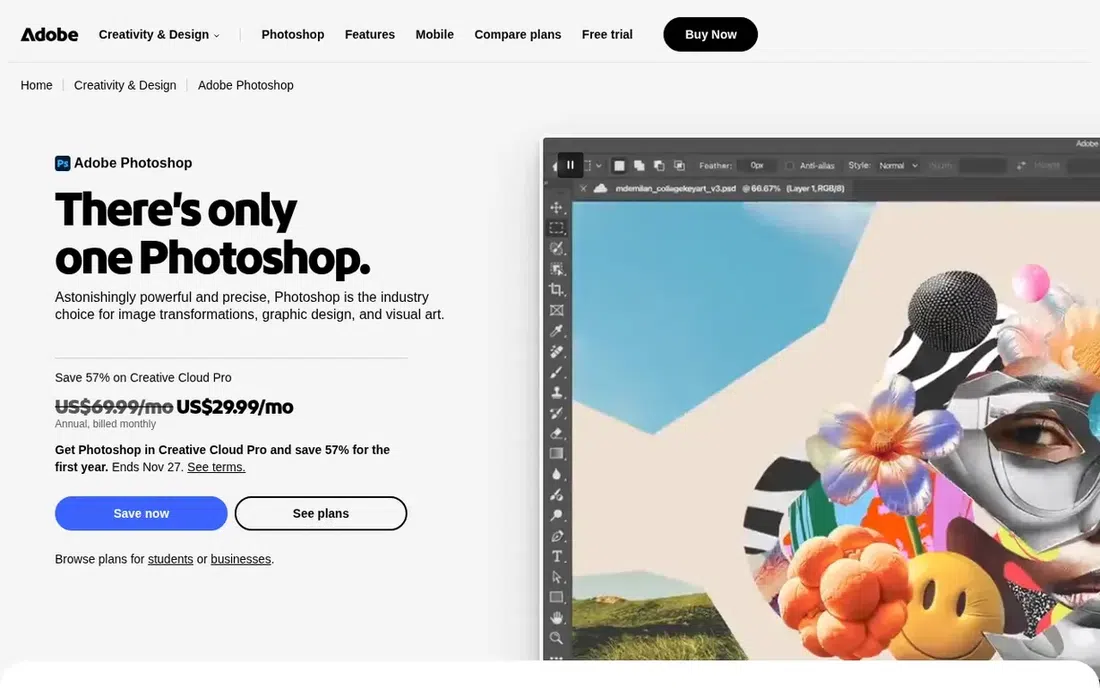
Adobe Photoshop is built with advanced retouching and compositing in mind. Adobe Photoshop is a full image editor widely used for product photography. It provides feature-rich tools for retouching, masking, and combining images, making it a good match for creating custom scenes and complicated edits.
For everyday use, Photoshop has a steep ramp-up time and may be overkill for straightforward product edits. Its subscription model might not suit those who prefer one-time purchases. No starting price is listed for Adobe Photoshop here; confirm pricing on the vendor site. Free plan details: Not stated.
Points against: Can be complicated for beginners.
- Works online or on mobile
- Broad retouching tools
- Requires a subscription
Skylum Luminar Neo
Best for: AI-assisted fast edits
Choose Skylum Luminar Neo for AI-assisted fast edits. Luminar Neo supplies less manual control than traditional editors and may not manage highly specialized retouching tasks.
As for the details, Skylum Luminar Neo is a photo editor that uses AI to ease complicated edits. It is aimed at PC and Mac and helps users achieve their envisioned results with minimal effort. No starting price is listed for Skylum Luminar Neo here; confirm pricing on the vendor site. Skylum Luminar Neo does not include a free plan.
The main drawbacks: Restricted advanced compositing.
- AI-powered enhancements
- Quick editing
- Less manual control
What went into this list
The comparison looks at four things: starting price, free access, how well the feature set matches product photography software, and the main limit of each tool. Figures are shown as the vendors publish them. Billing terms, seat minimums and add-ons can change the real cost. Order on the page follows fit for the typical buyer first, then price transparency and free access. Your own requirements should decide the final pick.
A buyer's checklist
- Get a written quote from Adobe Lightroom, Affinity Photo, Adobe Photoshop and Skylum Luminar Neo; the list shows no starting price for them.
- Use real work to test the free trial from ON1 Photo RAW, rather than a demo project.
- Before choosing ON1 Photo RAW, weigh its main limit: may be slower on large catalogs.
- Before you load data into ON1 Photo RAW, check what an export looks like and who can run it.
- See whether Skylum Luminar Neo offers onboarding or training, and whether it is included in the price.
FAQ
Is ON1 Photo RAW the right pick for everyone comparing product photography software?
No single tool suits every team. ON1 Photo RAW comes first because it fits all-in-one raw editing and organization, while Adobe Lightroom suits efficient photo organizing and editing and Affinity Photo suits precise editing without subscription. Match the tool to your own size, budget and workflow before deciding.
What is the cheapest option for product photography software in this list?
On published monthly entry prices, Topaz Photo AI is the lowest here at $19 per month. Entry price is only part of the cost, because seats, add-ons and billing terms can change the total. Prices, free plan details and limits for all 6 tools in this product Photography software roundup sit on the individual cards above.
Do these tools publish their prices?
Not all of them. Adobe Lightroom, Affinity Photo, Adobe Photoshop and Skylum Luminar Neo publish no starting price, so expect a quote request for those. The rest, ON1 Photo RAW included, show a starting price, though seats and billing terms still change the final cost.
What is the best software for editing product photos?
Start with ON1 Photo RAW if you need all-in-one raw editing and organization. Adobe Lightroom is the better match for efficient photo organizing and editing, and Affinity Photo for precise editing without subscription. The best choice depends on budget, team size and workflow.
How are the tools for product photography software ordered?
ON1 Photo RAW sits first and Skylum Luminar Neo last because the order follows typical fit for product photography software, then price clarity and free access. It is a judgement call, so read each profile for fit and limits.
Sources
- https://www.on1.com/products/photo-raw
- https://www.adobe.com/products/photoshop-lightroom.html
- https://affinity.serif.com/en-us/photo
- https://www.topazlabs.com/topaz-photo-ai
- https://www.adobe.com/products/photoshop.html
- https://skylum.com/luminar