8 Best Photo Editing Software for Real Estate Photography in 2026
Compare the best photo editing software for real estate photography, with HDR blending, flambient edits, sky replacement, and fast listing-ready exports.
- Editor's choice
 Adobe Lightroom
In-house batch editing
Starts at$11.99 per month, billed annuallyVisit adobe.comFull review - Great alternative
 BoxBrownie
Outsourced editing per image
Starts at$1.60 per imageVisit boxbrownie.comFull review - Also consider
 PhotoUp
Dedicated editor service
Starts at$1.50 per image, pay as you goVisit photoup.netFull review
TL;DR:
- Adobe Lightroom remains the core desktop editor for real estate photographers who edit in-house.
- BoxBrownie and PhotoUp suit photographers who want to outsource editing and pay per image.
- Imagen and Autoenhance.ai suit high-volume shooters who want AI consistency with a personal style.
- Photomatix Pro and Luminar Neo cover HDR blending and fast enhancement for solo shooters.
- Always keep edits honest: brighten rooms and fix color, but do not remove permanent features or mislead buyers.
Quick comparison
| Tool | Best for | Starts at | Free plan? | |
|---|---|---|---|---|
| Adobe Lightroom | In-house batch editing | $11.99 per month, billed annually | No | Visit |
| BoxBrownie | Outsourced editing per image | $1.60 per image | No | Visit |
| PhotoUp | Dedicated editor service | $1.50 per image, pay as you go | No | Visit |
 Imagen | AI editing with personal style | See website | No | Visit |
 Autoenhance.ai | Automated listing images at scale | $29 per month | No | Visit |
 Luminar Neo | Fast enhancement and sky replacement | See website | No | Visit |
 Photomatix Pro | HDR blending | $99 one-time | No | Visit |
 Topaz Photo AI | Sharpening and noise cleanup | See website | No | Visit |
The best photo editing software for real estate photography

Lightroom is the workhorse for real estate photographers who edit their own shoots. Presets can apply a consistent look across a whole property, lens corrections straighten verticals, and HDR merge combines brackets for bright windows and dark interiors. Batch export settings for MLS size limits save time when a listing needs many images in different sizes.
Lightroom HDR merging works well but can be slower than a dedicated HDR tool on large bracket sets. The subscription at $11.99 per month billed annually is reasonable for working photographers. If you shoot real estate regularly and want control over every image, Lightroom should be the base of your workflow.
- Batch presets, lens corrections, HDR merge, mobile sync
- Subscription only, HDR merge is slower than dedicated tools
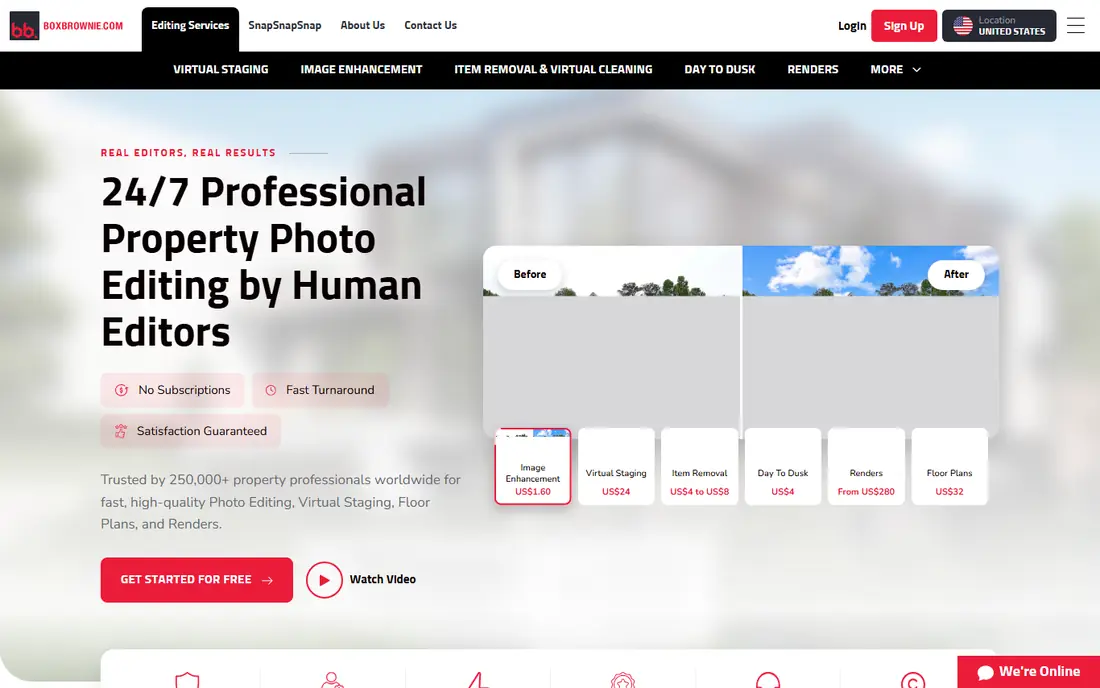
BoxBrownie is an editing service rather than desktop software, and it suits photographers who want to shoot more and edit less. Basic image enhancement starts at $1.60 per image, with virtual staging, sky replacement, object removal, and floor plans available as add-ons. Basic edits are typically delivered within 24 hours, which fits tight listing schedules.
The trade-off is style control. A service editor follows your brief, but results will vary more than a personal Lightroom preset built over years. Per-image pricing also adds up for high-volume shooters. For solo photographers and small teams that need reliable outsourcing, BoxBrownie is a practical option.
- Pay per image, virtual staging and floor plans, 24-hour turnaround for basic edits
- Per-image cost adds up at volume, less personal style control

PhotoUp pairs photographers with a dedicated editor over time, which helps consistency compared with a rotating pool. Pay-as-you-go pricing starts at $1.50 per credit, while subscription clients can reach as low as $0.50 per credit. Services include HDR and flambient editing, virtual staging, floor plans, and single property websites.
The credit model needs care. Occasional users may pay for unused credits on subscription plans, while pay-as-you-go avoids that issue at a higher per-image rate. PhotoUp suits photographers who want a long-term editing partner and a broader service range than basic enhancement alone.
- Dedicated editor over time, credit system, property websites
- Subscription credits can go unused, service model not a desktop editor
Imagen uses AI trained on a photographer's past edits to apply a personal style to new shoots. After an initial profile is built, batches can be edited and culled far faster than manual work, with consistent color and exposure across a property. That consistency matters for agents who expect every listing to look like the last one.
Imagen needs enough past edits to learn a style, so new photographers may need to edit manually first. Pricing varies by volume, so check the vendor site for your monthly image count. For established real estate photographers with a clear style and high volume, Imagen can cut editing time sharply.
- Learns your editing style, fast batch culling and editing, consistent results
- Needs a training set of past edits, pricing varies by volume
Autoenhance.ai automates enhancement for listing images at scale, with plans starting at $29 per month. It suits brokerages, portals, and photographers who process many similar images and need consistent, listing-ready output. An API option helps teams integrate enhancement into an existing upload workflow.
Artistic control is lighter than in Lightroom, since automation favors speed and consistency over custom retouching. Photographers who craft each image by hand may find it too standardized. For high-volume listing work where speed and uniformity matter most, Autoenhance.ai is a strong fit.
- API-friendly automation, fast batch enhancement, sky replacement
- Less artistic control, best for standardized listings
Luminar Neo helps real estate photographers finish images fast, especially sky replacement for exteriors and quick enhancement for interiors. The interface stays approachable, and AI tools can lift dull skies and brighten rooms without complex masking. It works well as a second editor after Lightroom or as a main editor for lighter workloads.
The catalog is light, so photographers with large archives should keep Lightroom or folders as the organizer. Some AI features sit behind ongoing payment, so read plan details before buying. For photographers who want fast, polished listing images without deep manual work, Luminar Neo is a useful addition.
- Easy sky replacement, AI enhancement, simple batch tools
- Catalog is light, some features need ongoing payment
Photomatix Pro focuses on one job: merging bracketed exposures into balanced HDR images. Tone mapping controls let photographers keep windows bright without darkening interiors into muddy tones. The one-time price of $99 suits photographers who want a dedicated HDR tool without another subscription.
Photomatix does not replace a full editor, since cataloging and detailed retouching still need another app. The interface feels dated next to Lightroom and Luminar. For photographers who shoot brackets for every room and want precise HDR control, Photomatix remains a reliable specialist tool.
- Dedicated HDR merging, tone mapping control, one-time purchase
- Narrow scope, interface feels dated
Topaz Photo AI cleans up images that would otherwise be unusable: high ISO interior shots, slightly soft handheld frames, and low-light twilight exteriors. Denoise and sharpening tools preserve detail better than basic sliders, and batch processing helps when a whole shoot needs cleanup. It works as a plugin or standalone step before final export.
Topaz is not a full editor, so cataloging, color work, and HDR blending still need another tool. Pushing sharpening too far can create an artificial look, which buyers notice. Used with restraint, Topaz Photo AI rescues difficult real estate frames and improves overall listing quality.
- Strong denoise and sharpening, batch processing, easy to use
- Not a full editor, can oversharpen if settings are pushed
How we picked these
We selected tools and services that are actively used for real estate photo editing in October 2026 and that cover the core jobs: HDR blending, batch color work, sky replacement, and fast delivery. We mixed desktop software, AI tools, and outsourcing services because real estate photographers use all three models. Prices came from vendor or recent pricing summaries, and we used "See website" where pricing varies by volume or plan.
What to check before you buy
Decide whether to edit, automate, or outsource
In-house editing gives the most control, AI tools give speed with a personal style, and services give time back for shooting. Many photographers mix models: Lightroom for hero images, AI for standard rooms, and a service for overflow weeks. Test each model on a real listing before committing to a monthly plan.
Build a consistent preset or style first
Agents and buyers notice when listings from the same photographer look different. Build a preset or AI profile that handles white balance, exposure, verticals, and sky work consistently. Check results on a phone screen as well as a desktop monitor, since most buyers browse listings on mobile.
Keep edits honest and MLS-compliant
Brighten rooms, correct color, and remove temporary clutter only where your MLS rules allow it. Do not remove permanent features, change room size perception through extreme distortion, or misrepresent outdoor views. Honest edits protect agents, photographers, and buyers alike.
FAQ
What is the best photo editing software for real estate photography?
Adobe Lightroom is the best all-round desktop choice for in-house editing, thanks to batch presets and HDR merge. BoxBrownie and PhotoUp suit outsourcing, while Imagen suits high-volume photographers with a defined style. The best real estate photo editing software for you depends on whether you edit, automate, or outsource.
Should real estate photographers use HDR or flambient editing?
Both work. HDR blending combines brackets for balanced light, while flambient blends flash and ambient exposures for cleaner color and window detail. HDR is faster to shoot, while flambient often looks more natural in difficult rooms. Many services offer both, so test each on the same property.
How fast should real estate editing turnaround be?
Most listings need edited images within 24 hours, and many agents expect same-day delivery. Desktop editing suits photographers who control their schedule, while services and AI tools help when volume spikes. Build a workflow that meets a 24-hour promise without rushing quality.
Is sky replacement acceptable in real estate photos?
Sky replacement is common for dull exteriors, but the replacement should look plausible for the season and location. Avoid dramatic skies that mislead buyers about light or weather. When in doubt, use a clean, natural sky rather than a striking one.
Do I need a service if I already use Lightroom?
Not always. Lightroom covers most real estate editing for photographers with time to edit. A service helps when volume exceeds editing capacity, when turnaround must stay under 24 hours, or when virtual staging and floor plans are also needed.
Sources
https://www.adobe.com/products/photoshop-lightroom.html https://boxbrownie.com https://photoup.net https://imagen-ai.com https://autoenhance.ai https://skylum.com/luminar https://www.hdrsoft.com https://www.topazlabs.com