Top 5 Photo Editing Software for Product Photography for 2026 (Prices and Free Plans)
Searching for the best photo editing software for product photography? Here are 5 options with prices and free plans. Where a tool struggles is spelled out.
- Editor's choice
 Corel PaintShop Pro
Budget-friendly all-purpose editing
Starts atSee websiteVisit paintshoppro.comFull review - Great alternative
 Affinity Photo
Professional editing without subscription
Starts atSee websiteVisit affinity.serif.comFull review - Also considerSkylum Luminar Neo
AI-assisted fast edits
Starts atSee websiteVisit skylum.comFull review
Direct answer
This list puts Corel PaintShop Pro first for low-cost all-purpose editing. Listed starting prices: ON1 Photo RAW from $49.99. If your case is different, Affinity Photo suits professional editing without subscription and Skylum Luminar Neo suits AI-assisted fast edits. The remaining 2 options are covered below with prices and limits.
TL;DR:
- Corel PaintShop Pro sits first on this list: low-cost all-purpose editing.
- What to know about Skylum Luminar Neo first: less depth for complicated retouching.
- ON1 Photo RAW fits all-in-one raw editing and organization.
- Corel PaintShop Pro, ON1 Photo RAW and the 3 others all need a premium plan or a trial, since no free plan is listed.
- For Corel PaintShop Pro, Affinity Photo, Skylum Luminar Neo and Adobe Photoshop, you have to request a quote because no starting price is shown.
Last checked November 2026. Prices and plan details were read from the vendors' own pages in November 2026; vendors change plans often, so confirm the current price on the vendor site before you buy.
Quick comparison
| Tool | Best for | Starts at | Free plan? | |
|---|---|---|---|---|
| Corel PaintShop Pro | Budget-friendly all-purpose editing | See website | Not stated | Visit |
| Affinity Photo | Professional editing without subscription | See website | Not stated | Visit |
| Skylum Luminar Neo | AI-assisted fast edits | See website | No | Visit |
 Adobe Photoshop | Advanced retouching and compositing | See website | Not stated | Visit |
 ON1 Photo RAW | All-in-one raw editing and organization | $49.99 | Free trial | Visit |
The best photo editing software for product photography
Short on time? The summary and table above give the quick view of 5 tools for photo editing software for product photography, and the profiles that follow give the detail behind each entry.
Corel PaintShop Pro is designed for budget-friendly all-purpose editing. Corel PaintShop Pro is a photo editing application from Corel with product information, updates and tutorials available on its official site.
It provides a wide set of editing tools for general photo work and suits product photographers who want an all-purpose editor with learning resources. Corel PaintShop Pro shows no starting price here, so confirm the cost on the vendor site. Trial and free access: Not stated.
Drawbacks to consider: Less industry standard for studios.
- Familiar Windows workflow
- Wide editing feature set
- Windows-focused
Pick Affinity Photo if this describes you: professional editing without subscription. Affinity Photo is a professional photo editor aimed at precision, speed and creative freedom.
Affinity Photo has a smaller plugin ecosystem and fewer built-in catalog features than some rivals, so large shoots may need a separate organizer. No starting price is listed for Affinity Photo here; confirm pricing on the vendor site. Free plan details: Not stated.
Trade-offs to know: Smaller ecosystem of plugins.
- Quick performance
- Precise editing tools
- Fewer catalog features
Skylum Luminar Neo
Best for: AI-assisted fast edits
Think of Skylum Luminar Neo for AI-assisted fast edits. It is designed as a straightforward photo editor, making it approachable for product photographers who want quick enhancements without deep technical setup. For everyday use, Luminar Neo provides less depth for complicated retouching and compositing than dedicated professional editors, and its catalog features are restricted.
What to check first: Less depth for complicated retouching.
Photographers with advanced studio needs may outgrow it. More specifically, pick Luminar Neo when fast, AI-assisted edits and a straightforward interface are the priority. Skylum Luminar Neo does not show a starting price in this comparison, so check the vendor site for current pricing. Skylum Luminar Neo does not include a free plan.
- Available for PC and Mac
- Straightforward interface
- Restricted catalog features
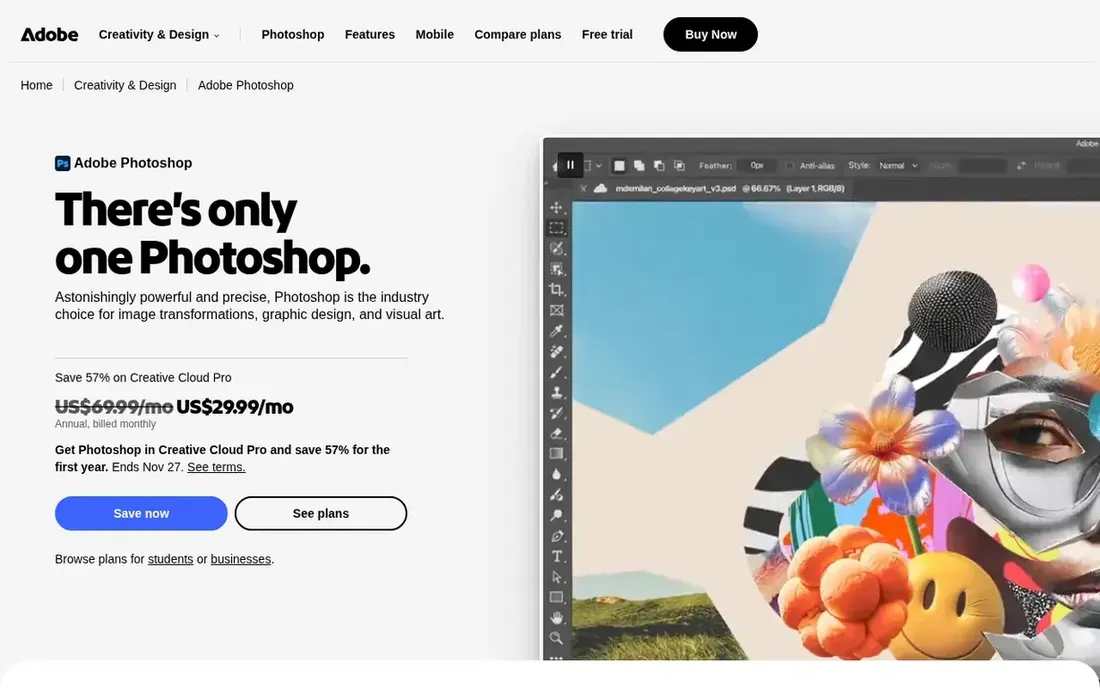
Adobe Photoshop is designed for advanced retouching and compositing. Choose Photoshop when in-depth, layer-based retouching is the core of your product workflow. Worth adding: Adobe Photoshop is a full image editor used widely for product photography retouching.
Limits to weigh: Subscription model.
It supports complicated edits, custom scene creation and image combination, and it runs online plus through a mobile app. Editors who primarily cull and color-correct large shoots may prefer a catalog-focused tool. As for the details, the tool suits photographers and retouchers who require layered control over backgrounds, reflections and product detail, and who want one environment for both cleanup and creative compositing. On top of that, Photoshop is feature-rich but can feel heavy for straightforward batch adjustments. Its subscription model may not suit every budget. Pricing for Adobe Photoshop is not stated here, so ask the vendor for current figures. Free plan details: Not stated.
- Works online and on mobile
- Capable compositing for custom scenes
- Steep ramp-up time
ON1 Photo RAW works best for all-in-one raw editing and organization. Choose it when an integrated raw workflow and single-purchase model matter more than specialized retouching depth. Advanced compositing is not its central focus.
Limits to weigh: Can be resource intensive.
ON1 Photo RAW can be demanding on older hardware, and its interface may take time to learn compared to more straightforward editors. It uses AI-powered tools and is offered as a one-time purchase without a subscription. ON1 Photo RAW pricing: $49.99. Trial and free access: Free trial.
- Merges editing and organizing
- AI-powered raw processing
- Interface takes adjustment
How we built this list
What to check before you buy
- Ask Corel PaintShop Pro, Affinity Photo, Skylum Luminar Neo and Adobe Photoshop for a written quote, since no starting price is shown.
- Use real work to test the free trial from ON1 Photo RAW, rather than a demo project.
- Before choosing Corel PaintShop Pro, weigh its main limit: Windows-focused.
- The entry price of Corel PaintShop Pro is only the starting point; model the full cost with seats and extras.
- Ask Skylum Luminar Neo how an export works before you move any records in; an easy exit lowers the risk.
FAQ
Do these tools publish their prices?
Not all of them. Corel PaintShop Pro, Affinity Photo, Skylum Luminar Neo and Adobe Photoshop publish no starting price, so expect a quote request for those. The rest, ON1 Photo RAW included, show a starting price, though seats and billing terms still change the final cost.
Can I try these tools before paying?
Often, yes. ON1 Photo RAW offers a free trial. Use your own data and a real task during the test, and check what the free tier or trial limits before you rely on it. Each of the 5 options in this photo editing software for product Photography guide has its own card above with the price, free plan and limits.
How are the tools for photo editing software for product photography ordered?
Corel PaintShop Pro sits first and ON1 Photo RAW last because the order follows typical fit for photo editing software for product photography, then price clarity and free access. It is a judgement call, so read each profile for fit and limits.
Which tool is best for tethered product photography?
The first pick on this list is Corel PaintShop Pro, because it suits budget-friendly all-purpose editing. Affinity Photo is better for professional editing without subscription, and Skylum Luminar Neo for AI-assisted fast edits. Check price and limits against your own needs before choosing.
Does any tool for photo editing software for product photography here have a free plan?
A permanent free plan is not offered by Corel PaintShop Pro, ON1 Photo RAW or the other tools here. ON1 Photo RAW offer a trial. Plan a short evaluation period instead. All 5 picks in this photo editing software for product Photography comparison list a starting price, free plan details and the main limits on their cards above.
Sources
- https://www.paintshoppro.com
- https://affinity.serif.com/en-us/photo
- https://skylum.com/luminar
- https://www.adobe.com/products/photoshop.html
- https://www.on1.com/products/photo-raw