8 Best Editing Software for Photography in 2026
Compare the best editing software for photography in 2026, with Lightroom, Capture One, DxO, Luminar, Affinity and free options for RAW and photo editing.
- Editor's choice
 Adobe Lightroom
Photographers managing large libraries with batch editing and presets
Starts at$11.99 per monthVisit adobe.comFull review - Great alternative
 Adobe Photoshop
Retouching, compositing, and advanced image manipulation
Starts at$19.99 per monthVisit adobe.comFull review - Also consider
 Capture One Pro
Studio photographers and tethered shooting with color-critical control
Starts at$18 per monthVisit captureone.comFull review
TL;DR:
- Lightroom suits photographers who manage large libraries, while Capture One suits studio and tethered work with color-critical control.
- DxO PhotoLab offers the strongest RAW quality for a one-time price, while Luminar Neo and ON1 suit faster, AI-assisted edits.
- Affinity and darktable now give free or low-cost editors serious power, so a subscription is no longer required for good results.
- Choose by workflow first: library size, tethering, noise handling, and whether you prefer a subscription or a one-time purchase.
Quick comparison
| Tool | Best for | Starts at | Free plan? | |
|---|---|---|---|---|
| Adobe Lightroom | Photographers managing large libraries with batch editing and presets | $11.99 per month | No | Visit |
| Adobe Photoshop | Retouching, compositing, and advanced image manipulation | $19.99 per month | No | Visit |
| Capture One Pro | Studio photographers and tethered shooting with color-critical control | $18 per month | No | Visit |
 DxO PhotoLab | Photographers who want maximum RAW quality, especially in low light | $229 one-time | No | Visit |
 Luminar Neo | Photographers who want fast, AI-assisted edits without deep manual work | $119 one-time | No | Visit |
 Affinity Photo | Photographers who want Photoshop-level editing without a subscription | Free | Yes | Visit |
 ON1 Photo RAW | Photographers who want browsing, editing, effects, and resizing in one app | $99.99 one-time | No | Visit |
 darktable | Photographers who want a free, Lightroom-style RAW workflow | Free | Yes | Visit |
The best editing software for photography
Adobe Lightroom
Best for: Photographers managing large libraries with batch editing and presets
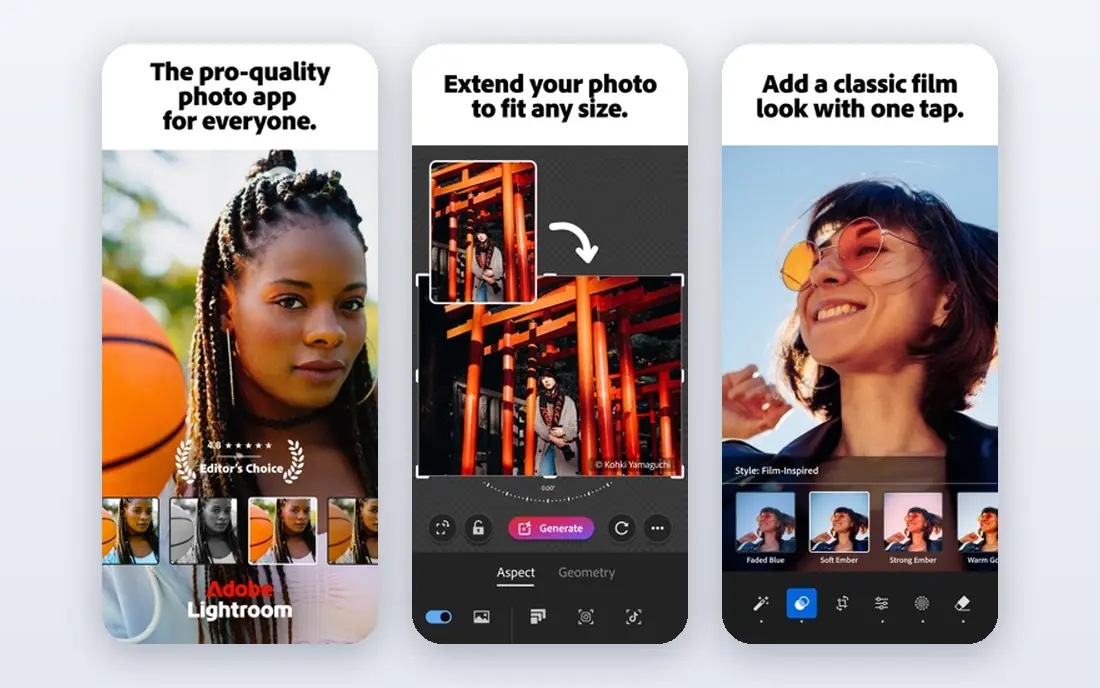
Lightroom is built for volume, letting a wedding or event photographer import thousands of RAW files, cull quickly, apply presets across a batch, and export a gallery in one workflow. Its catalog, smart collections, and keywording keep years of shoots searchable, while AI masking helps with subject, sky, and background selections. Cloud sync also lets edits move between desktop, mobile, and web. The drawback is the subscription and the split between Lightroom cloud and Lightroom Classic. Stop paying and editing stops, and new users often struggle to choose between the two versions. The Photography plan at $19.99 per month, which adds Photoshop and Classic, is often better value than the Lightroom-only plan. For regular shooters who value organization, Lightroom remains the default.
- Best-in-class catalog, presets, cloud sync, and AI masking for batch work
- Subscription only, and the cloud and Classic versions can confuse new users

Photoshop is the standard for work beyond basic RAW edits, from skin retouching and product cleanup to composites, text, and design layouts. Its layers, masks, and selection tools give precise control, and generative fill and remove tools speed up cleanup tasks that once took many manual steps. It pairs naturally with Lightroom, which handles cataloging while Photoshop handles detailed edits. The trade-off is complexity and cost. Photoshop is more than most photographers need for everyday color and exposure work, and its subscription adds to the Lightroom cost if bought alone. The Photography plan solves that by bundling both for $19.99 per month. For retouchers, commercial photographers, and designers, Photoshop is still the tool other editors are measured against.
- Deepest retouching and compositing tools, with generative fill and remove features
- Overkill for simple RAW edits, and the interface takes time to learn
Capture One Pro
Best for: Studio photographers and tethered shooting with color-critical control
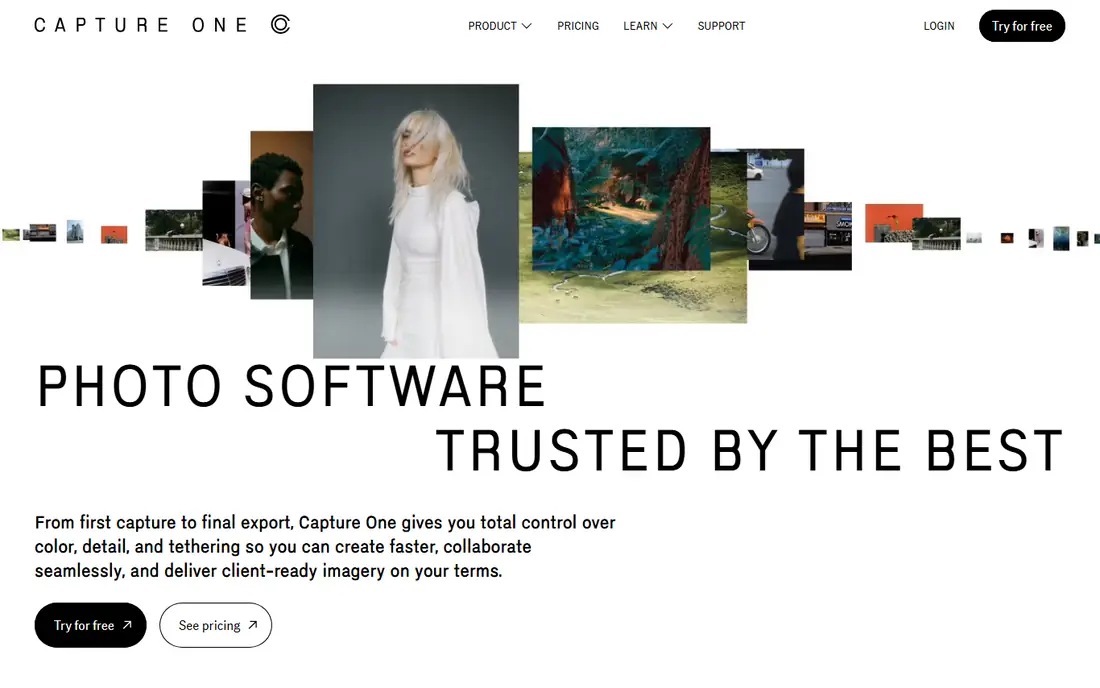
Capture One Pro is the studio pick, because its tethered shooting is fast and reliable, letting photographers see images on a large screen as they shoot and adjust color live. Its color tools, skin tone controls, and session-based workflow suit fashion, product, and commercial work where color accuracy and client review matter during the shoot. It also offers a perpetual license option alongside subscription. The weakness is familiarity. Capture One takes longer to learn than Lightroom, and its catalog features feel different enough that migrating a large Lightroom library needs planning. At around $18 per month billed annually, or a higher perpetual price, it is also a premium choice. For studio and tethered work, that premium buys speed and color control that Lightroom does not match.
- Excellent tethering, color editing, and session workflows for studio work
- Higher learning curve and cost, with less library breadth than Lightroom for some users
DxO PhotoLab
Best for: Photographers who want maximum RAW quality, especially in low light
DxO PhotoLab stands out on image quality, with DeepPRIME denoising that recovers detail from noisy, high-ISO files better than most rivals. Its lens corrections, based on lab-tested camera and lens profiles, also improve sharpness and distortion with little manual work. Photographers who shoot in low light, or who print large, often notice the difference on their hardest files. The trade-off is workflow. PhotoLab library and batch features are lighter than Lightroom, and its Elite edition price around $229 is a significant one-time cost. It also suits RAW editing more than pixel-level compositing, so retouchers will still need Photoshop or Affinity. For image quality on a perpetual license, DxO is the strongest pick in this list.
- DeepPRIME noise reduction and lens corrections that improve difficult RAW files
- One-time price is high, and library features are lighter than Lightroom
Luminar Neo
Best for: Photographers who want fast, AI-assisted edits without deep manual work
Luminar Neo targets speed, with AI tools for sky replacement, portrait enhancement, relighting, and background removal that turn a long edit into a few clicks. That suits travel, portrait, and outdoor photographers who want polished results quickly, without learning layers and masks. Its one-time license from $119 also appeals to photographers who dislike subscriptions. The limit is control and taste. AI edits can look artificial when overused, and Luminar catalog and batch tools are simpler than Lightroom. Photographers who need precise, repeatable color work or large library management may find it limiting. Used with restraint, as a fast editor for common tasks, Luminar Neo saves real time.
- One-click sky, portrait, and relight tools that speed up common edits
- AI tools can look overdone if pushed too far, and catalog features are basic
Affinity Photo
Best for: Photographers who want Photoshop-level editing without a subscription
Affinity Photo, now free under Canva, gives photographers a full pixel editor with layers, masks, retouching, and compositing tools that rival Photoshop for most photo work. Its one-time history and now free model make it the best value pixel editor available, especially for photographers who only need detailed editing occasionally. The interface is also cleaner than Photoshop for new users. The drawback is ecosystem. Affinity has fewer plugins and tutorials than Photoshop, and its RAW and library workflow is less developed than Lightroom or Capture One. Photographers who need a full catalog system should pair it with darktable or another organizer. As a free, powerful editor, Affinity is hard to argue against for most pixel work.
- Full layer, mask, and retouching tools, now free under Canva, with a clean interface
- Smaller plugin ecosystem than Photoshop, and RAW workflow is less library-focused
ON1 Photo RAW
Best for: Photographers who want browsing, editing, effects, and resizing in one app
ON1 Photo RAW combines browsing, RAW editing, effects, portrait retouching, and resizing in one application, so photographers can move from import to export without switching tools. Its perpetual license from $99.99 appeals to Lightroom users who want to stop paying monthly, and its effects and preset system helps with creative looks. It also handles layers and masking for more advanced edits. The trade-off is polish. ON1 interface can feel crowded, and large catalogs may run slower than Lightroom on some systems. Its AI tools are also less refined than Luminar for some tasks. For photographers who want an all-in-one, buy-once alternative to Lightroom, ON1 offers strong value and a complete workflow.
- All-in-one workflow with browsing, RAW editing, effects, and portrait tools, on a perpetual license
- Interface can feel busy, and performance varies by system and catalog size
darktable is a free, open source RAW editor that mirrors the Lightroom workflow, with non-destructive editing, modules for tone, color, and detail, and tools for organizing large shoots. It runs on Windows, Mac, and Linux, and it supports a wide range of cameras. For photographers on a tight budget, or for Linux users with few paid options, darktable covers the core RAW workflow at no cost. The weakness is learning curve. darktable assumes some knowledge of RAW editing concepts, and its interface can overwhelm beginners. It also lacks the cloud sync, preset marketplace, and official support of paid tools. For patient users who want a free, capable RAW editor, darktable is the best open source option and a strong companion to Affinity for pixel work.
- Free, open source, with non-destructive RAW editing, masks, and organizing tools
- Learning curve and a less polished interface than paid rivals, with no official support line
How we picked these
We looked for editors that are actively sold or supported in 2026, handle RAW files well, and fit real photographer workflows, from library management to studio tethering to pixel retouching. We mixed subscription and perpetual options, plus free tools, so the list covers different budgets and preferences. Prices were checked against vendor pages and recent comparisons, and where pricing was unclear we used See website. We did not include mobile-only editors or pure AI generators, because they lack the RAW workflow and control photographers need for client work. A trial should use your own RAW files, including a noisy high-ISO shot and a tethered session if relevant, to test quality and speed. The best editor is the one that fits your shooting volume, your computer, and your tolerance for subscriptions.
What to check before you buy
Test with your own RAW files
Import a real shoot, including low-light and high-contrast frames, and test culling speed, noise reduction, and export time. A tool that feels fast on sample images may slow down on a 3,000-file wedding catalog. Check new camera support too, because RAW support lags for very new bodies on some platforms.
Decide on subscription versus one-time
Subscriptions such as Lightroom and Photoshop offer constant updates and cloud features, but costs add up over years. Perpetual tools such as DxO, ON1, and Luminar cost more upfront but stop at purchase, with paid upgrades later. Free tools such as Affinity and darktable remove cost entirely, at the price of less support. Choose the model you will still be happy with in three years.
Check tethering and color needs
Studio photographers should test tethered shooting with their exact camera, while print photographers should test color management and soft proofing. If you print, calibrate your monitor and check printer profiles before judging an editor. A good editor cannot fix an uncalibrated display.
FAQ
What is the best photo editing tool?
Lightroom is the best all-round pick for most photographers, because of its library, batch editing, and presets. Capture One suits studio and tethered work, DxO suits maximum RAW quality, and Affinity suits free pixel editing. Pick by workflow, not by feature count alone.
Is Lightroom or Capture One better?
Lightroom suits large libraries, batch work, and photographers who want Photoshop bundled in. Capture One suits studio, tethered, and color-critical work, with stronger live color control during shoots. Try both with your own files, because the better tethering and color tools may outweigh Lightroom library advantages for studio users.
What is the best free photo editing software?
Affinity Photo is now the best free pixel editor, while darktable is the best free RAW workflow. Together they cover organizing, RAW editing, retouching, and compositing at no cost. Free tools need more self-learning and lack official support, but their image quality is serious.
Do I need Photoshop if I have Lightroom?
Not always. Lightroom covers most color, exposure, and batch edits, plus basic retouching. Photoshop is needed for complex composites, advanced retouching, text and design work, and generative cleanup. The Photography plan bundles both, so many photographers keep Photoshop for occasional detailed work.
Is a one-time purchase better than a subscription?
It depends on how long you keep the tool and whether you need constant updates. One-time tools such as DxO and ON1 cost more upfront but can be cheaper over several years, while subscriptions offer cloud features and new tools as they arrive. Calculate three-year total cost, including upgrades, before deciding.
Sources
https://www.adobe.com/products/photos/lightroom.html https://www.adobe.com/products/photoshop.html https://www.captureone.com https://www.dxo.com https://skylum.com/luminar https://affinity.serif.com https://www.on1.com https://www.darktable.org