9 Best Face Photo Editing Apps Free in 2026
Compare the best face photo editing apps free for retouching and makeup looks, with honest free-tier limits and a consent note for your own photos in 2026.

- Editor's choice
 Facetune
Detailed manual retouching
Starts atFreeVisit facetuneapp.comFull review - Great alternative
 AirBrush
Free core retouching
Starts atFreeVisit airbrushapp.comFull review - Also consider
 YouCam Makeup
Virtual makeup and try-ons
Starts atFreeVisit youcam.comFull review
TL;DR:
- Facetune is the best pick for detailed manual retouching, while AirBrush is the closest free alternative for core smoothing and blemish fixes.
- YouCam Makeup leads for virtual makeup and hairstyle try-ons, with a strong free tier on both iPhone and Android.
- FaceApp is best for fun AI transforms like age and hairstyle previews, but its best filters are paid.
- Adobe Lightroom and PicsArt suit editors who want full photo control beyond faces, including colour, light and background work.
- Every app here is for editing your own photos, with consent from anyone else pictured, and none is for creating images of people without permission.
Quick comparison
| Tool | Best for | Starts at | Free plan? | |
|---|---|---|---|---|
| Facetune | Detailed manual retouching | Free | Yes | Visit |
| AirBrush | Free core retouching | Free | Yes | Visit |
| YouCam Makeup | Virtual makeup and try-ons | Free | Yes | Visit |
 FaceApp | AI face transforms | Free | Yes | Visit |
 PicsArt | All-round photo editing | Free | Yes | Visit |
 YouCam Perfect | Selfie beautifying | Free | Yes | Visit |
 BeautyPlus | Natural selfie filters | Free | Yes | Visit |
 PhotoDirector | AI face retouching plus editing | Free | Yes | Visit |
 Adobe Lightroom | Pro-level colour and light | Free | Yes | Visit |
The best face photo editing apps free
We compared official app store listings, pricing pages and public reviews to find apps with genuinely useful free face-editing tools. A note on consent: use these apps on your own photos, or photos you have permission to edit, and do not use face-editing tools to create misleading or non-consensual images of other people.
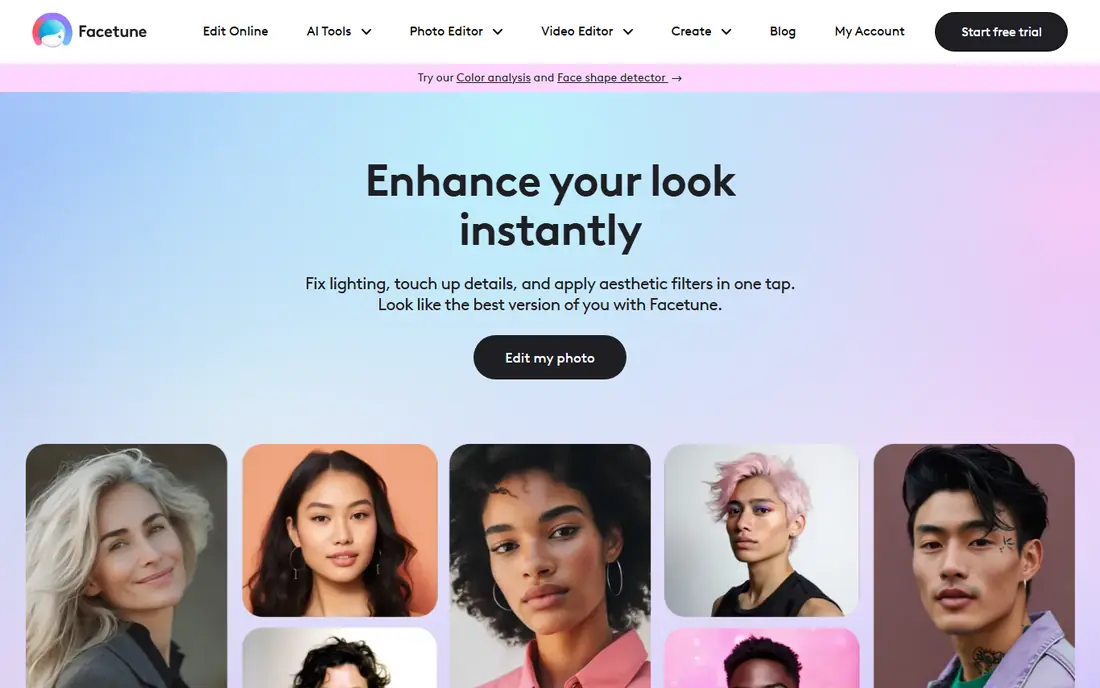
Facetune is the standard for manual selfie retouching, giving sliders and brushes for smoothing skin, whitening teeth, refining eyes and reshaping features with fine control. Unlike one-tap filter apps, it lets you edit small areas precisely, which is why creators and professionals keep returning to it. The free tier covers basic tools, with the full set on subscription.
The honest catch is that the free version is a taster: many of the best brushes and AI tools need a paid plan. Over-editing is also easy, so use a light touch and compare with the original often. For careful, detailed retouching, Facetune remains the benchmark.
- Precise manual tools for skin, eyes, teeth and shape
- Natural results with careful use
- Strong selfie workflow
- Best tools sit behind a subscription
- Free tier is limited
- Heavy edits can look unnatural if overdone
AirBrush is the closest free alternative to Facetune for the edits most people actually make. Its free tier covers skin smoothing, blemish removal, teeth whitening and light reshaping without a subscription, and the interface is simple enough for a first-time editor. Results stay natural when sliders are kept low.
Paid filters, makeup looks and some AI tools sit behind a subscription, and free users see ads. It also lacks the broader photo editing depth of PicsArt or Lightroom. For quick, free selfie touch-ups, AirBrush is the best starting point.
- Free tier covers smoothing, blemish and teeth fixes
- Simple, fast interface
- Natural-looking results
- Advanced filters and makeup tools are paid
- Ads in the free tier
- Fewer all-round editing tools than PicsArt

YouCam Makeup is the leader for virtual makeup, letting you try lipstick, foundation, blush, eye looks and contour from real beauty brands before buying. Hairstyle and hair colour try-ons use live camera preview, so you can see a look move with your face in real time. The free tier includes many retouching and makeup tools on both iPhone and Android.
The best looks and advanced tools need a subscription, and the app's beauty-first framing rewards restraint: a light look photographs better than a heavy one. For makeup try-ons and selfie beautifying in one app, YouCam Makeup is the strongest free option.
- Realistic virtual makeup from real beauty brands
- Hairstyle and hair colour try-ons
- Live camera preview
- Premium looks and tools are paid
- Beauty filters can encourage over-editing
- Account needed for some features
FaceApp became famous for AI transforms that age a face, add a smile or preview a new hairstyle, and those one-tap effects still work well. The free tier covers a useful set of transforms, making it a fun app for previewing a haircut or sharing a playful edit with friends.
The best filters and HD exports sit behind a subscription, and because FaceApp processes photos on its servers, readers should check its privacy policy and photo handling before uploading sensitive images. Use it for your own photos and for fun, not for editing other people without permission.
- Convincing age, smile and hairstyle previews
- Fun gender and style filters
- Simple one-tap workflow
- Best filters are paid
- Free exports may carry watermarks on some features
- Privacy policy deserves a read before uploading
PicsArt is the all-rounder here: face retouching sits inside a full photo editor with filters, stickers, text, collage and background tools. That breadth suits social creators who edit a selfie, then design the whole post in the same app. The free tier covers a large set of tools, with PicsArt Gold adding premium filters, fonts and stock.
The interface can feel busy next to the focused editors, and free users see ads and locked premium items. For face edits alone, Facetune or AirBrush are simpler. For everything around the face as well, PicsArt is the best free package.
- Huge toolset beyond faces, including stickers, text and backgrounds
- Face retouching included
- Large creative community
- Interface can feel busy
- Premium tools and stock are paid
- Ads in the free tier
YouCam Perfect, from the same maker as YouCam Makeup, focuses on selfie beautifying with one-tap presets plus manual skin, face and reshape controls. Collage, frames and background tools round it out for social posts. The free tier handles everyday selfie edits well.
It overlaps heavily with YouCam Makeup, so most users need only one of the two: pick Makeup for virtual cosmetics, Perfect for general beautifying. Premium features are paid, and heavy presets can look artificial, so keep intensity moderate.
- One-tap beautifying plus manual controls
- Body and face reshape tools
- Collage and frame options
- Many premium features are paid
- Beautifying presets can look heavy
- Similar ground to YouCam Makeup
BeautyPlus aims for natural selfie filters rather than dramatic transforms, with skin smoothing, makeup effects and tone adjustments that keep faces recognisable. The free tier covers a good set of filters and basic retouching, and sharing to social apps is straightforward.
Manual precision is lower than Facetune, and the best filters and editing tools need a subscription. For a quick, natural-looking selfie filter without learning an editor, BeautyPlus is a solid free choice.
- Natural-looking selfie filters
- Skin and makeup tools
- Easy sharing to social apps
- Advanced editing is paid
- Filter-heavy workflow
- Less manual precision than Facetune
PhotoDirector brings desktop-style editing to mobile, with AI face retouching alongside colour, light, object removal and sky replacement tools. That makes it a good pick for editors who want face work plus serious photo editing in one app, rather than a selfie-only tool. The free tier covers core editing well.
The full toolset takes longer to learn than AirBrush or BeautyPlus, and the best AI features sit behind a subscription. For users who already edit photos seriously, PhotoDirector's breadth justifies the learning time.
- AI face retouching and sky and object tools
- Strong general photo editor
- Video tools from the same maker
- Premium AI features are paid
- Learning curve for the full toolset
- Subscription for the best export options
Adobe Lightroom is not a face-sculpting app, and that is its strength for natural edits. Its colour, exposure, detail and selective adjustment tools improve a portrait by fixing light and tone rather than reshaping a face, and presets speed up consistent looks. The free mobile tier covers many core tools, with premium features on a paid plan.
Readers wanting reshaping or virtual makeup should pair it with Facetune or YouCam Makeup. Readers wanting portraits that look like themselves, only better lit, will get the most honest results from Lightroom.
- Excellent colour, light and detail controls
- Selective edits and presets
- Free mobile tier is genuinely useful
- Not a face-sculpting app
- Premium features need a Creative Cloud plan
- Best results need some editing knowledge
How we picked these
We compared official app store listings, pricing pages and public reviews, checking what each free tier actually includes and whether the app is actively maintained in 2026. We favoured apps with useful free face tools on both iPhone and Android, and we left out face-swap and undressing tools entirely, since this list is for legitimate editing of your own photos. Prices vary by region and offer, so check the purchase screen before subscribing.
Editing faces well without overdoing it
Start with light and colour before reshaping
Most portraits improve more from fixing light, white balance and sharpness than from reshaping features. Try Lightroom or PicsArt for exposure and colour first, then use a face app lightly for skin and blemish work. The result looks like a better photo, not a different person.
Keep one original saved
Save the unedited original before exporting edits, and compare the edit against it at full size. If skin texture has vanished or features look shifted, pull the sliders back. A good edit survives comparison with the original.
Check permissions and photo handling
Face apps need camera and photo access, and some process images on remote servers. Review permissions, read the privacy policy, and avoid uploading photos of other people or sensitive images to apps you have not checked. Delete uploads where the app allows it.
FAQ
What is the best completely free face photo editing app?
AirBrush gives the best free core retouching, covering smoothing, blemish and teeth fixes without a subscription. Snapseed-style full editors aside, Adobe Lightroom's free mobile tier is also strong for colour and light, though it does not reshape faces.
Is Facetune free?
Facetune is free to download with a limited free tier, and its full toolset needs a subscription. AirBrush and YouCam Makeup give more free retouching tools without paying, so try those first if you want to stay free.
Which face editing app looks the most natural?
Adobe Lightroom looks most natural, since it fixes light and colour rather than reshaping features. Among retouching apps, Facetune and AirBrush look natural when sliders are kept low, while heavy presets in any app quickly look artificial.
Are face editing apps safe for my photos?
Reputable apps from known makers are generally safe, but check each app's privacy policy, since some process photos on remote servers. Avoid uploading photos of other people without permission, and prefer apps that process edits on your device where possible.
Can I edit someone else's photo with these apps?
Only with that person's permission. Editing your own photos is the intended use here, and creating misleading or non-consensual images of other people is off limits. Keep edits honest, especially for profile and professional photos.