The 5 Best 3D Rendering Software for Product Design in 2026, Ranked
Best 3D rendering software for product design, compared. 5 tools with published prices, free plans and limits. Details on cost, catches and fit. Pick by budget.
- Editor's choice
 Lumion
Architectural and product visualization
Starts at$96 named user per monthVisit lumion.comFull review - Great alternative3ds Max
Professional modeling and rendering
Starts atSee websiteVisit autodesk.comFull review - Also consider
 KeyShot
Live product visualization and collaboration
Starts at$7.92 per monthVisit keyshot.comFull review
Direct answer
If you need architectural and product visualization, Lumion is the first tool to look at here. Listed starting prices: Lumion from $96 named user per month and KeyShot from $7.92 per month. 3ds Max is the stronger choice for professional modeling and rendering, while KeyShot suits live product visualization and collaboration. Prices, free plans and limits for all 5 tools follow.
TL;DR:
- Lumion is the opening pick, best for architectural and product visualization.
- A fair warning about KeyShot: restricted to rendering and visualization.
- V-Ray fits Photorealistic rendering across design systems.
- A permanent free plan is missing from all 5 tools, Lumion and V-Ray included; plan for a trial or a premium start.
- For the cheapest start, look at KeyShot: $7.92 per month.
Last checked November 2026. Prices and plan details were read from the vendors' own pages in November 2026; vendors change plans often, so confirm the current price on the vendor site before you buy.
Quick comparison
| Tool | Best for | Starts at | Free plan? | |
|---|---|---|---|---|
| Lumion | Architectural and product visualization | $96 named user per month | Free trial | Visit |
| 3ds Max | Professional modeling and rendering | See website | Not stated | Visit |
| KeyShot | Live product visualization and collaboration | $7.92 per month | Free trial | Visit |
 Cinema 4D | Motion graphics and general 3D design | See website | Not stated | Visit |
 V-Ray | Photorealistic rendering across design systems | See website | Not stated | Visit |
Tool-by-tool breakdown
This LinkVetted guide covers 5 options for 3D rendering software for product design. Each profile lists a starting price, free plan details, strengths and drawbacks, so you can drop poor fits quickly.
Lumion was built for architectural and product visualization. Lumion is live 3D rendering software for architects, offering capable tools to visualize designs from concept to final render. It emphasizes speed, quality, and simplicity, making it accessible for product designers who require fast visualizations.
Watch-outs: Primarily architect-focused.
It is not a modeling tool, so you will have to import assets. Choose Lumion when quick, simple live rendering is more important than specialized product design features. Price to start with Lumion: $96 named user per month. As for free access: Free trial.
- Quick to learn
- Live rendering
- Restricted advanced modeling
3ds Max
Best for: Professional modeling and rendering
3ds Max is a good fit for professional modeling and rendering. 3ds Max is Windows-only and can be complicated for new users. Autodesk 3ds Max is a professional 3D modeling, animation, and rendering software used for creating high-quality designs and expansive worlds.
It provides a deep toolset for product modeling and visualization, frequently paired with rendering engines like V-Ray. As for the details, choose 3ds Max when you need full modeling and rendering capabilities in a single application. Check the vendor site for 3ds Max pricing; none is listed in this comparison. As for free access: Not stated.
Watch-outs: Windows only.
- Broad industry adoption
- Deep modeling tools
- Complicated for beginners
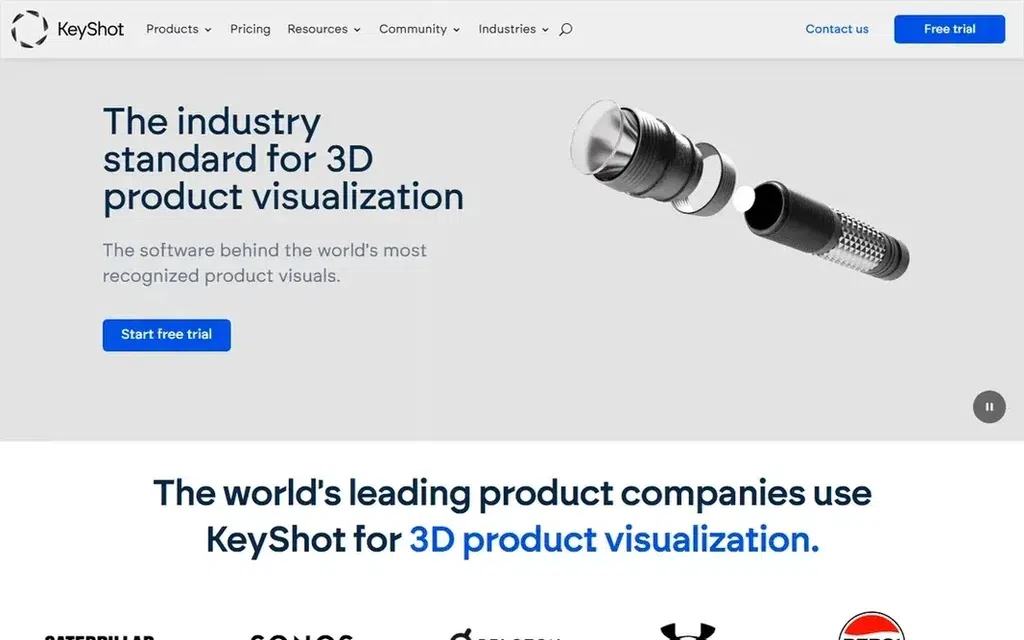
Think of KeyShot for live product visualization and collaboration. It emphasizes collaboration from concept to product launch, making it a good fit for teams that require quick, interactive visuals.
Worth adding: if your work needs deep procedural modeling or character animation, you might need extra software. Entry price for KeyShot: $7.92 per month. As for free access: Free trial.
Drawbacks to consider: May need separate modeling tools.
- Live rendering engine
- AI-assisted visualization features
- Limited to rendering and visualization
Think of Cinema 4D for motion graphics and general 3D design. Cinema 4D from Maxon is a professional 3D modeling, animation, and rendering application widely used in motion graphics and design.
What to check first: Rendering may need extra modules.
Pick Cinema 4D for general 3D design and motion work that contains product visualization. Cinema 4D is not specifically tailored for product design, so some industry-specific features may be missing. Check the vendor site for Cinema 4D pricing; none is listed in this comparison. Trial and free access: Not stated.
- Integrated modeling and rendering
- Approachable interface
- Not specialized for product design

V-Ray works best for Photorealistic rendering across design systems. From a buyer's view, since V-Ray is a plugin, it relies on a host application and may not be a strong match for users seeking a standalone option. More specifically, V-Ray by Chaos is a photorealistic 3D rendering plugin available for widely used design products for example 3ds Max, SketchUp, Rhino, Maya, and Blender.
It integrates into existing modeling environments, allowing designers to render high-quality images without switching tools. More specifically, the ramp-up time can be steep for beginners. Choose V-Ray when you need photorealistic rendering inside your current design software. V-Ray shows no starting price here, so confirm the cost on the vendor site. Trial and free access: Not stated.
Where it falls short: Plugin workflow may add complexity. Best features of V-Ray: Works as a plugin for numerous products.
- Photorealistic rendering quality
- Broad compatibility with 3ds Max, SketchUp, Rhino, Maya, Blender
- Needs a host application
How we built this list
We compared the tools on published pricing, free plan or trial availability, feature coverage for 3D rendering software for product design, and the limits each vendor documents. Where a price is missing, the vendor does not list one publicly or ties it to a quote. Always confirm before budgeting. The order reflects how well each tool fits the most common buying scenario for 3D rendering software for product design, then price clarity, then free plan access. It is a starting point, not a verdict.
Things to verify first
- Ask 3ds Max, Cinema 4D and V-Ray for a written quote, since no starting price is shown.
- Run a trial of Lumion and KeyShot with real work before paying for a year; your own workflow is the best test.
- Before choosing Lumion, weigh its main limit: primarily architect-focused.
- Add up seats, add-ons and usage charges for 3ds Max before comparing it with cheaper entries.
- See whether Lumion offers onboarding or training, and whether it is included in the price.
FAQ
Does any tool for 3D rendering software for product design here have a free plan?
A permanent free plan is not offered by Lumion, V-Ray or the other tools here. Lumion, KeyShot offer a trial. Plan a short evaluation period instead.
Is Lumion the right pick for everyone comparing 3D rendering software for product design?
No single tool suits every team. Lumion comes first because it fits architectural and product visualization, while 3ds Max suits professional modeling and rendering and KeyShot suits real-time product visualization and collaboration. Match the tool to your own size, budget and workflow before deciding.
How are the tools for 3D rendering software for product design ordered?
The order follows typical fit for 3D rendering software for product design, with Lumion first and V-Ray last, then price clarity and free access. It is editorial judgement, not a score, so another team could rank the tools differently.
What is the cheapest option for 3D rendering software for product design in this list?
On published monthly entry prices, KeyShot is the lowest here at $7.92 per month. Entry price is only part of the cost, because seats, add-ons and billing terms can change the total. All 5 picks in this 3D Rendering software for product design comparison list a starting price, free plan details and the main limits on their cards above.
What is the best 3D rendering software for product design?
For most readers this guide would start with Lumion, built for architectural and product visualization. 3ds Max is the alternative for professional modeling and rendering, and KeyShot for live product visualization and collaboration. The right answer depends on budget and workflow.
Sources
- https://lumion.com
- https://www.autodesk.com/products/3ds-max
- https://www.keyshot.com
- https://www.maxon.net/en/cinema-4d
- https://www.chaos.com/vray