6 IDE for Software Development Worth Shortlisting in 2026
Best IDE for software development in 2026: 6 contenders with entry costs and free tiers. Price notes and drawbacks come with each one. Compare quickly.

- Editor's choice
 IntelliJ IDEA
Java and Kotlin development
Starts atSee websiteVisit jetbrains.comFull review - Great alternative
 WebStorm
JavaScript and TypeScript development
Starts atSee websiteVisit jetbrains.comFull review - Also consider
 Visual Studio
Full-featured.NET and cross-platform development
Starts at$45 per user a monthVisit visualstudio.microsoft.comFull review
Direct answer
For Java and Kotlin development, IntelliJ IDEA is where this list starts. Listed starting prices: Visual Studio from $45 per user a month. WebStorm is the stronger choice for JavaScript and TypeScript development, while Visual Studio suits full-featured.NET and cross-platform development. The other 3 tools in the list cover narrower or pricier cases.
TL;DR:
- Top of the list is IntelliJ IDEA, which targets Java and Kotlin development.
- IntelliJ IDEA, Xcode and the 4 others all need a premium plan or a trial, since no free plan is listed.
- One limit worth knowing about PyCharm: commercial version needed for advanced features.
- Xcode is the one to check for Apple product app development.
- The lowest published monthly entry price here is $45 per user per month, from Visual Studio.
Last checked November 2026. Prices and plan details were read from the vendors' own pages in November 2026; vendors change plans often, so confirm the current price on the vendor site before you buy.
Quick comparison
| Tool | Best for | Starts at | Free plan? | |
|---|---|---|---|---|
| IntelliJ IDEA | Java and Kotlin development | See website | Not stated | Visit |
| WebStorm | JavaScript and TypeScript development | See website | Not stated | Visit |
| Visual Studio | Full-featured.NET and cross-platform development | $45 per user a month | Not stated | Visit |
 PyCharm | Professional Python development | See website | Not stated | Visit |
 Visual Studio Code | Light, extensible code editing | See website | Not stated | Visit |
 Xcode | Apple product app development | See website | Not stated | Visit |
IDE for Software Development compared in detail
If you are comparing IDE for software development, this page covers 6 tools in one place: what each is best for, what it costs to start, whether it has a free plan, and the main limit to know about.

Choose IntelliJ IDEA for Java and Kotlin development. IntelliJ IDEA is a JetBrains IDE tailored for Java and Kotlin development, offering advanced code analysis, refactoring, and built-in tools. It is a strong match for professional Java developers and teams building complicated applications who require solid, language-specific features.
From a buyer's view, for web development, consider WebStorm; for Python, PyCharm supplies similar depth. On top of that, IntelliJ IDEA can be heavy on system resources and may be overkill for straightforward projects or non-Java languages. Pricing for IntelliJ IDEA is not stated here, so ask the vendor for current figures. On free options: Not stated.
Drawbacks to consider: Commercial version required for some features.
- Built-in tools for Java and Kotlin
- AI agent support
- Resource-intensive
In short, WebStorm is for JavaScript and TypeScript development. WebStorm is a JetBrains IDE concentrated on JavaScript and TypeScript, offering intelligent coding assistance, refactoring, and debugging. It supports running AI agents and verifying their work, helping developers ship reliable code.
It is well suited to web developers working on modern front-end and Node.js applications. For a lighter choice, Visual Studio Code with extensions is a widely used alternative. No starting price is listed for WebStorm here; confirm pricing on the vendor site. Free plan details: Not stated.
The main drawbacks: Can be heavy for straightforward projects.
- Smart code completion
- Very good JavaScript and TypeScript support
- Commercial version needed for some features
Visual Studio
Best for: Full-featured.NET and cross-platform development

For full-featured.NET and cross-platform development, Visual Studio is a natural candidate. Visual Studio is Microsoft's flagship IDE for software development, offering a rich set of tools for building apps across products and languages.
Visual Studio cost at the entry level: $45 per user per month. Free options: Not stated.
Where it falls short: Large installation footprint.
- Cross-platform support
- Integrated debugging and testing
- Windows-centric
Choose PyCharm for professional Python development. PyCharm is a JetBrains IDE dedicated to Python, offering intelligent code assistance, refactoring, and support for web, data, and machine learning frameworks. It comes with tools for running AI agents and verifying their work.
Points against: Commercial version needed for advanced features.
On top of that, for general-purpose editing, Visual Studio Code is a lighter alternative. PyCharm may feel heavy for small scripts and needs the commercial edition for some features. Check the vendor site for PyCharm pricing; none is listed in this comparison. Trial and free access: Not stated.
- Integrated testing and debugging
- Smart code completion
- Can be slow on large projects
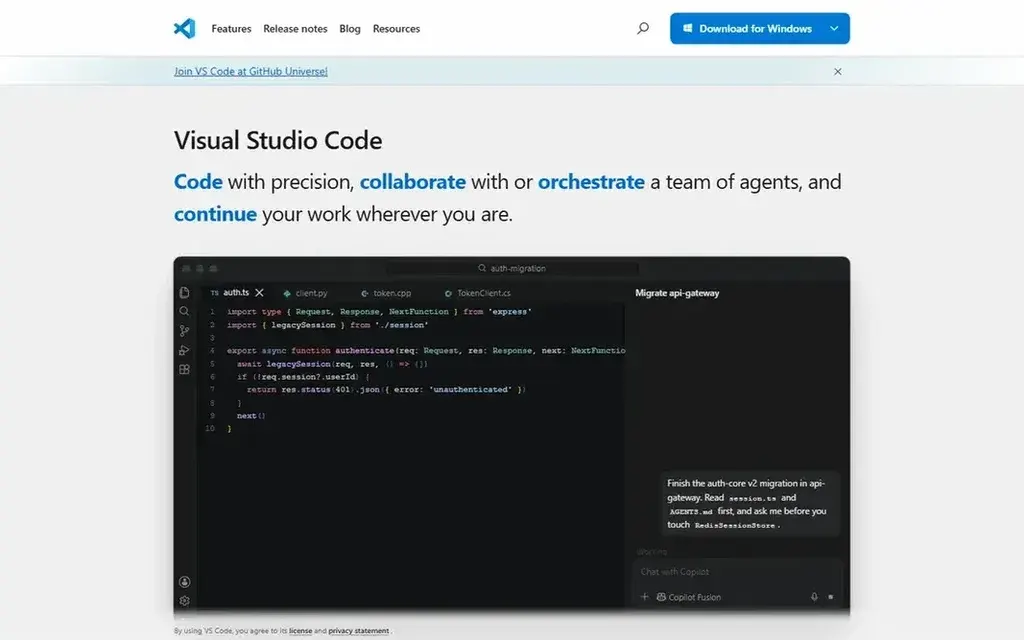
Visual Studio Code is aimed squarely at light, extensible code editing. It suits developers who want a customizable, light environment that can be tailored to their workflow.
No starting price is listed for Visual Studio Code here; confirm pricing on the vendor site. Free options: Not stated.
Honest limits: Less integrated tooling from day one.
- Solid collaboration features
- Highly extensible with a vast ecosystem
- Needs extensions for full IDE features
Think of Xcode for Apple product app development. If you work outside the Apple ecosystem, consider Visual Studio Code or IntelliJ IDEA. For everyday use, Xcode is only available on macOS and is not a good match for cross-platform or non-Apple development.
Highlights: Essential for iOS, macOS.
What to check first: Mac-only.
It gives you everything needed to code, test, and distribute apps, with deep integration into Apple's frameworks and tools. It is indispensable for developers targeting Apple devices. No starting price is listed for Xcode here; confirm pricing on the vendor site. Trial and free access: Not stated.
- Other Apple products
- Integrated testing and distribution
- Restricted to Apple ecosystems
How we chose
The comparison looks at four things: starting price, free access, how well the feature set matches IDE for software development, and the main limit of each tool. Seat minimums, billing terms and add-ons can move the real cost, so the starting prices here are a guide and not a quote. We ordered the tools by general fit, then by how clearly pricing is shown, then by free access. A buyer with unusual needs may reorder them.
Things to verify first
- Get a written quote from IntelliJ IDEA, WebStorm, PyCharm and others; the list shows no starting price for them.
- Before choosing IntelliJ IDEA, weigh its main limit: resource-intensive.
- Run a one or two week pilot of PyCharm with the people who will use it every day.
- Make sure WebStorm lets you export your data in a format another tool can read.
- Test how quickly Visual Studio Code answers a pre-sales question; it hints at how support will feel later.
FAQ
Can I use Visual Studio Code for Python development?
Yes, Visual Studio Code supports Python through extensions, offering features like debugging and linting. Even so, for advanced Python-specific features, PyCharm may be a more thorough choice.
What is the cheapest option for IDE for software development in this list?
On published monthly entry prices, Visual Studio is the lowest here at $45 per user per month. Entry price is only part of the cost, because seats, add-ons and billing terms can change the total. For the full picture, the cards above cover all 6 entries of this IDE for software development list, including price, free plan and limits.
How are the tools for IDE for software development ordered?
IntelliJ IDEA sits first and Xcode last because the order follows typical fit for IDE for software development, then price clarity and free access. It is a judgement call, so read each profile for fit and limits.
Can I try these tools before paying?
Not by default. None of the tools, from IntelliJ IDEA to Xcode, lists a free plan or a free trial here, so ask each vendor for a demo before committing.
Is IntelliJ IDEA the right pick for everyone comparing IDE for software development?
No single tool suits every team. IntelliJ IDEA comes first because it fits Java and Kotlin development, while WebStorm suits JavaScript and TypeScript development and Visual Studio suits full-featured.NET and cross-platform development. Match the tool to your own size, budget and workflow before deciding.
Sources
- https://www.jetbrains.com/idea
- https://www.jetbrains.com/webstorm
- https://visualstudio.microsoft.com
- https://www.jetbrains.com/pycharm
- https://code.visualstudio.com
- https://developer.apple.com/xcode