9 Best API Development Tools in 2026
Compare the best API development tools, from Postman and Insomnia to Bruno and Apidog, with current pricing, free plans, and the right pick for your team.
- Editor's choice
 Postman
Teams that need design, testing, mocks, and monitoring in one place
Starts atFrom $9 per monthVisit postman.comFull review - Great alternative
 Insomnia
Developers who want local control with team sync options
Starts atFrom $12 per user per monthVisit insomnia.restFull review - Also consider
 Bruno
Git-native teams that want collections as files
Starts atFrom $6 per user per monthVisit usebruno.comFull review
TL;DR:
- Postman remains the most complete platform, but its free plan now suits solo users rather than teams.
- Bruno and Hoppscotch offer strong free options for developers who prefer local files or browser-based work.
- Insomnia sits in the middle, with local, Git, and cloud sync options and a clear paid step for teams.
- Apidog, SwaggerHub, and Stoplight suit spec-first teams that care about design, docs, and testing in one place.
- SoapUI still matters for SOAP and enterprise testing, even as newer tools focus on REST and GraphQL.
Quick comparison
| Tool | Best for | Starts at | Free plan? | |
|---|---|---|---|---|
| Postman | Teams that need design, testing, mocks, and monitoring in one place | From $9 per month | Yes | Visit |
| Insomnia | Developers who want local control with team sync options | From $12 per user per month | Yes | Visit |
| Bruno | Git-native teams that want collections as files | From $6 per user per month | Yes | Visit |
 Hoppscotch | Quick browser testing without installs | From $6 per user per month | Yes | Visit |
 Apidog | Teams that want design, testing, and docs from one spec | From $9 per user per month | Yes | Visit |
 SwaggerHub | OpenAPI design, documentation, and governance | See website | Yes | Visit |
 Stoplight | Design-first teams and public API docs | See website | Yes | Visit |
 SoapUI | SOAP, legacy, and enterprise API testing | See website | Yes | Visit |
 Thunder Client | Developers who live in VS Code | From $3 per user per month | Yes | Visit |
The best API development tools
Postman
Best for: Teams that need design, testing, mocks, and monitoring in one place
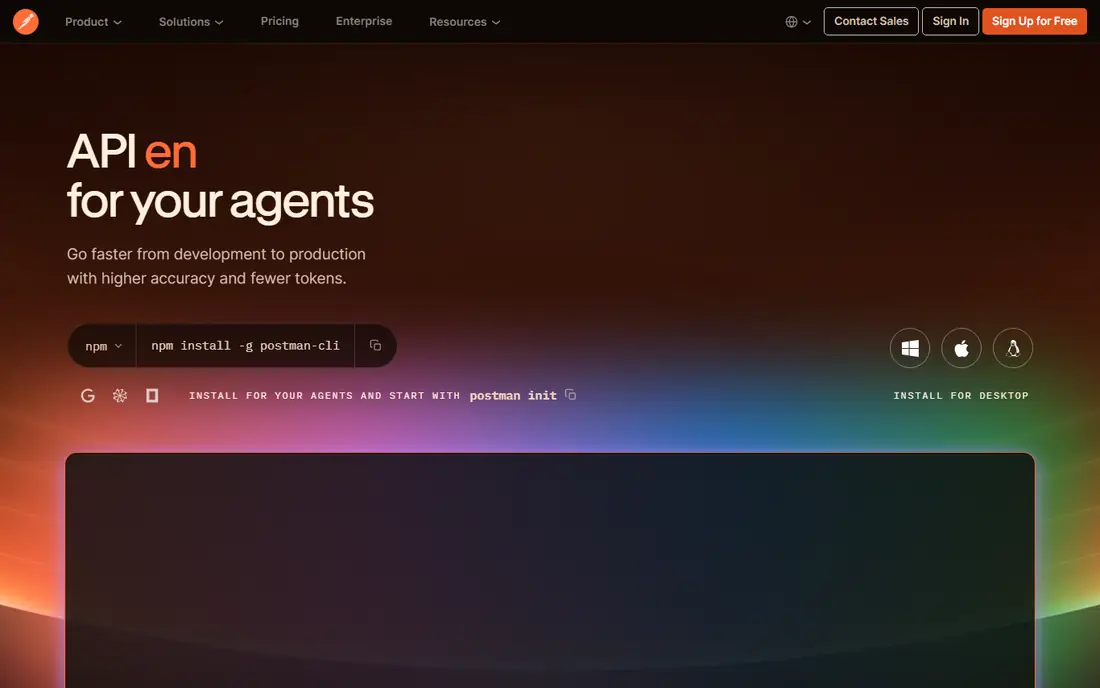
Postman is still the default answer for many API teams, and the breadth explains why. You can design a spec, build collections, run tests, mock endpoints, monitor uptime, and publish docs without leaving the platform. For organisations with many APIs and many consumers, that single workflow saves coordination time. The change to watch is pricing. Since March 2026, the free plan covers one user, while shared team work starts on paid plans, with Solo from $9 per month and Team from $19 per user per month on annual billing. Small teams should compare that total against lighter clients before they assume Postman is the cheapest path.
- Mature platform, large integration set, strong docs and monitoring
- Free plan is now solo-only, team pricing adds up fast

Insomnia appeals to developers who liked Postman but wanted a lighter, more local feel. You can work offline in a scratchpad, sync through Git, or use cloud projects, and it handles REST, GraphQL, WebSockets, and gRPC without fuss. The interface stays out of the way, which matters when you test APIs all day. Free Essentials covers solo work and Git Sync for up to three users, while Pro from $12 per user per month removes that cap and adds team features. If your team already lives in Git, Insomnia feels natural, and the price sits below Postman for many small teams.
- Clean interface, local and Git sync, good protocol support
- Git Sync caps at three users on free tier, advanced team features need Pro

Bruno takes the simplest idea in this list and executes it well. Collections are plain files in your repository, so version control, code review, and branching work exactly as they do for code. There is no cloud account required for local use, and the core client is open source, which appeals to privacy-minded teams. The trade is that Bruno does not provide hosted mocks, published docs, or live co-editing. Pro from $6 per user per month adds in-app Git integration and an unlimited runner. If your team is developer-led and already comfortable in Git, Bruno is fast, cheap, and refreshingly plain.
- Open-source client, collections live in Git, no account needed for local work
- No hosted mocks or docs site, collaboration relies on Git
Hoppscotch is the tool you open when you need to test an endpoint right now. It runs in a browser tab, covers REST, GraphQL, WebSockets, and more, and the free plan states no caps on personal workspaces and requests. Teams can self-host it or use cloud workspaces, which suits security-minded organisations. Localhost work is the main friction, since browser limits mean you need the desktop app or an extension for local APIs. Paid Organization plans from $6 per user per month add admin controls and support. For quick checks, demos, and lightweight team use, Hoppscotch is hard to beat.
- Runs in the browser, open source, self-host option, generous free use
- Localhost testing needs desktop app or extension, docs publishing is thin
Apidog has grown into a serious Postman rival by keeping the spec at the centre. Change the schema once, and mocks, tests, and docs follow, which reduces drift between what you designed and what you shipped. The free plan covers up to four users with unlimited runs, a rare offer for small teams. Paid Basic starts from $9 per user per month, with every member billed, so a ten-person team should budget accordingly. You lose Postman public network reach and some enterprise monitoring depth, but for spec-first teams, Apidog offers a cleaner, cheaper daily workflow.
- Spec-first workflow, free plan covers four users, real-time co-editing
- Smaller ecosystem than Postman, every seat is billed on paid plans
SwaggerHub is less about quick endpoint tests and more about getting the API contract right. Teams design OpenAPI specs together, review changes, and publish hosted documentation that consumers can trust. That contract-first approach helps when many teams build against the same API. It is not the liveliest daily test client, and team pricing requires a conversation with the vendor. Use SwaggerHub as your source of truth for specs and docs, and pair it with Bruno, Insomnia, or Postman for day-to-day testing.
- Strong OpenAPI support, hosted docs, team review workflows
- Paid pricing is quote-led for teams, less of a daily test client
Stoplight gives non-coders and API designers a visual way to shape an API before code exists. You can model endpoints, generate mock servers, and publish docs sites that look polished without extra design work. Product teams use it to agree on an API with partners before engineering starts. Testing and monitoring are lighter than in full lifecycle platforms, so engineering teams often pair Stoplight with a dedicated client. If your bottleneck is agreement and documentation, rather than test volume, Stoplight earns its place.
- Visual API design, strong docs sites, mock servers from specs
- Pricing is not simple to compare, testing depth is lighter than Postman
SoapUI remains relevant because many enterprises still run SOAP services. The open-source version covers functional testing, security checks, and load basics, while ReadyAPI adds data-driven testing and richer reporting for larger teams. If your job involves WSDL files and legacy systems, newer REST-first tools can feel thin by comparison. The interface shows its age, and day-to-day REST work feels slower than in Bruno or Insomnia. For mixed estates, keep SoapUI for SOAP and legacy work, and use a modern client for new REST and GraphQL APIs.
- Deep SOAP support, open-source base version, strong enterprise option in ReadyAPI
- Interface feels dated, REST workflow is less smooth than newer clients
Thunder Client puts API testing inside VS Code, so you never leave your editor to check an endpoint. Collections live alongside your code, and the lightweight feel suits solo developers and small teams who want speed over platform depth. Paid plans from $3 per user per month add Git storage, more protocols, and higher run limits. It will not replace Postman for large team workflows, docs publishing, or monitoring. For developers who already spend the day in VS Code, though, Thunder Client removes friction and keeps testing close to the code it serves.
- No app switching, lightweight, Git storage on paid plans
- Free tier is limited, fewer collaboration features than full platforms
How we picked these
We prioritised tools that are actively maintained, support modern protocols, and offer a real free or low-cost entry point. We included spec-first platforms and a SOAP specialist because API work is not only REST testing in a client. Tools that had shut down, gone unmaintained, or hidden pricing behind every page were left out. Team size shaped the list too. Solo developers need a fast free client, small teams need shared work without enterprise pricing, and larger organisations need governance and docs. The nine tools here cover those three needs without repeating the same product twice.
Buying guide: pick the right API tool
Decide how your team shares work
Git-native teams do well with Bruno, while teams that want live co-editing and hosted docs do better with Apidog or Postman. The sharing model matters more than the test runner, because it decides how fast changes reach everyone.
Check protocol and spec support
Confirm support for the protocols you actually use, such as REST, GraphQL, gRPC, WebSockets, or SOAP, and for OpenAPI import and export. A beautiful client that cannot import your existing collections will cost you days in migration.
Budget for seats, not just the headline price
Free plans often cover one user or a small group, while paid plans bill every seat. Multiply the per-user price by your real team size, add monitoring or mock costs, and compare annual totals before you commit.
FAQ
What is the best tool for API development?
Postman suits large teams that need the full lifecycle in one platform, while Bruno and Hoppscotch suit smaller, developer-led teams that want speed and low cost. Insomnia and Apidog sit between those poles, with stronger collaboration than Bruno and lower cost than Postman. The best tool depends on team size, sharing style, and whether you need docs and monitoring too.
Is Postman still free?
Postman offers a free plan, but since March 2026 it covers one user, so teams need a paid plan to share workspaces. Solo costs from $9 per month, while Team costs from $19 per user per month on annual billing. If you work alone, the free plan remains useful, but small teams should budget for seats.
What is the best free API client?
Bruno offers a complete open-source client for free, with collections stored as files in Git. Hoppscotch offers generous free browser use with no install, while Insomnia Essentials covers solo work and small Git-synced groups. Choose Bruno for local Git work, Hoppscotch for quick browser tests, and Insomnia for a polished desktop client.
Do I need a spec-first tool?
Spec-first tools like Apidog, SwaggerHub, and Stoplight help when many teams build against the same API, because the spec becomes the shared contract. Solo developers and small internal teams can often work collection-first without that overhead. If docs drift and consumer confusion are recurring problems, a spec-first workflow will pay off.
How do I migrate from Postman?
Most rivals import Postman collections directly, so start by exporting a small collection and testing the import in your new tool. Check scripts, variables, and auth settings, since those need the most manual fixes. Run old and new tools side by side for one sprint, then move the team once tests and docs behave as expected.
Sources
https://www.postman.com https://www.insomnia.rest https://www.usebruno.com https://www.hoppscotch.io https://www.apidog.com https://www.swagger.io https://www.stoplight.io https://www.soapui.org https://www.thunderclient.com