The 5 Best IDE for Java Web Development in 2026, Ranked
Best IDE for java web development in 2026: 5 tools with starting prices, free plans and limits. Costs and caveats sit beside each pick. Full profiles inside.
- Editor's choicejGRASP
Light Java editing and learning
Starts atSee websiteVisit jgrasp.orgFull review - Great alternative
 Visual Studio Code
Light and extensible editing
Starts atSee websiteVisit code.visualstudio.comFull review - Also consider
 IntelliJ IDEA
Overall Java and Kotlin development
Starts atSee websiteVisit jetbrains.comFull review
Direct answer
Our first pick is jGRASP, best for light Java editing and learning. Listed starting prices: MyEclipse from $37 per user a year. Look at Visual Studio Code for light and extensible editing, and at IntelliJ IDEA for overall Java and Kotlin development. The other 2 tools in the list cover narrower or pricier cases.
TL;DR:
- jGRASP takes the first slot, best suited to lightweight Java editing and learning.
- For Teaching and learning Java, BlueJ is worth a look.
- Neither jGRASP nor BlueJ, nor any of the other 3 tools, has a permanent free plan; trials and quotes are the norm.
- What to know about Visual Studio Code first: Java support depends on extensions.
Last checked November 2026. Prices and plan details were read from the vendors' own pages in November 2026; vendors change plans often, so confirm the current price on the vendor site before you buy.
Quick comparison
| Tool | Best for | Starts at | Free plan? | |
|---|---|---|---|---|
| jGRASP | Light Java editing and learning | See website | Not stated | Visit |
| Visual Studio Code | Light and extensible editing | See website | Not stated | Visit |
| IntelliJ IDEA | Overall Java and Kotlin development | See website | Not stated | Visit |
| MyEclipse | Enterprise Java EE and Spring | $37 per user a year | Not stated | Visit |
| BlueJ | Teaching and learning Java | See website | Not stated | Visit |
5 options for IDE for java web development in detail
Short on time? The summary and table above give the quick view of 5 tools for IDE for java web development, and the profiles that follow give the detail behind each entry.
jGRASP
Best for: Light Java editing and learning
jGRASP serves light Java editing and learning. jGRASP is a light development environment primarily for Java, with features like visualizations for code structure. Beyond that, choose jGRASP for straightforward tasks or education.
For professional web development, consider IntelliJ IDEA or Visual Studio Code. jGRASP gives you restricted support for web development frameworks and enterprise features, and its feature set is entry-level compared with full-fledged IDEs. It may not be adequate for complicated Java web applications. jGRASP shows no starting price here, so confirm the cost on the vendor site. Free plan details: Not stated.
Drawbacks to consider: Restricted web development support.
- Light and quick
- Free to use
- Entry-level feature set
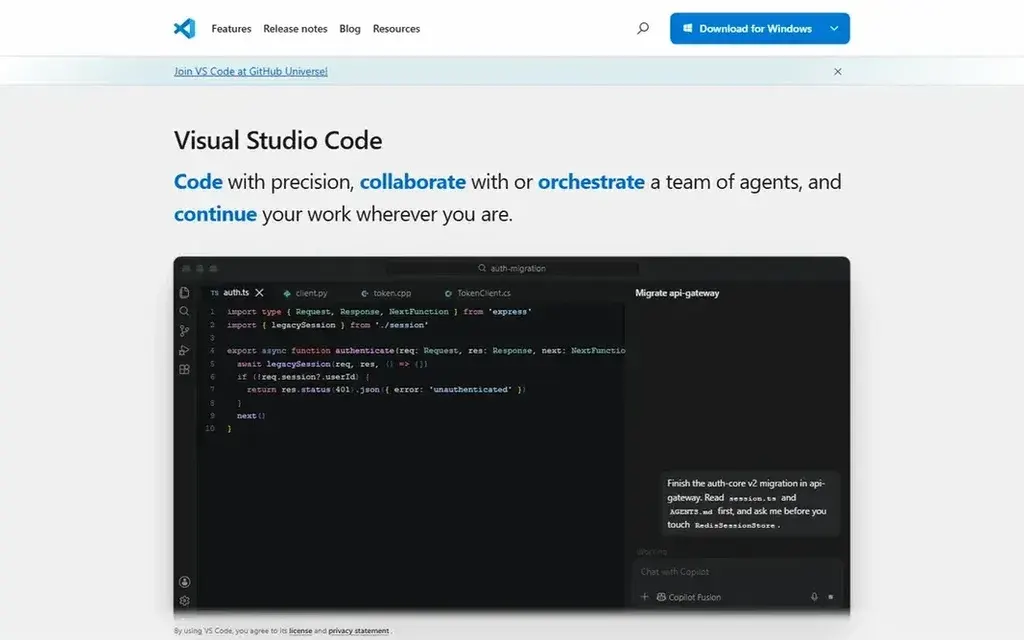
Visual Studio Code is built with light and extensible editing in mind. The trade-off is that Java support in Visual Studio Code relies on extensions.
So it may not offer the same depth of integrated features as dedicated Java IDEs. It is also less integrated for Java EE or Spring from day one. No starting price is listed for Visual Studio Code here; confirm pricing on the vendor site. Trial and free access: Not stated.
Limits to weigh: Less integrated from day one.
- Light and quick
- Agent collaboration features
- Java support depends on extensions

IntelliJ IDEA is designed for overall Java and Kotlin development. IntelliJ IDEA is a JetBrains IDE built for Java and Kotlin development, offering deep code intelligence and built-in tools. It supports running AI agents and verifying their work, which can aid complex web development tasks.
That said, IntelliJ IDEA can be demanding on system resources, and some advanced features are only available in the premium edition. As for the details, consider IntelliJ IDEA when you need comprehensive Java and Kotlin support with intelligent coding features. Pricing for IntelliJ IDEA is not stated here, so ask the vendor for current figures. Free plan details: Not stated.
Downsides: Some features need premium edition.
- Built-in tools for Java and Kotlin
- Support for AI agents
- Can be resource-intensive
MyEclipse
Best for: Enterprise Java EE and Spring
MyEclipse targets enterprise Java EE and Spring. MyEclipse is a commercial IDE from Genuitec aimed at enterprise Java development. It contains tools for Java EE, Spring, Maven, WebSphere, and more, offering a full-featured environment for building and deploying enterprise applications.
What to check first: Heavier resource usage.
In practice, MyEclipse needs a premium license and can be resource-intensive, which may not suit individual developers or small teams on a budget. Choose MyEclipse when your projects demand deep integration with enterprise Java frameworks. MyEclipse cost at the entry level: $37 per user per year. Free options: Not stated.
- Full Java EE and Spring support
- Enterprise-focused tools
- Commercial license required
BlueJ
Best for: Teaching and learning Java
BlueJ is designed for Teaching and learning Java. BlueJ is an integrated development environment aimed at teaching and learning Java. It is widely used in educational settings and is well suited to students and instructors.
Where it is weaker: Not suited for large projects.
BlueJ lacks the advanced features and scalability needed for professional web development, for example enterprise frameworks or complicated build tools. For everyday use, for professional Java web development, consider IntelliJ IDEA or MyEclipse; BlueJ is a good match for educational purposes. This comparison lists no price for BlueJ; ask the vendor. On free options: Not stated.
- Visual representation of classes
- Straightforward and intuitive interface
- Restricted advanced features
How we chose
Pre-purchase checklist
- Confirm the entry price on the vendor page. For jGRASP, Visual Studio Code, IntelliJ IDEA and BlueJ that means a quote rather than a fixed price.
- Read the limits listed for jGRASP first: restricted web development support.
- Find out whether the entry plan of IntelliJ IDEA covers your must-haves or only a trimmed-down version.
- Check how data leaves BlueJ: formats, limits and whether exports are available on every plan.
- Ask Visual Studio Code whether prices are locked for the first term and what happens at renewal.
FAQ
Is Visual Studio Code good for Java web development?
Visual Studio Code can be used for Java web development with the help of extensions, offering a lightweight and configurable experience. It is a decent choice if you prefer a versatile editor and are comfortable setting up extensions.
What is the best IDE for Java web development in 2026?
This list starts with jGRASP, which fits light Java editing and learning. For other needs, Visual Studio Code is aimed at light and extensible editing, and IntelliJ IDEA at overall Java and Kotlin development. Check each tool's price and main limit first.
What is the cheapest option for IDE for java web development in this list?
On published monthly entry prices, MyEclipse is the lowest here at $37 per user per year. Entry price is only part of the cost, because seats, add-ons and billing terms can change the total.
Can I try these tools before paying?
Not by default. None of the tools, from jGRASP to BlueJ, lists a free plan or a free trial here, so ask each vendor for a demo before committing.
How are the tools for IDE for java web development ordered?
The order follows typical fit for IDE for java web development, with jGRASP first and BlueJ last, then price clarity and free access. It is editorial judgement, not a score, so another team could rank the tools differently.
Is jGRASP the right pick for everyone comparing IDE for java web development?
No single tool suits every team. jGRASP comes first because it fits lightweight Java editing and learning, while Visual Studio Code suits lightweight and extensible editing and IntelliJ IDEA suits overall Java and Kotlin development. Match the tool to your own size, budget and workflow before deciding.
Sources
- https://www.jgrasp.org
- https://code.visualstudio.com
- https://www.jetbrains.com/idea
- https://www.genuitec.com/products/myeclipse
- https://www.bluej.org