Best Company for Python Web Scraping: 8 Services Compared
We compare services for the best company for python web scraping, covering Python support, proxies, anti-bot handling, pricing, documentation and ease of use.
- Editor's choice
 Bright Data
Large-scale enterprise scraping
Starts at$1.50 per 1,000 recordsVisit brightdata.comFull review - Great alternative
 Oxylabs
Enterprise proxies and APIs
Starts atFrom $49 per monthVisit oxylabs.ioFull review - Also consider
 Zyte
Managed API for Scrapy users
Starts atFrom $100 per monthVisit zyte.comFull review
TL;DR:
- Bright Data and Oxylabs suit large Python projects that need huge proxy pools and enterprise controls.
- ScrapingBee, ScraperAPI and Zyte are the simplest fits for a Python script that just needs reliable pages back.
- Apify suits teams that want ready-made scrapers, while Scrapy remains the free do-it-yourself baseline.
- Credit and request pricing varies so much that you should test on your own target sites before committing.
- Only scrape sites that allow it, respect robots rules and terms, and never collect private personal data without a lawful basis.
Quick comparison
| Tool | Best for | Starts at | Free plan? | |
|---|---|---|---|---|
| Bright Data | Large-scale enterprise scraping | $1.50 per 1,000 records | Yes | Visit |
| Oxylabs | Enterprise proxies and APIs | From $49 per month | Free trial | Visit |
| Zyte | Managed API for Scrapy users | From $100 per month | Free trial | Visit |
 ScrapingBee | Simple Python API calls | $49 per month | Free trial | Visit |
 ScraperAPI | One-endpoint simplicity | $49 per month | Free trial | Visit |
 Apify | Ready-made Python actors | $29 per month | Yes | Visit |
 Scrapfly | Low-cost credits | $30 per month | Yes | Visit |
 Scrapy | Free open-source framework | Free | Yes | Visit |
The best companies for Python web scraping
Python developers usually need one of two things: a managed service that returns pages or structured data, or a framework they run themselves with proxies on top. We compared the main managed companies on Python documentation, proxy quality, JavaScript rendering, pricing clarity and support, and kept the free framework in the list because many Python teams still start there.
Bright Data is the default choice when a Python project needs scale first. Its Web Scraper API and proxy products work with standard Python HTTP clients and its own SDK, and the company publishes a large library of site-specific scrapers that save teams from writing parsers from scratch. For data teams feeding models or price trackers, that breadth is the main draw, and the residential proxy pool helps with sites that block datacenter traffic.
The catch is cost and complexity. Pay-as-you-go pricing starts at $1.50 per 1,000 records for the scraper API, while subscription plans start much higher, so a small script can become expensive if it runs often. The dashboard also offers so many products that new users can take time to find the right one. Bright Data fits best when volume, compliance controls and support matter more than the lowest possible bill.
- Very large proxy network
- Many pre-built scrapers
- Strong Python SDK and docs
- Costs rise fast at scale
- Setup can feel complex for small projects
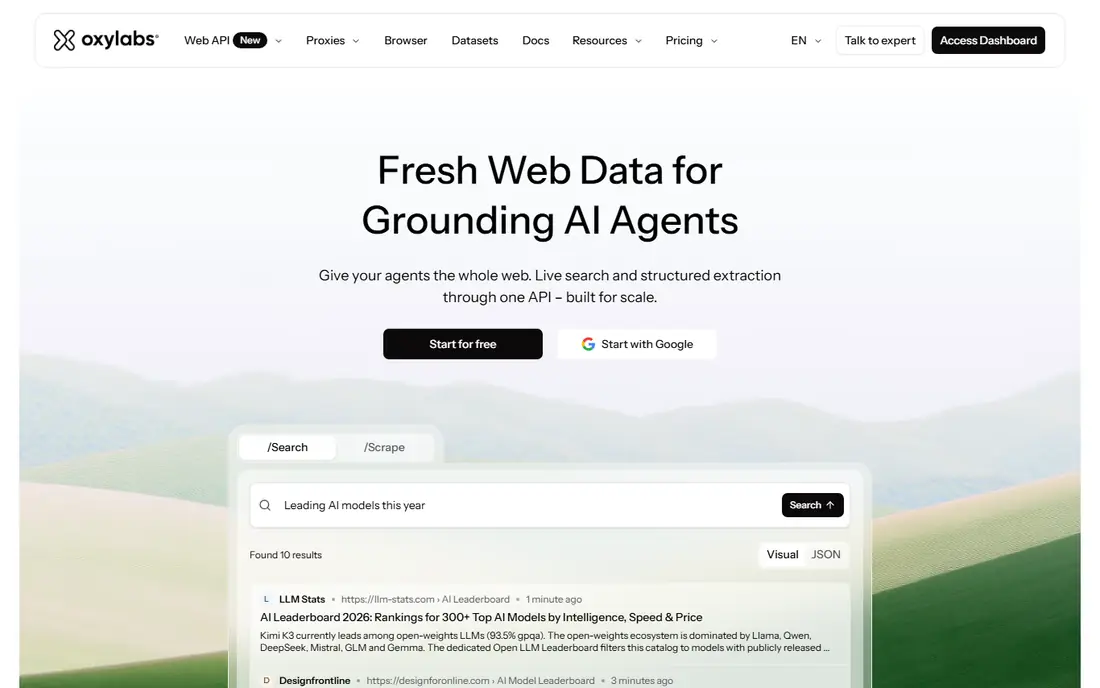
Oxylabs appeals to Python teams that want enterprise-grade infrastructure without building proxy rotation themselves. Its Web Scraper API accepts a target URL and returns structured results, and its Python examples make it easy to drop into an existing script. The company also stresses compliance standards such as SOC 2 and ISO 27001, which helps when a legal or security team reviews the vendor.
The downside is that Oxylabs is priced and sold like an enterprise tool, so smaller teams may find the entry plans less generous than budget rivals. Its Web Unblocker, billed by traffic, can also surprise users who scrape heavy pages. If your project has a compliance checklist and a steady volume, Oxylabs is a strong, defensible pick.
- Strong compliance posture
- Large residential pool
- Clear Web Scraper API docs
- Enterprise focus can mean higher quotes
- Some products need a sales conversation
Zyte is the natural upgrade for Python developers who already use Scrapy. The company behind Scrapy built Zyte API to handle proxies, browsers and bans automatically, so a developer can send a request and get a clean response without managing headless browsers. Pricing is per successful response, with volume discounts, and a free trial credit lets you test on real targets first.
The honest weakness is the starting price, which sits above ScrapingBee and ScraperAPI for small jobs. Zyte also rewards users who understand Scrapy concepts, so a complete beginner may prefer a simpler one-endpoint API. For teams already invested in Python scraping, though, Zyte removes the hardest maintenance work and keeps code cleaner.
- Built by the Scrapy maintainers
- Automatic anti-bot handling
- Per-success pricing
- Higher entry price than budget APIs
- Best value needs volume
ScrapingBee is the service we suggest to Python developers who want the shortest path from idea to working script. You send a URL with your API key, add parameters for rendering or premium proxies, and get HTML or JSON back, with official Python examples on the docs site. Plans start at $49 per month for 250,000 credits, which covers many small and medium projects.
The catch is that credits are feature-weighted, so JavaScript rendering costs more than a plain request, and costs can climb on complex sites. The one-time trial of 1,000 credits is also modest for testing several targets. Still, for prototypes, price monitors and content checks, ScrapingBee balances simplicity and price better than most rivals.
- Easy Python integration
- JavaScript rendering and screenshots
- Clear credit system
- Rendering costs extra credits
- Trial credit is small
ScraperAPI keeps the model deliberately simple: one API endpoint, automatic proxy rotation, headless rendering and CAPTCHA handling behind the scenes. Python developers can use the requests library or the official SDK, and the entry plan at $49 per month includes 100,000 credits, with a seven-day trial of 5,000 credits. That simplicity makes it easy to estimate costs and to swap in for a failing in-house scraper.
The weakness is depth. ScraperAPI does not offer the same marketplace of ready-made, site-specific scrapers as Apify, and independent benchmarks have shown wider latency than some rivals. For straightforward page fetching, that rarely matters, but teams that need structured data for hundreds of specific sites may prefer a more specialised tool.
- Single endpoint handles proxies and rendering
- Simple Python SDK
- Predictable credits
- Slower on some benchmarks
- Fewer ready-made scrapers than Apify or Bright Data
Apify works differently from a plain scraping API, because it is a platform where you run ready-made scrapers called Actors, or build your own in Python. That makes it ideal when you need, for example, a Google Maps scraper or a social profile scraper without writing the parser yourself. The free plan includes a $5 monthly platform credit, and paid plans start at $29 per month plus compute-unit usage.
The honest catch is pricing predictability. Because billing follows compute units rather than a flat request count, two actors can cost very different amounts for the same number of pages. Actor quality also varies, since many are built by third parties, so you should check reviews and test output before relying on one. For teams that value ready-made tools over raw API calls, Apify is still the strongest platform.
- Marketplace of thousands of actors
- Free tier with platform credit
- Python SDK
- Costs are compute-unit based and harder to predict
- Quality varies by actor
Scrapfly is the budget pick for Python developers who want a managed API without a $49 starting plan. Its Discovery plan starts at $30 per month, and it offers a free tier key with no time limit, which is useful for learning and small personal projects. The company also states that failed requests are never charged, which removes one of the annoying costs of scraping flaky sites.
The trade-off is scale and ecosystem. Scrapfly does not match Bright Data or Oxylabs for proxy depth or enterprise features, and its library of ready-made tools is smaller. For hobby projects, small business monitors and students learning Python scraping, however, the low entry price and forgiving billing make it an easy recommendation.
- Low entry price
- Failed requests are not charged
- Free tier key
- Smaller brand and support team
- Fewer pre-built scrapers
Scrapy is not a company, but no Python scraping list is complete without it, because it is the framework most of the industry learned on. It is free, open source and maintained by the team behind Zyte, with built-in support for requests, parsing, pipelines and exports to JSON or CSV. If you want full control and have the time to maintain proxies and anti-bot handling, Scrapy costs nothing but your time.
The weakness is exactly that maintenance burden. Scrapy alone does not rotate residential proxies, render heavy JavaScript sites or solve CAPTCHAs, so you will need to add tools such as Playwright and a proxy provider. Many teams therefore pair Scrapy with Zyte API or a proxy service, getting the best of both worlds. For learning and for fully custom projects, Scrapy remains the baseline every managed service is judged against.
- Free and mature
- Huge Python community
- Full control over parsing and pipelines
- You manage proxies, browsers and bans yourself
- No managed infrastructure included
How we picked these
We compared official pricing pages, Python documentation and SDKs, proxy and rendering features, free tiers and trials, and recent independent pricing comparisons from 2026. We favoured services with a real Python path, a current product you can sign up for today, and pricing you can verify on the vendor site. We did not claim hands-on load testing we did not run, and we treated third-party benchmark figures as indicative rather than exact.
Choosing the right Python scraping service
Start by naming what you actually need back: raw HTML, rendered pages or structured JSON. If you need structured data for a specific site, a ready-made Apify Actor or a Bright Data scraper may save days of parser work. If you only need raw pages for your own parser, a simple API such as ScrapingBee or ScraperAPI keeps costs and code simpler.
Proxies, rendering and legal basics
Residential proxies help with sites that block datacenter IPs, but they cost more and should only be used on public data you have a right to collect. JavaScript rendering matters for single-page apps, yet it costs extra credits on most APIs, so turn it off for static pages. Always check a site's terms and robots file, respect rate limits, avoid personal data, and use official APIs where one exists, since scraping is not a substitute for a licensed data feed.
Estimating cost before you commit
Run a small test on your hardest target, not your easiest one, and count credits per page with rendering on and off. Multiply that figure by your monthly page count, then add a buffer for retries and site changes, because real scraping always needs more requests than a clean estimate suggests. If the estimate swings widely between vendors, choose the one whose pricing model you understand best, since a predictable bill beats a theoretically cheaper one you cannot forecast.
FAQ
What is the best company for Python web scraping for beginners?
ScrapingBee or ScraperAPI are the easiest starts, because both offer a single endpoint, Python examples and a trial. You can get a working script in an afternoon without learning proxy rotation or browser automation. Apify is also beginner-friendly if a ready-made Actor already covers your target site.
Do I need proxies for Python web scraping?
Not always, since many small projects work fine with direct requests and polite rate limits. Proxies become important when a site rate-limits your IP, serves different content by location, or blocks datacenter traffic. Managed APIs bundle proxies for you, while Scrapy users usually add a proxy provider separately.
Is web scraping legal in Python?
Scraping public data is not automatically illegal, but it depends on the site's terms, the data involved, copyright, and privacy law, and some sites prohibit automated access. Avoid login-walled content, personal data and copyrighted material you do not have rights to use, and seek legal advice for commercial projects. Using an official API or licensed dataset is safer whenever one exists.
Which service is cheapest for Python web scraping?
For very small projects, Scrapy is free, and Scrapfly offers a low-cost entry plan and a free tier. Among paid APIs, ScrapingBee and ScraperAPI both start at $49 per month, but the real cost depends on credits per page, rendering and retries. Test on your own targets, since the cheapest plan on paper can become the most expensive in practice.
Can I use these services with Scrapy?
Yes, several managed services are designed to work alongside Scrapy, and Zyte API in particular is built by the Scrapy team. You can route Scrapy requests through a proxy or API, or use a managed API for hard sites and Scrapy for easy ones. That hybrid approach keeps costs down while removing the worst maintenance work.