Best Affordable Web Scraping Services in 2026: 9 Services Compared
Compare the best affordable web scraping services in 2026, with entry prices, free tiers, proxy handling and no-code options for small teams in detail.

- Editor's choice
 Apify
Ready-made scrapers at low cost
Starts at$19 per monthVisit apify.comFull review - Great alternative
 ScrapingBee
Simple scraping API
Starts at$49 per monthVisit scrapingbee.comFull review - Also consider
 ScraperAPI
Proxy and rendering API
Starts at$49 per monthVisit scraperapi.comFull review
TL;DR:
- Apify is the best value starting point for most teams, with a free plan, a $19 per month Starter plan, and thousands of ready-made scrapers.
- ScrapingBee and ScraperAPI suit developers who want a simple API, with entry plans from $49 per month.
- Octoparse, ParseHub and Browse AI suit non-developers, with visual builders and monitoring, though ParseHub costs more.
- Firecrawl suits AI and language model pipelines, with a low $16 per month annual entry price for page to structured data.
- Credit pricing makes headline prices hard to compare, so always price a real workload, including retries and JavaScript rendering, before you commit.
Quick comparison
| Tool | Best for | Starts at | Free plan? | |
|---|---|---|---|---|
| Apify | Ready-made scrapers at low cost | $19 per month | Yes | Visit |
| ScrapingBee | Simple scraping API | $49 per month | Free trial | Visit |
| ScraperAPI | Proxy and rendering API | $49 per month | Free trial | Visit |
 Bright Data | Large scale protected sites | See website | Yes | Visit |
 Octoparse | No-code visual scraping | $69 per month | Yes | Visit |
 ParseHub | Complex visual scraping | $189 per month | Yes | Visit |
 Browse AI | No-code monitoring | $19 per month | Yes | Visit |
 Firecrawl | AI ready page data | $16 per month | Yes | Visit |
 ZenRows | Anti-bot scraping API | See website | Free trial | Visit |
The best affordable web scraping services
Affordable web scraping is not just about the lowest monthly fee. Credit systems, rendering costs, proxy charges and retry rates all change the real price, and a tool that looks cheap for 1,000 pages can get expensive at 100,000 pages. The nine services below cover no-code tools, developer APIs and large-scale platforms, with honest notes on where costs rise.
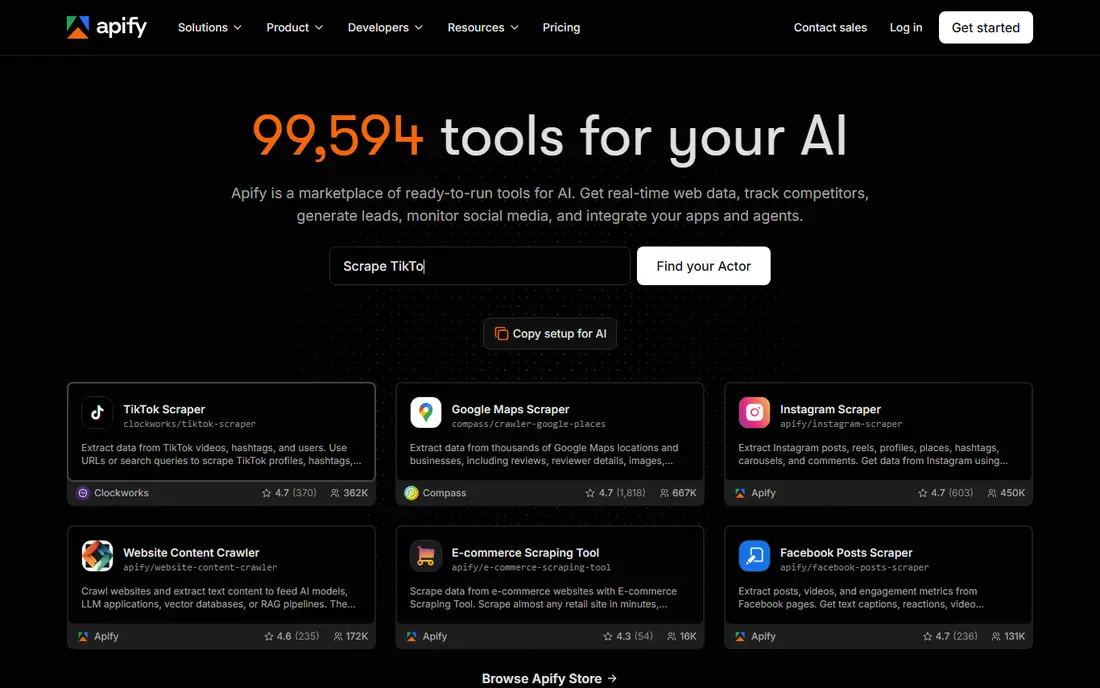
Apify is our pick for most small teams because it combines a free plan, a $19 per month Starter plan, and a marketplace of thousands of ready-made scrapers, called Actors, for common sites. For many targets, someone has already built the scraper, so you fill in inputs, schedule a run, and get structured output without writing code. Developers can also build and run custom Actors on the same platform.
The cost model needs care. Apify meters compute units, Actor charges, proxies and storage, so the real cost depends on which Actor you run and how much data you pull. That makes it less predictable than a flat credit API, but the free plan lets you test a real workload before paying. For a team that needs many different sites, the marketplace breadth is hard to beat at this price.
- Huge marketplace of ready-made scrapers
- Free plan with $5 monthly usage
- Scheduling and API delivery
- Costs vary by scraper and compute use
- Learning curve for custom scrapers
ScrapingBee suits developers who already have a scraper and just need reliable page fetching. You send a URL to the API, and ScrapingBee handles proxies, JavaScript rendering and anti-bot measures, returning HTML or a screenshot. The entry plan costs $49 per month, with a one-time trial of 1,000 credits, which is enough to test a small project.
The catch is credit math. Rendering, premium proxies and other features consume more credits than a basic fetch, so a project that needs heavy rendering will burn credits faster than the headline allowance suggests. ScrapingBee is still a good value for straightforward fetching, but price a representative batch, including failed requests and retries, before you commit.
- Simple single API for fetching pages
- JavaScript rendering and proxies handled
- Screenshot support
- Credit costs rise with rendering and proxies
- No recurring free allowance
ScraperAPI is a close rival to ScrapingBee, with a $49 per month Hobby plan that includes 100,000 API credits and a 7-day trial with 5,000 credits. One endpoint handles proxy rotation, headless rendering and CAPTCHA solving, so developers do not need to manage those pieces separately. Integration is a single request, which keeps code simple.
As with other credit APIs, the cost per page depends on the target site and the features used, so 100,000 credits does not always mean 100,000 pages. Thread limits on the entry plan can also slow large jobs. For a developer who wants a predictable, simple API and a generous starting allowance, ScraperAPI is a strong and affordable choice.
- One endpoint for proxies, rendering and CAPTCHA handling
- Large credit allowance
- Simple integration
- Credit use varies by target
- Entry plan has thread limits
Bright Data is the large-scale option on this list, with a proxy network, unblocking APIs and a library of pre-built scrapers for major sites. Its Web Scraper API offers pay as you go pricing from $1.50 per 1,000 records, with a free tier of 5,000 records per month, which makes it possible to test without a large commitment. For protected sites that block simpler tools, Bright Data often succeeds where others fail.
The complexity is the drawback. Bright Data sells several products with different billing units, including records, requests and gigabytes, so comparing it with a flat credit API takes work. At high volume, the total can exceed cheaper APIs, so it suits teams that need reliability on hard sites, not teams that just need cheap fetching for easy pages.
- Very large proxy network
- Site-specific scrapers and unblocking APIs
- Pay as you go record pricing
- Pricing is complex across products
- Can get expensive at scale
Octoparse suits analysts, marketers and researchers who do not code. Its visual builder lets you click on the data you want on a page, build a workflow, and export results to CSV, Excel or a database. The free plan covers local tasks, while the Standard plan from $69 per month billed annually adds cloud scheduling and higher limits.
The free plan is useful for learning, but serious scheduled work needs a paid plan, and task limits and concurrent cloud processes cap how much you can run at once. Octoparse is still one of the easiest ways for a non-developer to get structured data, and its templates shorten setup for common sites such as listings and product pages.
- Visual point and click builder
- Cloud scheduling on paid plans
- Templates for common sites
- Paid plan needed for cloud runs
- Task and concurrency limits apply
ParseHub is a visual scraping tool that handles complex pages, including dynamic content, pagination, logins and nested data, without code. Its point and click interface is flexible, and paid plans add scheduled runs, API access and higher capacity. For a researcher or analyst dealing with a tricky site, that flexibility can justify the cost.
The price is the problem for budget buyers. Paid plans start at $189 per month, well above Octoparse or Browse AI, and the free plan is limited. ParseHub suits teams with a specific complex site that cheaper tools cannot handle, not teams that need cheap bulk scraping. Test the free plan on your target site before paying, since the value depends entirely on that fit.
- Handles complex and dynamic pages visually
- API and scheduled runs
- Good for nested data
- Highest entry price on this list
- Paid plan needed for serious volume
Browse AI suits non-developers who want to monitor a set of pages, such as prices, listings or job boards, and get alerts when something changes. You train a robot by clicking on the data you want, schedule it, and receive updates in a spreadsheet or by API. The Personal plan costs $19 per month billed annually, with a free plan that includes 50 credits per month.
Browse AI is not a bulk crawler. Credits are charged by pages or rows, whichever costs more, so a large crawl will burn credits quickly, and the tool is built around monitored robots rather than one-off bulk extraction. For ongoing monitoring of a modest set of pages, it is one of the cheapest and easiest tools available.
- Easy robot setup for monitoring prices and lists
- Change alerts
- Spreadsheet friendly output
- Credit costs depend on pages or rows
- Limited to monitored robots, not bulk crawling
Firecrawl suits teams feeding web data into AI models, search tools or agents. It converts pages into clean Markdown or structured JSON, handles crawling and extraction, and offers a Hobby plan from $16 per month billed annually, with a free allowance of 1,000 credits per month. That makes it a cheap way to test AI-ready extraction.
The credit model needs attention, since a basic scrape costs less than a JSON extraction with extra features, so the same page can cost several credits depending on output type. Firecrawl is also built for page to data pipelines, not for general bulk crawling with complex anti-bot needs. For AI projects, it is a strong and affordable pick.
- Turns pages into clean Markdown or JSON
- Built for AI pipelines
- Low annual entry price
- Credit costs rise with JSON and advanced features
- Less suited to general bulk scraping
ZenRows is a scraping API with anti-bot handling built in, aimed at developers who need to fetch protected pages without managing proxies and headless browsers themselves. You send a request, ZenRows handles rotation and bypass measures, and returns the page content. A free trial lets you test it on your target sites before paying.
Pricing is less transparent at the top end, with custom plans for larger volumes, so small teams should confirm the entry plan allowance and credit rules in writing. ZenRows suits developers whose main problem is blocked requests, rather than teams that need a marketplace of ready-made scrapers. For that specific problem, it is a useful and affordable API to test.
- Anti-bot handling built into the API
- Simple request model
- JS rendering support
- Pricing is custom on higher plans
- Smaller credit allowances than some rivals at entry
How we picked these
We compared official pricing pages, free tiers and public pricing comparisons for web scraping tools that serve small teams in 2026. We favoured tools with a published entry price or a free tier, a clear billing unit, and a track record for the job they claim, whether that is no-code extraction, API fetching or large-scale collection. We included both no-code and developer tools, since affordable means different things for those two audiences. Prices change with usage, so model your own workload before buying.
What to check before you buy a scraping service
Start with the sites you actually need. Easy, public pages can be fetched cheaply with almost any API, while protected, JavaScript heavy sites need proxy quality, rendering and anti-bot handling, which cost more. Test each shortlisted tool on your hardest target site, not just an easy one, and measure success rate, not just speed, since failed requests still cost time and sometimes credits.
Pricing, legality and terms
Price a real workload, including retries, rendering and data volume, and ask whether failed requests are charged. On legality, only collect public data you have a right to use, respect robots rules and rate limits, and get legal advice for commercial use, since scraping can breach a site's terms of service. A cheap tool that gets you blocked or creates legal risk is not a bargain.
Output, scheduling and storage
Check export formats, scheduling, API delivery and storage limits before you commit. A tool that exports only CSV may not suit a pipeline that needs JSON by API, and a tool with no scheduling will force manual runs. Also confirm data retention, since some plans delete results after a short period, which matters for monitoring and audit work.
FAQ
What is the cheapest web scraping service?
For a small project, Apify and Firecrawl offer the lowest entry costs, with Apify from $19 per month and Firecrawl from $16 per month billed annually, plus free tiers. For a simple API, ScrapingBee and ScraperAPI start at $49 per month. The cheapest tool for you depends on your page volume, rendering needs and whether you code.
Is web scraping legal?
Scraping public data is often lawful, but it can breach a site's terms of service, and collecting personal data, copyrighted content or data behind a login carries higher risk. Respect robots rules, rate limits and privacy law, and get legal advice before commercial use. This guide is not legal advice for your specific project.
Do I need to code to scrape a website?
No. Octoparse, ParseHub and Browse AI let you build scrapers visually, without code, and Apify offers ready-made scrapers for many sites. Coding helps for custom logic, large pipelines and unusual sites, but many small projects can be done with a no-code tool and a spreadsheet export.
What is the difference between a scraping API and a no-code tool?
A scraping API, such as ScrapingBee or ScraperAPI, is a developer tool that fetches pages on request, while a no-code tool, such as Octoparse or Browse AI, gives you a visual builder and scheduling without code. APIs suit pipelines and bulk work, while no-code tools suit analysts and marketers who need a specific dataset or monitoring.
Why do scraping prices vary so much?
Prices vary because tools bill different units, including credits, records, requests, compute time and gigabytes, and because features such as JavaScript rendering, proxies and anti-bot handling cost more. A tool that looks cheap for basic fetches can get expensive for rendered, protected pages. Always price your own workload, not just the headline plan.