Best Text Editor for Developers in 2026: Prices, Free Plans and 6 Picks
Shortlisting the best text editor for developers? 6 products compared on cost, free access and ideal buyer. With pricing notes and limits. Checked this month.
- Editor's choice
 Neovim
Modern Vim with extensibility
Starts atPricing on requestVisit neovim.ioFull review - Great alternative
 Sublime Text
Speed and performance
Starts atPricing on requestVisit sublimetext.comFull review - Also consider
 Visual Studio Code
All-around development with extensions
Starts atPricing on requestVisit code.visualstudio.comFull review
Direct answer
For modern Vim with extensibility, Neovim is where this list starts. If your case is different, Sublime Text suits speed and performance and Visual Studio Code suits all-around development with extensions. The other 3 tools in the list cover narrower or pricier cases. None of these vendors publish plan prices, so pricing is on request for every option.
TL;DR:
- Top of the list is Neovim, which targets modern Vim with extensibility.
- Neovim, Vim and the 4 others all need a premium plan or a trial, since no free plan is listed.
- Vim fits Modal editing in the terminal.
- No starting price is shown for any of the 6 tools, Neovim and Vim included, so plan time for sales calls.
Last checked November 2026. Pricing on request: vendors did not publish plan prices when this guide was last checked (November 2026), so ask each vendor for a written quote.
Quick comparison
| Tool | Best for | Starts at | Free plan? | |
|---|---|---|---|---|
| Neovim | Modern Vim with extensibility | Pricing on request | Not stated | Visit |
| Sublime Text | Speed and performance | Pricing on request | Not stated | Visit |
| Visual Studio Code | All-around development with extensions | Pricing on request | Not stated | Visit |
| JetBrains IntelliJ IDEA | Java and Kotlin development | Pricing on request | Not stated | Visit |
| Notepad++ | Light editing on Windows | Pricing on request | Not stated | Visit |
| Vim | Modal editing in the terminal | Pricing on request | Not stated | Visit |
Our 6 text editor for developers
Short on time? The summary and table above give the quick view of 6 text editor for developers, and the profiles that follow give the detail behind each entry.
Neovim targets modern Vim with extensibility. Neovim needs significant configuration to achieve features comparable to full IDEs, which can be time-consuming. Its terminal-centric workflow may not appeal to developers who prefer graphical interfaces.
Developers who like Vim's modal editing but want better performance and extensibility commonly choose Neovim. In practice, Neovim is a hyperextensible Vim-based text editor that modernizes the classic Vim experience. It introduces asynchronous plugins, Lua scripting, and a built-in terminal, enabling smoother integration with language servers and tools. If you want a more out-of-the-box experience, Visual Studio Code or IntelliJ IDEA might be better. Neovim does not show a starting price in this comparison, so check the vendor site for current pricing. As for free access: Not stated.
Trade-offs to know: Needs configuration to match IDE features.
- Lua scripting support
- Active community
- Terminal-centric workflow not for everyone
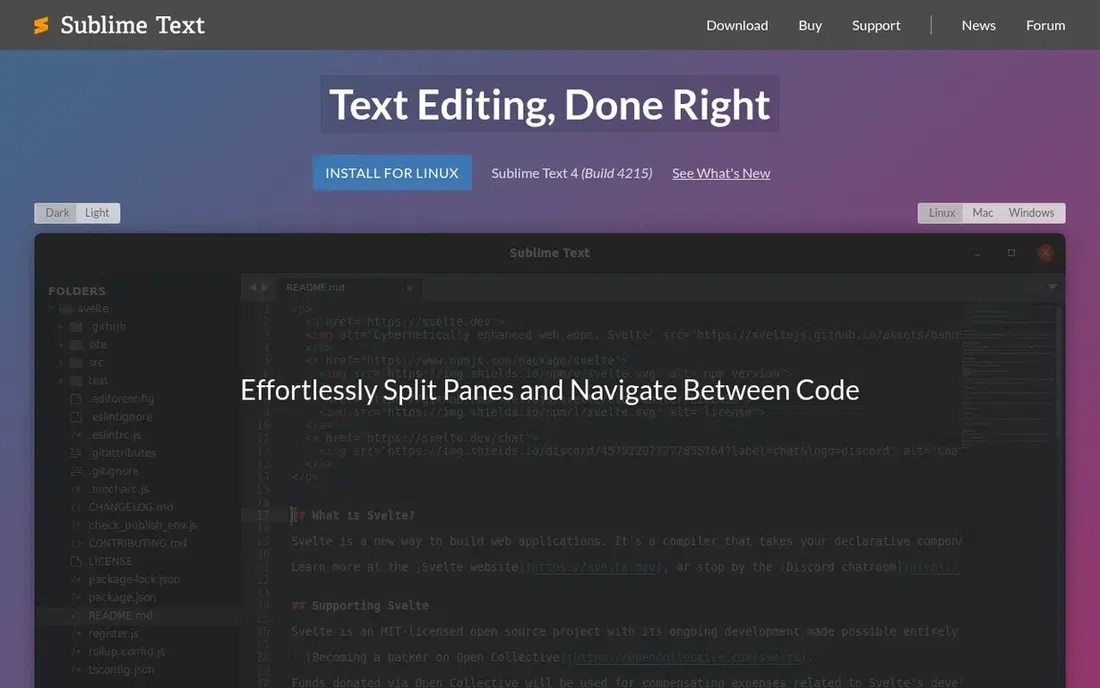
Where Sublime Text fits: speed and performance. Sublime Text is a sophisticated text editor known for its speed and elegant interface. It takes care of large files with ease and provides features like several selections, a command palette, and a plugin ecosystem via Package Control.
More specifically, for those who prioritize speed above all, Sublime Text remains a capable contender. Developers who value performance and a distraction-free editing experience frequently choose Sublime Text for coding in several languages, notably when working with broad codebases or log files. This comparison lists no price for Sublime Text; ask the vendor. Free options: Not stated.
What to check first: premium license required for continued use.
- Highly configurable
- Quick and responsive
- Less built-in functionality than some rivals
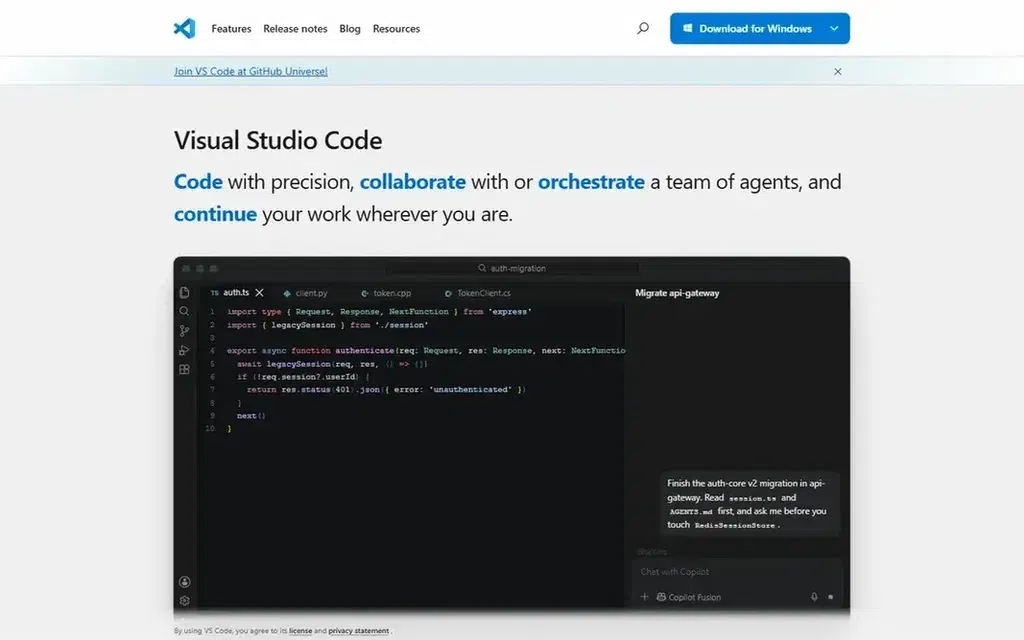
Pick Visual Studio Code if this describes you: all-around development with extensions. For deep language-specific intelligence in Java or Kotlin, consider IntelliJ IDEA instead. VS Code is a strong match for developers working on web, cloud, or cross-platform projects who want a configurable yet approachable environment.
Downsides: Settings sync needs a Microsoft account.
That said, VS Code's feature richness can result in a heavier resource footprint, notably with numerous extensions installed. Worth adding: if you need a minimalist, fast-loading editor for straightforward tasks, Sublime Text or Notepad++ might be a better fit. Also, Visual Studio Code is a free, open-source editor from Microsoft that has become a favorite among developers. Its deep extension marketplace permits you to add language support, themes, and tools for almost any workflow. Visual Studio Code does not show a starting price in this comparison, so check the vendor site for current pricing. Free plan details: Not stated.
- Collaboration features
- Integrated Git and debugging
- Can feel heavy for straightforward edits
JetBrains IntelliJ IDEA
Best for: Java and Kotlin development

JetBrains IntelliJ IDEA serves Java and Kotlin development. The full-featured Ultimate edition needs a commercial license, whereas the Community edition has restricted support for certain frameworks. IntelliJ IDEA is a capable integrated development environment from JetBrains, tailored for Java and Kotlin.
Limits to weigh: Resource-intensive.
It provides advanced code completion, refactoring, and built-in tools for version control, build systems, and testing. It is most useful for professional developers working on enterprise-scale Java or Kotlin applications who require full tooling in one place. In daily use, for dedicated Java and Kotlin work, IntelliJ IDEA is a top choice. As for the details, if you work primarily with other languages or prefer a lighter editor, Visual Studio Code or Sublime Text could be more appropriate. Pricing for JetBrains IntelliJ IDEA is not stated here, so ask the vendor for current figures. On free options: Not stated.
- AI agent support
- Deep code intelligence
- Commercial license required for full features
Notepad++
Best for: Light editing on Windows
Think of Notepad++ for light editing on Windows. Notepad++ is a free, open-source text editor for Windows that emphasizes simplicity and performance. It is especially handy for those who require a no-frills tool that starts immediately and takes care of everyday text processing tasks.
Beyond that, for straightforward Windows editing, Notepad++ is a dependable choice. Notepad++ is only available for Windows, so it is not a choice for macOS or Linux users. Its plugin ecosystem is smaller than that of editors like Visual Studio Code, and it lacks advanced features like integrated debugging or Git. No starting price is listed for Notepad++ here; confirm pricing on the vendor site. On free options: Not stated.
Points against: Windows-only.
- Light and quick
- Syntax highlighting for plenty of languages
- Restricted plugin ecosystem compared with others
Vim
Best for: Modal editing in the terminal
Vim works best for Modal editing in the terminal. Its modal interface, with separate modes for inserting and navigating text, lets experienced users to perform complicated edits with minimal keystrokes. Vim's steep learning curve can be daunting for newcomers, and its default configuration lacks modern conveniences like built-in autocompletion or a file explorer.
For terminal-based editing with a modern twist, Neovim gives you improvements over Vim. Developers who invest time in learning Vim frequently appreciate its speed and ubiquity. Vim shows no starting price here, so confirm the cost on the vendor site. Trial and free access: Not stated.
Where it falls short: Restricted out-of-the-box features.
- Highly efficient keyboard-driven editing
- Extensible with plugins
- Steep ramp-up time
How we chose
We compared the tools on published pricing, free plan or trial availability, feature coverage for text editor for developers, and the limits each vendor documents. Prices and plan limits come from vendor pages and can change, so confirm them on the vendor site before you buy. The sequence is a judgement call: typical use case first, then pricing transparency, then free access. Use the profiles to check fit.
Questions to settle before buying
- Request quotes from Neovim, Vim and the others; the list shows no fixed prices.
- Before choosing Neovim, weigh its main limit: needs configuration to match IDE features.
- Involve the people who will use Visual Studio Code daily; a short pilot beats a long feature checklist.
- Map your must-have features to a specific Neovim plan before you compare prices.
- Confirm minimum seats and billing terms with Vim before you commit to an annual plan.
FAQ
How are the text editor for developers ordered?
The order follows typical fit for text editor for developers, with Neovim first and Vim last, then price clarity and free access. It is editorial judgement, not a score, so another team could rank the tools differently.
Can I try these tools before paying?
Not by default. None of the tools, from Neovim to Vim, lists a free plan or a free trial here, so ask each vendor for a demo before committing.
What is the best text editor for beginners?
For most readers this guide would start with Neovim, built for modern Vim with extensibility. Sublime Text is the alternative for speed and performance, and Visual Studio Code for all-around development with extensions. The right answer depends on budget and workflow.
Does any tool for text editor for developers here have a free plan?
No tool in this list, Neovim and Vim included, has a permanent free plan. Trials and quotes are the usual route, so plan a short evaluation period.
Do these tools publish their prices?
No. None of the tools, from Neovim to Vim, shows a fixed starting price here, so budget time for quotes.
Sources
- https://neovim.io
- https://www.sublimetext.com
- https://code.visualstudio.com
- https://www.jetbrains.com/idea
- https://notepad-plus-plus.org
- https://www.vim.org