Best Software for Food Photography (2026): 6 Picks Checked on Vendor Pages
Shortlisting the best software for food photography? 6 products compared on cost, free access and ideal buyer. Each pick lists its main limit. Facts only.
- Editor's choice
 ON1 Photo RAW
All-in-one raw editing and organizing
Starts at$49.99Visit on1.comFull review - Great alternative
 Capture One
Tethered studio shoots and RAW precision
Starts atSee websiteVisit captureone.comFull review - Also considerSkylum Luminar Neo
AI-assisted fast enhancements
Starts atSee websiteVisit skylum.comFull review
Direct answer
For all-in-one raw editing and organizing, ON1 Photo RAW is where this list starts. Listed starting prices: ON1 Photo RAW from $49.99. Capture One fits tethered studio shoots and RAW precision; Skylum Luminar Neo fits AI-assisted quick enhancements. The full list of 6 tools follows, with prices and free plan facts.
TL;DR:
- This list starts with ON1 Photo RAW, which is built for all-in-one raw editing and organizing.
- Expect to ask for a quote from Capture One, Skylum Luminar Neo, Adobe Photoshop and others; the other tools show a starting price.
- One limit worth knowing about ON1 Photo RAW: interface can feel dense.
- ON1 Photo RAW, Affinity Photo and the 4 others all need a premium plan or a trial, since no free plan is listed.
Last checked November 2026. Prices and plan details were read from the vendors' own pages in November 2026; vendors change plans often, so confirm the current price on the vendor site before you buy.
Quick comparison
| Tool | Best for | Starts at | Free plan? | |
|---|---|---|---|---|
| ON1 Photo RAW | All-in-one raw editing and organizing | $49.99 | Free trial | Visit |
| Capture One | Tethered studio shoots and RAW precision | See website | Not stated | Visit |
| Skylum Luminar Neo | AI-assisted fast enhancements | See website | No | Visit |
 Adobe Photoshop | In-depth retouching and compositing | See website | Not stated | Visit |
| Adobe Bridge | File browsing and asset management | See website | Not stated | Visit |
 Affinity Photo | Professional editing without subscription | See website | Not stated | Visit |
6 options for software for food photography in detail
If you are comparing software for food photography, this page covers 6 tools in one place: what each is best for, what it costs to start, whether it has a free plan, and the main limit to know about.
ON1 Photo RAW makes the most sense for all-in-one raw editing and organizing. The breadth of features can make the interface feel crowded, and performance relies on your computer's specifications. Advanced compositing is not its focus compared to dedicated pixel editors.
On top of that, consider it when consolidation and raw quality matter more than specialized retouching depth. Worth adding: ON1 Photo RAW is an all-in-one raw photo editor that merges editing, organizing and processing with AI-powered tools. What you pay to start with ON1 Photo RAW: $49.99. Free options: Free trial.
Limits to weigh: Performance varies by hardware.
- Raw editing and organization together
- One-time purchase model
- Interface can feel dense
For tethered studio shoots and RAW precision, Capture One is a natural candidate. If you seldom tether and prefer a more straightforward path from import to export, a more simplified editor may suit you better.
On top of that, photographers who care about color accuracy and in-depth tonal control frequently find its workflow well matched to styled tabletop shoots. From a buyer's view, Capture One is professional photo editing software geared toward photographers who want precision and control, with advanced editing tools, RAW handling and tethering. Check the vendor site for Capture One pricing; none is listed in this comparison. As for free access: Not stated.
Points against: Less suited to casual users.
- Precise color and editing control
- Advanced RAW handling
- Steeper ramp-up time
Skylum Luminar Neo
Best for: AI-assisted fast enhancements
Where Skylum Luminar Neo fits: AI-assisted fast enhancements. It suits food photographers who want fast enhancements, creative color treatments and simplified adjustments without building complicated layer stacks.
Points against: Heavy edits can look artificial.
Worth adding: AI-driven edits can be less predictable on tricky subjects like glossy sauces or reflective surfaces, and heavy automatic looks may need dialing back. Pricing for Skylum Luminar Neo is not stated here, so ask the vendor for current figures. Skylum Luminar Neo does not include a free plan.
- AI-driven editing helpers
- Straightforward interface for PC and Mac
- Less precise manual control
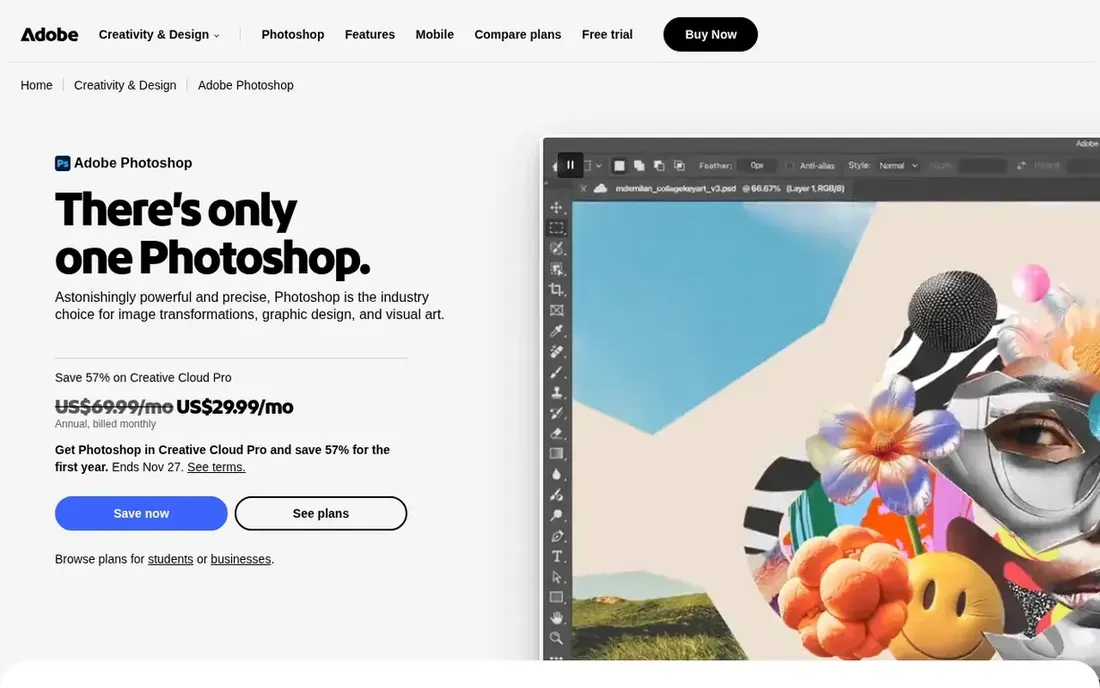
Adobe Photoshop targets in-depth retouching and compositing. For food photography it suits tasks like removing crumbs, cleaning plate edges, extending backgrounds and compositing styled scenes.
Downsides: Subscription-based access.
Its depth includes complexity, and full raw workflow and cataloging are better handled elsewhere. No starting price is listed for Adobe Photoshop here; confirm pricing on the vendor site. Trial and free access: Not stated.
- Desktop and mobile access
- Solid tools for combining images
- Ramp-up time for beginners
Adobe Bridge
Best for: File browsing and asset management
Think of Adobe Bridge for file browsing and asset management. Choose a different organizer if you need editing and cataloging combined in one application instead of a separate file management layer. As for the details, in food photography it helps review shoots, sort selects and keep project files tidy before editing in a dedicated application.
What to check first: Not a full image editor.
Its value is most solid inside the Adobe ecosystem. Adobe Bridge is digital asset management software for browsing, organizing and managing files, available for those getting started with Creative Cloud. No starting price is listed for Adobe Bridge here; confirm pricing on the vendor site. As for free access: Not stated.
- Handy for culling and organizing
- Central file browsing
- Tied to Adobe ecosystem
Affinity Photo targets professional editing without subscription. Affinity Photo is a professional photo editor made for precision, speed and creative freedom, positioned as a capable alternative for serious editing. Its strength in manual control means fewer one-click AI assists for tasks like sky or subject selection.
Some advanced tools take time to learn. As for the details, choose it when practical editing quality matters more than automatic convenience. No starting price is listed for Affinity Photo here; confirm pricing on the vendor site. Trial and free access: Not stated.
Downsides: Fewer guided AI shortcuts.
Where Affinity Photo stands out: Precise.
- Quick performance focus
- Solid creative freedom tools
- Ramp-up time for advanced tools
What went into this list
Selection started from tools commonly considered for software for food photography, then narrowed to 6 that have clear pricing information or a clear quote process. Plan names, prices and limits change often. Treat the figures here as a starting point and verify them with the vendor. The order reflects how well each tool fits the most common buying scenario for software for food photography, then price clarity, then free plan access. It is a starting point, not a verdict.
Questions to settle before buying
- Confirm the entry price on the vendor page. For Capture One, Skylum Luminar Neo, Adobe Photoshop and others that means a quote rather than a fixed price.
- Run a trial of ON1 Photo RAW with real work before paying for a year; your own workflow is the best test.
- Read the limits listed for ON1 Photo RAW first: interface can feel dense.
- Check whether the features you need in Skylum Luminar Neo sit on the entry plan or only on higher tiers.
- Confirm that Adobe Photoshop connects to the apps your team already uses, on the plan you would actually buy.
FAQ
How are the tools for software for food photography ordered?
The order follows typical fit for software for food photography, with ON1 Photo RAW first and Affinity Photo last, then price clarity and free access. It is editorial judgement, not a score, so another team could rank the tools differently.
Do these tools publish their prices?
Not all of them. Capture One, Skylum Luminar Neo, Adobe Photoshop and others publish no starting price, so expect a quote request for those. The rest, ON1 Photo RAW included, show a starting price, though seats and billing terms still change the final cost.
Which software is a good match for retouching food photos?
Start with ON1 Photo RAW if you need all-in-one raw editing and organizing. Capture One is the better match for tethered studio shoots and RAW precision, and Skylum Luminar Neo for AI-assisted quick enhancements. The best choice depends on budget, team size and workflow.
Is AI editing handy for food images?
AI tools can accelerate enhancements and creative looks, as with Skylum Luminar Neo. They are useful for fast adjustments but can be less predictable on reflective or glossy surfaces.
Can I try these tools before paying?
Often, yes. ON1 Photo RAW offers a free trial. Use your own data and a real task during the test, and check what the free tier or trial limits before you rely on it. All 6 picks in this software for food Photography comparison list a starting price, free plan details and the main limits on their cards above.
Do I need tethering for food photography?
Tethering helps in studio tabletop work since you can review and adjust images as you shoot. Capture One is the choice here most explicitly built around tethering and RAW precision.
Sources
- https://www.on1.com/products/photo-raw
- https://www.captureone.com
- https://skylum.com/luminar
- https://www.adobe.com/products/photoshop.html
- https://www.adobe.com/products/bridge.html
- https://affinity.serif.com/photo