Best Structural Design Software in 2026: 8 Tools Compared
We compared the best structural design software for buildings, bridges, and industrial work, covering analysis, codes, and prices per seat today in 2026.
- Editor's choice
 STAAD.Pro
General analysis and codes
Starts at$3,995 per yearVisit bentley.comFull review - Great alternative
 RISA-3D
United States steel and concrete
Starts at$1,970 per yearVisit risa.comFull review - Also consider
 ETABS
Tall buildings
Starts atSee websiteVisit csiamerica.comFull review
TL;DR:
- STAAD.Pro at 3,995 dollars per year is the most widely applicable generalist, with support for more than 90 design codes.
- RISA-3D at 1,970 dollars per year is the most accessible full 3D option for United States steel and concrete work.
- ETABS and SAP2000 from CSI lead for tall buildings and complex structures, but both are quote-based for most buyers.
- SkyCiv at 79 dollars per month per user is the lowest cost cloud option, suited to small firms and simpler projects.
- No single tool covers every material, code, and project type, so most firms pair an analysis tool with a detailing tool such as Tekla Structures.
Quick comparison
| Tool | Best for | Starts at | Free plan? | |
|---|---|---|---|---|
| STAAD.Pro | General analysis and codes | $3,995 per year | No | Visit |
| RISA-3D | United States steel and concrete | $1,970 per year | No | Visit |
| ETABS | Tall buildings | See website | No | Visit |
 SAP2000 | Complex structures | See website | No | Visit |
 Tekla Structural Designer | Building analysis and design | See website | No | Visit |
 SkyCiv Structural 3D | Cloud analysis on a budget | $79 per month per user | No | Visit |
 RFEM | Finite element analysis | See website | No | Visit |
 Advance Design | BIM-based analysis | See website | No | Visit |
The best structural design software
We compared tools on analysis depth, material and code coverage, BIM workflow, and price, and we kept only tools that are currently sold and used by practicing structural engineers. Prices are per seat unless noted, and many vendors quote by firm size.
STAAD.Pro is the workhorse pick for firms that analyze many structure types. It handles buildings, towers, plants, and industrial frames, with analysis for static, dynamic, wind, seismic, and moving loads, plus design checks across a very wide code library. The OpenSTAAD API lets firms script repetitive tasks instead of clicking through them by hand.
The trade-off is age and learning curve. New engineers often need mentorship before their models can be trusted, and the interface shows its history. For an experienced team that needs one generalist tool, STAAD.Pro remains a safe choice.
- Support for more than 90 steel, concrete, timber, and aluminum codes
- Static, dynamic, wind, seismic, and moving-load analysis
- OpenSTAAD API for automation
- Interface feels dated next to newer tools
- Physical-to-analytical modeling takes practice
- Advanced tiers cost more
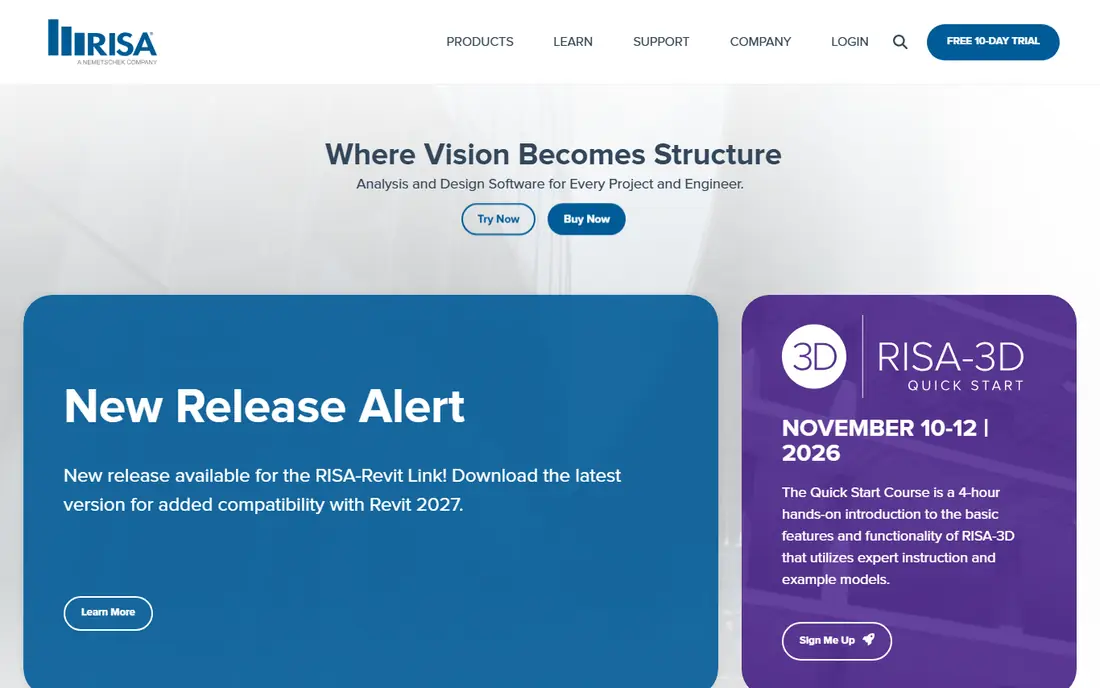
RISA-3D is our pick for United States firms that want a fast, readable 3D tool. Its ribbon workflow moves from model to analysis to design in a clear order, and engineers can enter data graphically or through spreadsheets. Steel and concrete design, including floors and foundations through companion tools, covers most building work.
The limit is scope. RISA-3D is strongest on United States practice, and firms with heavy international code work may need STAAD.Pro or another tool alongside it. At 1,970 dollars per year, it is also one of the more affordable full tools here.
- Clear left-to-right workflow
- Strong United States steel and concrete design
- Spreadsheet and graphical input
- Less breadth on international codes than STAAD.Pro
- Advanced features need add-on modules
- Windows only
ETABS from Computers and Structures, Inc. is the standard for building design, especially tall and complex buildings. Its modeling is built around floors, walls, and frames rather than generic finite elements, which speeds up building workflows and makes code checks for seismic and wind loads more direct. Steel and concrete member design sits inside the same model.
Pricing is quote-based for most buyers, and ETABS is less suited to bridges, tanks, or industrial structures than a general tool. Firms that design buildings all day will get the most from it, while generalist firms may prefer SAP2000 from the same vendor.
- Building-specific modeling and design
- Strong seismic and wind workflows
- Integrated steel and concrete design
- Quote-based pricing
- Building focused, so industrial and bridge work fits less well
- Steep learning curve for advanced features
SAP2000 is the generalist sibling of ETABS, and it suits engineers who work across structure types. It handles buildings, bridges, tanks, dams, and industrial structures with finite element analysis, including nonlinear, dynamic, and staged construction options. That breadth makes it a good single tool for a varied practice.
The cost is learning time and price opacity. SAP2000 rewards experienced users and takes longer to master than RISA-3D, and pricing is quote-based. Firms that already use CSI tools will find the workflow familiar, while new buyers should request a trial and a written quote.
- General-purpose finite element analysis
- Broad structure types from buildings to bridges
- Strong nonlinear and dynamic options
- Quote-based pricing
- Generalist interface takes time to master
- Building-specific automation is less than ETABS
Tekla Structural Designer, from Trimble, focuses on analysis and design for buildings, with steel and concrete member design and clear handling of loads and combinations. Its strength is the link to Tekla Structures, so an analysis model can move toward a fabrication-ready BIM model without rebuilding geometry from scratch.
The tool is quote-based and building focused, so it is not a general bridge or industrial analysis tool. It suits structural engineers already working in the Tekla ecosystem, or firms that want analysis and detailing to share one model.
- Integrated analysis and design for steel and concrete buildings
- Works with Tekla Structures for detailing
- Clear load and combination handling
- Quote-based pricing
- Building focused
- Best value needs the wider Tekla ecosystem
SkyCiv Structural 3D is the most accessible way into real structural analysis. At 79 dollars per month per user, it runs in the cloud, offers 3D modeling and analysis, and publishes its pricing openly, which is rare in this category. Small firms, solo engineers, and students moving into practice can start without a multi-thousand-dollar annual seat.
The trade-off is depth. SkyCiv handles common frames, beams, and trusses well, but very complex nonlinear or code-heavy projects still belong in STAAD.Pro, SAP2000, or ETABS. Use SkyCiv for everyday work and smaller projects, and keep a desktop leader for the hardest jobs.
- Cloud-based with no heavy install
- Free trial available
- Clear pricing per user per month
- Less depth than desktop leaders for very complex projects
- Needs internet access
- Code coverage is narrower
RFEM from Dlubal Software is a finite element tool that excels at plates, shells, membranes, and solids, alongside frames. That makes it a strong choice for structures where slab, wall, or shell behavior matters, not just member forces. Its modular add-ons cover steel, concrete, timber, and aluminum design to many international codes.
Pricing is modular and quote-based, so the total depends on which add-ons you need. RFEM suits European practice and firms with complex geometry, while United States building firms may find RISA-3D or ETABS faster for everyday frames.
- Strong finite element modeling for plates, shells, and solids
- Broad Eurocode and international support
- Modular add-ons
- Quote-based pricing
- Modular pricing can rise with add-ons
- Learning curve for plate and shell work
Advance Design from Graitec is built for engineers working in a BIM environment. It combines finite element analysis with design for steel, concrete, and timber, and it exchanges models with Revit while keeping analysis results in the digital model. That continuity helps when a design moves from analysis to documentation and coordination.
The tool is quote-based and strongest where BIM is already the workflow. Firms still working mainly in 2D may not use its full value, and its United States support network is smaller than Bentley, CSI, or RISA. For BIM-led practices, especially with European codes, it is a serious option.
- BIM workflow with Revit integration
- Steel, concrete, and timber design
- Major Eurocode and North American codes
- Quote-based pricing
- Best value needs a BIM workflow
- Smaller United States user base than RISA or CSI tools
How we picked these
We compared official product pages, published pricing where available, code coverage, and public reviews, and we required each tool to be currently sold for structural analysis and design. We favored tools with clear trial options and honest code lists, and we noted where pricing is quote-based rather than guessing a figure. We did not model test structures, since final design responsibility always rests with the licensed engineer of record.
How to choose for your practice
Start with your project mix. Building-only firms should compare ETABS, Tekla Structural Designer, and RISA-3D, while varied practices should compare STAAD.Pro and SAP2000. Next, check code coverage for the jurisdictions where you actually work, since a tool with 90 codes is no help if it lacks the one your project needs.
Test interoperability before buying. Ask how models move to Revit, Tekla Structures, or detailing tools, and whether results export cleanly for reports and checking. Finally, budget for training, since every tool here takes time to learn well, and a cheap seat that nobody can use confidently is the most expensive option of all.
FAQ
What is the best structural design software for beginners?
RISA-3D and SkyCiv Structural 3D are the most approachable options, with RISA-3D at 1,970 dollars per year and SkyCiv at 79 dollars per month per user. RISA-3D suits United States building work, while SkyCiv suits small firms and simpler projects. Beginners should still have designs checked by a licensed engineer.
What are the top rated structural design software options for tall buildings?
ETABS is the leading choice for tall buildings, thanks to its building-specific modeling and seismic and wind workflows. SAP2000 and STAAD.Pro also handle tall structures, but ETABS is more direct for floor-based building design. Pricing for ETABS is quote-based, so request a trial and a written quote.
How much does structural design software cost?
Costs range from 79 dollars per month per user at SkyCiv and 1,970 dollars per year at RISA-3D to 3,995 dollars per year at STAAD.Pro, with ETABS, SAP2000, Tekla Structural Designer, RFEM, and Advance Design priced by quote. Add-ons, training, and multi-seat licenses raise totals. Always confirm the seat count and included modules before comparing.
Can structural design software replace an engineer?
No, software performs analysis and code checks, but the licensed engineer of record remains responsible for the design, its assumptions, and its safety. Software results must be checked for model errors, load paths, and code applicability. Treat any tool as a calculator with a good interface, not as a designer.
What is the difference between structural design and structural detailing software?
Design software such as STAAD.Pro, RISA-3D, and ETABS sizes members and checks code compliance. Detailing software such as Tekla Structures turns the design into fabrication-ready models, connections, shop drawings, and CNC data. Most projects use both, with engineers designing in analysis software and detailers building the fabrication model separately.