Best Software for Designing Furniture in 2026: Prices, Free Plans and 5 Picks
Compare 5 picks for the best software for designing furniture, with prices, free plans and who each fits. Read the caveats before you buy. Numbers first.

- Editor's choice3ds Max
High-end modeling and rendering for presentations
Starts atSee websiteVisit autodesk.comFull review - Great alternative
 KeyShot
Live rendering and visualization
Starts at$7.92 a monthVisit keyshot.comFull review - Also consider
 Fusion
Integrated CAD, CAM, and CAE workflows
Starts atSee websiteVisit autodesk.comFull review
Direct answer
3ds Max leads the list, best for high-end modeling and rendering for presentations. Listed starting prices: KeyShot from $7.92 a month. KeyShot is the stronger choice for live rendering and visualization, while Fusion suits integrated CAD, CAM, and CAE workflows. The remaining 2 options are covered below with prices and limits.
TL;DR:
- The list opens with 3ds Max, aimed at high-end modeling and rendering for presentations.
- For the cheapest start, look at KeyShot: $7.92 per month.
- Vectorworks is the one to check for BIM and CAD for interior and furniture design.
- Neither 3ds Max nor Vectorworks, nor any of the other 3 tools, has a permanent free plan; trials and quotes are the norm.
- Check the limits for Fusion before you commit: cloud dependency for some features.
Last checked November 2026. Prices and plan details were read from the vendors' own pages in November 2026; vendors change plans often, so confirm the current price on the vendor site before you buy.
Quick comparison
| Tool | Best for | Starts at | Free plan? | |
|---|---|---|---|---|
| 3ds Max | High-end modeling and rendering for presentations | See website | Not stated | Visit |
| KeyShot | Live rendering and visualization | $7.92 a month | Free trial | Visit |
| Fusion | Integrated CAD, CAM, and CAE workflows | See website | Not stated | Visit |
 AutoCAD | Precise 2D drafting and DWG collaboration | See website | Not stated | Visit |
 Vectorworks | BIM and CAD for interior and furniture design | See website | Not stated | Visit |
Software for Designing Furniture, one by one
This LinkVetted guide covers 5 options for software for designing furniture. Each profile lists a starting price, free plan details, strengths and drawbacks, so you can drop poor fits quickly.
3ds Max
Best for: High-end modeling and rendering for presentations
3ds Max was built for high-end modeling and rendering for presentations. 3ds Max is professional 3D modeling, animation, and rendering software. In practice, furniture designers and visualization artists use it to build in-depth models and high-quality renders for marketing and client presentations.
Where it is weaker: Not concentrated on manufacturing.
Its solid toolset supports complicated shapes and materials, making it a fit for studios that prioritize visual storytelling and product imagery. Worth adding: 3ds Max is not made for furniture engineering or manufacturing workflows. It lacks parametric furniture-specific features and CAM integration. Pricing for 3ds Max is not stated here, so ask the vendor for current figures. Free options: Not stated.
- Advanced modeling tools
- Solid rendering integration
- Costly for small shops
KeyShot makes the most sense for live rendering and visualization. KeyShot is not a modeling or CAD tool, so it must be paired with design software like AutoCAD, Fusion, or 3ds Max. It focuses on visualization rather than engineering or manufacturing.
Downsides: Not a modeling tool.
For full furniture design workflows, combine KeyShot with a CAD tool. On top of that, KeyShot is 3D rendering and AI visualization software known for live rendering technology. It supports collaboration from concept to product launch, making it right for product design businesses that require fast, high-quality visuals. KeyShot pricing: $7.92 per month. As for free access: Free trial.
- Quick live rendering
- Supports collaboration
- Restricted design editing

Choose Fusion for integrated CAD, CAM, and CAE workflows. Fusion may be overkill for straightforward 2D furniture drawings, where AutoCAD is more direct. In daily use, the integrated environment helps designers move from concept to production without switching tools.
Worth adding: Fusion, formerly Fusion 360, is a cloud-based product for 3D CAD, CAM, CAE, and PCB design. Some advanced features need cloud connectivity, which can be a limitation in low-bandwidth environments. Pricing for Fusion is not stated here, so ask the vendor for current figures. On free options: Not stated.
Where it is weaker: Can be complicated for straightforward 2D drafting.
- Cloud-based collaboration
- Parametric and direct modeling
- Cloud dependency for some features
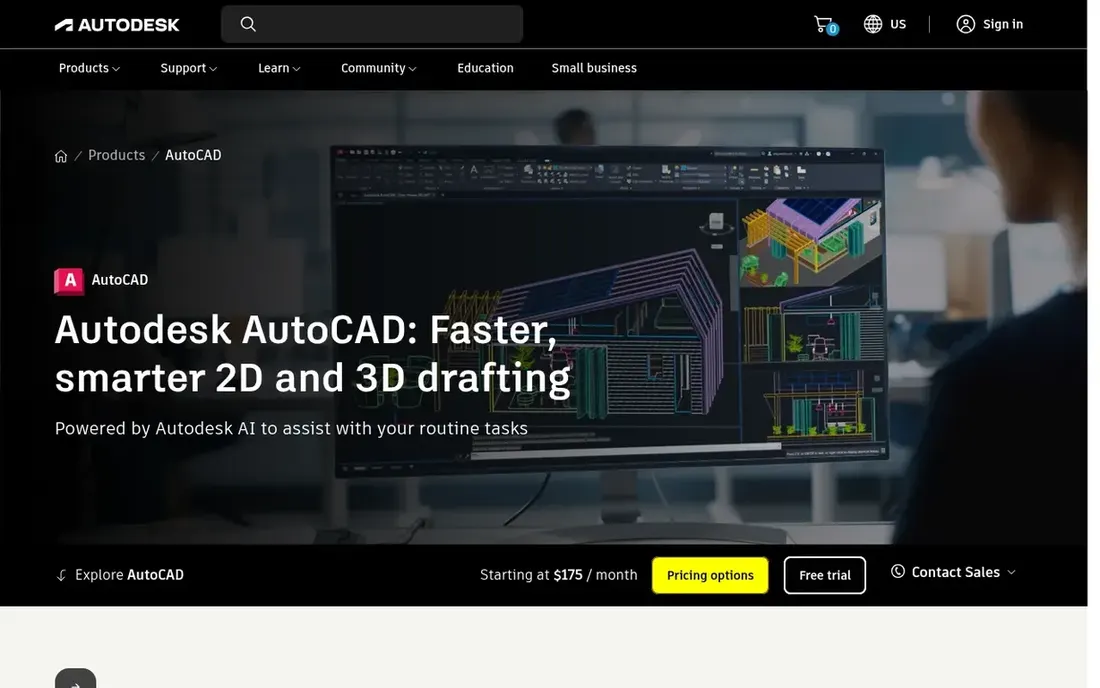
AutoCAD is built with precise 2D drafting and DWG collaboration in mind. AutoCAD is a widely used CAD product for 2D drafting and 3D modeling.
For everyday use, for furniture design, it excels at creating in-depth shop drawings, plans, and elevations with precise dimensions. Its 3D modeling capabilities are more entry-level compared with dedicated parametric CAD tools. AutoCAD shows no starting price here, so confirm the cost on the vendor site. Trial and free access: Not stated.
Trade-offs to know: Restricted parametric modeling.
- Industry-standard DWG format
- Web and desktop access
- Steeper ramp-up time for 3D
For BIM and CAD for interior and furniture design, Vectorworks is a natural candidate. Vectorworks is 3D design software for BIM, CAD, and modeling, used by architecture, landscaping, and entertainment professionals.
Pricing for Vectorworks is not stated here, so ask the vendor for current figures. Free plan details: Not stated.
Downsides: Less specialized for furniture manufacturing.
- Collaboration features
- Flexible 3D modeling
- Can be complicated for beginners
How the list was put together
Things to verify first
- Ask 3ds Max, Fusion, AutoCAD and Vectorworks for a written quote, since no starting price is shown.
- Use real work to test the free trial from KeyShot, rather than a demo project.
- Read the limits listed for 3ds Max first: expensive for small shops.
- Test the integrations you rely on with 3ds Max before committing; some connectors sit on upper tiers.
- Let daily users try AutoCAD on real work; their feedback beats any feature checklist.
FAQ
What is the best software for 2D furniture drafting?
The first pick on this list is 3ds Max, because it suits high-end modeling and rendering for presentations. KeyShot is better for live rendering and visualization, and Fusion for integrated CAD, CAM, and CAE workflows. Check price and limits against your own needs before choosing.
How are the tools for software for designing furniture ordered?
3ds Max sits first and Vectorworks last because the order follows typical fit for software for designing furniture, then price clarity and free access. It is a judgement call, so read each profile for fit and limits.
Is 3ds Max the right pick for everyone comparing software for designing furniture?
No single tool suits every team. 3ds Max comes first because it fits high-end modeling and rendering for presentations, while KeyShot suits real-time rendering and visualization and Fusion suits integrated CAD, CAM, and CAE workflows. Match the tool to your own size, budget and workflow before deciding.
Can I try these tools before paying?
Often, yes. KeyShot offers a free trial. Use your own data and a real task during the test, and check what the free tier or trial limits before you rely on it. For the full picture, the cards above cover all 5 entries of this software for designing Furniture list, including price, free plan and limits.
What is the cheapest option for software for designing furniture in this list?
On published monthly entry prices, KeyShot is the lowest here at $7.92 per month. Entry price is only part of the cost, because seats, add-ons and billing terms can change the total. Prices, free plan details and limits for all 5 tools in this software for designing Furniture roundup sit on the individual cards above.
Sources
- https://www.autodesk.com/products/3ds-max
- https://www.keyshot.com
- https://www.autodesk.com/products/fusion-360
- https://www.autodesk.com/products/autocad
- https://www.vectorworks.net