Best Graphic Designing Software for 2026: Our 5 Vetted Picks
Compare 5 picks for the best graphic designing software, with prices, free plans and who each fits. Weak spots flagged for every entry. Checked this month.
- Editor's choice
 Canva
Quick template-based visual content
Starts atSee websiteVisit canva.comFull review - Great alternative
 Affinity Designer
Precision vector design with speed
Starts atSee websiteVisit affinity.serif.comFull review - Also consider
 Sketch
Mac-based interface and product design
Starts at$12 per editor per monthVisit sketch.comFull review
Direct answer
Canva comes first here, mainly for quick template-based visual content. Listed starting prices: Sketch from $12 per editor per month and Figma from $3 a month. Affinity Designer is the stronger choice for precision vector design with speed, while Sketch suits Mac-based interface and product design. The other 2 tools in the list cover narrower or pricier cases.
TL;DR:
- The list opens with Canva, aimed at quick template-based visual content.
- Neither Canva nor Figma, nor any of the other 3 tools, has a permanent free plan; trials and quotes are the norm.
- For collaborative product and interface design, Figma is worth a look.
- The lowest published monthly entry price here is $3 per month, from Figma.
- One limit worth knowing about Canva: less precise control than pro tools.
Last checked November 2026. Prices and plan details were read from the vendors' own pages in November 2026; vendors change plans often, so confirm the current price on the vendor site before you buy.
Quick comparison
| Tool | Best for | Starts at | Free plan? | |
|---|---|---|---|---|
| Canva | Quick template-based visual content | See website | Not stated | Visit |
| Affinity Designer | Precision vector design with speed | See website | Not stated | Visit |
| Sketch | Mac-based interface and product design | $12 per editor per month | Free trial | Visit |
 Adobe Photoshop | Raster image editing and compositing | See website | Not stated | Visit |
 Figma | Collaborative product and interface design | $3 a month | Not stated | Visit |
Graphic Designing Software compared in detail
If you are comparing graphic designing software, this page covers 5 tools in one place: what each is best for, what it costs to start, whether it has a free plan, and the main limit to know about.
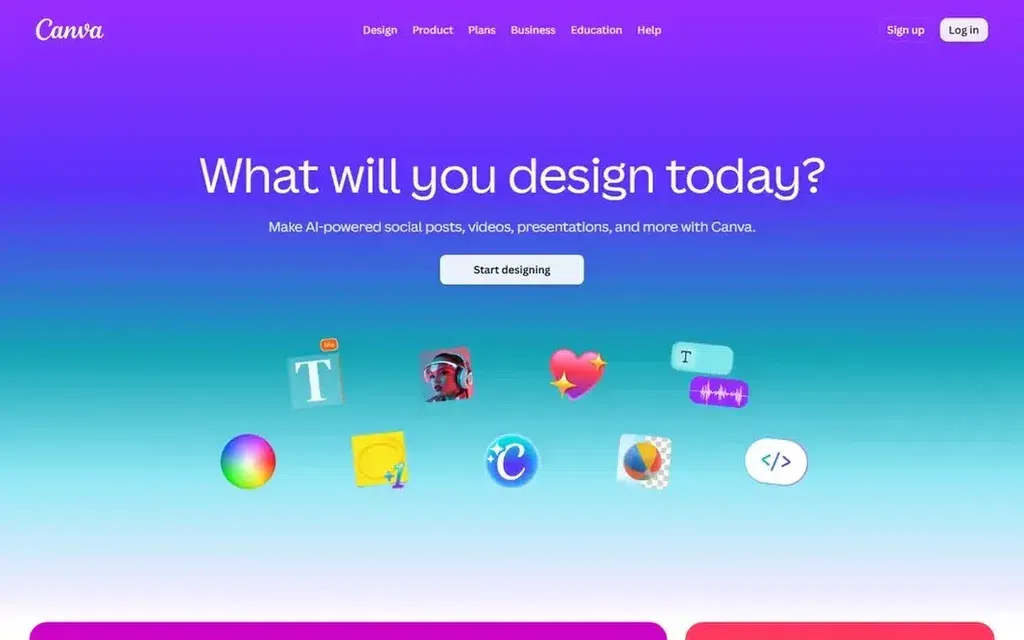
Canva makes the most sense for quick template-based visual content. The vendor lists social media posts, presentations, posters, videos and logos among its outputs, and the free-to-use model lowers the entry barrier. From a buyer's view, pick Illustrator or Affinity Designer when you need print-grade precision, and keep Canva for speed and collaboration on everyday content.
Drawbacks to consider: Template-driven output can look generic.
For everyday use, Canva is an online design system positioned as a visual suite for everyone. Fine typographic control and complicated vector construction are restricted compared to dedicated design applications. Pricing for Canva is not stated here, so ask the vendor for current figures. Free plan details: Not stated.
- Posters and presentations
- Browser-based with a low ramp-up time
- Less precise control than pro tools
Affinity Designer is built with precision vector design with speed in mind. Affinity Designer is professional graphic and vector design software from Serif, promoted as design without limits for crisp vector art and bold graphics.
Limits to weigh: Fewer external integrations.
It fits freelancers and studios producing logos, illustrations and marketing graphics who prefer a focused toolset. Affinity Designer does not show a starting price in this comparison, so check the vendor site for current pricing. Free plan details: Not stated.
- Crisp vector output
- Deals with both vector and raster work
- Smaller ecosystem than Adobe
Sketch was built for Mac-based interface and product design. Sketch is a design, prototyping and collaboration tool made for Mac, described by the vendor as made by designers for designers.
The main drawbacks: Smaller plugin ecosystem than some rivals.
Entry price for Sketch: $12 per editor per month. Trial and free access: Free trial.
- Design
- Clean
- Mac-only product
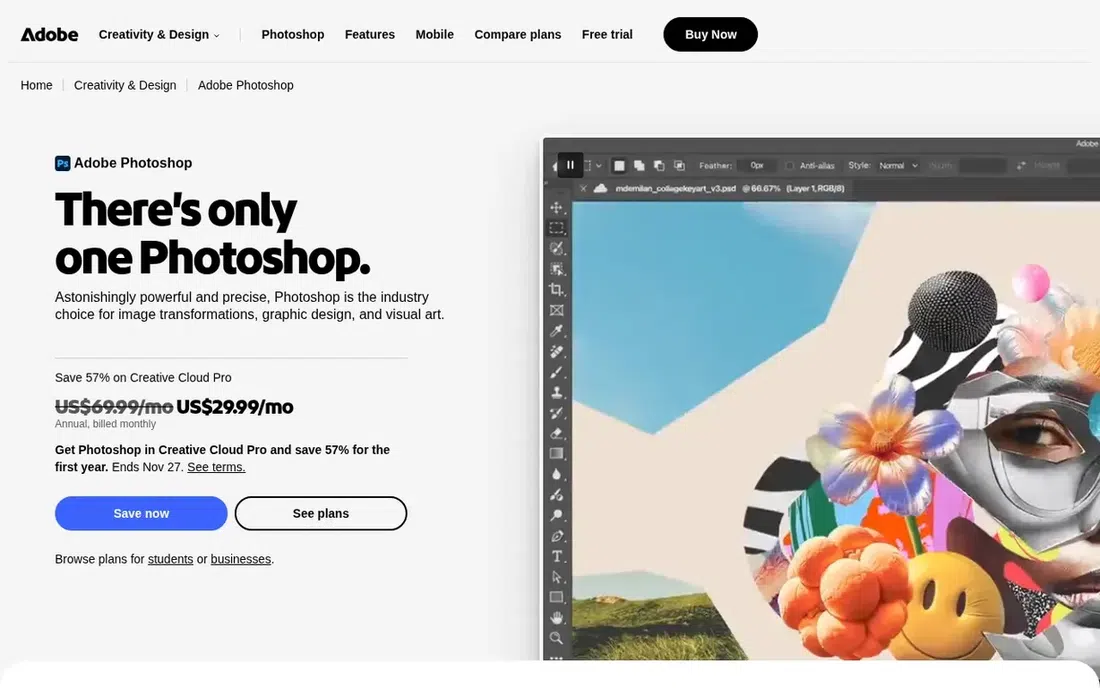
Adobe Photoshop is designed for Raster image editing and compositing. The vendor flags fast ways to build custom scenes and combine images, with editing available online or through the mobile app.
It suits photographers, marketers and designers who require precise control over imagery instead of template-driven layouts. Adobe Photoshop shows no starting price here, so confirm the cost on the vendor site. As for free access: Not stated.
Limits to weigh: Subscription-based access.
- Desktop and mobile app options
- Deep image editing and retouching controls
- Steep ramp-up time for beginners
For collaborative product and interface design, Figma is a natural candidate. It is browser-based, which makes shared files and multi-person editing straightforward for product, marketing and engineering teams.
What to check first: Large shared files can feel heavy.
What Figma does well: code and AI workflows.
Worth adding: teams that seldom collaborate and work largely offline may find a native desktop tool more straightforward. For heavy raster photo editing or complicated print vector work, dedicated applications remain more solid. On cost, Figma starts like this: $3 per month. Free access: Not stated.
- Supports concept-to-production handoff
- Browser-based live collaboration
- Needs a stable connection for best results
How the list was put together
The comparison looks at four things: starting price, free access, how well the feature set matches graphic designing software, and the main limit of each tool. Prices and plan limits come from vendor pages and can change, so confirm them on the vendor site before you buy. The order reflects how well each tool fits the most common buying scenario for graphic designing software, then price clarity, then free plan access. It is a starting point, not a verdict.
Questions to settle before buying
- Ask Canva, Affinity Designer and Adobe Photoshop for a written quote, since no starting price is shown.
- Use real work to test the free trial from Sketch, rather than a demo project.
- Read the limits listed for Canva first: less precise control than pro tools.
- Compare total cost, not headline price: for Figma, add extra seats, add-ons and any usage-based charges.
- Confirm minimum seats and billing terms with Canva before you commit to an annual plan.
FAQ
What is the cheapest option for graphic designing software in this list?
On published monthly entry prices, Figma is the lowest here at $3 per month. Entry price is only part of the cost, because seats, add-ons and billing terms can change the total. All 5 picks in this Graphic designing software comparison list a starting price, free plan details and the main limits on their cards above.
Can I try these options before paying?
Often, yes. Sketch offers a free trial. Use your own data and a real task during the test, and check what the free tier or trial limits before you rely on it. For the full picture, the cards above cover all 5 entries of this Graphic designing software list, including price, free plan and limits.
Do these tools publish their prices?
Not all of them. Canva, Affinity Designer and Adobe Photoshop publish no starting price, so expect a quote request for those. The rest, Sketch included, show a starting price, though seats and billing terms still change the final cost.
What is the difference between Sketch and Figma?
Sketch is a Mac-native app for interface design, prototyping and handoff, aimed at designers who prefer a focused desktop workspace. Figma runs in the browser and centers on live collaboration across design, code and AI, which fits cross-platform teams.
Is Canva the right pick for everyone comparing graphic designing software?
No single tool suits every team. Canva comes first because it fits fast template-based visual content, while Affinity Designer suits precision vector design with speed and Sketch suits Mac-based interface and product design. Match the tool to your own size, budget and workflow before deciding.
Sources
- https://www.canva.com
- https://affinity.serif.com/en-us/designer
- https://www.sketch.com
- https://www.adobe.com/products/photoshop.html
- https://www.figma.com