Top 5 PCB Design Software for Beginners for 2026 (Prices and Free Plans)
Need the best PCB design software for beginners? We compare 5 tools on cost, free access and who each suits. Each entry gets a plain verdict. Details below.

- Editor's choicePADS
Beginners aiming for professional PCB workflows
Starts atSee websiteVisit pads.comFull review - Great alternativeEasyEDA
Browser-based learning and fast circuit simulation
Starts at$19.9 a monthVisit easyeda.comFull review - Also considerAutodesk Eagle
Beginners who value 3D mechanical integration
Starts atSee websiteVisit autodesk.comFull review
Direct answer
PADS leads the list, best for beginners aiming for professional PCB workflows. Listed starting prices: EasyEDA from $19.9 a month. EasyEDA fits browser-based learning and fast circuit simulation; Autodesk Eagle fits beginners who value 3D mechanical integration. The remaining 2 options are covered below with prices and limits.
TL;DR:
- This list starts with PADS, which is built for beginners aiming for professional PCB workflows.
- The main caution on KiCad: dense interface for absolute beginners.
- Altium Designer fits teams moving toward professional product development.
- Only EasyEDA offers a free plan among these 5 tools.
- For the cheapest start, look at EasyEDA: $19.9 per month.
Last checked November 2026. Prices and plan details were read from the vendors' own pages in November 2026; vendors change plans often, so confirm the current price on the vendor site before you buy.
Quick comparison
| Tool | Best for | Starts at | Free plan? | |
|---|---|---|---|---|
| PADS | Beginners aiming for professional PCB workflows | See website | Not stated | Visit |
| EasyEDA | Browser-based learning and fast circuit simulation | $19.9 a month | Yes | Visit |
| Autodesk Eagle | Beginners who value 3D mechanical integration | See website | Not stated | Visit |
| KiCad | Learners who want a full open-source workflow | See website | Not stated | Visit |
| Altium Designer | Teams moving toward professional product development | See website | Not stated | Visit |
PCB Design Software for Beginners profiles
This LinkVetted guide covers 5 PCB design software for beginners. Each profile lists a starting price, free plan details, strengths and drawbacks, so you can drop poor fits quickly.
PADS
Best for: Beginners aiming for professional PCB workflows
PADS makes the most sense for beginners aiming for professional PCB workflows. PADS is a PCB design software from Siemens with a long history in professional board design.
Its documentation describes a modern, future-ready ecosystem that builds on that legacy. Its workflow assumes some design discipline and may need formal training. PADS does not show a starting price in this comparison, so check the vendor site for current pricing. Free access: Not stated.
Limits to weigh: Professional focus may be heavy for hobbyists.
- Part of a modern Siemens ecosystem
- Suited to structured design processes
- Commercial licensing
EasyEDA
Best for: Browser-based learning and fast circuit simulation
For browser-based learning and fast circuit simulation, EasyEDA is a natural candidate. Since it runs in the browser, EasyEDA relies on a stable internet connection. Its depth may also be restricted for advanced, high-complexity boards compared to desktop suites.
Watch-outs: Less depth for advanced workflows.
On top of that, choose EasyEDA when fast access, straightforward simulation and a gentle ramp-up time matter most. If you need offline access or a full professional feature set, consider a desktop tool. On cost, EasyEDA starts like this: $19.9 per month. EasyEDA includes a free tier.
- Bundles circuit simulation
- Straightforward
- Needs an internet connection
Autodesk Eagle
Best for: Beginners who value 3D mechanical integration

Autodesk Eagle is aimed squarely at beginners who value 3D mechanical integration. The tool also assumes some familiarity with electronics design concepts. Eagle is a commercial product, and its interface carries a ramp-up time for newcomers.
Choose Eagle when 3D mechanical collaboration or an existing Autodesk workflow is a priority for your learning path. If you want a no-cost, standalone desktop tool, look at open-source choices first. Worth adding: Autodesk Eagle, now presented within Autodesk Fusion for electronic engineers, lets users produce schematics, design PCBs and work in 3D with mechanical teams. Autodesk Eagle does not show a starting price in this comparison, so check the vendor site for current pricing. Free access: Not stated.
Downsides: Commercial license required.
- Works alongside 3D mechanical teams
- Schematic and PCB design
- Interface can overwhelm new users
KiCad
Best for: Learners who want a full open-source workflow
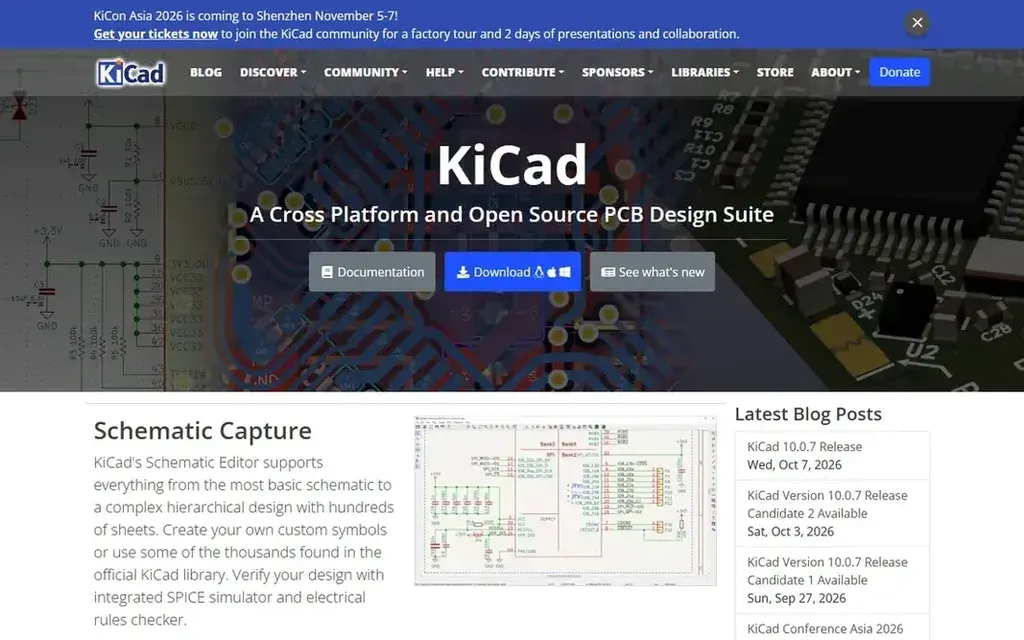
KiCad was built for learners who want a full open-source workflow. Since it is free to use, beginners can learn a professional-style workflow without any financial commitment.
Reasons to shortlist it: No cost to use.
It suits students and hobbyists who are comfortable exploring menus and documentation, and who want a tool they can keep using as projects grow more complicated. Check the vendor site for KiCad pricing; none is listed in this comparison. Free access: Not stated. What to check first: Dense interface for absolute beginners.
- Schematic capture
- PCB layout and 3D viewing
- Needs self-guided learning
Altium Designer
Best for: Teams moving toward professional product development

Altium Designer is a good fit for teams moving toward professional product development. The tool is designed for professional workflows, so it can feel heavy for a first blinking-LED board. For everyday use, Altium Designer is a commercial PCB design tool positioned for high-performance product teams.
Its documentation describes an engine that spans schematics, simulation, layout and manufacturing preparation. In practice, choose a more straightforward or open-source choice if you are learning at home, and consider Altium Designer when you need a professional-grade environment backed by formal training or workplace access. This comparison lists no price for Altium Designer; ask the vendor. Free plan details: Not stated.
Drawbacks to consider: Commercial licensing required.
- Suited to high-performance product teams
- Integrated design environment
- Overkill for straightforward beginner projects
What went into this list
We compared the tools on published pricing, free plan or trial availability, feature coverage for PCB design software for beginners, and the limits each vendor documents. Where a vendor does not publish a price, the entry says quote. Where a price depends on seats or billing term, the entry says so. The order reflects how well each tool fits the most common buying scenario for PCB design software for beginners, then price clarity, then free plan access. It is a starting point, not a verdict.
A buyer's checklist
- Ask PADS, Autodesk Eagle, KiCad and Altium Designer for a written quote, since no starting price is shown.
- Look at the free plan from EasyEDA closely: its caps decide whether it is usable for real work.
- Read the limits listed for PADS first: commercial licensing.
- Find out what support Autodesk Eagle includes on your plan, and whether onboarding help costs extra.
- Add up seats, add-ons and usage charges for PADS before comparing it with cheaper entries.
FAQ
How are the tools for PCB design software for beginners ordered?
The order follows typical fit for PCB design software for beginners, with PADS first and Altium Designer last, then price clarity and free access. It is editorial judgement, not a score, so another team could rank the tools differently.
Should beginners start with professional tools like Altium Designer or PADS?
Professional tools are capable but can overwhelm a first project. They make sense if you have access through a workplace or academic program and plan to use them in a career.
Is PADS the right pick for everyone comparing PCB design software for beginners?
No single tool suits every team. PADS comes first because it fits beginners aiming for professional PCB workflows, while EasyEDA suits browser-based learning and quick circuit simulation and Autodesk Eagle suits beginners who value 3D mechanical integration. Match the tool to your own size, budget and workflow before deciding.
Can I try these tools before paying?
Often, yes. EasyEDA has a free plan. Use your own data and a real task during the test, and check what the free tier or trial limits before you rely on it. Prices, free plan details and limits for all 5 tools in this PCB design software for beginners roundup sit on the individual cards above.
What is the cheapest option for PCB design software for beginners in this list?
On published monthly entry prices, EasyEDA is the lowest here at $19.9 per month. Entry price is only part of the cost, because seats, add-ons and billing terms can change the total. Each of the 5 options in this PCB design software for beginners guide has its own card above with the price, free plan and limits.
Sources
- https://www.pads.com
- https://easyeda.com
- https://www.autodesk.com/products/eagle/overview
- https://www.kicad.org
- https://www.altium.com/altium-designer