Best PCB Design Software for Hobbyist in 2026: Prices, Free Plans and 5 Picks
Comparing the best PCB design software for hobbyist? 5 contenders, each with entry cost, free tier and best-fit buyer. Real limits included. Jump to the table.
- Editor's choiceDesignSpark PCB
Free PCB design with community support
Starts atSee websiteVisit rs-online.comFull review - Great alternativeEasyEDA
Browser-based PCB design and simulation
Starts at$19.9 per monthVisit easyeda.comFull review - Also considerAltium Designer
Professional-grade PCB design engine
Starts atSee websiteVisit altium.comFull review
Direct answer
For free PCB design with community support, DesignSpark PCB is where this list starts. Listed starting prices: EasyEDA from $19.9 per month. EasyEDA is better for browser-based PCB design and simulation, and Altium Designer is better for professional-grade PCB design engine. The remaining 2 options are covered below with prices and limits.
TL;DR:
- Number one here is DesignSpark PCB, a fit for free PCB design with community support.
- What to know about Altium Designer first: overkill for straightforward hobby projects.
- EasyEDA stands alone as the one tool in this list with a free plan.
- Fritzing fits beginner-friendly electronics documentation.
Last checked November 2026. Prices and plan details were read from the vendors' own pages in November 2026; vendors change plans often, so confirm the current price on the vendor site before you buy.
Quick comparison
| Tool | Best for | Starts at | Free plan? | |
|---|---|---|---|---|
| DesignSpark PCB | Free PCB design with community support | See website | Not stated | Visit |
| EasyEDA | Browser-based PCB design and simulation | $19.9 per month | Yes | Visit |
| Altium Designer | Professional-grade PCB design engine | See website | Not stated | Visit |
| KiCad | Open-source full-suite PCB design | See website | Not stated | Visit |
| Fritzing | Beginner-friendly electronics documentation | See website | Not stated | Visit |
PCB Design Software for Hobbyist profiles
If you are comparing PCB design software for hobbyist, this page covers 5 tools in one place: what each is best for, what it costs to start, whether it has a free plan, and the main limit to know about.
DesignSpark PCB
Best for: Free PCB design with community support
DesignSpark PCB works best for free PCB design with community support. Hobbyists on Windows who require a straightforward path from schematic to board may find it a decent match.
Where it is weaker: Less easy-to-learn for beginners.
For everyday use, DesignSpark PCB is a free PCB design tool from RS Online that lets you draw schematics and lay out circuit boards. DesignSpark PCB shows no starting price here, so confirm the cost on the vendor site. Trial and free access: Not stated.
- Backed by RS Online
- Schematic and PCB layout
- Windows-only
EasyEDA
Best for: Browser-based PCB design and simulation

EasyEDA was built for browser-based PCB design and simulation. EasyEDA is an online circuit design, simulator, and PCB design tool that runs in your web browser.
It is free and simple to use, making it a convenient choice for hobbyists who want to sketch circuits, simulate behavior, and lay out boards without installing software. Beyond that, since it is web-based, EasyEDA relies on a stable internet connection and may not match the depth of desktop tools for very complicated boards. Price to start with EasyEDA: $19.9 per month. Free access exists with EasyEDA.
Drawbacks to consider: Needs an internet connection.
- Bundles circuit simulation
- Runs entirely in a web browser
- Less depth for advanced users
Altium Designer
Best for: Professional-grade PCB design engine

For professional-grade PCB design engine, Altium Designer is a natural candidate. Altium Designer is a professional PCB design environment that spans schematics, simulation, layout, and manufacturing outputs.
More specifically, Hobbyists who want a lighter, no-cost choice may prefer KiCad or EasyEDA, whereas those centred on learning professional practices can grow into Altium Designer over time. No starting price is listed for Altium Designer here; confirm pricing on the vendor site. Free options: Not stated.
Where it is weaker: Overkill for straightforward hobby projects.
- Capable layout and simulation capabilities
- Full schematic to manufacturing workflow
- Steeper ramp-up time
KiCad
Best for: Open-source full-suite PCB design
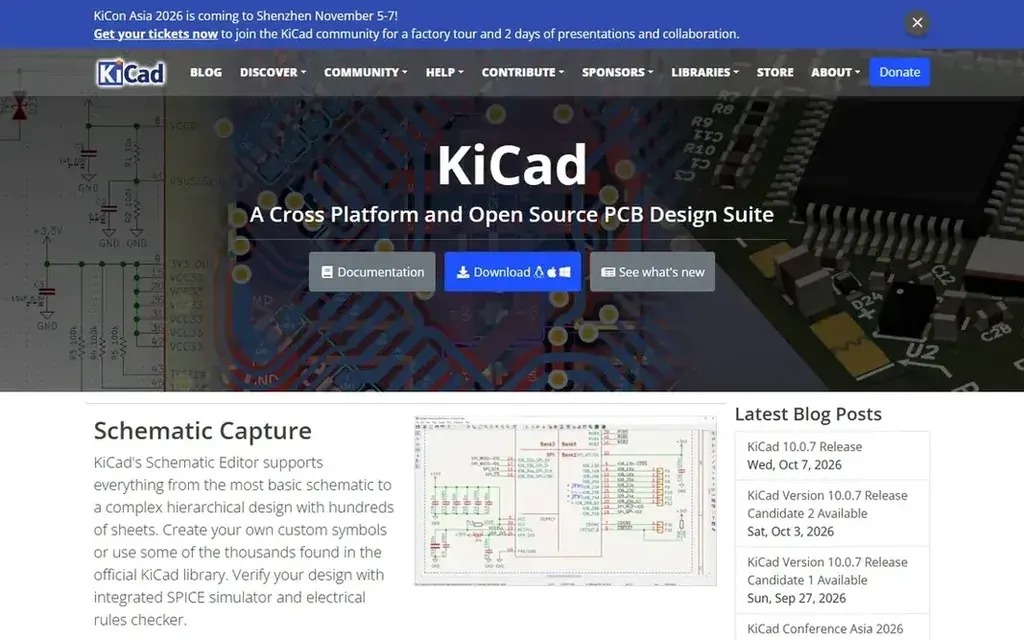
In short, KiCad is for open-source full-suite PCB design. Hobbyists who want a capable, no-cost toolchain that runs on their preferred operating system will find it a solid fit, notably for projects that may grow in complexity.
Honest limits: Ramp-up time for beginners.
Also, the interface can feel dense for newcomers, and some advanced simulation or team features are not built in. Pricing for KiCad is not stated here, so ask the vendor for current figures. Free access: Not stated.
- PCB layout
- 3D viewing
- Less integrated simulation than some commercial tools
Fritzing
Best for: Beginner-friendly electronics documentation
Where Fritzing fits: beginner-friendly electronics documentation. Fritzing is not intended for advanced PCB layout or high-density designs, and its feature set is narrower than full EDA suites.
No starting price is listed for Fritzing here; confirm pricing on the vendor site. As for free access: Not stated.
The main drawbacks: Restricted advanced PCB features.
- Visual breadboard view for prototyping
- Simple to document projects
- Less a good match for complicated boards
How we built this list
Selection started from tools commonly considered for PCB design software for hobbyist, then narrowed to 5 that have clear pricing information or a clear quote process. Prices and plan limits come from vendor pages and can change, so confirm them on the vendor site before you buy. The sequence is a judgement call: typical use case first, then pricing transparency, then free access. Use the profiles to check fit.
Before you commit
- Confirm the entry price on the vendor page. For DesignSpark PCB, Altium Designer, KiCad and Fritzing that means a quote rather than a fixed price.
- Test the free plan from EasyEDA against your real workload before relying on it.
- Read the limits listed for DesignSpark PCB first: Windows-only.
- Get the contract term, renewal terms and any onboarding fees from DesignSpark PCB in writing.
- Check how data leaves EasyEDA: formats, limits and whether exports are available on every plan.
FAQ
Which options for PCB design software for hobbyist have a free plan?
EasyEDA is the only tool in this list with a free plan. Free plans usually cap users, projects or features, so check the limits on the vendor page.
What is the cheapest option for PCB design software for hobbyist in this list?
On published monthly entry prices, EasyEDA is the lowest here at $19.9 per month. Entry price is only part of the cost, because seats, add-ons and billing terms can change the total. All 5 picks in this PCB design software for Hobbyist comparison list a starting price, free plan details and the main limits on their cards above.
Can I run PCB design software on Mac or Linux?
KiCad runs on Windows, macOS, and Linux, making it a capable cross-platform choice. EasyEDA works in any modern browser regardless of operating system. Other tools like DesignSpark PCB are Windows-only.
Do these tools publish their prices?
Not all of them. DesignSpark PCB, Altium Designer, KiCad and Fritzing publish no starting price, so expect a quote request for those. The rest, EasyEDA included, show a starting price, though seats and billing terms still change the final cost.
How are the tools for PCB design software for hobbyist ordered?
The order follows typical fit for PCB design software for hobbyist, with DesignSpark PCB first and Fritzing last, then price clarity and free access. It is editorial judgement, not a score, so another team could rank the tools differently.
Sources
- https://www.rs-online.com/designspark/pcb-software
- https://easyeda.com
- https://www.altium.com/altium-designer
- https://www.kicad.org
- https://fritzing.org