PCB Antenna Design Software in 2026: The 5 Best Options Side by Side
Best PCB antenna design software in 2026: 5 tools with starting prices, free plans and limits. Strengths and weak spots are spelled out. Updated for 2026.

- Editor's choiceZuken E3.series
Electrical CAD and wiring design
Starts atPricing on requestVisit zuken.comFull review - Great alternativeSonnet Suites
Planar high-frequency circuit analysis
Starts atPricing on requestVisit sonnetsoftware.comFull review - Also consider
 COMSOL Multiphysics
Multiphysics simulation of antenna designs
Starts atPricing on requestVisit comsol.comFull review
Direct answer
Zuken E3.series leads the list, best for electrical CAD and wiring design. Sonnet Suites fits Planar high-frequency circuit analysis; COMSOL Multiphysics fits Multiphysics simulation of antenna designs. The full list of 5 tools follows, with free plan facts. None of these vendors publish plan prices, so pricing is on request for every option.
TL;DR:
- Zuken E3.series sits first on this list: electrical CAD and wiring design.
- Neither Zuken E3.series nor ANSYS HFSS, nor any of the other 3 tools, has a permanent free plan; trials and quotes are the norm.
- A fair warning about COMSOL Multiphysics: general-purpose setup can be complicated.
- Pricing across the list, from Zuken E3.series to ANSYS HFSS, is by quote only.
- ANSYS HFSS fits 3D high-frequency electromagnetic simulation.
Last checked November 2026. Pricing on request: vendors did not publish plan prices when this guide was last checked (November 2026), so ask each vendor for a written quote.
Quick comparison
| Tool | Best for | Starts at | Free plan? | |
|---|---|---|---|---|
| Zuken E3.series | Electrical CAD and wiring design | Pricing on request | Not stated | Visit |
| Sonnet Suites | Planar high-frequency circuit analysis | Pricing on request | Not stated | Visit |
| COMSOL Multiphysics | Multiphysics simulation of antenna designs | Pricing on request | Not stated | Visit |
| Altair FEKO | High-frequency EM and EMC compliance | Pricing on request | Not stated | Visit |
| ANSYS HFSS | 3D high-frequency electromagnetic simulation | Pricing on request | Not stated | Visit |
Every option for PCB antenna design software explained
If you are comparing PCB antenna design software, this page covers 5 tools in one place: what each is best for, what it costs to start, whether it has a free plan, and the main limit to know about.
Zuken E3.series
Best for: Electrical CAD and wiring design
Choose Zuken E3.series for electrical CAD and wiring design. Zuken E3.series is electrical design software for electrical engineering, handling electrical wiring, control systems, and fluid engineering.
As for the details, the tool is frequently used where electrical CAD integration is the priority instead of EM simulation. No starting price is listed for Zuken E3.series here; confirm pricing on the vendor site. Free access: Not stated.
Points against: Not an electromagnetic simulator.
- Supports fluid engineering design
- Integrates electrical CAD workflows
- Restricted antenna analysis capability
Sonnet Suites
Best for: Planar high-frequency circuit analysis
Sonnet Suites is designed for Planar high-frequency circuit analysis. It is frequently used when accurate planar method-of-moments analysis is needed for microstrip and stripline structures.
Points against: Restricted to planar and stratified geometries.
Check the vendor site for Sonnet Suites pricing; none is listed in this comparison. Free access: Not stated.
- Suited to PCB transmission line work
- Centred on planar structures
- Less suited to full 3D antenna structures
COMSOL Multiphysics works best for Multiphysics simulation of antenna designs. COMSOL Multiphysics is simulation software for real-world designs, devices, and processes with multiphysics coupling.
The main drawbacks: EM-specific workflows may need add-on modules.
The product is frequently chosen when PCB antenna behavior interacts with other physical phenomena and a single coupled model is valuable. As a general multiphysics environment, it may need more configuration for routine antenna-only tasks than dedicated EM tools. COMSOL Multiphysics does not show a starting price in this comparison, so check the vendor site for current pricing. Trial and free access: Not stated.
- Supports custom modeling
- Wide application coverage
- General-purpose setup can be complicated
Altair FEKO
Best for: High-frequency EM and EMC compliance
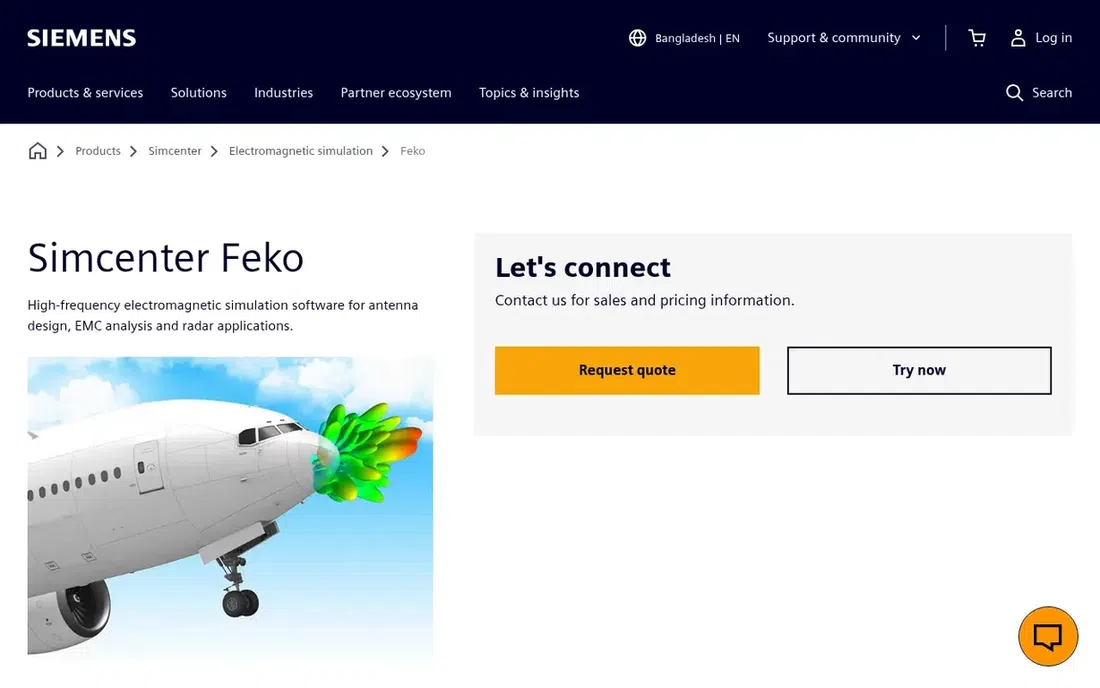
Altair FEKO is designed for high-frequency EM and EMC compliance. The tool is commonly used when EMC and radar considerations are part of the antenna design task.
Its emphasis on system-level EM and EMC may be more than needed for straightforward PCB antenna prototyping. In daily use, Altair FEKO is high-frequency electromagnetic simulation software that helps design networked products, ensure EMC compliance, and engineer radar systems. Altair FEKO does not show a starting price in this comparison, so check the vendor site for current pricing. Free access: Not stated.
Trade-offs to know: Specialized focus may not suit all PCB workflows.
- High-frequency EM simulation
- Supports EMC compliance work
- Needs understanding of EM methods
ANSYS HFSS
Best for: 3D high-frequency electromagnetic simulation
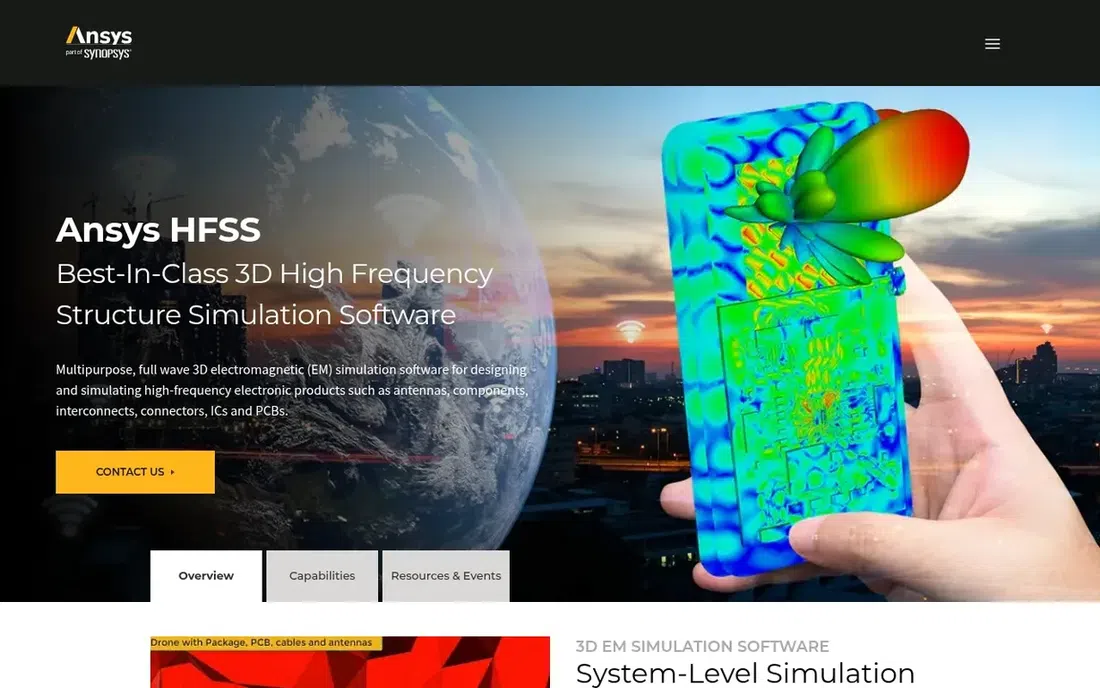
For 3D high-frequency electromagnetic simulation, ANSYS HFSS is a natural candidate. The tool is frequently used where in-depth electromagnetic behavior matters more than fast approximate results.
Trade-offs to know: Can be computationally demanding.
Its in-depth solver can need significant computing resources and user expertise, so smaller teams may find it heavy for simple planar antennas. Pricing for ANSYS HFSS is not stated here, so ask the vendor for current figures. Free plan details: Not stated.
- Takes care of antennas, PCBs
- Established in high-frequency design
- Needs expertise to set up models
How we compared the tools
The comparison looks at four things: starting price, free access, how well the feature set matches PCB antenna design software, and the main limit of each tool. Where a vendor does not publish a price, the entry says quote. Where a price depends on seats or billing term, the entry says so. Position on the page reflects fit for a typical buyer first, with price clarity and free access breaking ties. Treat it as a guide, not a ruling.
Pre-purchase checklist
- Request quotes from Zuken E3.series, ANSYS HFSS and the others; the list shows no fixed prices.
- Read the limits listed for Zuken E3.series first: not an electromagnetic simulator.
- Check the integration list for Altair FEKO against the tools you run today, and note which ones need a higher plan.
- Involve the people who will use COMSOL Multiphysics daily; a short pilot beats a long feature checklist.
- Look at the renewal terms for Sonnet Suites: auto-renewal, notice periods and price changes can matter more than the first-year price.
FAQ
Do these tools publish their prices?
No. None of the tools, from Zuken E3.series to ANSYS HFSS, shows a fixed starting price here, so budget time for quotes.
Can I use multiphysics software for antenna design?
Yes, COMSOL Multiphysics can simulate antennas whereas coupling other physics like thermal effects. For antenna-only work, dedicated EM tools may be more direct.
Does any tool for PCB antenna design software here have a free plan?
No tool in this list, Zuken E3.series and ANSYS HFSS included, has a permanent free plan. Trials and quotes are the usual route, so plan a short evaluation period.
How are the tools for PCB antenna design software ordered?
Zuken E3.series sits first and ANSYS HFSS last because the order follows typical fit for PCB antenna design software, then price clarity and free access. It is a judgement call, so read each profile for fit and limits.
Can I try these options before paying?
Not by default. None of the tools, from Zuken E3.series to ANSYS HFSS, lists a free plan or a free trial here, so ask each vendor for a demo before committing.
Is electrical CAD enough for antenna design?
Electrical CAD for example Zuken E3.series helps document wiring and control systems but does not simulate antenna electromagnetics. It is best used alongside an EM simulator.
Sources
- https://www.zuken.com/en/product/e3series
- https://www.sonnetsoftware.com
- https://www.comsol.com/comsol-multiphysics
- https://altair.com/feko
- https://www.ansys.com/products/electronics/ansys-hfss