Top 5 Note-Taking Software for Writers for 2026 (Prices and Free Plans)
5 best Note-Taking software for writers, with entry costs, free tiers and the buyer each one serves. Each pick comes with its main catch. Straight answers.
- Editor's choice
 Notion
Adaptable workspace for planning and notes
Starts at$10 per member a monthVisit notion.comFull review - Great alternative
 Ulysses
Focused long-form writing with clean export
Starts at$39.99 per yearVisit ulysses.appFull review - Also consider
 Scrivener
Drafting and organizing long manuscripts
Starts atSee websiteVisit literatureandlatte.comFull review
Direct answer
If you need adaptable workspace for planning and notes, Notion is the first tool to look at here. Listed starting prices: Notion from $10 per member a month, Ulysses from $39.99 per year and Obsidian from $4 per user per month. Ulysses is better for focused long-form writing with clean export, and Scrivener is better for drafting and organizing long manuscripts. The remaining 2 options are covered below with prices and limits.
TL;DR:
- This list starts with Notion, which is built for adaptable workspace for planning and notes.
- The lowest published monthly entry price here is $4 per user per month, from Obsidian.
- Microsoft OneNote fits organized digital notebooks and collaboration.
- 2 of 5 tools offer a free plan: Notion, Obsidian.
- Check the limits for Scrivener before you commit: ramp-up time for new users.
Last checked November 2026. Prices and plan details were read from the vendors' own pages in November 2026; vendors change plans often, so confirm the current price on the vendor site before you buy.
Quick comparison
| Tool | Best for | Starts at | Free plan? | |
|---|---|---|---|---|
| Notion | Adaptable workspace for planning and notes | $10 per member a month | Yes | Visit |
| Ulysses | Focused long-form writing with clean export | $39.99 per year | Free trial | Visit |
| Scrivener | Drafting and organizing long manuscripts | See website | Not stated | Visit |
 Obsidian | Private, linked notes for research | $4 per user per month | Yes | Visit |
 Microsoft OneNote | Organized digital notebooks and collaboration | See website | Not stated | Visit |
Tool-by-tool breakdown
Choosing Note-Taking software for writers usually comes down to price, fit and limits. This LinkVetted guide sets 5 tools side by side on those three points, with the facts kept short and checkable.
Notion is built with adaptable workspace for planning and notes in mind. Notion presents itself as an AI workspace where teams get more done, with custom agents, cross-app search, and automation of busywork.
Limits to weigh: Setup takes effort to shape.
Writers who want a ready-made manuscript environment should pick Scrivener or Ulysses instead. Notion pricing: $10 per member per month. A free plan is available with Notion.
- Custom pages and databases
- Merges notes with project planning
- Can distract from actual writing
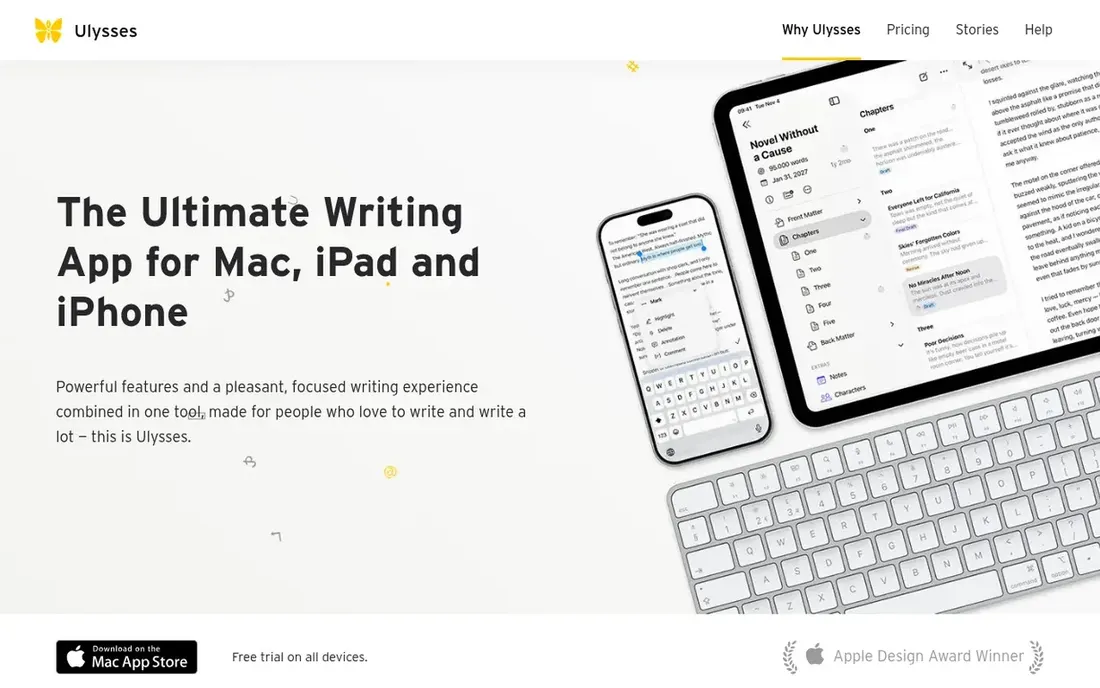
Ulysses is aimed squarely at focused long-form writing with clean export. Ulysses describes itself as a pleasant, focused writing experience paired with document management, quick syncing, and adaptable export, which makes it a decent match for writers of all kinds.
It fits people who want a calm drafting surface and organized documents that can be exported in different formats without leaving the app. Ulysses pricing: $39.99 per year. Trial and free access: Free trial.
The main drawbacks: Best fit for Apple device users.
- Document management and adaptable export
- Distraction-light writing experience
- Less suited to heavy notebook-style archiving

Where Scrivener fits: drafting and organizing long manuscripts. Scrivener is writing software geared toward novelists and book authors, with tools built to organize, edit, and bring a story together. In practice, if your primary task is planning chapters and holding research alongside the manuscript, it is a natural starting point.
In practice, writers who primarily jot fragments or want a light sync-first notebook may prefer a more straightforward tool, and those who want linked, private notes should look at Obsidian instead. From a buyer's view, the trade-off is complexity, since the feature set can feel dense for short notes or fast records. Scrivener shows no starting price here, so confirm the cost on the vendor site. Trial and free access: Not stated.
Limits to weigh: Heavier than a straightforward notes app.
- Supports organizing and editing in one place
- Aimed at novel and book projects
- Ramp-up time for new users
Obsidian serves private, linked notes for research. Obsidian is described as a free and adaptable app for private thoughts.
Also, the adaptability means you design the system yourself, and it is not a manuscript-centric drafting environment. The starting price for Obsidian: $4 per user per month. A free plan is available with Obsidian.
Watch-outs: Less guidance for manuscript drafting.
- Local
- Links notes together for connected thinking
- Needs you to build your own structure
Microsoft OneNote targets organized digital notebooks and collaboration. OneNote is Microsoft's digital note-taking app, offering notebook tools that strengthen organization and ease collaboration.
Limits to weigh: Not tailored to book drafting.
If you need chapter planning and compile-ready output, a writer-specific tool is the better fit. This comparison lists no price for Microsoft OneNote; ask the vendor. On free options: Not stated.
- Built-in collaboration tools
- Notebook structure for organization
- Formatting can be inconsistent across devices
How we built this list
The comparison looks at four things: starting price, free access, how well the feature set matches Note-Taking software for writers, and the main limit of each tool. Where a vendor does not publish a price, the entry says quote. Where a price depends on seats or billing term, the entry says so. Order on the page follows fit for the typical buyer first, then price transparency and free access. Your own requirements should decide the final pick.
Pre-purchase checklist
- Confirm the entry price on the vendor page. For Scrivener and Microsoft OneNote that means a quote rather than a fixed price.
- Look at free plan limits closely: Notion and Obsidian have one, and the caps decide whether it is usable for real work.
- Take the trial from Ulysses and push a live task through it before you pay.
- Read the limits listed for Notion first: setup takes effort to shape.
- Look at the help docs and support options for Ulysses before you commit.
- A short pilot of Microsoft OneNote with your real workflow tells you more than a feature table.
FAQ
Do these tools publish their prices?
Not all of them. Scrivener and Microsoft OneNote publish no starting price, so expect a quote request for those. The rest, Notion included, show a starting price, though seats and billing terms still change the final cost.
Which note-taking tool is a good match for writing a novel?
Start with Notion if you need flexible workspace for planning and notes. Ulysses is the better match for focused long-form writing with clean export, and Scrivener for drafting and organizing long manuscripts. The best choice depends on budget, team size and workflow.
How are the tools for Note-Taking software for writers ordered?
The order follows typical fit for Note-Taking software for writers, with Notion first and Microsoft OneNote last, then price clarity and free access. It is editorial judgement, not a score, so another team could rank the tools differently.
Can I try these tools before paying?
Often, yes. Notion and Obsidian have a free plan and Ulysses offers a free trial. Use your own data and a real task during the test, and check what the free tier or trial limits before you rely on it.
Which options for Note-Taking software for writers have a free plan?
On this list, Notion and Obsidian include a free plan. Caps on seats, usage or features are common, so test the free plan against your real workload. One other tool offers a trial instead.
What makes Obsidian different from other note apps?
Obsidian emphasizes private, adaptable notes that link together, which helps when ideas and research link across a project. It needs you to build your own structure. Also, writers who want ready-made manuscript organization may prefer Scrivener.
Sources
- https://www.notion.com
- https://ulysses.app
- https://www.literatureandlatte.com/scrivener
- https://obsidian.md
- https://www.microsoft.com/en-us/microsoft-365/onenote/digital-note-taking-app