Best Note-Taking App for iPad for 2026: Our 6 Vetted Picks
Best Note-Taking app for iPad in 2026: 6 contenders with entry costs and free tiers. Every profile names its biggest catch. Reviewed in November 2026.
- Editor's choice
 Obsidian
Private, adaptable connected notes
Starts at$4 per user a monthVisit obsidian.mdFull review - Great alternative
 Notion
Custom workspaces and team collaboration
Starts at$10 per member a monthVisit notion.soFull review - Also consider
 Microsoft OneNote
Cross-device organization and web clipping
Starts atSee websiteVisit onenote.comFull review
Direct answer
Our first pick is Obsidian, best for private, adaptable connected notes. Listed starting prices: Obsidian from $4 per user a month, Notion from $10 per member a month and Craft from $4.8 per month. Look at Notion for custom workspaces and team collaboration, and at Microsoft OneNote for cross-device organization and web clipping. Prices, free plans and limits for all 6 tools follow.
TL;DR:
- Obsidian takes the first slot, best suited to private, adaptable connected notes.
- Notion comes with a trade-off: setup requires planning and discipline.
- Starting prices begin at $4 per user per month with Obsidian.
- Goodnotes fits Handwriting, whiteboards and shared notes.
- Obsidian, Notion, Craft, Notability, Goodnotes: these are the 5 tools out of 6 that offer a free plan.
Last checked November 2026. Prices and plan details were read from the vendors' own pages in November 2026; vendors change plans often, so confirm the current price on the vendor site before you buy.
Quick comparison
| Tool | Best for | Starts at | Free plan? | |
|---|---|---|---|---|
| Obsidian | Private, adaptable connected notes | $4 per user a month | Yes | Visit |
| Notion | Custom workspaces and team collaboration | $10 per member a month | Yes | Visit |
| Microsoft OneNote | Cross-device organization and web clipping | See website | Not stated | Visit |
 Craft | Refined notes, tasks and docs | $4.8 per month | Yes | Visit |
 Notability | Audio capture with AI study aids | $11.99 a year | Yes | Visit |
 Goodnotes | Handwriting, whiteboards and shared notes | $11.99 a year | Yes | Visit |
Note-Taking App for IPad compared in detail
LinkVetted put together this guide to Note-Taking app for iPad for readers who want a clear shortlist without reading every vendor page. It compares 6 tools on starting price, free plans, who each one suits and where each one falls short.
Obsidian is aimed squarely at private, adaptable connected notes. Obsidian markets itself as the free and adaptable app for private thoughts, which appeals to iPad users who want notes stored in a space they control.
What to check first: Needs comfort with plain-text structure.
Pick Obsidian when privacy and a personal, connected knowledge base are the priority. Entry price for Obsidian: $4 per user per month. Obsidian offers a free plan.
- Designed for private thinking
- Free and adaptable foundation
- Collaboration is not the emphasis
Notion was built for custom workspaces and team collaboration. Notion describes itself as an AI workspace where teams get more done, with custom agents, search across connected apps and automation of busywork.
More specifically, handwriting is not the focus, so pen-heavy users should look elsewhere. Choose Notion when typed notes have to link to projects, tasks and team knowledge. Notion pricing: $10 per member per month. Notion offers a free plan.
Where it is weaker: Setup needs planning and discipline.
- Automate repetitive busywork
- Build custom pages and agents
- Not a handwriting-first notebook
Microsoft OneNote is aimed squarely at cross-device organization and web clipping. Microsoft OneNote is built around capturing ideas and organizing notes across devices, with web clipping and collaboration included.
Where it falls short: Handwriting experience is not the primary focus.
If your central goal is pen-first note-taking with refined page layouts, a dedicated handwriting app may feel more natural. In practice, choose OneNote when organization, clipping and cross-device access matter most. No starting price is listed for Microsoft OneNote here; confirm pricing on the vendor site. Free access: Not stated.
- Collaborate with others on notes
- Clip web content into notebooks
- Interface can feel dense for straightforward note-taking
Craft was built for refined notes, tasks and docs. Craft presents itself as a productivity app for notes, tasks and docs that follows you across devices.
Premium features are available beyond the free app, so check what you need before committing. Starting cost for Craft: $4.8 per month. Craft has a free plan.
Upsides: Clean. What to check first: Some features sit behind premium levels.
- Tasks and docs in one app
- Notes
- Less specialized for audio study tools
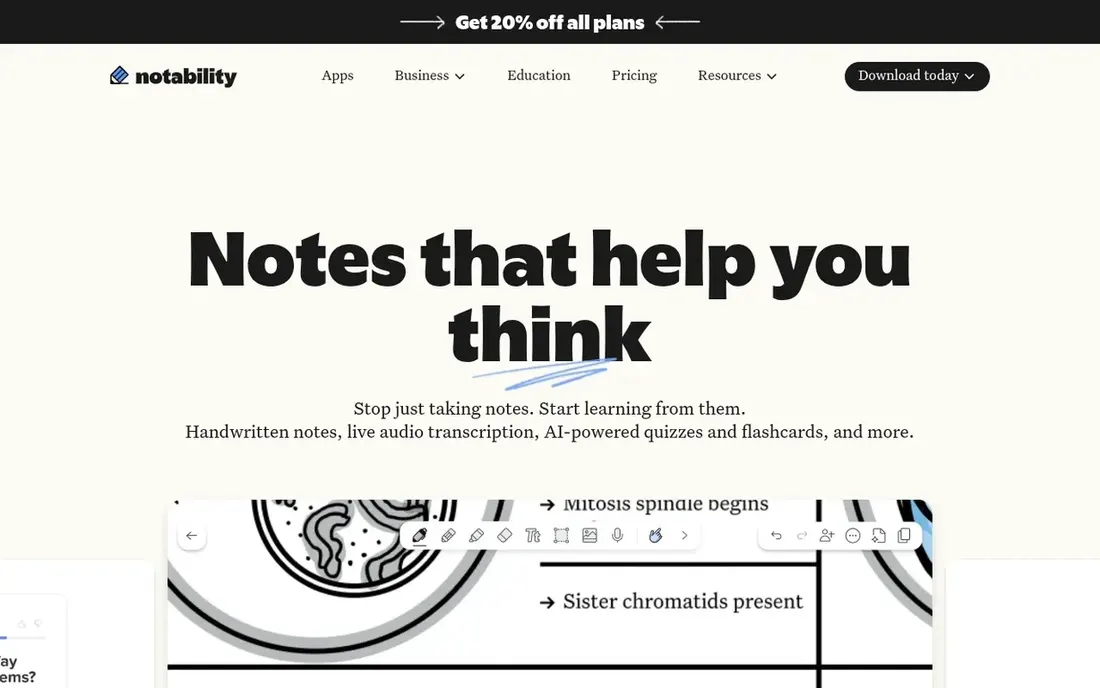
Notability serves audio capture with AI study aids. Notability concentrates on turning handwritten notes, audio and documents into AI-powered summaries, flashcards and quizzes. That combination makes it a natural fit for students recording lectures and for anyone who wants meeting audio converted into review material.
Highlights: flashcards and quizzes.
Worth adding: the study-oriented features are the core pitch, so users who just want a plain notebook may find them unnecessary. The app is available across Apple devices, so notes can follow you between an iPad and a phone or Mac. The starting price for Notability: $11.99 per year. Notability has a free plan.
The main drawbacks: Less emphasis on shared whiteboards.
- Handy for lectures and meetings
- Audio and documents together
- AI study features may not suit every workflow
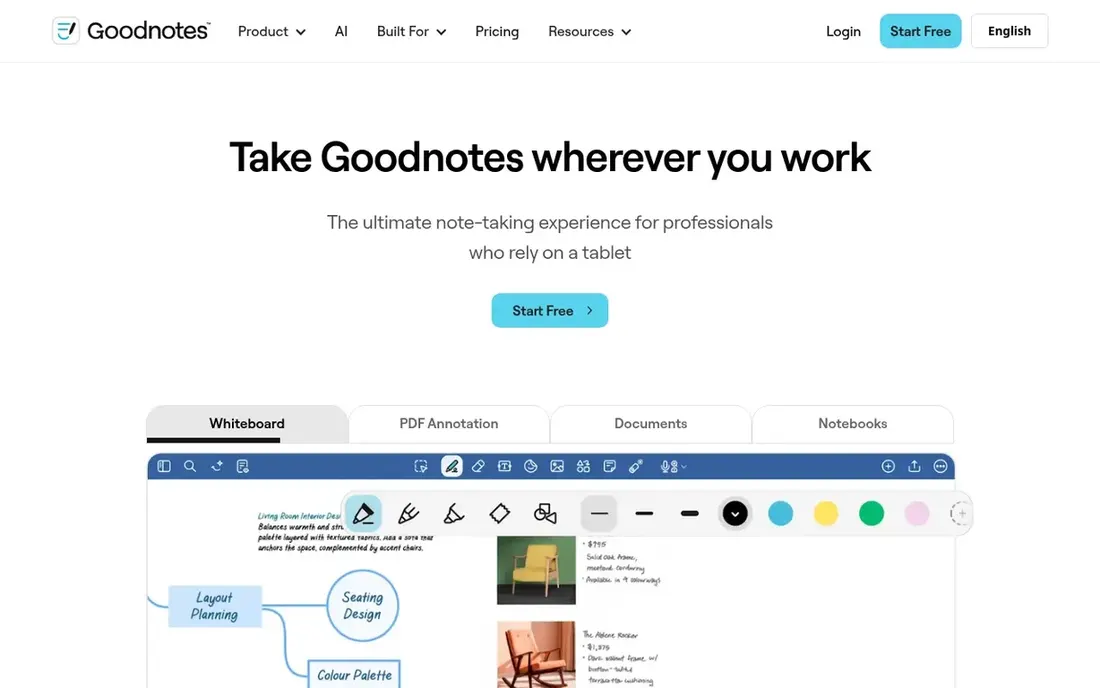
Goodnotes targets Handwriting, whiteboards and shared notes. Goodnotes presents itself as a place to bring thinking to life, blending handwritten-style notes with whiteboards and text documents.
What works well: Live collaboration on shared notes.
Where it is weaker: Less centred on automatic study aids. As for the details, choose Goodnotes when collaboration and mixed note formats matter more than automatic study tools. Since it spans multiple document types, new users may need time to settle on a structure. Goodnotes cost at the entry level: $11.99 per year. Goodnotes offers a free plan.
- Whiteboards and text documents
- Turns brainstorming into action
- Wide feature set can feel busy at first
How these tools were picked
What to confirm before you sign up
- Confirm the entry price on the vendor page. For Microsoft OneNote that means a quote rather than a fixed price.
- Check what the free option really includes: Obsidian, Notion, Craft and others offer a free plan, and usage caps differ.
- Before choosing Obsidian, weigh its main limit: needs comfort with plain-text structure.
- Before you load data into Notion, check what an export looks like and who can run it.
- Confirm that Craft connects to the apps your team already uses, on the plan you would actually buy.
FAQ
Which options for Note-Taking app for iPad have a free plan?
On this list, Obsidian, Notion, Craft, Notability and Goodnotes include a free plan. Caps on seats, usage or features are common, so test the free plan against your real workload.
Can I try these tools before paying?
Often, yes. Obsidian, Notion, Craft and others have a free plan. Use your own data and a real task during the test, and check what the free tier or trial limits before you rely on it.
Can I use these apps for team collaboration?
Goodnotes supports live collaboration in shared notes, and OneNote and Notion are built with collaboration in mind. Obsidian emphasizes private thinking, so it is less suited to shared team workflows.
Which iPad note-taking app is a good match for handwriting?
This list starts with Obsidian, which fits private, adaptable connected notes. For other needs, Notion is aimed at custom workspaces and team collaboration, and Microsoft OneNote at cross-device organization and web clipping. Check each tool's price and main limit first.
What should I check before choosing an app?
Confirm handwriting support, audio features, sync across devices and how easily notes can be exported. Also review whether collaboration or task tracking matters for your workflow, then verify current details on the vendor site.
What is the cheapest option for Note-Taking app for iPad in this list?
On published monthly entry prices, Obsidian is the lowest here at $4 per user per month. Entry price is only part of the cost, because seats, add-ons and billing terms can change the total. Each of the 6 options in this Note-Taking app for IPad guide has its own card above with the price, free plan and limits.
Sources
- https://obsidian.md
- https://www.notion.so
- https://www.onenote.com
- https://www.craft.do
- https://www.gingerlabs.com
- https://www.goodnotes.com