Best Note-Taking App With Stylus in 2026: 8 Apps Compared
Best note-taking app with stylus compared: we review 8 handwriting apps for iPad, Android, and Windows on ink feel, search, and price in 2026 for students.
- Editor's choice
 GoodNotes
Overall stylus notes
Starts at$11.99 per yearVisit goodnotes.comFull review - Great alternative
 Notability
Audio-linked notes
Starts at$14.99 per yearVisit notability.comFull review - Also consider
 Noteshelf
Paper-like notebooks
Starts at$9.99 one-timeVisit noteshelf.netFull review
TL;DR:
- GoodNotes is our pick for most stylus users because it combines natural ink, strong PDF tools, and a low annual price.
- Notability is the better pick when audio matters, since it links recordings to your handwriting so you can replay a lecture from a tap.
- Nebo suits writers who want handwriting turned into editable text, while ZoomNotes suits people who need a large canvas and detailed PDF markup.
- Check platform support first, because several top apps are Apple-only or work best on one tablet family.
- Free tiers are useful for testing ink feel, but the paid tiers are usually needed for unlimited notebooks, search, and cloud sync.
Quick comparison
| Tool | Best for | Starts at | Free plan? | |
|---|---|---|---|---|
| GoodNotes | Overall stylus notes | $11.99 per year | Yes | Visit |
| Notability | Audio-linked notes | $14.99 per year | Yes | Visit |
| Noteshelf | Paper-like notebooks | $9.99 one-time | Yes | Visit |
 Microsoft OneNote | Cross-platform notes | Free | Yes | Visit |
 Nebo | Handwriting to text | $9.99 one-time | Yes | Visit |
 CollaNote | Free handwriting app | Free | Yes | Visit |
 ZoomNotes | Large canvas and PDFs | See website | No | Visit |
 Penbook | Simple focused writing | See website | Yes | Visit |
The best note-taking apps with stylus
We compared ink feel, handwriting search, PDF annotation, audio, organisation, platform support, and price. All eight apps support stylus input, but they aim at different users, from students annotating textbooks to professionals marking up contracts.
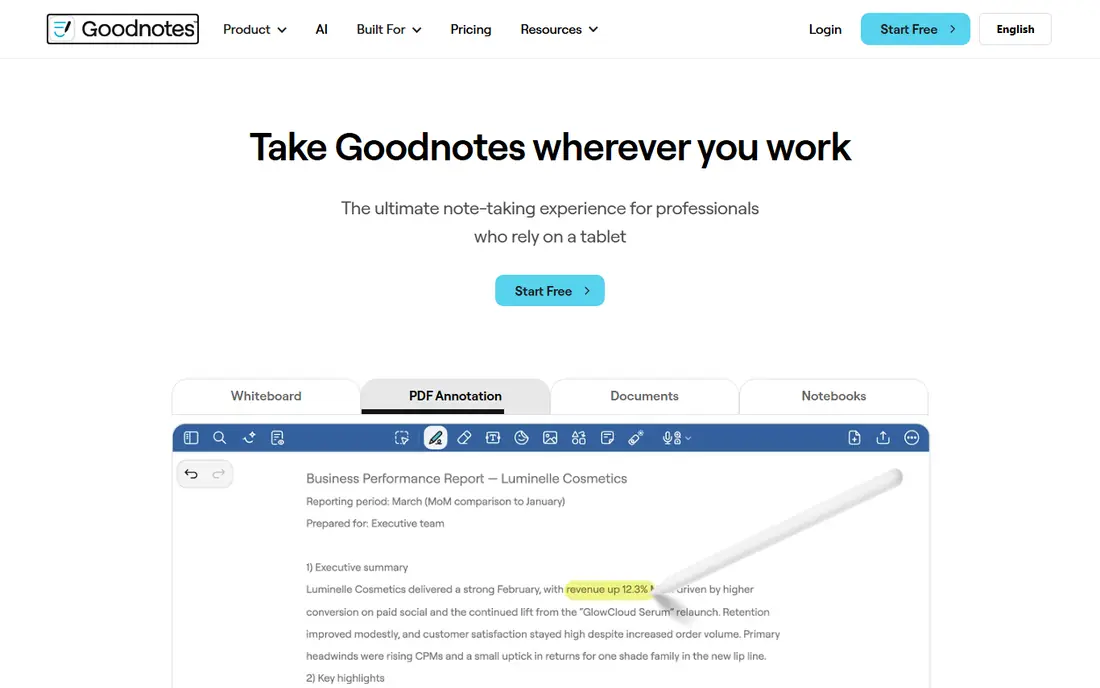
GoodNotes feels closest to a well-organised paper binder. You can create notebooks with different paper templates, write with a stylus, search your handwriting, and annotate large PDFs without losing your place. The interface stays calm even when a notebook grows to hundreds of pages, which matters for students and researchers.
The free tier covers three notebooks, which is enough to test ink and organisation but not enough for a full course load. Paid plans add unlimited notebooks and more storage, and the annual price remains low compared with many productivity subscriptions. For most stylus users, GoodNotes is the balanced starting point.
- Natural ink
- Strong PDF tools
- Handwriting search
- Cross-platform sync
- Free tier limits notebooks
- Advanced AI features cost extra
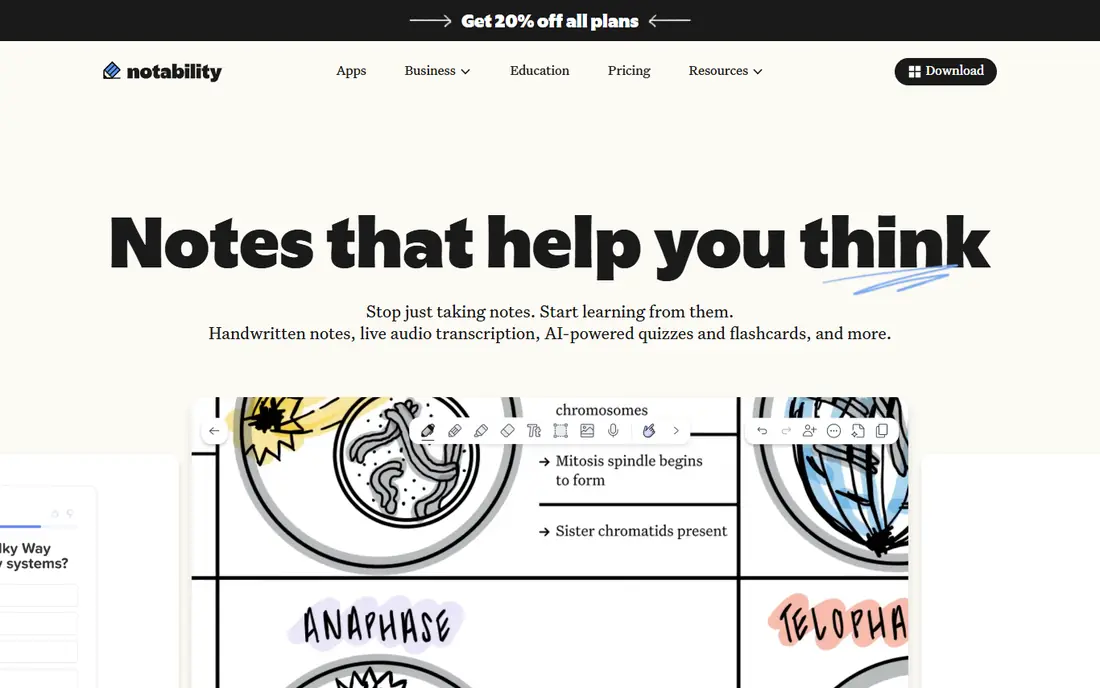
Notability earns its place through audio. Record a lecture or meeting, write as you listen, and later tap a word to hear what was said at that moment. That link between ink and sound is genuinely useful for revision, and it is the main reason many students choose Notability over a plainer notebook app.
The free Starter tier allows only a few notes, so most serious users will need a paid plan. Lite covers unlimited notes, while Plus adds handwriting search, transcription, and study tools. Pro is much more expensive and suits users who need expanded transcription. If audio is not central to your work, GoodNotes may offer better value.
- Audio synced to handwriting
- Good PDF markup
- Study tools
- Easy sharing
- Free tier limits notes
- Top Pro tier is costly
- Some features vary by platform
Noteshelf aims for the look and feel of a paper notebook, with covers, paper styles, and pen options that make handwriting pleasant. It supports audio recording alongside notes, and it handles PDF annotation for textbooks and forms. For users who like a notebook metaphor and do not want a yearly subscription, the one-time purchase is attractive.
The trade-off is breadth. Noteshelf does not match GoodNotes or OneNote for cross-platform depth, templates, or third-party integrations. If you work mainly on one tablet and value a calm, paper-like workspace, that limit may not matter. If you switch devices often, check sync support before you commit a large archive to it.
- Realistic paper and covers
- One-time purchase option
- Audio notes
- Good pen styles
- Smaller ecosystem than GoodNotes
- Sync options are more limited
OneNote is the practical choice for people who use Windows, Android, iPad, and the web in the same week. Your notebooks sync through a Microsoft account, the canvas is flexible, and you can mix typed text, handwriting, images, and web clips on one page. The core app is free, which makes it easy to start without a subscription decision.
Ink quality is good, though it does not feel quite as tuned as GoodNotes or Notability for long handwriting sessions. Organisation also needs discipline, because a free-form canvas can grow messy if you do not use sections and pages consistently. For mixed-device households, schools, and workplaces already using Microsoft tools, OneNote is hard to beat on value.
- Free core app
- Works on many devices
- Flexible canvas
- Strong search
- Ink tools feel less refined than specialist apps
- Organisation can get messy
Nebo takes a different path from most notebook apps. Instead of keeping your handwriting as ink alone, it converts it into editable text as you write, preserving paragraphs, lists, and headings. That makes it ideal for drafting essays, reports, and meeting notes that will later be edited on a computer. Maths notation is also handled well for students and technical writers.
The conversion works best when you write in a fairly linear way. If you scatter diagrams, arrows, and margin notes across a page, Nebo will feel restrictive compared with GoodNotes. For writers who want a clean typed document at the end of a handwriting session, though, few apps match it, and the one-time price keeps long-term costs low.
- Strong handwriting conversion
- Exports to Word and PDF
- Maths support
- One-time price
- Structured writing style required
- Less suited to free-form sketching
CollaNote is a strong free option for iPad users who want handwriting, PDF annotation, and a pleasant writing feel without paying first. It offers varied pens, paper templates, and recording tools, and it covers the core needs of students who take lecture notes and mark up readings. For a tight budget, it is a sensible first download.
The limits show up over time. Sync, collaboration, and advanced study tools are thinner than in paid rivals, and Android and Windows users will need another app. We suggest starting with CollaNote if cost is the barrier, then moving to GoodNotes or Notability only when you hit a specific limit, such as notebook count or search.
- Free core features
- Good pen and paper options
- PDF annotation
- No subscription pressure
- Smaller feature set
- Sync and collaboration are limited
- IPad focused
ZoomNotes suits users who think in diagrams, planners, and layered documents. Its canvas lets you zoom from a whole project view down to fine detail, and sub-pages let you nest related notes inside a main page. PDF annotation is deep, with bookmarks and links that help when you work with long reports or course packs.
That power comes with a learning curve. The interface has many options, and a first-time user may need an hour to set up pens, pages, and templates in a comfortable way. Pricing also varies by platform, so check the store listing for your device. For detailed planning and visual note-taking, ZoomNotes is worth that setup time.
- Huge zoomable canvas
- Detailed PDF tools
- Sub-pages
- Strong for planners and diagrams
- Interface takes learning
- Pricing varies by platform
- Less polished for quick notes
Penbook keeps handwriting simple. You open a page, pick a stationery style, and write, without a long menu of features getting in the way. That focus suits journaling, daily planning, and meeting notes, and live collaboration helps when two people need to work on the same page. The free tier lets you test the ink feel before paying.
It does not try to match GoodNotes on PDF depth or Notability on audio study tools, so power users may outgrow it. For many people, though, a calm page and a good pen are enough. Penbook is a good pick when you want a notebook app that stays out of your way.
- Clean writing space
- Stationery-style pages
- Live collaboration
- Easy to start
- Fewer advanced study tools
- Smaller template library than leaders
How we picked these
We compared official feature pages, pricing pages, and app store listings for stylus note apps available in October 2026, along with public reviews that describe ink feel, search, and sync in concrete terms. We required real stylus support, not just typed notes, and we favoured apps with handwriting search, PDF annotation, or a clear strength such as audio or text conversion. Platform coverage, free tiers, and one-time purchase options were weighed alongside price.
We did not claim hands-on lab testing. Our comparison rests on vendor documentation, published pricing, and reviewer reports about how each app handles long notebooks, large PDFs, and cross-device sync. Apps that had no current stylus product, or that were no longer maintained, were left out.
How to choose a stylus note app
Start with your device, then your workflow. If you use an iPad with Apple Pencil, GoodNotes, Notability, Noteshelf, CollaNote, and Penbook are all strong candidates. If you use a Samsung tablet with S Pen, Samsung Notes and OneNote deserve a close look, along with any app in this guide that supports Android. Windows pen users should lean toward OneNote and Nebo, which handle desktop pen input well.
Next, decide what happens to your notes after you write them. Students who revise from lectures benefit most from audio-linked notes or handwriting search. Writers who need editable documents benefit from Nebo. People who annotate contracts and reports need strong PDF tools and reliable export. Test the free tier with a real week of notes before you pay, and check that export to PDF works cleanly, so your archive is not locked to one app.
Finally, think about cost over two years, not just the first month. A low annual fee can beat a higher one-time price if you need cloud sync and updates, while a one-time purchase can be cheaper if you work on one device. Check renewal terms, storage limits, and what happens to your notes if you cancel.
FAQ
What is the best note-taking app with stylus for iPad?
GoodNotes is our general pick for iPad stylus users, thanks to its ink feel, PDF tools, and search. Notability is better if you want audio linked to your notes. CollaNote is a good free starting point, and Nebo is best when you want handwriting turned into editable text.
Is GoodNotes or Notability better for students?
GoodNotes suits students who organise large sets of PDF textbooks and handwritten notes, while Notability suits students who rely on lecture recordings. Both offer low annual plans and free tiers for testing. Try both free tiers with the same lecture and see which revision workflow feels faster.
Can a stylus note app convert handwriting to text?
Yes, Nebo converts handwriting to editable text as you write, and GoodNotes and Notability offer handwriting search and conversion features on paid tiers. Accuracy depends on handwriting clarity, language settings, and whether you write in structured lines. Always proofread converted text before submitting it.
Do I need a paid plan for stylus notes?
Not always. OneNote and CollaNote offer strong free core features, and GoodNotes, Notability, and Noteshelf offer free tiers for testing. Paid plans usually add unlimited notebooks, full search, more storage, and sync features. Start free, then pay only when you hit a limit that affects your work.
Which stylus note app works on Android and Windows?
Microsoft OneNote works across Android, Windows, iPad, and the web, which makes it the safest cross-platform pick. Nebo also supports several platforms, while GoodNotes has expanded beyond Apple devices. Check the current store listing for your exact device before you buy, since platform support changes.
How do I keep handwritten notes safe?
Use cloud sync where offered, export important notebooks to PDF regularly, and keep a backup outside the app. If you rely on one tablet, a lost or damaged device can take your notes with it. A weekly PDF export to cloud storage is a simple habit that protects coursework and work notes.