6 Note-Taking Apps for Visual Thinkers Worth Shortlisting in 2026
Best Note-Taking apps for visual thinkers, compared. 6 tools with published prices, free plans and limits. Read the caveats before you buy. See the full list.

- Editor's choice
 Microsoft OneNote
Organized digital notebooks
Starts atSee websiteVisit microsoft.comFull review - Great alternative
 Obsidian
Private connected note networks
Starts at$4 per user a monthVisit obsidian.mdFull review - Also consider
 Mural
Collaborative visual strategy sessions
Starts at$9.99 per member per monthVisit mural.coFull review
Direct answer
Microsoft OneNote comes first here, mainly for organized digital notebooks. Listed starting prices: Obsidian from $4 per user a month, Mural from $9.99 per member per month and Miro from $8 per member a month. Alternatives: Obsidian for private connected note networks, and Mural for collaborative visual strategy sessions. All 6 tools are compared below on price, free plan and limits.
TL;DR:
- Number one here is Microsoft OneNote, a fit for organized digital notebooks.
- The cheapest monthly starting price in the list is $4 per user per month, offered by Obsidian.
- Milanote fits creative project boards.
- A free plan is available from 5 of the 6 tools: Obsidian, Mural, Miro, Notion, Milanote.
- Mural comes with a trade-off: team-oriented instead of personal notes.
Last checked November 2026. Prices and plan details were read from the vendors' own pages in November 2026; vendors change plans often, so confirm the current price on the vendor site before you buy.
Quick comparison
| Tool | Best for | Starts at | Free plan? | |
|---|---|---|---|---|
| Microsoft OneNote | Organized digital notebooks | See website | Not stated | Visit |
| Obsidian | Private connected note networks | $4 per user a month | Yes | Visit |
| Mural | Collaborative visual strategy sessions | $9.99 per member per month | Yes | Visit |
 Miro | Visual team ideation and planning | $8 per member a month | Yes | Visit |
 Notion | All-in-one workspace with automation | $10 per member per month | Yes | Visit |
 Milanote | Creative project boards | $9.99 per person per month billed yearly | Yes | Visit |
Tool-by-tool breakdown
Short on time? The summary and table above give the quick view of 6 Note-Taking apps for visual thinkers, and the profiles that follow give the detail behind each entry.
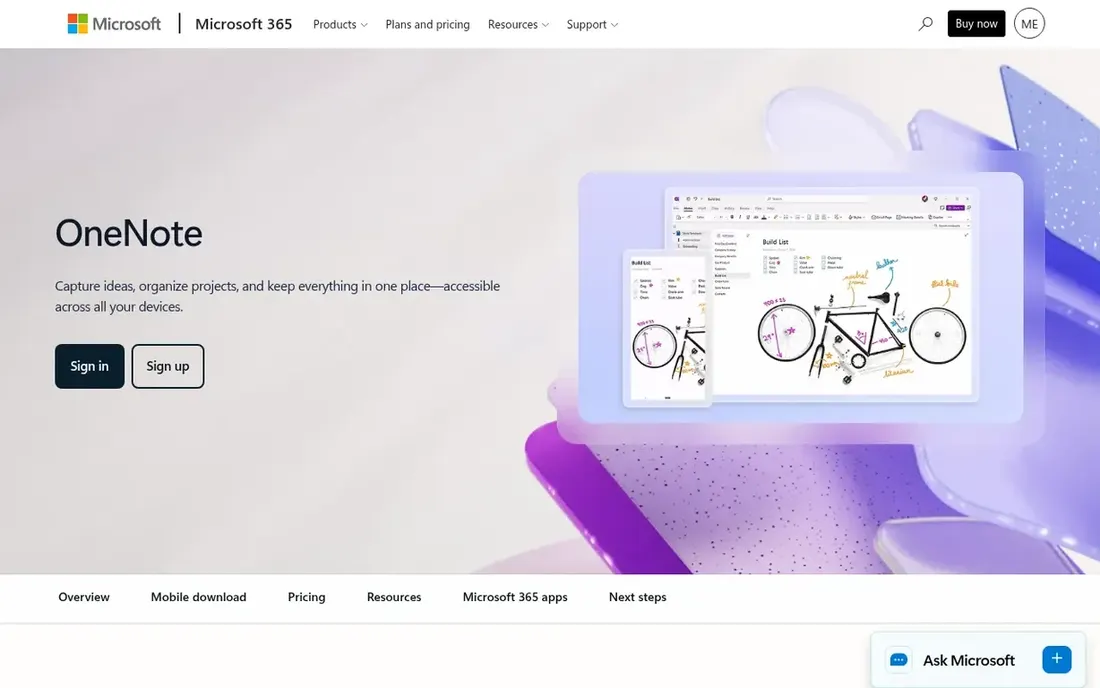
Microsoft OneNote targets organized digital notebooks. It works well for people already inside the Microsoft ecosystem who want organized notes with collaboration choices instead of an open canvas. Choose OneNote when structure and organization matter more than spatial freedom.
In practice, OneNote organizes content in pages and sections, so it is less freeform than a whiteboard or board tool for sprawling idea maps. Those who think in scattered visuals may prefer Milanote or Miro. No starting price is listed for Microsoft OneNote here; confirm pricing on the vendor site. Trial and free access: Not stated.
What to check first: Less freeform than whiteboard tools.
- Notebook structure aids organization
- Collaboration tools included
- Visual layout is page-based, not canvas-based
In short, Obsidian is for private connected note networks. It is a solid fit for individuals who value privacy and adaptability and want their notes to grow into a connected knowledge base over time.
Obsidian emphasizes private, personal notes, so it is not built around team whiteboards or diagramming. The starting price for Obsidian: $4 per user per month. Obsidian offers a free plan.
The main drawbacks: Collaboration is not the focus.
- Personal workflow
- Focus on connected notes
- Less visual canvas emphasis
Choose Mural for collaborative visual strategy sessions. Mural gives you an AI-powered visual workspace for team collaboration, pitched at helping teams plan, strategize and execute projects on one easy-to-learn tool.
Where it falls short: Team-oriented instead of personal notes.
From a buyer's view, visual thinkers who work in groups will appreciate a shared surface for mapping ideas and running sessions. From a buyer's view, Mural is oriented toward team collaboration and innovation sessions, so individual note-takers may find it more than they need. Entry price for Mural: $9.99 per member per month. Free access exists with Mural.
- AI-powered visual workspace
- Supports planning through execution
- Large sessions can get crowded

Miro is aimed squarely at visual team ideation and planning. Miro presents itself as an AI innovation workspace that speeds product development from ideation to launch. It is built around a visual product where teams align, break down tool silos and ship what customers need.
As for the details, since Miro leans toward team workflows and product development, solo note-takers may find it heavier than a straightforward notebook. Its strength is shared visual work instead of long-form private writing. As for the details, visual thinkers who sketch, map and arrange ideas spatially will find the canvas approach natural. The starting price for Miro: $8 per member per month. A free plan is available with Miro.
Where it is weaker: Team features may be more than solo users need.
- Aligns teams in one shared space
- AI features built into the system
- Large boards can feel busy

Notion is a good fit for all-in-one workspace with automation. If you want to sketch and arrange ideas visually first, a board tool like Milanote may suit you better. Also, Notion is built around structured pages and databases instead of freeform canvases, so pure spatial thinkers may find it less immediate.
Watch-outs: Visual thinking is secondary to text and databases.
For visual thinkers it gives you adaptable pages where notes, embeds and layouts can be arranged. It is a solid fit when organization and automation matter alongside note-taking. Notion cost at the entry level: $10 per member per month. Free access exists with Notion.
- Automates busywork
- Adaptable workspace pages
- Setup can take effort
For creative project boards, Milanote is a natural candidate. Milanote centers on creative project organization, so it may feel narrow for people who require heavy database structure or formal diagramming.
Reasons to shortlist it: Simple sharing with a team.
Its board layout also fits visual collectors more than linear writers. Milanote pricing: $9.99 per person per month billed annually. You can start on Milanote without paying.
Honest limits: Concentrated on creative projects instead of general note-taking.
- Visual boards for ideas and projects
- Notes, images
- Board-based layout may not suit linear writers
How these tools were picked
What to check before you buy
- Ask Microsoft OneNote for a written quote, since no starting price is shown.
- Look at free plan limits closely: Obsidian, Mural, Miro and others have one, and the caps decide whether it is usable for real work.
- Read the limits listed for Microsoft OneNote first: visual layout is page-based, not canvas-based.
- Look at which plan of Milanote unlocks the features you need; entry tiers are often cut down.
- A short pilot of Miro with your real workflow tells you more than a feature table.
FAQ
Do these tools publish their prices?
Not all of them. Microsoft OneNote publishes no starting price, so expect a quote request for it. The rest, Obsidian included, show a starting price, though seats and billing terms still change the final cost.
Which options for Note-Taking apps for visual thinkers have a free plan?
On this list, Obsidian, Mural, Miro, Notion and Milanote include a free plan. Caps on seats, usage or features are common, so test the free plan against your real workload.
Is Microsoft OneNote the right pick for everyone comparing Note-Taking apps for visual thinkers?
No single tool suits every team. Microsoft OneNote comes first because it fits organized digital notebooks, while Obsidian suits private connected note networks and Mural suits collaborative visual strategy sessions. Match the tool to your own size, budget and workflow before deciding.
Can I try these tools before paying?
Often, yes. Obsidian, Mural, Miro and others have a free plan. Use your own data and a real task during the test, and check what the free tier or trial limits before you rely on it.
Sources
- https://www.microsoft.com/en-us/microsoft-365/onenote/digital-note-taking-app
- https://obsidian.md
- https://www.mural.co
- https://miro.com
- https://www.notion.so
- https://milanote.com