5 Best Note-Taking App with Handwriting for Designers for 2026, Vetted and Compared
Weighing the best note-taking app with handwriting for designers? We lined up 5 products by cost, free access and fit. Real limits included. Straight answers.
- Editor's choice
 Noteshelf
Templates and journal-style notes
Starts atSee websiteVisit noteshelf.netFull review - Great alternative
 Procreate
Drawing and illustration on iPad
Starts atSee websiteVisit procreate.comFull review - Also consider
 Concepts
Infinite canvas sketching and mind maps
Starts at$10 a monthVisit concepts.appFull review
Direct answer
If you need templates and journal-style notes, Noteshelf is the first tool to look at here. Listed starting prices: Concepts from $10 a month, GoodNotes from $11.99 per year and Milanote from $9.99 per person per month billed yearly. Look at Procreate for drawing and illustration on iPad, and at Concepts for infinite canvas sketching and mind maps. Details, prices and limits for the rest of the 5 tools are below.
TL;DR:
- Top of the list is Noteshelf, which targets templates and journal-style notes.
- Check the limits for Noteshelf before you commit: smaller ecosystem than major note apps.
- Starting prices begin at $9.99 per person per month billed annually with Milanote.
- Free plans exist at 2 of 5 tools (GoodNotes, Milanote).
Last checked November 2026. Prices and plan details were read from the vendors' own pages in November 2026; vendors change plans often, so confirm the current price on the vendor site before you buy.
Quick comparison
| Tool | Best for | Starts at | Free plan? | |
|---|---|---|---|---|
| Noteshelf | Templates and journal-style notes | See website | Not stated | Visit |
| Procreate | Drawing and illustration on iPad | See website | Not stated | Visit |
| Concepts | Infinite canvas sketching and mind maps | $10 a month | Free trial | Visit |
 GoodNotes | Handwriting with shared whiteboards | $11.99 per year | Yes | Visit |
 Milanote | Visual boards for creative projects | $9.99 per person per month billed yearly | Yes | Visit |
Our 5 note-taking app with handwriting for designers
This LinkVetted guide covers 5 note-taking app with handwriting for designers. Each profile lists a starting price, free plan details, strengths and drawbacks, so you can drop poor fits quickly.
Noteshelf was built for templates and journal-style notes. It fits designers who like the feel of paper formats, from grid layouts to journal pages, whereas keeping everything digital across iPad, iPhone and Mac.
The main drawbacks: Collaboration features are less prominent.
If live team collaboration is central to your process, a shared-workspace app may fit better. Noteshelf does not show a starting price in this comparison, so check the vendor site for current pricing. Trial and free access: Not stated.
- Hundreds of paper templates
- AI-powered handwriting support
- Smaller ecosystem than major note apps
Where Procreate fits: drawing and illustration on iPad. Designers who sketch concepts, illustrate ideas or storyboard by hand will find it a natural fit.
Reasons to shortlist it: Made for creative professionals and aspiring artists.
Procreate does not show a starting price in this comparison, so check the vendor site for current pricing. Free options: Not stated.
Downsides: Not a structured note-taking app.
- Pay once
- No subscription
- Restricted text and document organization
Concepts is aimed squarely at infinite canvas sketching and mind maps. The open canvas is not designed for rigid note organization, so people who depend on folders and notebooks may prefer a structured app.
It fits designers who think spatially and want sketching and ideation in a single open workspace. Concepts cost at the entry level: $10 per month. On free options: Free trial.
Downsides: Less structured note filing.
- Shares with friends
- Mind maps and mood boards in one space
- Freeform layout can overwhelm new users
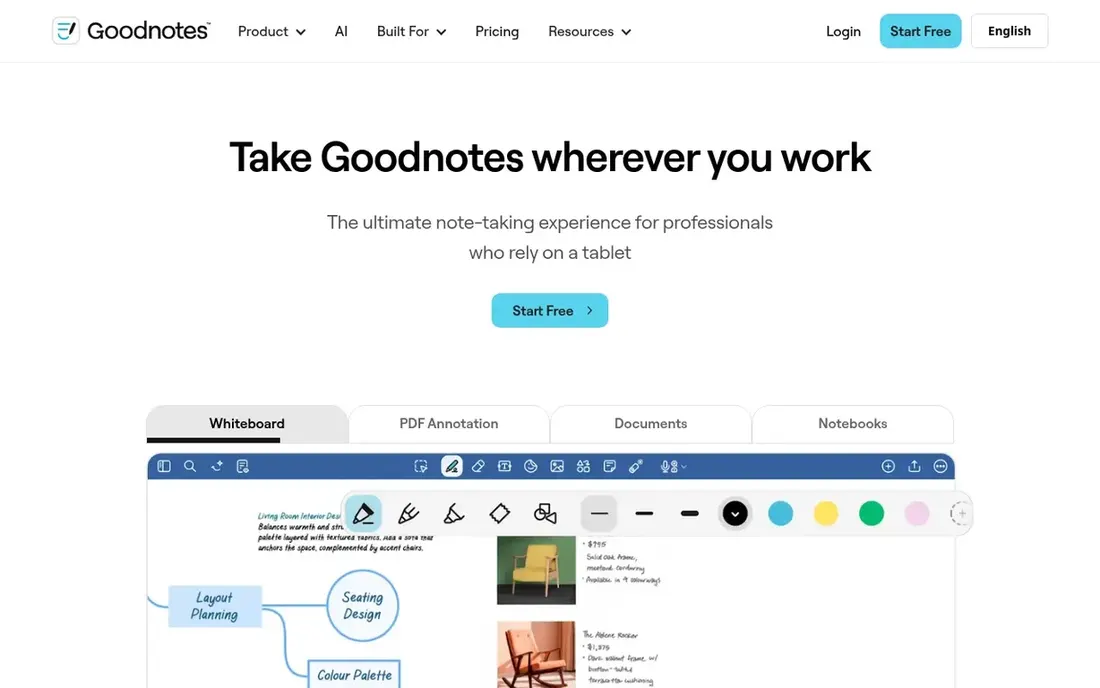
GoodNotes makes the most sense for handwriting with shared whiteboards. GoodNotes is a note-taking app built around bringing thinking to life, with shared notes, whiteboards and text documents.
As for the details, choose GoodNotes when collaboration and organized handwritten notes matter more than deep drawing tools. Beyond that, the mix of handwriting and whiteboards makes it handy for early concept work and meeting notes kept in the same place. The starting price for GoodNotes: $11.99 per year. GoodNotes has a free plan.
Trade-offs to know: Less suited to heavy illustration.
- Handwritten notes and whiteboards in one app
- Text documents alongside visual work
- Best experience favors Apple devices
Milanote was built for visual boards for creative projects. Milanote is a tool for organizing creative projects into visual boards, where you add notes, images, links and files and arrange them visually.
Choose Milanote when visual project organization and reference gathering are the primary tasks. On cost, Milanote starts like this: $9.99 per person per month billed annually. A free plan is available with Milanote.
Best features of Milanote: Notes, images. Trade-offs to know: Handwriting is not the core focus.
- Links and files together
- Simple sharing with a team
- Board layout fits planning more than inking
How the list was put together
For each of the 5 tools we noted price, free plan or trial, fit for note-taking app with handwriting for designers and the main limit, using vendor pages and documentation. Plan names, prices and limits change often. Treat the figures here as a starting point and verify them with the vendor. The order reflects how well each tool fits the most common buying scenario for note-taking app with handwriting for designers, then price clarity, then free plan access. It is a starting point, not a verdict.
Questions to settle before buying
- Ask Noteshelf and Procreate for a written quote, since no starting price is shown.
- Look at free plan limits closely: GoodNotes and Milanote have one, and the caps decide whether it is usable for real work.
- Take the trial from Concepts and push a live task through it before you pay.
- Read the limits listed for Noteshelf first: smaller ecosystem than major note apps.
- Let daily users try Procreate on real work; their feedback beats any feature checklist.
- Verify that exporting from Milanote is possible on your plan and covers all your records.
FAQ
How are the note-taking app with handwriting for designers ordered?
Noteshelf sits first and Milanote last because the order follows typical fit for note-taking app with handwriting for designers, then price clarity and free access. It is a judgement call, so read each profile for fit and limits.
What should designers check before choosing?
Also review export formats and sharing choices so notes move smoothly into your design workflow. Testing a short project in each candidate app is a practical way to decide.
What is the cheapest option for note-taking app with handwriting for designers in this list?
On published monthly entry prices, Milanote is the lowest here at $9.99 per person per month billed annually. Entry price is only part of the cost, because seats, add-ons and billing terms can change the total.
Do these apps support collaboration on handwritten notes?
GoodNotes flags live collaboration on shared notes and whiteboards, and OneNote emphasizes collaboration within its notebooks. Check each vendor page for the collaboration features you need before committing.
Is Noteshelf the right pick for everyone comparing note-taking app with handwriting for designers?
No single tool suits every team. Noteshelf comes first because it fits templates and journal-style notes, while Procreate suits drawing and illustration on iPad and Concepts suits infinite canvas sketching and mind maps. Match the tool to your own size, budget and workflow before deciding.
Can I try these tools before paying?
Often, yes. GoodNotes and Milanote have a free plan and Concepts offers a free trial. Use your own data and a real task during the test, and check what the free tier or trial limits before you rely on it.
Sources
- https://www.noteshelf.net
- https://procreate.com
- https://concepts.app
- https://www.goodnotes.com
- https://milanote.com