Best Mobile App Creator Software for 2026: Our 6 Vetted Picks
Best mobile app creator software in 2026: 6 contenders with entry costs and free tiers. Strengths and weak spots are spelled out. Current for November 2026.
- Editor's choice
 AppSheet
Business apps from existing data
Starts at$5 per user a monthVisit about.appsheet.comFull review - Great alternative
 Microsoft Power Apps
Low-code enterprise process apps
Starts atSee websiteVisit powerapps.microsoft.comFull review - Also consider
 FlutterFlow
AI-assisted native store publishing
Starts at$29 a monthVisit flutterflow.ioFull review
Direct answer
AppSheet leads the list, best for business apps from existing data. Listed starting prices: AppSheet from $5 per user a month, FlutterFlow from $29 a month and Adalo from $65 a month. Microsoft Power Apps is better for low-code enterprise process apps, and FlutterFlow is better for AI-assisted native store publishing. All 6 tools are compared below on price, free plan and limits.
TL;DR:
- AppSheet takes the first slot, best suited to business apps from existing data.
- Adalo comes with a trade-off: complicated custom logic may need workarounds.
- Free plans exist at 5 of 6 tools (Microsoft Power Apps, FlutterFlow, Adalo, Glide, Thunkable).
- AppSheet is the lowest-priced starter here at $5 per user per month.
- Thunkable is the one to check for Vibe coding native iOS and Android apps.
Last checked November 2026. Prices and plan details were read from the vendors' own pages in November 2026; vendors change plans often, so confirm the current price on the vendor site before you buy.
Quick comparison
| Tool | Best for | Starts at | Free plan? | |
|---|---|---|---|---|
| AppSheet | Business apps from existing data | $5 per user a month | Free trial | Visit |
| Microsoft Power Apps | Low-code enterprise process apps | See website | Yes | Visit |
| FlutterFlow | AI-assisted native store publishing | $29 a month | Yes | Visit |
 Adalo | No-code native apps across systems | $65 a month | Yes | Visit |
 Glide | Internal business apps from spreadsheets | $25 per month | Yes | Visit |
 Thunkable | Vibe coding native iOS and Android apps | $18 a month | Yes | Visit |
Mobile App Creator Software, one by one
If you are comparing mobile app creator software, this page covers 6 tools in one place: what each is best for, what it costs to start, whether it has a free plan, and the main limit to know about.
Pick AppSheet if this describes you: business apps from existing data. It is pitched at organizations that want to turn operational data and workflows into usable apps without development work.
Beyond that, design and behavior follow product conventions, which limits unusual layouts. Teams already working within Google's ecosystem are the most natural audience, since AppSheet suits into existing data and productivity habits. Entry price for AppSheet: $5 per user per month. Free access: Free trial.
Where it falls short: Consumer app design is not the focus.
- Geared toward transforming business processes
- Suits organizations already using Google tools
- Customization follows product conventions
Choose Microsoft Power Apps for low-code enterprise process apps. Microsoft Power Apps is a low-code app builder for creating custom business apps that simplify processes and boost productivity within an organization. More specifically, the low-code approach lets business users and IT collaborate on apps tied to organizational data and workflows.
Watch-outs: Governance setup can add overhead.
Its orientation toward organizational process apps makes it a weaker fit for consumer mobile products. For everyday use, if you need a fast public-facing app instead of an internal business tool, a no-code mobile creator is likely a more direct route. Microsoft Power Apps does not show a starting price in this comparison, so check the vendor site for current pricing. Microsoft Power Apps offers a free plan.
- Suits Microsoft-centric environments
- Aimed at simplifying organizational processes
- Enterprise focus over consumer apps
FlutterFlow makes the most sense for AI-assisted native store publishing. FlutterFlow lets you build an iPhone and Android app by describing it, producing a first version rapidly, then requesting changes through an agent.
Honest limits: Complex apps need careful planning.
If you want a purely visual, business-tool approach with no store publishing, a spreadsheet-driven builder may be more straightforward. As for the details, projects with intricate requirements benefit from planning before building. Price to start with FlutterFlow: $29 per month. FlutterFlow offers a free plan.
- Ask the agent for changes iteratively
- Describe an app and get a first version
- More technical concepts surface as you grow
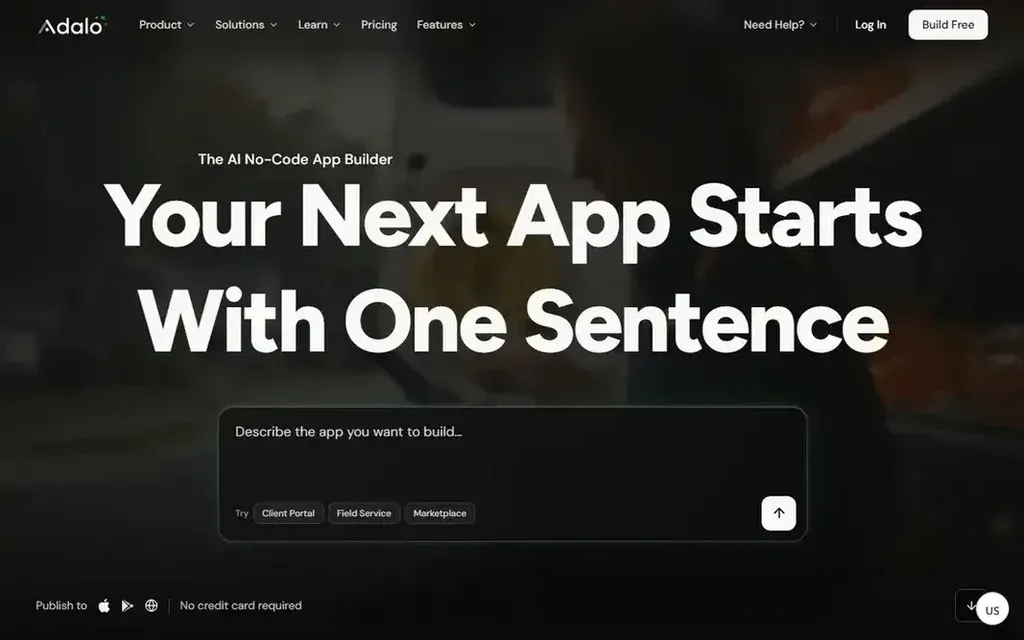
Adalo is a good fit for no-code native apps across platforms. Adalo is a no-code app builder centered on an AI assistant that turns a description into screens, data structures and logic.
What works well: Publish iOS.
Limits to weigh: Advanced native features can be restricted. In daily use, since it favors visual, no-code construction, highly custom interactions or deep device integrations may need compromises. In practice, Adalo fits best when speed and cross-platform reach matter more than fine-grained control. Entry price for Adalo: $65 per month. Free access exists with Adalo.
- Describe your app and have screens
- Visual editing alongside AI assistance
- Complicated custom logic may need workarounds
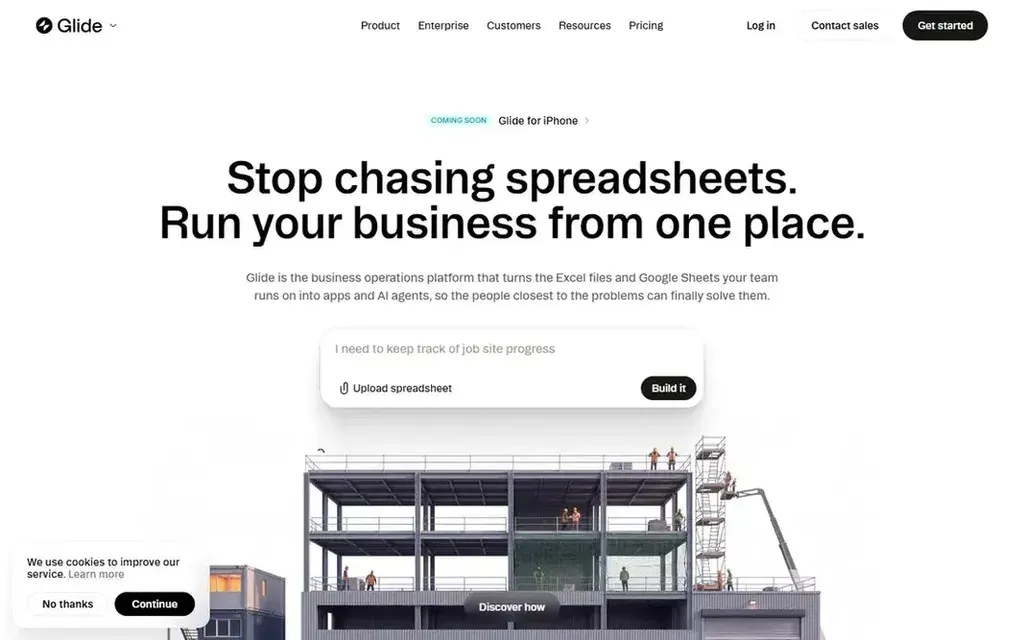
Glide is built with internal business apps from spreadsheets in mind. It is designed to get a working tool ready rapidly instead of over months.
Trade-offs to know: Design adaptability tied to its structure.
For everyday use, if you need a refined public-facing mobile product, look at builders that emphasize native publishing instead. The starting price for Glide: $25 per month. Glide has a free plan.
- AI agents alongside apps
- Fast setup for business use cases
- Less suited to consumer app store releases
In short, Thunkable is for Vibe coding native iOS and Android apps. Very demanding apps might call for a more technical builder. As for the details, Thunkable centres on turning an app idea into a real native iOS and Android app through AI-assisted, no-code building.
Limits to weigh: Complicated logic may need restructuring.
Its AI Builder takes care of design, logic and publishing, which suits creators and small teams who want store-ready mobile apps without coding. In practice, Thunkable is a reasonable fit when native mobile output and speed matter more than deep customization. Thunkable starts at: $18 per month. Thunkable includes a free tier.
- Logic and publishing
- No coding required
- Advanced customization has limits
Selection criteria
LinkVetted looked at what each vendor publishes: pricing, plan limits, feature coverage for mobile app creator software and stated drawbacks. No hands-on testing is claimed. Where a vendor does not publish a price, the entry says quote. Where a price depends on seats or billing term, the entry says so. The ranking is editorial: typical fit first, then clear pricing, then free access. If your needs are unusual, read the profiles rather than relying on position.
Questions to settle before buying
- Confirm the entry price on the vendor page. For Microsoft Power Apps that means a quote rather than a fixed price.
- Read the fine print on the free plans from Microsoft Power Apps, FlutterFlow, Adalo and others; seat, project and feature caps differ.
- Take the trial from AppSheet and push a live task through it before you pay.
- Before choosing AppSheet, weigh its main limit: consumer app design is not the focus.
- Add up seats, add-ons and usage charges for Adalo before comparing it with cheaper entries.
- Find out whether the entry plan of Glide covers your must-haves or only a trimmed-down version.
FAQ
How are the tools for mobile app creator software ordered?
AppSheet sits first and Thunkable last because the order follows typical fit for mobile app creator software, then price clarity and free access. It is a judgement call, so read each profile for fit and limits.
Which options for mobile app creator software have a free plan?
Microsoft Power Apps, FlutterFlow, Adalo, Glide and Thunkable offer a free plan in this list. Free plans usually cap users, projects or features, so check the limits on the vendor page. One other tool offers a trial instead.
Can these tools publish to the App Store and Google Play?
Some do, including Adalo, FlutterFlow and Thunkable, which describe native iOS and Android output and store publishing. Others, like Glide, AppSheet and Power Apps, are oriented toward internal business apps.
Are these tools a good match for internal business apps?
Glide, AppSheet and Power Apps are explicitly positioned around business apps and process improvement, frequently built from existing data. For internal tools, prioritize integration with your current systems and how easily staff can maintain the app.
What is the cheapest option for mobile app creator software in this list?
On published monthly entry prices, AppSheet is the lowest here at $5 per user per month. Entry price is only part of the cost, because seats, add-ons and billing terms can change the total.
Do these tools publish their prices?
Not all of them. Microsoft Power Apps publishes no starting price, so expect a quote request for it. The rest, AppSheet included, show a starting price, though seats and billing terms still change the final cost.
Sources
- https://about.appsheet.com
- https://powerapps.microsoft.com
- https://www.flutterflow.io
- https://www.adalo.com
- https://www.glideapps.com
- https://thunkable.com