Best Money Management Apps in 2026: 8 Apps Compared
We compared the best money management apps for budgets, bills, and net worth, covering bank sync, price, free plans, privacy, and security features today.
- Editor's choice
 YNAB
Hands-on zero-based budgeting
Starts at$14.99 per monthVisit youneedabudget.comFull review - Great alternative
 Monarch Money
Household money dashboard
Starts at$14.99 per monthVisit monarchmoney.comFull review - Also consider
 Quicken Simplifi
Simple spending plans
Starts at$5.99 per monthVisit quicken.comFull review
TL;DR:
- YNAB is our pick for hands-on budgeting, while Monarch Money is the best all-around dashboard for households.
- Empower offers a genuinely free dashboard for net worth and investments, though its budgeting tools are lighter.
- Bank sync quality matters: check that your banks connect cleanly before you pay for a year.
- This is not financial advice; these apps organize your money, they do not replace a qualified adviser for investment or debt decisions.
Quick comparison
| Tool | Best for | Starts at | Free plan? | |
|---|---|---|---|---|
| YNAB | Hands-on zero-based budgeting | $14.99 per month | Free trial (34 days) | Visit |
| Monarch Money | Household money dashboard | $14.99 per month | Free trial (7 days) | Visit |
| Quicken Simplifi | Simple spending plans | $5.99 per month | Free trial (30 days) | Visit |
 Empower Personal Dashboard | Free net worth tracking | Free | Yes | Visit |
 Copilot Money | Apple users who value design | $13 per month | Free trial (30 days) | Visit |
 Rocket Money | Finding subscriptions | Free | Yes | Visit |
 Goodbudget | Envelope budgeting | Free | Yes | Visit |
 PocketGuard | Knowing what is safe to spend | $12.99 per month | Free trial (7 days) | Visit |
The best money management apps
We compared official pricing, bank sync, budgeting methods, and privacy pages for the best money management apps, and we favored tools that still support US banks and offer clear free or trial terms.

YNAB, short for You Need A Budget, is our pick for people who want budgeting to change spending habits, not just track them. Its zero-based method asks you to assign each dollar to a category before you spend it, which makes trade-offs visible. If dining out runs over, you move money from another category and see the choice plainly.
That hands-on style is both the strength and the catch. YNAB rewards users who check in a few times a week, and it can feel like work for people who prefer automatic tracking. Its 34-day trial is generous, so you can test a full pay cycle before paying. For debt payoff and careful monthly planning, YNAB remains the most method-driven option here.
- Clear method for giving every dollar a job
- Strong goal and debt tools
- Helpful learning resources
- Needs regular attention
- No lasting free plan
- Investment tracking is limited
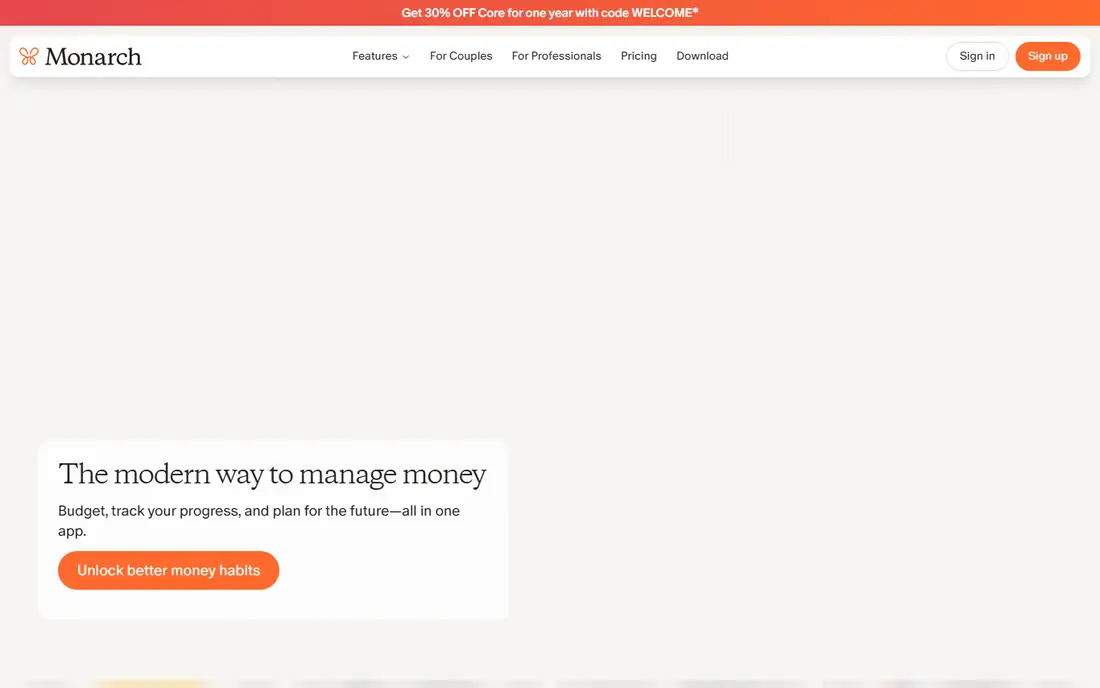
Monarch Money is the best all-around pick for households that want one dashboard for accounts, budgets, cash flow, and net worth. Its budgets are flexible, so you can set category targets without following a strict zero-based method. Couples and families can share access, which helps when more than one person manages money.
Monarch is a paid app with a short trial, so set up your main banks during the trial week to judge sync quality. Its breadth is a plus for most households, though users who want a strict budgeting method may still prefer YNAB. For tracking the full picture, from checking accounts to investments, Monarch is hard to beat.
- Budgeting, net worth, and investments in one place
- Shared access for households
- Flexible budgets
- No lasting free plan
- Short 7-day trial
- Some users need time to set up categories

Quicken Simplifi suits people who want automatic tracking and a simple plan without a high monthly fee. Its spending plan shows what is left after bills, savings, and planned spending, which answers the daily question of whether a purchase fits. Bill reminders and watchlists help users spot due dates and unusual spending.
Simplifi is less of a teaching tool than YNAB, and it will not push you to rethink habits in the same way. For many users, that lighter touch is a plus: connect accounts, check the plan, and move on. At its listed price, it is one of the best-value paid options for straightforward money management.
- Low monthly cost for a paid all-rounder
- Clear spending plan
- Watchlists for bills and income
- Budgeting is less method-driven than YNAB
- Interface can feel plain
Empower Personal Dashboard, formerly Personal Capital, is the best free starting point for seeing your whole financial picture. It links checking, savings, credit cards, loans, and investment accounts into one net worth view, with tools for cash flow, fees, and retirement planning. For users who mainly want to track wealth, not manage every category, the free dashboard is strong.
The catch is budgeting depth. Empower tracks spending, but it does not offer the same category planning as YNAB or Monarch. It also promotes its paid wealth management service, which you can ignore if you only want the dashboard. If cost is the main barrier, start here and add a budgeting app only if you need stricter category control.
- Free dashboard for accounts, net worth, and investments
- Useful retirement and fee tools
- No monthly fee for core tools
- Budgeting tools are lighter than YNAB or Monarch
- Upsells for paid wealth management
Copilot Money is our pick for Apple users who want money tracking to feel pleasant rather than clinical. Its iPhone and Mac apps are polished, its categorization is smart, and its insights highlight trends without a pile of charts. The subscription-only model is a privacy plus for users who prefer to pay for the product rather than be the product.
The main limit is platform. Android users and households that mix devices will find Monarch or Simplifi more practical. Copilot also lacks a permanent free tier, though its trial is a full month. For solo Apple users who check money often, Copilot is a refined, focused choice.
- Clean design on iPhone and Mac
- Smart transaction categorization
- No ads and no data selling as a business model
- Apple-first, with limited Android and web use
- No lasting free plan
Rocket Money is best known for finding subscriptions you forgot about, and that feature alone can pay for the time spent setting it up. Its free tools track spending and flag recurring charges, which helps users cut costs without building a full budget. Paid plans add bill negotiation help and more detailed insights.
Rocket Money is not the best choice for strict category budgeting, since its planning tools are lighter than YNAB or Monarch. It works well as a first app for people who want to see where money goes and trim recurring costs. Start free, review the subscription list, and upgrade only if negotiation help or deeper insights appeal to you.
- Free tracking and subscription detection
- Bill negotiation help on paid plans
- Spending insights
- Full budgeting is less detailed than YNAB
- Some features need a paid plan
Goodbudget brings the classic envelope method to phones and the web: you divide money into envelopes for groceries, rent, transport, and fun, then spend from each envelope until it is empty. That visual limit helps many people control variable spending, and households can share envelopes and sync across devices. The free plan covers basic envelope use, which is enough to test the method.
The trade-off is manual work. Goodbudget does not rely on bank sync in the same way as other apps here, so you enter transactions or import them. That can be a privacy plus, since fewer accounts are linked, but it needs discipline. For envelope fans and privacy-minded users, Goodbudget remains a calm, focused tool.
- Clear digital envelope method
- Free plan for basic use
- Shared envelopes for households
- No bank link required
- No automatic bank sync on free plan
- Manual entry takes discipline
PocketGuard answers one question well: after bills, goals, and planned spending, how much can you safely spend today? That single number suits users who find full budgets overwhelming but still want a guardrail. It links accounts, tracks bills, and shows spending by category in a simple layout.
The simplicity is also the limit. Users who want detailed category planning, debt payoff tools, or investment views will find PocketGuard thin. Its trial is short, so connect your main accounts quickly to test sync and accuracy. For minimal-effort money management, PocketGuard is a practical pick.
- Simple safe-to-spend number
- Links accounts and bills
- Useful for users who hate detailed budgets
- Budget detail is limited
- Trial is short
- Some features need a paid plan
How we picked these
We compared official pricing pages, free tiers, bank sync claims, budgeting methods, and privacy statements, and we favored apps that are still maintained for US users. We included strict budgeting, household dashboards, free tracking, and simple safe-to-spend tools, since money habits differ. We also noted where an app sells data or relies on subscriptions, so readers can weigh privacy against price.
How to choose the best money management app for you
Start with your money habit, not the feature list
If you overspend in variable categories, a method-driven app like YNAB or Goodbudget helps most. If you want the full picture, Monarch or Empower fits better. If you only want to cut subscriptions, Rocket Money is enough. The best app is the one you will open at least twice a week.
Test bank sync during the trial
Bank connections are the weak point of most money apps. During a trial, link your main checking, credit card, and savings accounts, then check for duplicates, missing transactions, and slow updates. A beautiful app with broken sync will not help you, and a plain app with clean sync often will.
Check privacy and security before you link accounts
Look for read-only connections where possible, two-factor authentication, and a clear statement on data use. Use a strong, unique password and turn on alerts for new transactions. Remember, this is not financial advice, and these apps organize your money rather than making investment choices for you.
FAQ
What is the best money management app for budgeting?
YNAB is our pick for strict budgeting, while Monarch Money is best for flexible household budgets. Simplifi offers a simpler spending plan at a lower price, and Goodbudget suits envelope budgeting. Choose by method, not by feature count, and test the trial with your real accounts.
What is the best free money tracking app?
Empower Personal Dashboard is the best free option for net worth and investment tracking. Rocket Money and Goodbudget also offer genuinely useful free tiers for spending and subscriptions. Free apps still need care: check their privacy terms and turn on two-factor authentication.
What is the best personal budgeting software for couples?
Monarch Money is a strong choice for couples, since households can share access and see budgets, cash flow, and net worth together. Goodbudget also supports shared envelopes for partners who prefer envelope budgeting. Agree on categories and check-in habits before you pick a tool.
Is it safe to link my bank account to a budgeting app?
Linking accounts through a major aggregator is common, but it still needs care. Use read-only connections where offered, enable two-factor authentication, use a unique password, and review connected accounts regularly. If you prefer not to link banks, Goodbudget offers a manual-entry route.
What is the best financial app for tracking net worth?
Empower is our pick for free net worth tracking, with Monarch Money close behind for households that also want budgeting. Both pull accounts into one view and show trends over time. For investment detail, check whether your brokerage accounts sync cleanly during the trial.