Best Apps for Changing PDFs on Mobile in 2026: 8 Apps Compared
Find the best app for changing pdfs on mobile, with text edits, signing, merging, compressing and annotation on iPhone and Android phones for work daily.
- Editor's choice
 Adobe Acrobat
Full mobile editing
Starts atFreeVisit adobe.comFull review - Great alternative
 iLovePDF
Quick tasks and value
Starts atFreeVisit ilovepdf.comFull review - Also consider
 PDF Expert
iPhone and iPad editing
Starts atFreeVisit pdfexpert.comFull review
TL;DR:
- Adobe Acrobat is our pick for full mobile PDF editing, because it handles text edits, signing, forms and cloud sync in one app.
- iLovePDF is the best value mobile tool for quick tasks like merging, compressing and converting, with a strong free tier.
- PDF Expert suits iPhone and iPad users who want fast annotation and editing, while Foxit suits teams that need a lower cost Acrobat alternative.
- True text editing, not just annotation, is the key test: check whether an app edits the PDF text itself or only adds notes on top.
Quick comparison
| Tool | Best for | Starts at | Free plan? | |
|---|---|---|---|---|
| Adobe Acrobat | Full mobile editing | Free | Yes | Visit |
| iLovePDF | Quick tasks and value | Free | Yes | Visit |
| PDF Expert | iPhone and iPad editing | Free | Yes | Visit |
 Foxit PDF Editor | Lower cost pro editing | See website | Free trial | Visit |
 Smallpdf | Simple mobile tools | Free | Yes | Visit |
 UPDF | Low cost editing with AI | See website | Yes | Visit |
 PDFelement | Editing plus forms | See website | Free trial | Visit |
 Sejda | Web based mobile editing | Free | Yes | Visit |
The best apps for changing pdfs on mobile
These apps let you edit, annotate, sign, merge and convert PDFs from a phone, without waiting for a desktop.
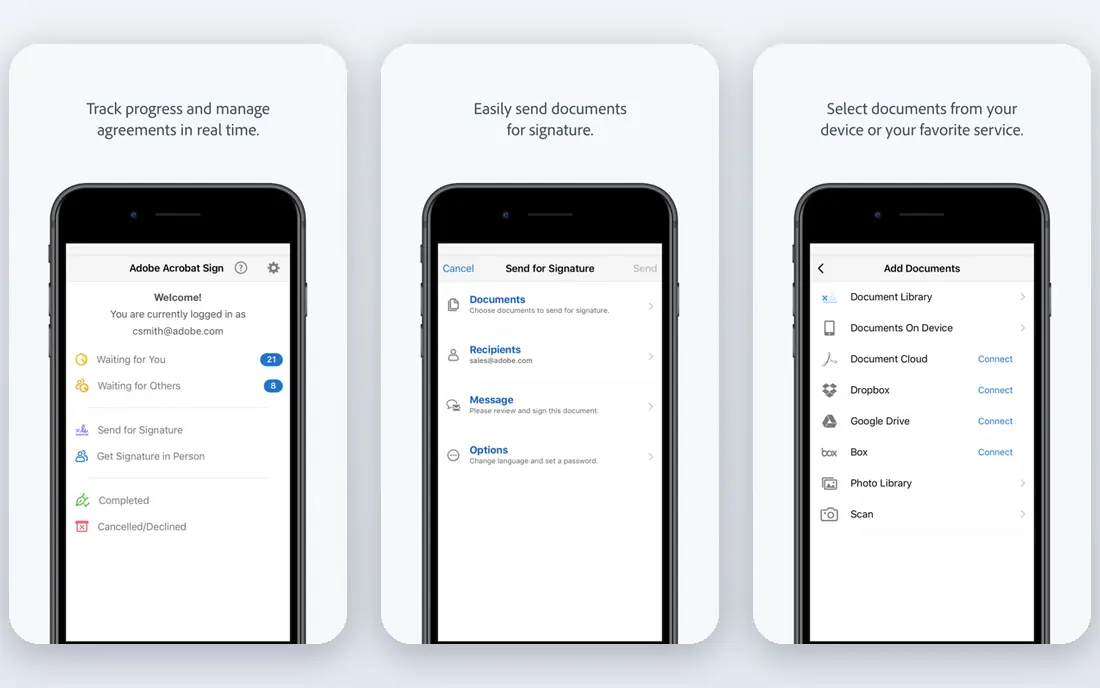
Adobe Acrobat is the standard for PDF work, and the mobile app carries much of that power to a phone. You can edit text and images, fill and sign forms, add comments, and share files from cloud storage, with the same subscription working on desktop and mobile. For legal, business or publishing work where formatting and signatures matter, Acrobat is the safest choice.
The free mobile tier covers viewing, commenting and basic signing, but full editing sits behind Pro. That price is high for occasional use, so casual users should start with iLovePDF or Smallpdf. If you edit PDFs daily or need certified signatures, Acrobat's depth justifies the subscription.
- Full text and image editing on paid plans
- Certified signatures and form tools
- Cloud sync across devices
- Advanced editing needs a Pro subscription, around $23.99 per month in recent listings
- Free tier is limited for editing
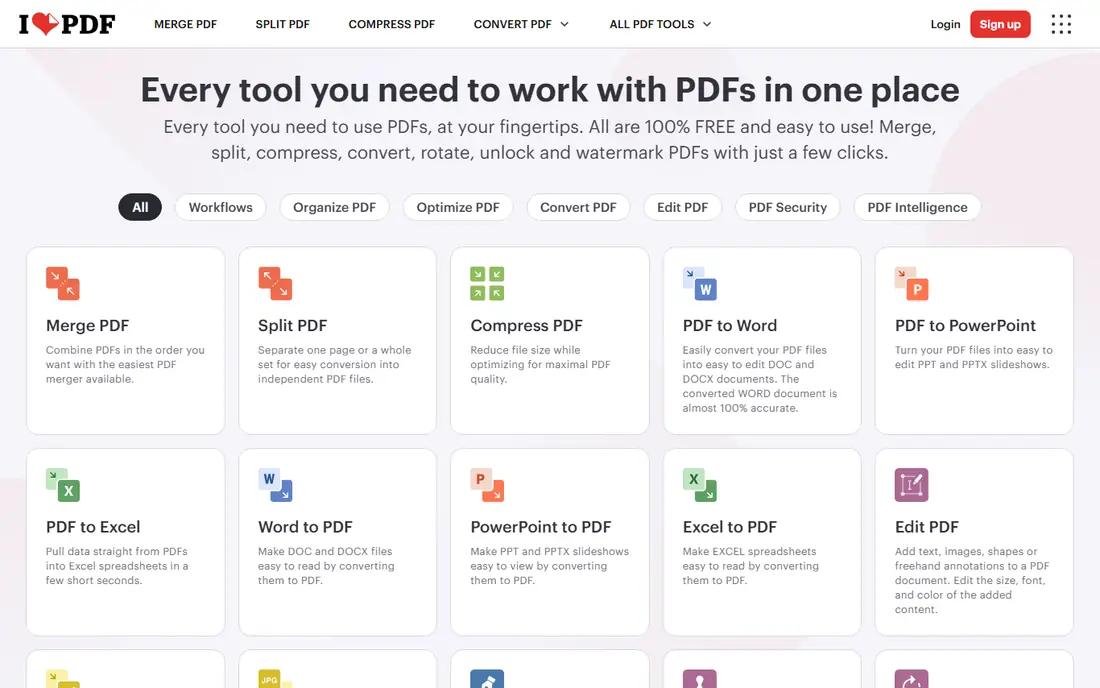
iLovePDF is the best value app for quick PDF changes on a phone. Merging pages, splitting a file, compressing a large PDF and converting to Word or images all work from the mobile app or browser, with a simple interface that needs no training. The free tier handles many everyday tasks, which is why reviewers rate it highly for value.
The limit is true editing. Free iLovePDF handles page level changes and basic annotations well, but full text editing and image insertion need Premium. Check the current feature matrix before you pay, since free and Premium boundaries change. For quick tasks, iLovePDF is hard to beat on price and ease.
- Easy merge, split, compress and convert tools
- Mobile apps for iOS and Android
- Premium from around $4 per month in some listings
- Full content editing with text and image changes needs Premium
- Free tier has task limits

PDF Expert, from Readdle, is the top pick for iPhone and iPad users who edit PDFs on the go. Annotation feels fast, text editing is smooth, and Apple Pencil support makes signing and markup natural on an iPad. File management, cloud connections and tabbed viewing help when you juggle several documents at once.
Android users should look elsewhere, since PDF Expert is built for Apple devices first. Paid features also sit behind a subscription, so check the current price in the App Store before you commit. For Apple users, PDF Expert is the most pleasant mobile editor on this list.
- Fast annotation and editing on Apple devices
- Good Apple Pencil support
- Clean file management
- Android support is limited compared with iOS
- Full editing needs a paid subscription
Foxit PDF Editor is a strong Acrobat alternative for teams that want pro editing at a lower total cost. Text editing, form creation, signing and collaboration all work on mobile and desktop, and Foxit integrates with common cloud storage and Microsoft tools. For a business that edits PDFs often but does not need every Acrobat enterprise feature, Foxit offers good value.
The mobile interface packs many tools onto a small screen, so new users need time to find the right tool. Pricing also varies by edition and team size, so check the vendor page for your exact plan. Test the mobile editing flow on a real document before you switch a team to Foxit.
- Strong editing and form tools
- Lower cost than Acrobat for many teams
- Good cloud and collaboration features
- Interface can feel dense on a small phone screen
- Pricing varies by platform and team size
Smallpdf has the most polished interface in this group, which makes quick tasks feel easy on a phone. Merging, compressing, converting and signing are all clear and fast, and the Pro tier adds team collaboration and higher limits. For a user who values design and simplicity, Smallpdf is a pleasure to use.
The free tier is the limit. Recent comparisons note about 2 tasks per day on free, which is tight if you edit PDFs often. Pro at around $12 per month removes that limit, but that price is high compared with iLovePDF. Use Smallpdf free for occasional tasks, and pay only if you use it daily.
- Very polished interface
- Easy merge, compress and convert tools
- Team features on Pro
- Free tier limited to about 2 tasks per day in recent comparisons
- Pro costs around $12 per month
UPDF is a newer low cost editor that covers phones, tablets and desktops with one license in many plans. Text editing, annotation, forms and conversion work well, and AI tools can summarise a long PDF or answer questions about its contents. That AI help suits students and professionals who read long reports on a phone.
AI features and some advanced tools sit behind paid tiers, so check what your plan includes before you rely on them. UPDF is also less established than Adobe or Foxit for enterprise compliance work. For personal and small business editing at a lower price, UPDF is a strong option.
- Low cost editing across devices
- AI summarising and chat features
- Annotation and form tools
- AI features vary by plan
- Some advanced tools need a paid tier
PDFelement, from Wondershare, suits users who work with forms a lot. You can create, fill and edit form fields, add signatures, and edit text and images, with batch tools on desktop plans for larger jobs. The mobile app covers the core editing tasks, which helps when you need to fix a form away from a desk.
Mobile editing is lighter than the desktop version, so complex layout changes still suit a computer. Pricing varies by iOS, Android and desktop plans, so check the vendor page for the exact mobile price. For form heavy work on a phone, PDFelement is a practical pick.
- Strong form creation and editing
- Text and image editing
- Batch processing on desktop plans
- Mobile editing is lighter than desktop
- Pricing varies by platform
Sejda is a web based PDF editor that works well in a mobile browser, which suits users who do not want to install another app. It offers editing, merging, splitting and signing without a sign up for most tools, and free outputs often carry no watermark, which is rare among web tools. That transparency makes Sejda easy to recommend for quick edits.
The trade off is privacy and offline use. Files upload to a server for processing, so sensitive documents should stay in an offline app like Adobe or PDF Expert. Sejda also needs a connection, so it does not suit flights or low signal areas. For non sensitive quick edits, Sejda is a useful free tool.
- No watermark on many free outputs
- No sign up for most tools
- Works in a mobile browser
- Server based, so files upload to Sejda
- No full offline mobile app for editing
How we picked these
We compared official pricing pages, mobile app listings and feature pages in October 2026, focusing on apps that truly change PDFs on a phone, not just view them. We kept only tools that exist and work today on iOS, Android or mobile web, with a clear free tier or price. Where pricing varies by platform, we wrote See website rather than guessing a single figure.
How to choose a PDF app for mobile
Test the exact change you need, on a real PDF, on your phone, before you pay.
Check true editing versus annotation
Annotation adds notes, highlights and drawings on top of a PDF, while true editing changes the text and images inside the file. If you need to fix a typo in a contract, you need true editing, which often needs a paid plan. Test with a sample PDF: change a word, save, reopen, and check that the change stuck.
Think about privacy and file handling
Web tools upload your file to a server, while offline apps edit on your device. For contracts, medical forms or financial documents, prefer an offline app or a vendor with clear deletion policies. For a public flyer or a school handout, a web tool like Sejda or iLovePDF is fine and faster.
Check signing, forms and cloud sync
If you sign documents on a phone, test signature creation, form filling and cloud sync with the storage you use. Adobe and Foxit lead for certified signatures and enterprise forms, while iLovePDF and Smallpdf suit simple signing. Check whether your subscription covers mobile and desktop, or mobile only.
Count tasks and cost
Free tiers limit tasks per day, file size or features. Count how many PDFs you change per week, then compare free limits with paid prices. iLovePDF offers the best free value for quick tasks, while Adobe offers the best depth for daily professional use. Do not pay for a pro plan if you only merge a PDF twice a month.
FAQ
What is the best app for changing pdfs on mobile for free?
iLovePDF and Sejda offer the best free value for quick changes, with merge, split and compress tools and no watermark on many Sejda outputs. Adobe Acrobat free covers viewing and basic signing, but full editing needs Pro. Start free and pay only for true text editing or higher limits.
Can I edit PDF text on my phone?
Yes, with Adobe Acrobat Pro, PDF Expert, Foxit, UPDF or PDFelement on paid tiers. Free tiers often limit you to annotation or page changes. Test true text editing on a sample file before you pay, since some apps call annotation editing.
Is it safe to edit PDFs in a mobile browser?
For non sensitive files, yes, if the vendor deletes files after processing and uses secure connections. For sensitive contracts or health forms, use an offline app on your device. Check the vendor privacy page and avoid uploading ID documents or financial records to a free web tool.
Which PDF app is best for iPhone?
PDF Expert is the best iPhone and iPad pick for speed and Apple Pencil support, while Adobe Acrobat is the best cross platform pick. Both offer free tiers, with full editing on paid plans. Test both on your own PDFs, since interface preference matters on a small screen.
Can I sign a PDF on my phone?
Yes. Adobe Acrobat, iLovePDF, Smallpdf, PDF Expert and Foxit all support signing on mobile, with varying levels of legal weight. For simple approvals, a drawn signature is fine. For contracts, use a certified signature tool in Adobe or Foxit and check local rules for electronic signatures.