Best Mobile Event Apps in 2026: 8 Apps Compared
Compare the best mobile event apps for conferences, trade shows and meetups, with pricing, networking tools and check-in features explained clearly. Today.

- Editor's choice
 Whova
Engagement-heavy conferences
Starts atSee websiteVisit whova.comFull review - Great alternative
 Eventbrite
Public ticketed events
Starts atFreeVisit eventbrite.comFull review - Also consider
 Cvent Attendee Hub
Large enterprise events
Starts atSee websiteVisit cvent.comFull review
TL;DR:
- Whova and Eventbrite suit very different events, so start with audience size and ticket sales before you compare features.
- Cvent Attendee Hub and Bizzabo are built for larger programs where registration, onsite work and reporting must sit in one system.
- EventMobi, Swapcard and PheedLoop give mid-size teams a mobile app without forcing a full enterprise platform.
- Guidebook remains a practical choice when one branded app must cover many events across a year.
- Quote-based pricing is common here, so ask for the full per-event cost, including check-in hardware and any per-attendee fee, before you sign.
Quick comparison
| Tool | Best for | Starts at | Free plan? | |
|---|---|---|---|---|
| Whova | Engagement-heavy conferences | See website | No | Visit |
| Eventbrite | Public ticketed events | Free | Yes | Visit |
| Cvent Attendee Hub | Large enterprise events | See website | No | Visit |
 Bizzabo | B2B conference programs | $499 per user per month | No | Visit |
 EventMobi | Custom branded event apps | See website | No | Visit |
 Swapcard | Trade shows and networking | See website | No | Visit |
 PheedLoop | Conferences with onsite needs | See website | No | Visit |
 Guidebook | Multi-event organizations | See website | No | Visit |
The best mobile event apps
The right mobile event app keeps attendees on schedule, helps people meet, and gives organizers a clear view of what is happening on the day. These eight cover small public events, large conferences and trade shows.

Whova is our pick for conferences where attendee interaction matters as much as the agenda. Attendees build a personal schedule, message each other, join community boards and take part in live polls from one app. Organizers can run registration, send announcements and track engagement without handing attendees a separate tool for each job. That breadth is why academic conferences, association meetings and multi-day events use it so often.
The trade-off is pricing clarity. Whova does not publish a standard event price, so a quote depends on attendee count and the features you select. Smaller teams should ask early about registration fees and any add-ons, and compare the total against a simpler ticketing tool. If your event lives or dies by networking, the extra setup work is usually worth it.
- Strong networking and community boards
- Live polls, Q and A and gamification
- Registration and check-in in one system
- Pricing is quote-based
- Setup can take time for a first event
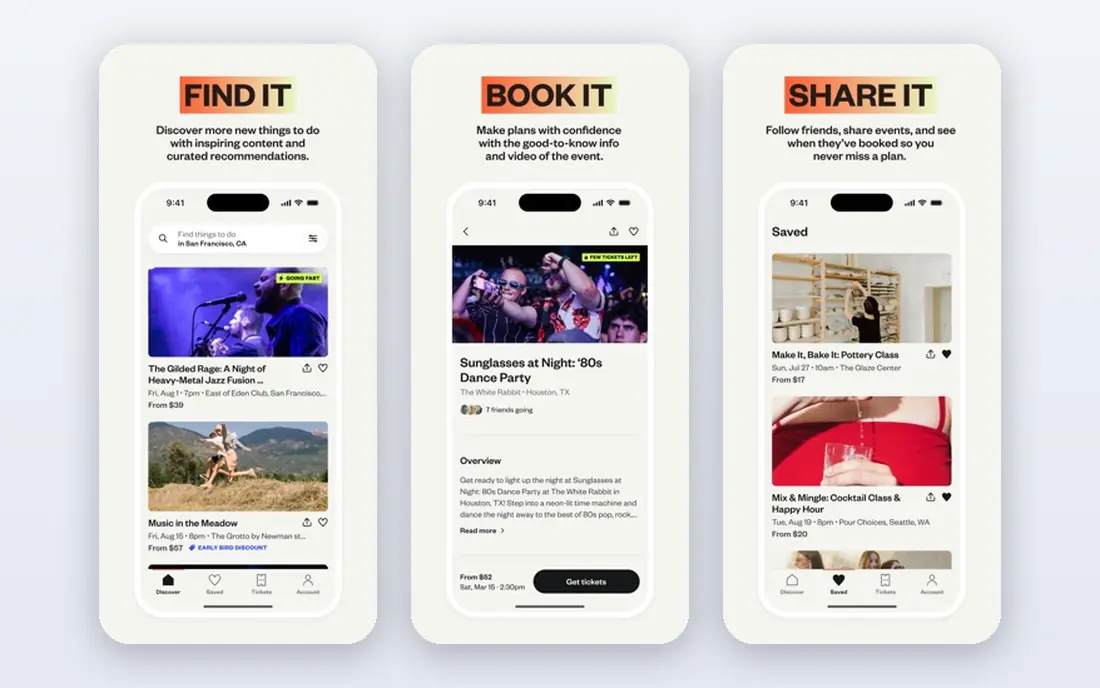
Eventbrite is the easiest starting point when you need to sell tickets and be found. Publishing an event is free, free events carry no Eventbrite fee, and paid US tickets carry a service fee of 3.7 percent plus 1.79 dollars per ticket, plus 2.9 percent payment processing per order. The Organizer app handles ticket scanning and door sales, which suits concerts, classes, workshops and community gatherings.
It is not a full conference platform. Session-level networking, exhibitor lead capture and complex multi-track agendas are thinner than on Whova or Cvent. For a straightforward public event, that simplicity is a strength, because there is less to configure and attendees already know the brand. For a large professional conference, pair it with a dedicated event app or choose a platform built for that job.
- Free to publish and free for free events
- Large public event marketplace
- Organizer app with mobile check-in
- Paid ticket fees add up on low-priced tickets
- Limited deep conference features
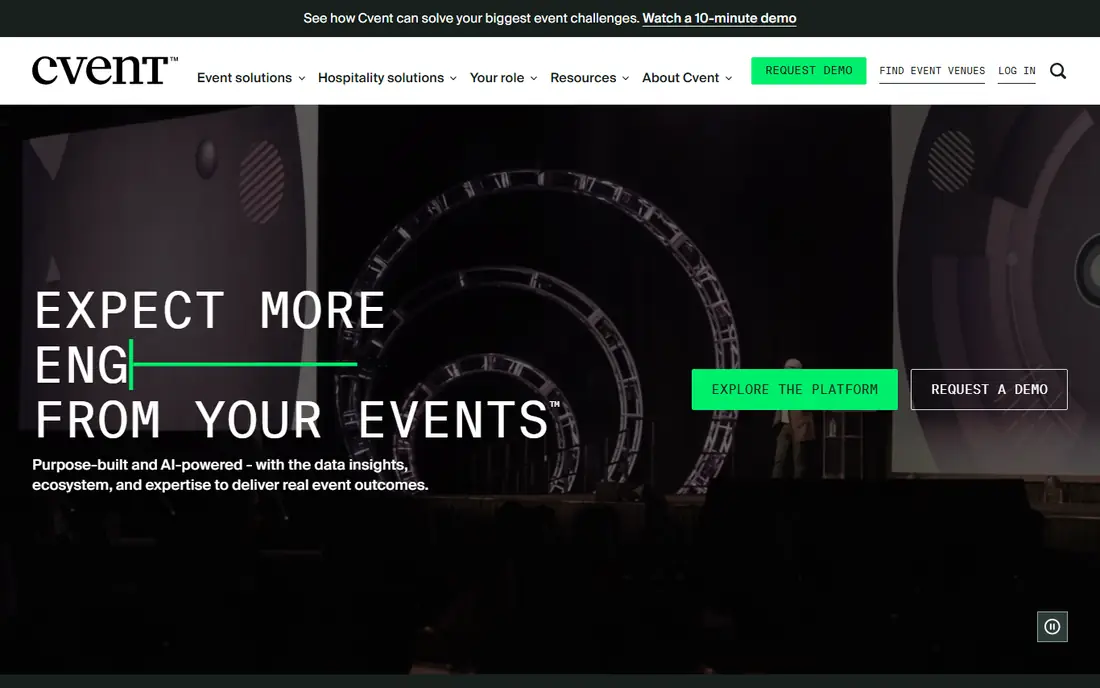
Cvent Attendee Hub is aimed at organizations that run many events and need one system of record. Attendees get schedules, speaker details, appointments and virtual sessions in a web and mobile hub, while organizers keep registration, housing and reporting connected. The platform supports in-person, virtual and hybrid formats, which helps teams that run a mixed calendar.
Cost is the main caution. Cvent does not publish standard pricing, and published third-party reports describe an annual license plus a per-registrant fee. That model can grow fast with attendee numbers, so get the license, per-registrant and implementation figures in writing. For a single small event, it is usually more platform than you need. For a large program, the control and reporting can justify the price.
- Deep registration and event management links
- Web and mobile attendee experience
- Strong analytics and appointment tools
- Quote-based pricing with per-registrant fees
- Contracts can be long and complex
Bizzabo suits marketing and events teams that run a steady program of conferences rather than one isolated meeting. Registration, event websites, email campaigns, networking and analytics sit in one platform, and the mobile app gives attendees schedules, messaging and sponsor content. Its published Event Experience OS price starts at 499 dollars per user per month billed annually, with a three-user minimum, which works out to 17,999 dollars per year.
That transparency helps budgeting, but the floor is high for small organizers. Klik SmartBadge wearables, which support networking and lead capture, are priced separately. If your team runs several B2B events a year and needs consistent branding and CRM links, Bizzabo is a strong fit. If you run one event, a per-event tool will usually cost less.
- Registration, websites, email and mobile app in one system
- AI networking features
- Clear published starting price
- Three-user minimum pushes the annual total high
- Onsite wearables cost extra
EventMobi appeals to teams that want their event app to look like their brand, not like a generic template. Organizers can shape agendas, maps, speaker pages, sponsor sections and networking tools, and attendees can use a native app or a web version. Onsite check-in, live polls and lead capture are part of the wider platform, which suits conferences, trade shows and association events.
Published comparisons put EventMobi from around 3,000 dollars per event in some listings, but the vendor asks buyers to confirm current plans, so treat that figure as a guide only. The honest catch is choice: a very flexible platform takes longer to configure than a simple ticketing app. Teams with a clear agenda and a designer or experienced organizer will get more from it than a first-time planner working alone.
- Highly customizable app design
- Strong onsite and engagement tools
- Native and web app options
- Pricing is not fully published
- Smaller teams may need help to use every feature
Swapcard is built around one question that matters at trade shows: will the right people actually meet? Attendees create profiles, get suggested matches, book meetings, scan badges and follow exhibitors, while organizers track leads and engagement. That focus makes it a natural fit for expos, B2B conferences and events where meetings drive value.
For a small social gathering or a single-track workshop, Swapcard can feel heavy, and its pricing is quote-based, so smaller buyers should ask for a clear per-event total. When meetings, exhibitor return and structured networking are the point of the event, though, its matchmaking is a real advantage over a basic agenda app. Test the meeting booking flow in a demo before you commit, because that is where the value shows up.
- AI-based matchmaking for meetings
- Exhibitor and lead capture tools
- Strong for B2B trade shows
- Pricing requires a sales conversation
- Less suited to simple ticketed meetups
PheedLoop covers the full conference path, from registration and ticketing to the mobile app, check-in and post-event reporting. Organizers can offer a white-label app, run exhibitor tools and manage sessions, while attendees keep schedules, maps and networking in one place. It is a practical middle ground for associations, charities and conference teams that need onsite control without moving to a large enterprise suite.
Pricing is quoted per event or program, and published comparisons list annual figures from around 2,450 dollars, but confirm the current quote for your attendee count. Onsite staffing support may also be priced separately, so ask what is included on event day. If your team values a single vendor for registration and the app, PheedLoop deserves a demo.
- Registration, mobile app and onsite tools together
- White-label app option
- Good for associations and expos
- Pricing is quote-based
- Onsite support can be an added cost
Guidebook works well when an organization runs many events and wants attendees to return to one familiar app. Universities, associations and large employers can publish guides for conferences, orientations and internal meetings, with schedules, maps, documents and announcements in each guide. Attendees can download content for offline use, which helps in venues with weak Wi-Fi.
Guidebook is less focused on AI matchmaking and exhibitor lead capture than Swapcard, so trade show teams may prefer a networking-first tool. Pricing is also quote-based, with published comparisons noting starting figures around 3,750 dollars per event in some listings, so confirm the current plan. For a portfolio of events under one brand, the repeat-use model is its clear strength.
- One branded app space for many events
- Offline-friendly content
- Well suited to universities and large organizations
- Pricing is quote-based
- Networking features are less trade-show focused
How we picked these
We compared official feature pages, published pricing pages and third-party pricing reports for mobile event platforms in October 2026. We favored tools with a real attendee app, not only a registration page, and we kept a mix of ticketed public events, conferences and trade shows. Where a vendor does not publish a price, we say so rather than presenting a third-party estimate as a vendor price. We also weighed onsite tools, networking, branding and reporting, because an event app fails on the day if any one of those pieces is missing.
What to check before you buy a mobile event app
Start with the attendee journey, not the feature list. Open the demo app as an attendee would, find a session, save it, message another attendee and check in. If any step feels confusing in a demo, it will feel worse for a first-time visitor on event day. Check offline behavior too, because venue Wi-Fi is not always reliable, and confirm how agenda changes reach attendees after they have downloaded the app.
Next, map the total cost. Ask whether the quote covers registration, the mobile app, check-in, badge printing, exhibitor tools and support, or whether each piece is an add-on. Per-attendee and per-registrant fees matter more than the headline price as your event grows. Finally, confirm data and support: who owns attendee data, how exports work, what happens after the event ends, and who answers the phone during setup and on event day. A short pilot with a real session list will reveal more than a sales deck.
FAQ
Which mobile event software is best for a small conference?
Whova or EventMobi are good starting points, depending on budget. Whova leans toward networking and community, while EventMobi leans toward branded design and onsite tools. For a very small free or ticketed gathering, Eventbrite may be enough on its own.
What is the best mobile event app for trade shows?
Swapcard is a strong trade show pick because matchmaking, meetings and lead capture sit at the center of the product. EventMobi and PheedLoop are also worth a demo if exhibitor pages and onsite check-in matter more than AI matching.
Do mobile event apps work without Wi-Fi?
Some content can be available offline, especially schedules and maps in apps such as Guidebook, but live polls, messaging and last-minute updates need a connection. Ask the vendor exactly which features work offline and test that flow before event day.
How much do the best mobile event apps cost?
Costs range from free for basic Eventbrite publishing to 17,999 dollars per year for Bizzabo at its published starting tier. Most conference platforms are quote-based, so request a total that includes per-attendee fees, add-ons and onsite support.
Can one app cover registration and the mobile event app?
Yes, Whova, Cvent, Bizzabo, EventMobi and PheedLoop all link registration to the attendee app in different ways. The link matters because it keeps schedules, tickets and check-in consistent, and it avoids importing attendee lists between separate tools.
Is Eventbrite a mobile event app or only a ticketing site?
Eventbrite is mainly a ticketing and discovery platform, with an Organizer app for check-in and door sales. It works well for public ticketed events, but teams that need deep conference networking should add or choose a dedicated event app.