6 Large Webinar Platform for Training Sessions Worth Shortlisting in 2026
Need the best large webinar platform for training sessions? We compare 6 tools on cost, free access and who each suits. Short verdicts, no fluff. Choose faster.
- Editor's choiceMicrosoft Teams Webinars
Organizations already using Microsoft Teams
Starts atSee websiteVisit microsoft.comFull review - Great alternative
 Livestorm
Marketing-led training events with CRM sync
Starts at€2.50 per attendeeVisit livestorm.coFull review - Also consider
 Zoom Webinars
Familiar large-scale training webinars
Starts atSee websiteVisit zoom.comFull review
Direct answer
Microsoft Teams Webinars comes first here, mainly for organizations already using Microsoft Teams. Listed starting prices: Livestorm from €2.50 per attendee. Alternatives: Livestorm for marketing-led training events with CRM sync, and Zoom Webinars for familiar large-scale training webinars. The remaining 3 options are covered below with prices and limits.
TL;DR:
- This list starts with Microsoft Teams Webinars, which is built for organizations already using Microsoft Teams.
- Cisco Webex Webinars fits enterprise training with AI collaboration.
- Cisco Webex Webinars stands alone as the one tool in this list with a free plan.
- A fair warning about Zoom Webinars: advanced features may need extras.
Last checked November 2026. Prices and plan details were read from the vendors' own pages in November 2026; vendors change plans often, so confirm the current price on the vendor site before you buy.
Quick comparison
| Tool | Best for | Starts at | Free plan? | |
|---|---|---|---|---|
| Microsoft Teams Webinars | Organizations already using Microsoft Teams | See website | Not stated | Visit |
| Livestorm | Marketing-led training events with CRM sync | €2.50 per attendee | Not stated | Visit |
| Zoom Webinars | Familiar large-scale training webinars | See website | Not stated | Visit |
 GoTo Webinar | Straightforward webinar hosting for training | See website | Not stated | Visit |
| Adobe Connect | Interactive training with engagement focus | See website | Not stated | Visit |
| Cisco Webex Webinars | Enterprise training with AI collaboration | See website | Yes | Visit |
Tool-by-tool breakdown
This LinkVetted guide covers 6 large webinar platform for training sessions. Each profile lists a starting price, free plan details, strengths and drawbacks, so you can drop poor fits quickly.
Microsoft Teams Webinars
Best for: Organizations already using Microsoft Teams
Choose Microsoft Teams Webinars for organizations already using Microsoft Teams. Microsoft Teams Webinars extends Teams' video conferencing and meetings product to webinar scenarios.
Points against: Large events can need setup.
Webinar-specific capabilities may need extra licensing or configuration beyond standard Teams meetings. For everyday use, for very large training sessions with advanced engagement needs, a dedicated webinar product might be more suitable. Microsoft Teams Webinars shows no starting price here, so confirm the cost on the vendor site. Free plan details: Not stated.
- Integrated with Teams meetings
- Files and tools in one place
- Webinar features may need extras
Livestorm is aimed squarely at marketing-led training events with CRM sync. It can work for training sessions that are part of a marketing or customer education program, particularly when lead capture and follow-up matter.
Since it is marketing-oriented, Livestorm may lack some deep training features like assessments or learning paths. Price to start with Livestorm: €2.50 per attendee. Free options: Not stated.
The main drawbacks: Advanced training tools restricted.
- CRM data sync
- Branded event experience
- Marketing focus may not suit pure training
Where Zoom Webinars fits: familiar large-scale training webinars. Zoom Webinars is part of Zoom's collaboration product, which comes with video meetings, chat, phone, whiteboard, and events. Worth adding: for training teams already using Zoom, it offers a familiar way to run large sessions with interactive tools.
Trade-offs to know: Large sessions need careful setup.
Even so, some advanced webinar controls and analytics may rely on the edition or extras you choose. As for the details, confirm feature availability on Zoom's site. Pricing for Zoom Webinars is not stated here, so ask the vendor for current figures. Free access: Not stated.
- Wide collaboration suite
- Well-known interface
- Advanced features may need extras
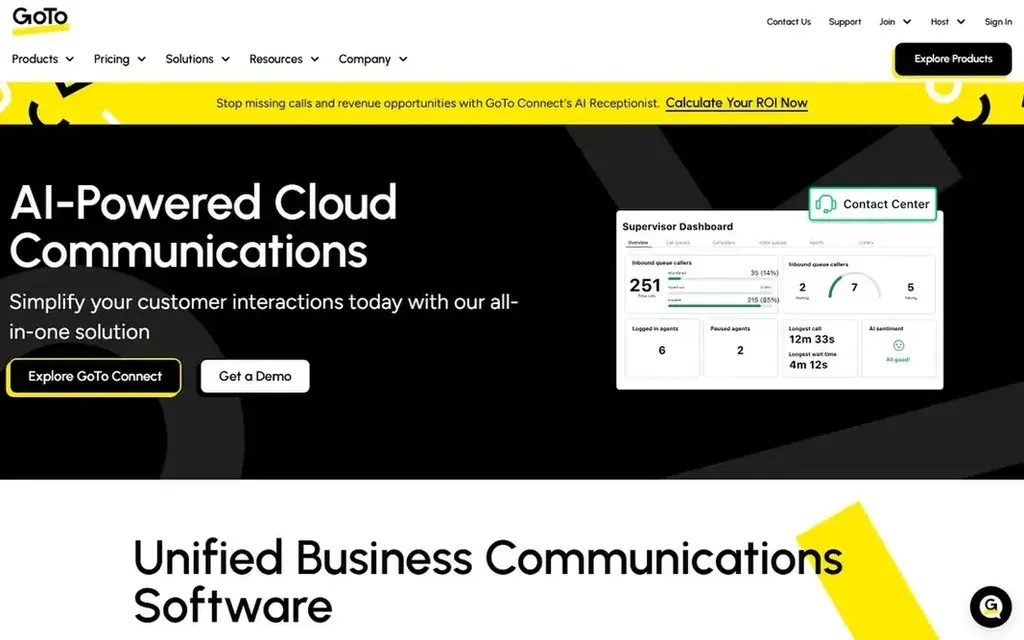
GoTo Webinar makes the most sense for straightforward webinar hosting for training. GoTo Webinar is a dedicated webinar tool within GoTo's business communication and IT support suite. It is aimed at hosting large sessions with straightforward controls, making it a practical choice for training teams that want a focused webinar product without additional meeting clutter.
Downsides: Advanced engagement tools restricted.
From a buyer's view, engagement features for training, for example polls and surveys, are present but may be less deep than in training-specific systems. For everyday use, verify current features on GoTo's site. Check the vendor site for GoTo Webinar pricing; none is listed in this comparison. On free options: Not stated.
- Part of a broader business suite
- Dedicated webinar product
- Less integrated with meeting suites
Adobe Connect
Best for: Interactive training with engagement focus
Adobe Connect makes the most sense for interactive training with engagement focus. Some users find the interface less modern than newer webinar tools, and full use of its features may require onboarding.
Check Adobe's product page for current capabilities. Worth adding: Adobe Connect is positioned for training and webinars, with a focus on audience engagement, presenter productivity, and measurable business outcomes. Check the vendor site for Adobe Connect pricing; none is listed in this comparison. Trial and free access: Not stated.
Where it falls short: May need training to use completely.
- Measurable outcomes support
- Training-focused features
- Interface can feel dated
Cisco Webex Webinars
Best for: Enterprise training with AI collaboration

Cisco Webex Webinars serves enterprise training with AI collaboration. Cisco Webex Webinars is part of Webex's AI-powered collaboration platform, which also includes customer experience and devices. In practice, training teams in Cisco environments can benefit from consistent tools and device integration.
Check Cisco's documentation for exact capabilities. The system's breadth can mean a more complicated setup for smaller training teams. Check the vendor site for Cisco Webex Webinars pricing; none is listed in this comparison. A free plan is available with Cisco Webex Webinars.
What to check first: Feature depth varies by plan.
- AI-powered collaboration features
- Plugs into Cisco devices
- Complicated setup for smaller teams
How we chose
Questions to settle before buying
- Ask Microsoft Teams Webinars, Zoom Webinars, GoTo Webinar and others for a written quote, since no starting price is shown.
- Look at the free plan from Cisco Webex Webinars closely: its caps decide whether it is usable for real work.
- Read the limits listed for Microsoft Teams Webinars first: Webinar features may need extras.
- Find out whether the entry plan of Livestorm covers your must-haves or only a trimmed-down version.
- Ask the daily users to test Microsoft Teams Webinars on a live task before you roll it out to everyone.
FAQ
Which large webinar platform for training sessions have a free plan?
Cisco Webex Webinars is the only tool in this list with a free plan. Free plans usually cap users, projects or features, so check the limits on the vendor page. Prices, free plan details and limits for all 6 tools in this large webinar platform for training sessions roundup sit on the individual cards above.
Can I try these tools before paying?
Often, yes. Cisco Webex Webinars has a free plan. Use your own data and a real task during the test, and check what the free tier or trial limits before you rely on it. Each of the 6 options in this large webinar platform for training sessions guide has its own card above with the price, free plan and limits.
Is a training-specific product better than a general webinar tool?
Training-specific systems like Adobe Connect commonly bundle deeper engagement and presenter tools for learning. General webinar tools may be more straightforward and sufficient if your sessions are largely one-way presentations with entry-level interaction.
Can I use meeting-first products like Zoom or Teams for large training webinars?
Yes, both Zoom Webinars and Microsoft Teams Webinars support webinar scenarios, but advanced features may need specific editions or extras. Check the webinar-specific limits and capabilities on each vendor's site.
How do I evaluate pricing and plans without listed prices?
Contact each vendor straight for a quote based on your expected audience size and feature needs. Numerous systems offer plan comparisons on their sites, and sales teams can clarify which choices fit large training programs.
Is Microsoft Teams Webinars the right pick for everyone comparing large webinar platform for training sessions?
No single tool suits every team. Microsoft Teams Webinars comes first because it fits organizations already using Microsoft Teams, while Livestorm suits marketing-led training events with CRM sync and Zoom Webinars suits familiar large-scale training webinars. Match the tool to your own size, budget and workflow before deciding.
Sources
- https://www.microsoft.com/en-us/microsoft-teams
- https://www.livestorm.co
- https://www.zoom.com
- https://www.goto.com
- https://www.adobe.com/products/adobeconnect.html
- https://www.webex.com