Choosing Large Webinar Platforms for Enterprise Events in 2026: 5 Options Compared
5 best large webinar platforms for enterprise events, compared on pricing, free plans and best-fit use. Every tool lists pros and cons. Choose faster.
- Editor's choice
 GoTo Webinar
Straightforward webinar delivery
Starts atPricing on requestVisit goto.comFull review - Great alternativeAdobe Connect
Engaging training webinars
Starts atPricing on requestVisit adobe.comFull review - Also considerCisco Webex Webinars
Cisco-centric enterprises
Starts atPricing on requestVisit webex.comFull review
Direct answer
GoTo Webinar leads the list, best for straightforward webinar delivery. Adobe Connect is better for engaging training webinars, and Cisco Webex Webinars is better for Cisco-centric enterprises. The remaining 2 options are covered below with pricing notes and limits. None of these vendors publish plan prices, so pricing is on request for every option.
TL;DR:
- This list starts with GoTo Webinar, which is built for straightforward webinar delivery.
- Just one of the 5 tools, Cisco Webex Webinars, has a free plan.
- Microsoft Teams Webinars suits Microsoft 365-integrated webinars.
- Pricing across the list, from GoTo Webinar to Microsoft Teams Webinars, is by quote only.
- What to know about Adobe Connect first: interface can feel dated.
Last checked November 2026. Pricing on request: vendors did not publish plan prices when this guide was last checked (November 2026), so ask each vendor for a written quote.
Quick comparison
| Tool | Best for | Starts at | Free plan? | |
|---|---|---|---|---|
| GoTo Webinar | Straightforward webinar delivery | Pricing on request | Not stated | Visit |
| Adobe Connect | Engaging training webinars | Pricing on request | Not stated | Visit |
| Cisco Webex Webinars | Cisco-centric enterprises | Pricing on request | Yes | Visit |
 Zoom Webinars | Wide enterprise webinar needs | Pricing on request | Not stated | Visit |
| Microsoft Teams Webinars | Microsoft 365-integrated webinars | Pricing on request | Not stated | Visit |
The 5 tools in detail
Choosing large webinar platforms for enterprise events usually comes down to price, fit and limits. This LinkVetted guide sets 5 tools side by side on those three points, with the facts kept short and checkable.
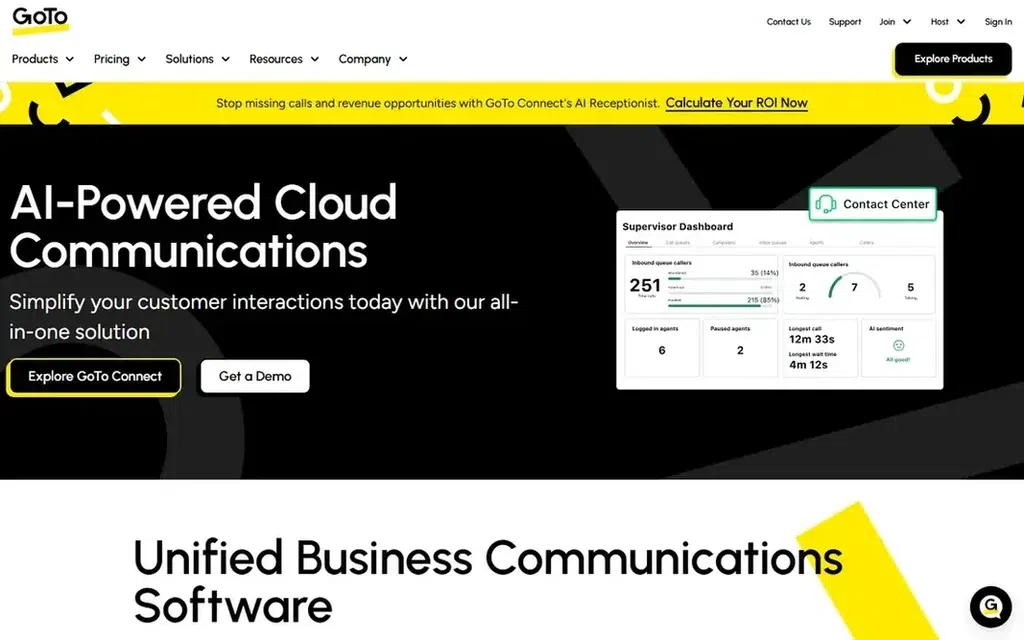
Where GoTo Webinar fits: straightforward webinar delivery. GoTo Webinar may lack some of the advanced production and engagement features found in higher-end systems.
Watch-outs: Integration choices may be entry-level.
It is recognised for its straightforward approach to webinar hosting, making it accessible for teams that require to run regular events without a steep ramp-up time. GoTo Webinar shows no starting price here, so confirm the cost on the vendor site. On free options: Not stated.
- A decent match for recurring events
- Approachable interface
- Restricted advanced production tools
Adobe Connect
Best for: Engaging training webinars
Adobe Connect is aimed squarely at engaging training webinars. Choose Adobe Connect for its engagement tools and training-oriented capabilities.
Trade-offs to know: May need training to master.
Worth adding: if your events are more about marketing presentations than interactive training, a more straightforward system could be a better fit. Adobe Connect shows no starting price here, so confirm the cost on the vendor site. Free plan details: Not stated.
- Configurable layouts
- Solid for training use cases
- Interface can feel dated
Cisco Webex Webinars
Best for: Cisco-centric enterprises

Pick Cisco Webex Webinars if this describes you: Cisco-centric enterprises. The system fits large organizations looking for a thorough webinar option that ties into their existing Cisco investments.
Organizations outside the Cisco ecosystem might find less advantage. No starting price is listed for Cisco Webex Webinars here; confirm pricing on the vendor site. Cisco Webex Webinars includes a free tier.
Downsides: Best value within Cisco ecosystem.
- Capable security reputation
- Connects with Cisco devices
- May be complicated to set up
In short, Zoom Webinars is for broad enterprise webinar needs. Zoom Webinars is part of Zoom's broader collaboration system, which comes with meetings, chat, phone, and events. It is made for organizations that require a dependable webinar option with strong attendee controls and familiar video meeting workflows.
In daily use, if your organization needs deep customization or a highly specialized broadcast production workflow, other systems might be more suitable. As for the details, consider Zoom Webinars when integration with existing Zoom tools and simplicity are priorities. Zoom Webinars shows no starting price here, so confirm the cost on the vendor site. On free options: Not stated.
Trade-offs to know: Can feel complicated for straightforward events.
- Steady for large sessions
- Plugs into Zoom ecosystem
- Advanced features may need extras
Microsoft Teams Webinars
Best for: Microsoft 365-integrated webinars
Microsoft Teams Webinars makes the most sense for Microsoft 365-integrated webinars. Choose Teams Webinars when integration with Microsoft tools and a familiar user experience are top priorities.
It is a strong match for organizations already using Microsoft 365, as it uses existing tools for file sharing, chat, and scheduling. Pricing for Microsoft Teams Webinars is not stated here, so ask the vendor for current figures. Free options: Not stated.
Where it is weaker: Restricted advanced webinar features.
- Familiar interface for Teams users
- Smooth integration with Microsoft 365
- Needs Microsoft 365 licensing
What went into this list
Selection started from tools commonly considered for large webinar platforms for enterprise events, then narrowed to 5 that have clear pricing information or a clear quote process. Where a vendor does not publish a price, the entry says quote. Where a price depends on seats or billing term, the entry says so. The order reflects how well each tool fits the most common buying scenario for large webinar platforms for enterprise events, then price clarity, then free plan access. It is a starting point, not a verdict.
What to confirm before you sign up
- Request quotes from GoTo Webinar, Microsoft Teams Webinars and the others; the list shows no fixed prices.
- Test the free plan from Cisco Webex Webinars against your real workload before relying on it.
- Read the limits listed for GoTo Webinar first: restricted advanced production tools.
- Ask Zoom Webinars how an export works before you move any records in; an easy exit lowers the risk.
- Look at which plan of Microsoft Teams Webinars unlocks the features you need; entry tiers are often cut down.
FAQ
Is GoTo Webinar the right pick for everyone comparing large webinar platforms for enterprise events?
No single tool suits every team. GoTo Webinar comes first because it fits straightforward webinar delivery, while Adobe Connect suits engaging training webinars and Cisco Webex Webinars suits Cisco-centric enterprises. Match the tool to your own size, budget and workflow before deciding.
How are the tools for large webinar platforms for enterprise events ordered?
The order follows typical fit for large webinar platforms for enterprise events, with GoTo Webinar first and Microsoft Teams Webinars last, then price clarity and free access. It is editorial judgement, not a score, so another team could rank the tools differently.
Which options for large webinar platforms for enterprise events have a free plan?
Cisco Webex Webinars is the only tool in this list with a free plan. Free plans usually cap users, projects or features, so check the limits on the vendor page. All 5 picks in this large webinar platforms for enterprise events comparison list a starting price, free plan details and the main limits on their cards above.
How does Zoom Webinars compare to Cisco Webex Webinars?
Zoom Webinars is frequently praised for its simplicity and wide adoption, whereas Cisco Webex Webinars emphasizes security and integration with Cisco's ecosystem. The choice relies on your organization's existing technology stack and priorities.
Can I try these tools before paying?
Often, yes. Cisco Webex Webinars has a free plan. Use your own data and a real task during the test, and check what the free tier or trial limits before you rely on it. For the full picture, the cards above cover all 5 entries of this large webinar platforms for enterprise events list, including price, free plan and limits.
Sources
- https://www.goto.com
- https://www.adobe.com/products/adobeconnect.html
- https://www.webex.com
- https://www.zoom.com
- https://www.microsoft.com/en-us/microsoft-teams