IT Providers for Web Development in 2026: The 5 Best Options Side by Side
Weighing the best IT providers for web development? We lined up 5 products by cost, free access and fit. We note where every tool falls short. See which fits.
- Editor's choice
 Netlify
Creating and running apps at scale
Starts at$9 a monthVisit netlify.comFull review - Great alternative
 Cloudflare
Building and securing applications at the edge
Starts at$7 per monthVisit cloudflare.comFull review - Also consider
 Microsoft Azure
Organizations standardizing on Microsoft
Starts atSee websiteVisit azure.microsoft.comFull review
Direct answer
If you need creating and running apps at scale, Netlify is the first tool to look at here. Listed starting prices: Netlify from $9 a month, Cloudflare from $7 per month and DigitalOcean from $4 per month. Cloudflare fits building and securing applications at the edge; Microsoft Azure fits organizations standardizing on Microsoft. Prices, free plans and limits for all 5 tools follow.
TL;DR:
- Top of the list is Netlify, which targets creating and running apps at scale.
- DigitalOcean fits AI-native cloud with more straightforward control.
- Free plans exist at 4 of 5 tools (Netlify, Cloudflare, AWS, DigitalOcean).
- The cheapest monthly starting price in the list is $4 per month, offered by DigitalOcean.
Last checked November 2026. Prices and plan details were read from the vendors' own pages in November 2026; vendors change plans often, so confirm the current price on the vendor site before you buy.
Quick comparison
| Tool | Best for | Starts at | Free plan? | |
|---|---|---|---|---|
| Netlify | Creating and running apps at scale | $9 a month | Yes | Visit |
| Cloudflare | Building and securing applications at the edge | $7 per month | Yes | Visit |
| Microsoft Azure | Organizations standardizing on Microsoft | See website | Free trial | Visit |
 AWS | Wide, scalable cloud infrastructure | See website | Yes | Visit |
 DigitalOcean | AI-native cloud with more straightforward control | $4 per month | Yes | Visit |
IT Providers for Web Development compared in detail
LinkVetted put together this guide to IT providers for web development for readers who want a clear shortlist without reading every vendor page. It compares 5 tools on starting price, free plans, who each one suits and where each one falls short.
Choose Netlify for creating and running apps at scale. Beyond that, Netlify concentrates on building and running apps, so demanding backend or data workloads may need another provider.
For everyday use, teams with strict infrastructure requirements can outgrow a managed delivery platform. The starting price for Netlify: $9 per month. Free access exists with Netlify.
Highlights: Start from prompt. Downsides: Centred on app delivery.
- Produce
- Scales with the project
- Less suited to heavy backend work
Cloudflare serves building and securing applications at the edge. Cloudflare describes itself as a product for building for the agent era, powering the next generation of applications.
The main drawbacks: Not a full general cloud.
Also, Cloudflare is not a general-purpose cloud for every backend workload, so it normally complements instead of replaces core infrastructure. More specifically, for web development it is often used for security, content delivery and edge application work around a site or app. Cloudflare pricing: $7 per month. Cloudflare includes a free tier.
- Application-focused system
- Security and delivery in one place
- Feature set geared toward edge use
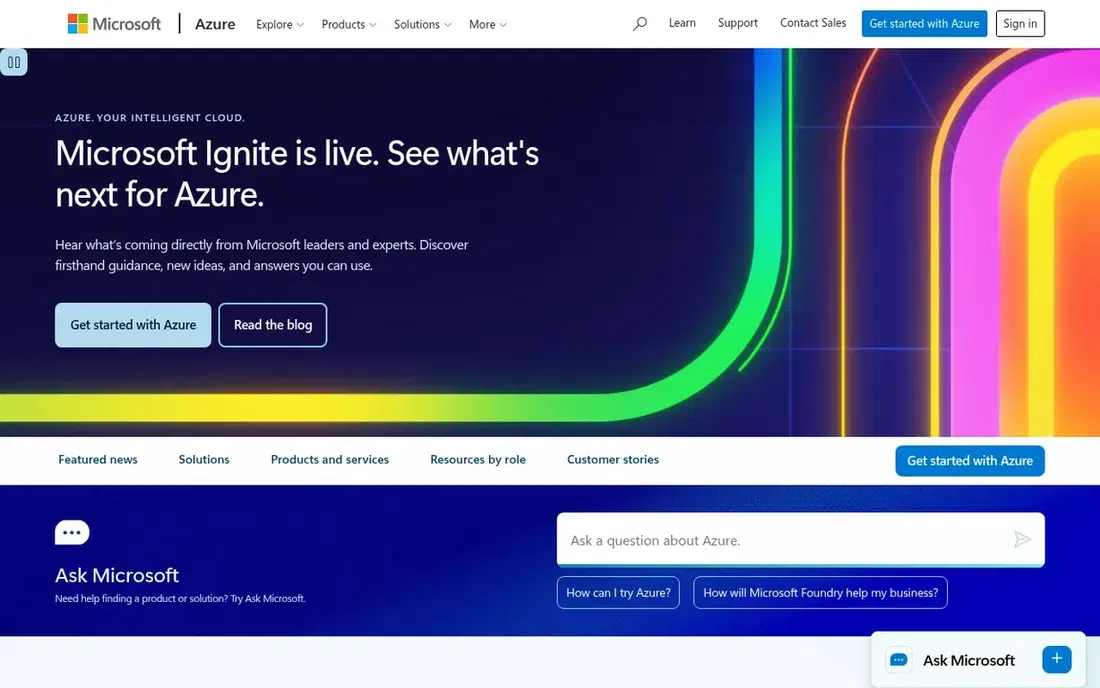
Microsoft Azure was built for organizations standardizing on Microsoft. Microsoft Azure is a cloud computing system described as open and adaptable, built to help organizations realize cost savings and run more efficiently. In daily use, consider a front-end focused host when speed of deployment matters more than a full cloud estate.
Where it is weaker: Needs cloud expertise.
For web development it supplies cloud infrastructure and supporting services for hosting and running applications. It tends to fit established organizations, notably those already working within Microsoft tooling, that want a wide cloud product with an efficiency focus. It is more system than you need for a straightforward site deploy. Microsoft Azure shows no starting price here, so confirm the cost on the vendor site. Trial and free access: Free trial.
- Geared toward efficiency gains
- Emphasis on cost savings
- Service sprawl to run
Pick AWS if this describes you: wide, scalable cloud infrastructure. AWS is a cloud computing system offering reliable, scalable and low-priced services, with joining free and billing based on usage.
More specifically, pick something simpler when you only need static hosting or a managed front-end deploy, and choose AWS when infrastructure depth is the priority. From a buyer's view, costs rely on usage, so planning and monitoring matter. No starting price is listed for AWS here; confirm pricing on the vendor site. A free plan is available with AWS.
Trade-offs to know: Configuration can get complicated.
Strengths: scalable cloud computing.
- Reliable
- Pay only for what you use
- Numerous services to learn
DigitalOcean makes the most sense for AI-native cloud with more straightforward control. DigitalOcean presents itself as an AI-native cloud with a unified stack for agents, inference and cloud, built around control, performance and economics at scale.
It also assumes some operational comfort with cloud infrastructure. DigitalOcean starts at: $4 per month. DigitalOcean offers a free plan.
Drawbacks to consider: Narrower than hyperscalers.
- Economics targeted at scale
- Unified stack for agents and inference
- Fewer adjacent enterprise services
Our selection method
Selection started from tools commonly considered for IT providers for web development, then narrowed to 5 that have clear pricing information or a clear quote process. Seat minimums, billing terms and add-ons can move the real cost, so the starting prices here are a guide and not a quote. Tools are placed by general fit for IT providers for web development, with price clarity and free access as tie-breakers. A different team can reasonably rank them differently.
What to check before you buy
- Get a written quote from Microsoft Azure and AWS; the list shows no starting price for them.
- Read the fine print on the free plans from Netlify, Cloudflare, AWS and DigitalOcean; seat, project and feature caps differ.
- Use real work to test the free trial from Microsoft Azure, rather than a demo project.
- Read the limits listed for Netlify first: concentrated on app delivery.
- Read the plan comparison for DigitalOcean carefully; key features often start on a higher tier.
- List the apps you already depend on and check that Microsoft Azure supports each one on the plan you would buy.
FAQ
Can I try these tools before paying?
Often, yes. Netlify, Cloudflare, AWS and DigitalOcean have a free plan and Microsoft Azure offers a free trial. Use your own data and a real task during the test, and check what the free tier or trial limits before you rely on it.
Is Netlify the right pick for everyone comparing IT providers for web development?
No single tool suits every team. Netlify comes first because it fits creating and running apps at scale, while Cloudflare suits building and securing applications at the edge and Microsoft Azure suits organizations standardizing on Microsoft. Match the tool to your own size, budget and workflow before deciding.
How are the tools for IT providers for web development ordered?
The order follows typical fit for IT providers for web development, with Netlify first and DigitalOcean last, then price clarity and free access. It is editorial judgement, not a score, so another team could rank the tools differently.
Which options for IT providers for web development have a free plan?
On this list, Netlify, Cloudflare, AWS and DigitalOcean include a free plan. Caps on seats, usage or features are common, so test the free plan against your real workload. One other tool offers a trial instead.
Which provider is a good match for a small web development team?
Netlify comes first here and is built for creating and running apps at scale. Buyers with other needs may prefer Cloudflare (for building and securing applications at the edge) or Microsoft Azure (for organizations standardizing on Microsoft). Compare costs and limits first.
Sources
- https://www.netlify.com
- https://www.cloudflare.com
- https://azure.microsoft.com
- https://aws.amazon.com
- https://www.digitalocean.com