Best Business Services Providers in 2026: 8 Providers Compared
Compare the best business services providers for payroll, accounting, legal help, hiring, and operations, with pricing and the right fit for small teams.

- Editor's choice
 Gusto
Payroll and benefits for small teams
Starts at$49 per monthVisit gusto.comFull review - Great alternative
 QuickBooks Online
Bookkeeping and invoicing
Starts at$38 per monthVisit quickbooks.intuit.comFull review - Also consider
 LegalZoom
Legal documents and formation
Starts at$0 plus state feesVisit legalzoom.comFull review
TL;DR:
- No single provider covers every business need well, so most small teams use two or three providers from this list rather than one.
- Gusto and QuickBooks Online cover the two tasks owners get wrong most often, payroll and bookkeeping, and both publish clear starting prices.
- LegalZoom, Bizee, and ZenBusiness handle formation and compliance, while Deel and Upwork handle hiring across borders and freelance help.
- The best business service providers for a solo founder differ from the best pick for a team of 20, so match the provider to headcount and complexity.
- Check renewal prices and per person fees before signing up, since both rise faster than the headline monthly rate.
Quick comparison
| Tool | Best for | Starts at | Free plan? | |
|---|---|---|---|---|
| Gusto | Payroll and benefits for small teams | $49 per month | No | Visit |
| QuickBooks Online | Bookkeeping and invoicing | $38 per month | Free trial | Visit |
| LegalZoom | Legal documents and formation | $0 plus state fees | Yes | Visit |
 Bizee | Low cost formation and compliance | $0 plus state fees | Yes | Visit |
 ZenBusiness | Guided formation and business tools | $0 plus state fees | Yes | Visit |
 Deel | Hiring contractors and staff abroad | See website | No | Visit |
 Upwork | Finding freelance help fast | Free | Yes | Visit |
 HubSpot | Marketing and sales in one place | Free | Yes | Visit |
The best business services providers
A business services provider takes a recurring task off an owner plate, whether that task is payroll, bookkeeping, legal paperwork, hiring, or customer follow up. The providers below are all established, still operating in October 2026, and useful to US small businesses. Pick by the task that eats most of your time, not by the longest feature list.
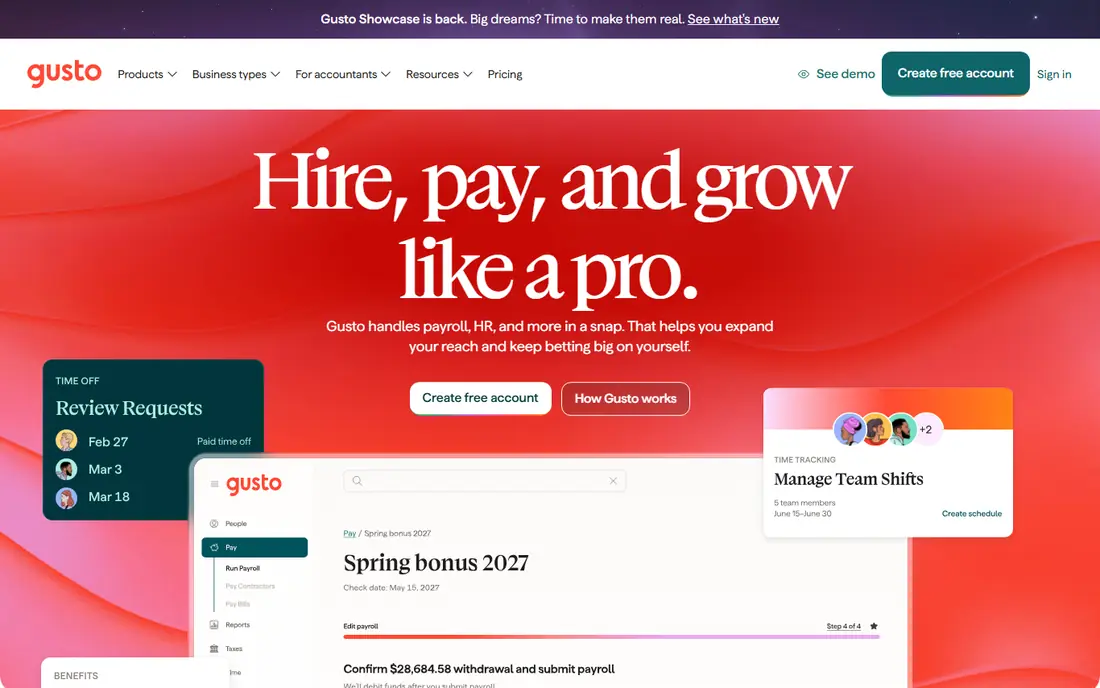
Gusto is the payroll pick for most small teams because it handles the parts owners dread: calculating pay, withholding taxes, filing payroll tax forms, and paying staff on time. The base plan starts at $49 per month plus a per person fee, and the signup flow walks a new employer through tax setup step by step.
Benefits administration is the second reason to choose Gusto. Health insurance, retirement plans, and time off tracking sit in the same dashboard as payroll, so a growing team does not need a separate benefits system right away. Employee self service also cuts down on routine questions about pay stubs and time off balances.
The cost structure is the honest catch. That per person fee means a team of 20 pays far more than a team of three, and advanced HR tools sit on higher tiers. Solo founders with no staff may not need Gusto at all, but any business with employees will likely save more time than the fee costs.
- Full service payroll with tax filings
- Benefits administration
- Clear per person pricing
- Per person fees add up as headcount grows
- Some advanced HR features need higher tiers
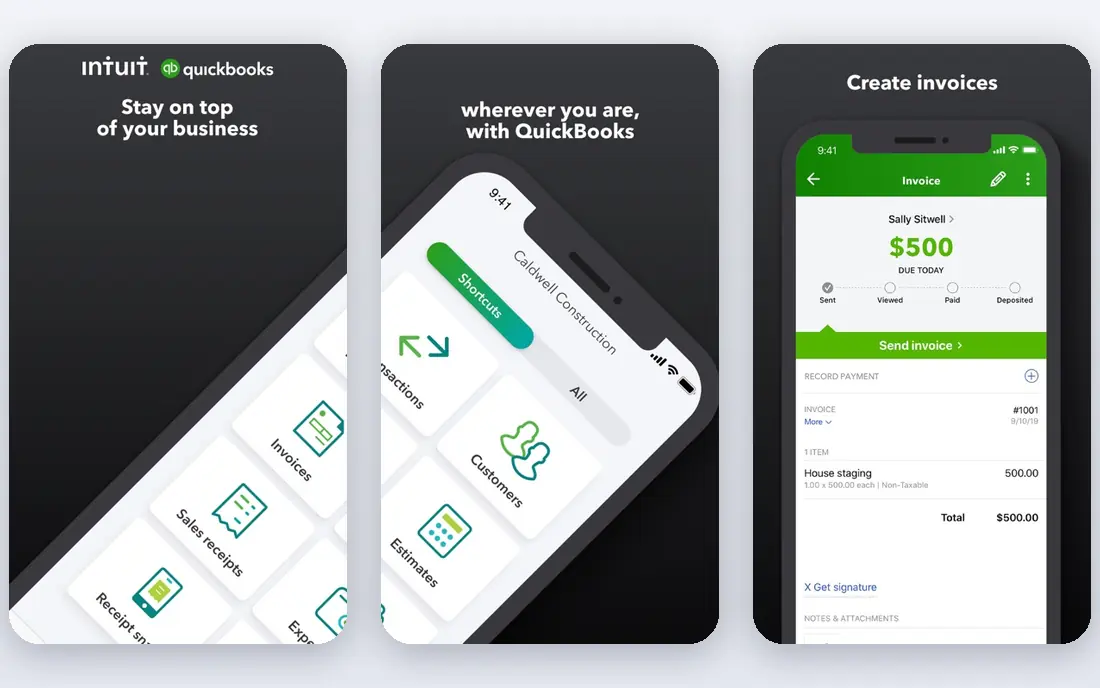
QuickBooks Online remains the default bookkeeping choice for US small businesses, largely because so many accountants already use it. The Simple Start plan starts at $38 per month, and it covers invoicing, expense tracking, and bank connections. When tax time arrives, sharing books with an accountant is usually a one click job.
Invoicing is a strength that shows up daily. Owners can send branded invoices, accept online payments, and track which invoices are overdue without a separate billing tool. Expense categories and bank feeds keep the books closer to current, which makes monthly reviews far less painful.
The downside is price and complexity. Higher tiers cost much more, and the full feature set can feel heavy for a freelancer who only needs invoices and expense tracking. Still, for a business that plans to grow, starting on the tool most accountants know is a practical choice.
- Widely used by accountants
- Invoicing and expense tracking
- Bank connections
- Price rises across tiers
- Learning curve for new bookkeepers

LegalZoom covers the legal side of running a business, from formation to contracts, trademarks, and compliance filings. Formation starts at $0 plus state fees, and the wider catalog means an owner can return to the same provider for a trademark filing or a new contract template later. That continuity matters when business records live in several places.
Attorney access on higher tiers is the feature that separates LegalZoom from a pure filing service. Owners can ask a lawyer to review a document or answer a question, which is valuable for agreements that carry real liability. The brand name also reassures partners and banks who may check business records.
Price is the trade-off, as it was in our formation guide. The registered agent renews at $249 per year, and some legal services cost more than a specialist provider would charge. LegalZoom suits owners who want one legal provider, not owners hunting the lowest price on a single filing.
- Broad legal services
- Well known brand
- Attorney access on higher tiers
- Registered agent renews at $249 per year
- Some services cost more than specialists
Bizee earns a place here as the low cost formation and compliance provider for new businesses. The basic tier starts at $0 plus state fees and includes the first year of registered agent service, so a founder can get an LLC filed and stay compliant in year one for little more than the state fee. Compliance alerts help owners track annual report deadlines.
The ordering flow is short and plain, which suits founders who already know their entity type and do not need coaching. Higher tiers add an operating agreement, EIN filing help, and faster processing, so the service grows a little with the business.
The limits mirror the formation guide. After the free first year, the agent renews at $149 per year, and the basic tier leaves out the operating agreement and EIN service. Bizee is best for founders who want a cheap, correct filing and will handle banking and contracts elsewhere.
- $0 basic formation tier
- First year of registered agent service included
- Simple ordering
- Registered agent renews at $149 per year
- EIN and operating agreement cost extra on basic tier
ZenBusiness suits founders who want formation plus a few ongoing business tools in one account. The starter tier starts at $0 plus state fees, and the dashboard adds compliance reminders, a website builder, and bookkeeping tools depending on tier. For a new owner who wants guidance rather than a bare filing, that hand holding has real value.
The optional compliance service covers annual report filings for a yearly fee, which removes a recurring deadline from a busy founder calendar. The guided flow also explains entity choices in plain language, reducing the chance of filing the wrong structure by mistake.
As with other providers here, the renewal math deserves a second look. The registered agent runs $99 in the first year as an add-on and $199 per year after that. ZenBusiness is worth it if you will use the compliance and business tools, but not if you only need a one time filing.
- $0 starter tier
- Guided filing
- Compliance service and business tools in one dashboard
- Registered agent costs $199 per year after the first year
- Key features sit on higher tiers
Deel solves a problem that trips up many growing businesses: hiring a contractor or employee in another country without setting up a local entity there. Deel acts as employer of record where needed, handles local contracts and tax compliance, and pays workers in local currencies. For a remote team spread across several countries, that service is hard to replace.
Contractor management is also strong. Businesses can onboard contractors, collect tax forms, and pay through one dashboard instead of juggling wire transfers and spreadsheets. That alone can justify Deel for a company with even a handful of international contractors.
Pricing is the drawback, since many Deel plans are quote based and vary by country and worker type. A purely domestic team gains little from Deel and should use a domestic payroll provider instead. For cross border hiring, though, Deel is one of the most established providers available.
- Contractor and employer of record services
- Compliance in many countries
- Payroll in local currencies
- Pricing is quote based for many plans
- Overkill for a purely domestic team
Upwork is the fastest route to skilled freelance help for a defined project, from design and writing to development and bookkeeping. Posting a job is free, and the marketplace brings proposals from freelancers worldwide, often within a day. Escrow payment protection means funds are only released when agreed milestones are met.
Contracts, messaging, file sharing, and time tracking live inside Upwork, which keeps a project organized without extra tools. For a small business that needs a logo, a website fix, or a month of marketing help, that bundled workflow beats hiring through scattered email threads.
Quality varies, and that is the honest catch. Vetting matters: read work history, check client feedback, and start with a small paid test task before committing to a large project. Upwork service fees can also push freelancer quotes higher, so compare the total project cost, not just the hourly rate.
- Large freelance marketplace
- Escrow payment protection
- Contracts and time tracking built in
- Service fees on freelancer earnings can raise quotes
- Quality varies and needs vetting
HubSpot starts as a free CRM and grows into a full marketing, sales, and service platform. The free tier covers contacts, deals, pipelines, and basic email tools, which is enough for many small businesses to replace a spreadsheet. As needs grow, paid hubs add automation, landing pages, and reporting that all share the same customer data.
That shared data is the real advantage. A contact who downloads a guide, opens an email, and books a call appears in one record, so sales and marketing stop working from different lists. Templates for emails, forms, and pages also speed up routine campaigns for a small team.
Cost and setup time are the downsides. Paid plans rise with contacts and seats, and a full HubSpot setup rewards a team that invests time in learning it. Businesses that only need a contact list may find the free tier enough, while larger teams should budget for both the subscription and the setup effort.
- Free CRM with contacts and deals
- Marketing and sales tools that share data
- Large template library
- Paid hubs get costly as contacts grow
- Setup takes time to do well
How we picked these
We compared official pricing pages, feature sets, and public reviews for providers that serve US small businesses across formation, payroll, accounting, legal help, hiring, and sales. We favored providers with published starting prices or a usable free tier, a track record of serving small teams, and clear support channels. We left out providers that only serve large enterprises, that require a sales call for basic pricing, or that cover a single niche too narrow for a general business services list.
We also treated this topic as a provider comparison, not a single product category, so the list mixes service types on purpose. The right combination for your business depends on which tasks you handle in house and which ones you want to hand off.
How to choose the right providers for your business
Start with the task that costs you the most time or the most mistakes, then add providers one at a time. A stack built in that order stays lean and affordable.
Cover payroll and books first
Payroll errors and messy books create tax and cash flow problems that are costly to fix later. If you have staff, a payroll provider comes first. If you invoice clients, a bookkeeping tool comes first. Both tasks run every month, so they repay their fees quickly.
Add legal and compliance help before you need it
Formation, contracts, and annual reports are easy to postpone and painful to fix under deadline. A formation provider with compliance reminders, or a legal document service, prevents missed filings and unsigned agreements. Keep copies of every filing and contract in one place you control.
Hire help through a provider that handles payment
Freelance marketplaces and employer of record services handle contracts, tax forms, and payment protection. That structure protects both sides and creates a paper trail for tax season. Avoid paying contractors through informal channels when a provider can document the work.
Review the stack once a year
Providers add fees, change tiers, and duplicate each other as they grow. Once a year, list every subscription, its renewal price, and the task it covers. Cancel overlaps, and keep only the providers that still save time or reduce risk.
FAQ
What are the best business service providers for a new small business?
For a new business, start with a formation provider such as Bizee or ZenBusiness, a bookkeeping tool such as QuickBooks Online, and a payroll provider such as Gusto once you hire staff. Add legal, hiring, or marketing providers only when that task becomes regular work.
How much do business services providers cost per month?
Costs vary by task. Bookkeeping starts around $38 per month, payroll starts around $49 per month plus per person fees, and formation often starts at $0 plus state fees. Hiring and marketing platforms may be free to start, with paid tiers that rise with usage.
Can one provider handle payroll, accounting, and legal work?
Some providers bundle several services, but none covers all three at a specialist level for every business size. Most owners get better results from two or three focused providers than from one broad bundle that does each task only adequately.
Should a solo founder use a business services provider?
Yes, for tasks where a mistake is costly, such as tax filings, contracts, or compliance deadlines. A solo founder may not need payroll help, but bookkeeping, formation, and contract tools still save time and reduce risk.
What should I check before signing a provider contract?
Check the renewal price, per person or per contact fees, contract length, and cancellation terms. Confirm whether support is included or paid extra, and whether your data can be exported if you leave. A low first year price means little if renewals jump sharply.