Best Cloud Platform as a Service Providers in 2026: 9 Providers Compared
Compare the best cloud platform as a service providers in 2026, from Heroku and Render to Azure, Google App Engine and AWS, with pricing and fit in detail.
- Editor's choice
 Heroku
Buildpack workflows
Starts at$5 per monthVisit heroku.comFull review - Great alternative
 Render
Simple full-stack hosting
Starts at$7 per monthVisit render.comFull review - Also consider
 Railway
Fast prototyping
Starts at$5 per monthVisit railway.comFull review
TL;DR:
- Render and Railway are our picks for small teams that want Heroku-style simplicity without heavy cloud setup.
- Azure App Service and Google App Engine suit teams already invested in Microsoft or Google Cloud.
- AWS Elastic Beanstalk works best for teams that want managed deploys but plan to use other AWS services too.
- Heroku still suits existing buildpack workflows, but check its current enterprise terms before a new long-term commitment.
- Price a full stack, including database, worker, and bandwidth, since a cheap web tier alone hides the real monthly cost.
Quick comparison
| Tool | Best for | Starts at | Free plan? | |
|---|---|---|---|---|
| Heroku | Buildpack workflows | $5 per month | No | Visit |
| Render | Simple full-stack hosting | $7 per month | Yes | Visit |
| Railway | Fast prototyping | $5 per month | Yes | Visit |
 Google App Engine | Google Cloud apps | See website | Yes | Visit |
 Azure App Service | Microsoft and .NET apps | See website | Yes | Visit |
 AWS Elastic Beanstalk | AWS-based managed deploys | See website | Yes | Visit |
 DigitalOcean App Platform | Predictable small-team hosting | $5 per month | Yes | Visit |
 Vercel | Front-end and Next.js apps | Free | Yes | Visit |
 Fly.io | Global edge deployment | See website | No | Visit |
The best cloud platform as a service providers
A platform as a service, or PaaS, lets you deploy code without managing servers, patching, or load balancing by hand. The providers below range from developer-friendly hosts to hyperscaler platforms, so the right pick depends on your stack, team size, and growth plans.

Heroku made PaaS popular by letting developers push code and get a running app with very little setup. Buildpacks detect common languages and frameworks, add-ons cover databases, logging, and monitoring, and scaling means changing a dyno type or count. Teams with existing Heroku workflows can still move fast without relearning a cloud console.
The limits are cost and change. There is no free tier, and a production app with a web process, a worker, and a database can reach $50 or more per month quickly. Heroku also announced in early 2026 that new enterprise contracts were no longer offered, so larger teams should confirm current terms. For small teams with a Heroku history, it remains easy, but new teams should compare Render and Railway first.
- Simple git-based deploys
- Large add-on marketplace
- Mature buildpack support
- No free tier now
- Costs rise with dynos and add-ons
- Enterprise terms changed in 2026
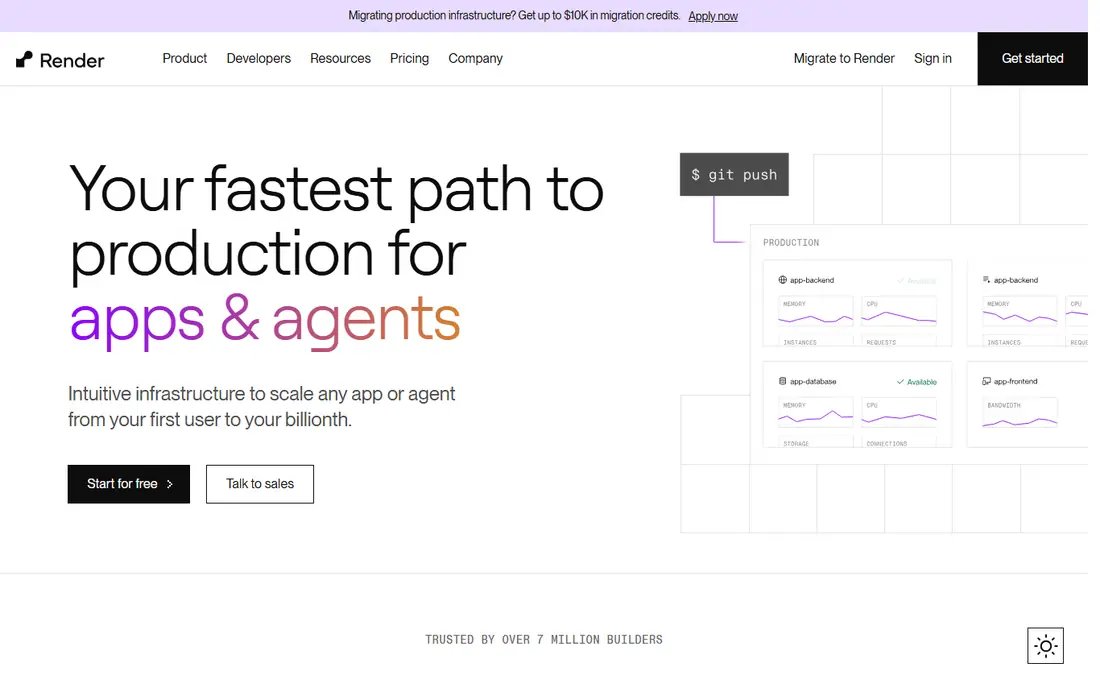
Render is the closest simple alternative to Heroku for many teams. You can run web services, background workers, cron jobs, and managed PostgreSQL from one dashboard, with deploys from Git and preview environments for pull requests. The free tier suits side projects and tests, while paid plans keep services always on.
Free services spin down after inactivity, so they are not suited to production traffic. A team of two or more may also need a paid workspace plan, which adds a fixed monthly cost. Even with that, Render pricing stays transparent, and the full-stack setup avoids stitching together separate hosts for app and database.
- Web services, workers, and databases in one place
- Free tier for testing
- Clear pricing
- Free services spin down
- Larger teams may need the paid workspace plan

Railway is built for speed. You can start a project, add a database, a cache, or a worker, and deploy from Git in minutes. Templates cover popular frameworks and databases, which makes it a good choice for prototypes, hackathon projects, and small products that need to ship fast. Usage-based billing means you pay for what you use, with a Hobby plan that includes usage credit.
That usage model is also the catch. A busy month can cost more than a fixed-price host, and teams need to watch metrics to avoid surprises. For prototypes and early products, Railway is hard to beat for speed. For steady production traffic, price it against Render and DigitalOcean with a realistic usage estimate.
- Fast project setup
- Usage-based billing
- Templates for common stacks
- Usage can be hard to predict
- Production costs vary with traffic
Google App Engine offers two environments. The standard environment scales to zero and includes a free daily quota, which suits variable traffic and small apps. The flexible environment runs custom runtimes in containers and bills by resources used. Both integrate with Google Cloud databases, storage, authentication, and monitoring.
Teams already on Google Cloud get the most value, since App Engine connects cleanly to other Google services. Teams that want to move clouds later should avoid Google-specific features where possible. For a Google-centered team that wants managed scaling without Kubernetes work, App Engine remains a solid PaaS choice.
- Auto-scaling
- Free quota in the standard environment
- Deep Google Cloud integration
- Flexible environment billing is resource-based
- Vendor-specific features can lock you in
Azure App Service hosts web apps and APIs with built-in scaling, deployment slots, authentication, and monitoring. It is a natural fit for .NET teams and companies already using Microsoft 365, Entra ID, or Azure databases. Free and shared tiers let teams test before paying for production capacity.
Pricing depends on tier, operating system, and region, so two similar apps can cost different amounts. The Azure console also carries more options than a focused PaaS, which can slow a first deploy. For Microsoft-centered teams, those trade-offs are worth it for the integration and enterprise controls.
- Free and shared tiers for testing
- Strong .NET and Windows support
- Azure integration
- Pricing tiers vary by region and OS
- Console can feel complex for beginners
AWS Elastic Beanstalk deploys and manages applications on AWS infrastructure, handling capacity, load balancing, and health monitoring while you keep control of the underlying resources. There is no separate Beanstalk charge, so you pay for the EC2, database, and other AWS resources your app uses. That makes it attractive for teams already on AWS.
The trade is complexity. You still need to understand AWS pricing, security groups, and scaling settings, and a misconfigured environment can cost more than expected. For AWS teams that want managed deploys without leaving the AWS ecosystem, Beanstalk is a practical middle step before full Kubernetes work.
- No extra PaaS charge beyond AWS resources
- Supports many languages
- AWS service integration
- You still manage AWS resources and costs
- Setup is more complex than Render
DigitalOcean App Platform lets you deploy from GitHub or GitLab with a simple spec, including web services, workers, and managed databases. Static sites are free, and paid containers start at a low monthly price with clear sizing. The dashboard is simpler than a hyperscaler console, which suits small teams and agencies.
The service range is narrower than AWS, Azure, or Google Cloud, and region choice is more limited. Teams that need a wide managed service catalog may outgrow it. For small and mid-sized apps that want predictable pricing and a clean deploy flow, DigitalOcean App Platform is a strong, low-drama choice.
- Free static sites
- Predictable container pricing
- Simple dashboard
- Smaller service range than hyperscalers
- Fewer regions than AWS or Google
Vercel is best known for front-end hosting, especially Next.js, with instant preview deploys for every pull request and a global edge network for fast pages. The free Hobby plan suits personal projects and small sites, while Pro adds team features and higher limits. Integrations with Git providers make the deploy loop very fast.
Vercel is not a general back-end PaaS. It does not run long-lived workers or managed databases in the same way Render or Railway do, so teams pair it with a database or API host. For front-end teams, especially Next.js teams, Vercel is often the fastest path to production. For full-stack apps, price it as part of a pair, not a single host.
- Excellent Next.js support
- Preview deploys
- Global edge network
- Not a full back-end PaaS
- Usage costs can grow with traffic
Fly.io runs applications as machines in regions around the world, which suits apps that need low latency for users in many countries. You deploy with Docker, choose machine sizes, and scale by region. The model gives more control than a simple PaaS, including volume storage and private networking between machines.
That control comes with more setup. Teams need to understand machines, volumes, and Postgres options, and managed database pricing can be higher than on some rivals. For developers who want global deployment without managing Kubernetes, Fly.io offers a flexible middle ground. For beginners, Render or Railway will feel simpler.
- Runs apps close to users worldwide
- Docker-based deploys
- Flexible machine sizing
- More hands-on than Render
- Database costs can be higher
How we picked these
We compared official pricing pages, documentation, and public pricing comparisons for PaaS providers that are live in 2026. We favored providers with clear deploy workflows, managed databases or integrations, and a range of team sizes, from solo developers to enterprise teams. Where pricing is usage-based or region-dependent, we used See website rather than a single number that could mislead.
How to choose a PaaS without regret
Start with your stack and your team. A Next.js team will move fastest on Vercel, a .NET team on Azure, and a Google Cloud team on App Engine. A small team with no cloud specialist will move fastest on Render, Railway, or DigitalOcean, where the dashboard hides most infrastructure detail.
Next, price a realistic stack. Add a web service, a worker, a database with backup, and an estimate for bandwidth and build minutes. Compare that total across two or three providers, not just the headline web price. Also check free tier limits, since a free service that sleeps or caps bandwidth can fail under real traffic.
Finally, test deploys and rollbacks. Push a change, roll it back, check logs, and restore a database backup in a trial. Those tasks reveal whether a platform fits your daily workflow. A PaaS that deploys fast but makes rollbacks painful will cost more time than a slightly pricier platform with clear controls.
FAQ
What is the difference between PaaS and IaaS?
PaaS manages the runtime, scaling, and deployment for you, while IaaS gives you raw servers and leaves setup to your team. PaaS is faster to start, while IaaS gives more control over the underlying machines.
Which PaaS is best for beginners?
Render and Railway are good beginner choices because they offer simple Git deploys, templates, and free tiers. DigitalOcean App Platform is also simple, with predictable pricing for small apps.
Is Heroku still worth using in 2026?
Heroku still works well for existing buildpack workflows and small teams that value its add-on ecosystem. New teams should compare it with Render and Railway on price and current contract terms before committing.
Can I run a database on a PaaS?
Yes, many PaaS providers offer managed PostgreSQL, MySQL, or Redis, or integrate with a managed database service. Check backup, scaling, and pricing for the database separately from the web tier.
How does PaaS pricing usually work?
Some providers charge a fixed monthly price per container or dyno, while others charge by usage, including CPU, memory, bandwidth, and build time. Always price the full stack for your expected traffic.
When should I move from PaaS to Kubernetes?
Move when you need fine control over networking, multi-cloud deployment, or complex scaling rules that a PaaS cannot express. Until then, PaaS usually saves more engineering time than it costs.
Sources
- https://www.heroku.com/pricing
- https://render.com/pricing
- https://railway.com
- https://cloud.google.com/appengine/pricing
- https://azure.microsoft.com/en-us/pricing/details/app-service/
- https://aws.amazon.com/elasticbeanstalk/pricing/
- https://www.digitalocean.com/pricing/app-platform
- https://vercel.com/pricing
- https://fly.io/docs/about/pricing/