Best Graphic Design Software for Branding Agencies in 2026: Prices, Free Plans and 5 Picks
Weighing the best graphic design software for branding agencies? We lined up 5 products by cost, free access and fit. Short, factual notes on every option.
- Editor's choiceAffinity Publisher
Page layout and desktop publishing
Starts atSee websiteVisit affinity.serif.comFull review - Great alternative
 Figma
Collaborative brand systems and UI
Starts at$3 per monthVisit figma.comFull review - Also consider
 Adobe Illustrator
Vector logo and identity design
Starts atSee websiteVisit adobe.comFull review
Direct answer
Our first pick is Affinity Publisher, best for page layout and desktop publishing. Listed starting prices: Figma from $3 per month. For a different need, Figma covers collaborative brand systems and UI and Adobe Illustrator covers vector logo and identity design. All 5 tools are compared below on price, free plan and limits.
TL;DR:
- This list starts with Affinity Publisher, which is built for page layout and desktop publishing.
- Affinity Photo comes with a trade-off: fewer AI features than Photoshop.
- None of the 5 tools, from Affinity Publisher to Affinity Designer, has a free plan, so budget for a subscription or use a trial.
- The lowest published monthly entry price here is $3 per month, from Figma.
- For vector art with precision and speed, Affinity Designer is worth a look.
Last checked November 2026. Prices and plan details were read from the vendors' own pages in November 2026; vendors change plans often, so confirm the current price on the vendor site before you buy.
Quick comparison
| Tool | Best for | Starts at | Free plan? | |
|---|---|---|---|---|
| Affinity Publisher | Page layout and desktop publishing | See website | Not stated | Visit |
| Figma | Collaborative brand systems and UI | $3 per month | Not stated | Visit |
| Adobe Illustrator | Vector logo and identity design | See website | Not stated | Visit |
 Affinity Photo | Professional photo editing without subscription | See website | Not stated | Visit |
 Affinity Designer | Vector art with precision and speed | See website | Not stated | Visit |
Tool-by-tool breakdown
If you are comparing graphic design software for branding agencies, this page covers 5 tools in one place: what each is best for, what it costs to start, whether it has a free plan, and the main limit to know about.
Affinity Publisher
Best for: Page layout and desktop publishing
Affinity Publisher is a good fit for page layout and desktop publishing. Affinity Publisher is page layout and desktop publishing software for crafting striking layouts with precision. It handles brochures, brand guidelines, and multi-page documents.
It performs well alongside Affinity Designer and Affinity Photo for a complete workflow. Agencies that require deep external integrations or industry-standard publishing workflows may prefer InDesign, whereas those prioritizing a subscription-free suite may find Affinity Publisher sufficient. Check the vendor site for Affinity Publisher pricing; none is listed in this comparison. Free options: Not stated.
Watch-outs: Limited external plugins.
- No subscription required
- Professional layout controls
- Smaller user community
Pick Figma if this describes you: collaborative brand systems and UI. Figma is a collaborative design canvas where teams work on interfaces, brand systems, and prototypes together.
It brings design, code, and AI into one place, which helps agencies share work with clients and developers. Figma is optimized for screen design instead of print, and its vector capabilities are less advanced than Illustrator for complicated logo work. What you pay to start with Figma: $3 per month. Free plan details: Not stated.
Watch-outs: Vector tools less mature than Illustrator.
- AI in one canvas
- Browser-based access
- Less suited to print layout
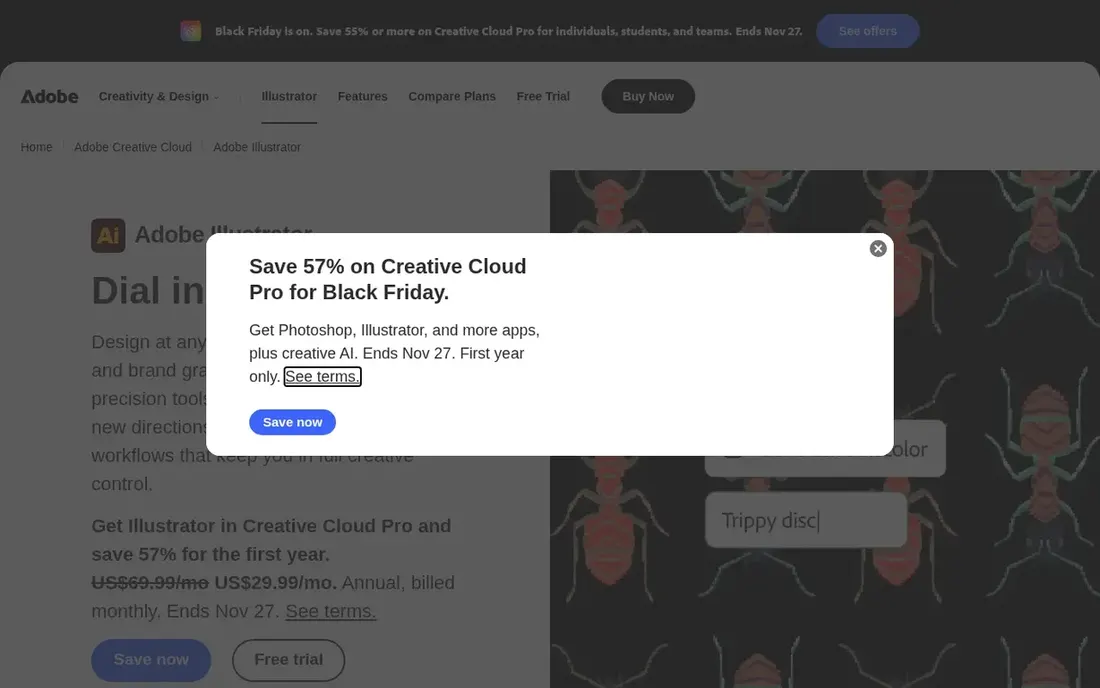
Adobe Illustrator targets vector logo and identity design. Agencies that chiefly need photo editing may prefer Photoshop, whereas teams concentrated on collaborative UI work might choose Figma instead.
Beyond that, Illustrator is feature-rich but can feel complicated for straightforward tasks, and it needs a subscription. Check the vendor site for Adobe Illustrator pricing; none is listed in this comparison. Free plan details: Not stated.
Points against: Subscription required.
- Generative AI for editable vectors
- Industry-standard vector tools
- Steep ramp-up time for beginners
Affinity Photo is aimed squarely at professional photo editing without subscription. Affinity Photo is a professional photo editor made for precision and speed.
It fits branding agencies that want capable photo editing without a subscription, notably when paired with Affinity Designer for vector work. Affinity Photo shows no starting price here, so confirm the cost on the vendor site. Free plan details: Not stated.
The main drawbacks: Fewer AI features than Photoshop.
- Quick performance
- No subscription model
- Restricted integration with Adobe apps
In short, Affinity Designer is for vector art with precision and speed. Agencies that depend on deep plugin libraries or deep Adobe workflow integration may prefer Illustrator, whereas those needing photo editing can pair it with Affinity Photo.
Worth adding: Affinity Designer has a smaller ecosystem and fewer integrations than Adobe Illustrator. It emphasizes precision and speed, making it a good match for branding agencies that want professional vector tools without a subscription. Pricing for Affinity Designer is not stated here, so ask the vendor for current figures. As for free access: Not stated.
Watch-outs: Smaller ecosystem than Adobe.
- Aimed at precision and speed
- Crisp vector output
- Restricted external plugin support
How these tools were picked
LinkVetted used vendor pricing pages and product documentation as the base, then compared plans, free access and documented limits for 5 tools. Where a vendor does not publish a price, the entry says quote. Where a price depends on seats or billing term, the entry says so. Order on the page follows fit for the typical buyer first, then price transparency and free access. Your own requirements should decide the final pick.
A buyer's checklist
- Confirm the entry price on the vendor page. For Affinity Publisher, Adobe Illustrator, Affinity Photo and Affinity Designer that means a quote rather than a fixed price.
- Before choosing Affinity Publisher, weigh its main limit: smaller user community.
- The entry price of Figma is only the starting point; model the full cost with seats and extras.
- Confirm that Affinity Publisher connects to the apps your team already uses, on the plan you would actually buy.
- Confirm the exact Affinity Designer plan that includes your must-have features.
FAQ
How are the tools for graphic design software for branding agencies ordered?
The order follows typical fit for graphic design software for branding agencies, with Affinity Publisher first and Affinity Designer last, then price clarity and free access. It is editorial judgement, not a score, so another team could rank the tools differently.
Can I try these tools before paying?
Not by default. None of the tools, from Affinity Publisher to Affinity Designer, lists a free plan or a free trial here, so ask each vendor for a demo before committing.
What is the cheapest option for graphic design software for branding agencies in this list?
On published monthly entry prices, Figma is the lowest here at $3 per month. Entry price is only part of the cost, because seats, add-ons and billing terms can change the total. For the full picture, the cards above cover all 5 entries of this Graphic design software for branding agencies list, including price, free plan and limits.
How should a branding agency choose between InDesign and Affinity Publisher?
InDesign is the industry standard for layout with deep external support and Adobe integration. Consider your team's existing software ecosystem and client file requirements.
Does any tool for graphic design software for branding agencies here have a free plan?
A permanent free plan is not offered by Affinity Publisher, Affinity Designer or the other tools here. Plan a short evaluation period instead.
Sources
- https://affinity.serif.com/en-us/publisher
- https://www.figma.com
- https://www.adobe.com/products/illustrator.html
- https://affinity.serif.com/en-us/photo
- https://affinity.serif.com/en-us/designer