Choosing E-Signature Software for Salons in 2026: 6 Options Compared
Compare 6 best E-Signature software for salons, with prices, free plans and who each fits. Fit, price and catches for every tool. Full profiles inside.
- Editor's choice
 Zoho Sign
Teams already inside Zoho
Starts atSee websiteVisit zoho.comFull review - Great alternativePenske
Not an e-signature choice
Starts atSee websiteVisit pensketruckleasing.comFull review - Also consider
 Dropbox Sign
Straightforward client forms and waivers
Starts at$15 USD / moVisit sign.dropbox.comFull review
Direct answer
Zoho Sign is the first pick on this list for teams already inside Zoho. Listed starting prices: Dropbox Sign from $15 USD / mo and DocuSign from $45 per user per month. Look at Penske for not an e-signature choice, and at Dropbox Sign for straightforward client forms and waivers. The remaining 3 options are covered below with prices and limits.
TL;DR:
- Zoho Sign takes the first slot, best suited to teams already inside Zoho.
- Dropbox Sign comes with a trade-off: narrower scope than full agreement products.
- For the cheapest start, look at DocuSign: $45 per user per month.
- For wide agreement management for salons, DocuSign is worth a look.
- None of the 6 tools, from Zoho Sign to DocuSign, has a free plan, so budget for a subscription or use a trial.
Last checked November 2026. Prices and plan details were read from the vendors' own pages in November 2026; vendors change plans often, so confirm the current price on the vendor site before you buy.
Quick comparison
| Tool | Best for | Starts at | Free plan? | |
|---|---|---|---|---|
| Zoho Sign | Teams already inside Zoho | See website | Not stated | Visit |
| Penske | Not an e-signature choice | See website | Not stated | Visit |
| Dropbox Sign | Straightforward client forms and waivers | $15 USD / mo | Free trial | Visit |
 SignNow | Custom signing workflows | See website | Not stated | Visit |
 OneSpan Sign | Secure, identity-aware agreement workflows | See website | Not stated | Visit |
 DocuSign | Wide agreement management for salons | $45 per user per month | Not stated | Visit |
E-Signature Software for Salons compared in detail
LinkVetted put together this guide to E-Signature software for salons for readers who want a clear shortlist without reading every vendor page. It compares 6 tools on starting price, free plans, who each one suits and where each one falls short.
Think of Zoho Sign for teams already inside Zoho. Its appeal is most solid inside the Zoho ecosystem, and salons using unrelated tools may not gain as much.
Zoho Sign shows no starting price here, so confirm the cost on the vendor site. Trial and free access: Not stated.
The main drawbacks: Best value if you use Zoho apps.
- Suits the wider Zoho app suite
- Secure signature collection
- Less compelling as a standalone choice
Penske
Best for: Not an e-signature choice
Penske is built with not an e-signature choice in mind. Salons looking for signing tools will not find document or signature features here. This listing does not address salon paperwork, client consent or contract signing in any way.
Trade-offs to know: Irrelevant to salon paperwork.
It is included only for completeness of the comparison set. Penske Truck Leasing is a full-service truck leasing and contract maintenance provider, including preventive maintenance, roadside assistance, collision repair and fleet tracking. Check the vendor site for Penske pricing; none is listed in this comparison. On free options: Not stated.
- Fleet tracking for vehicles
- Full-service truck leasing and maintenance
- Does not supply e-signature software
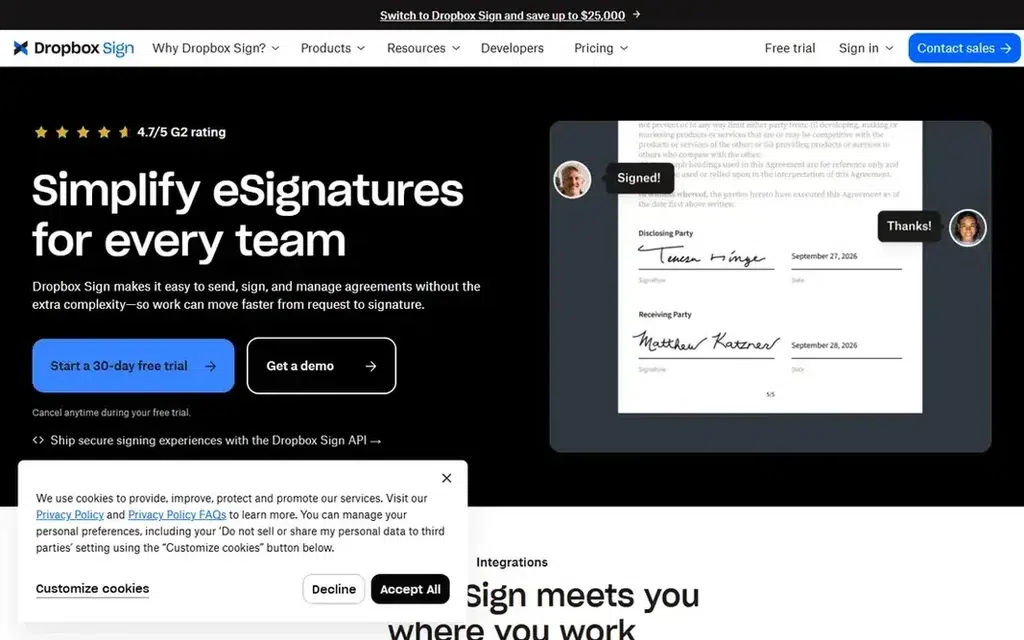
Dropbox Sign serves straightforward client forms and waivers. Dropbox Sign, formerly HelloSign, describes itself as a simple way to send, receive and manage legally binding electronic signatures.
Watch-outs: Less suited to complicated multi-step workflows.
For everyday use, salons with complicated approval chains should look at broader systems. Pick Dropbox Sign when quick, clear signing is the priority. Starting cost for Dropbox Sign: $15 USD / mo. Free plan details: Free trial.
- Clear focus on sending and managing signatures
- Works alongside Dropbox storage
- Narrower scope than full agreement systems
SignNow is built with custom signing workflows in mind. Salons that want to define steps, for example a client signing a waiver before a service, can build those flows instead of sending plain documents.
It fits owners who expect repeatable paperwork and want to standardize how it moves. SignNow does not show a starting price in this comparison, so check the vendor site for current pricing. On free options: Not stated.
Honest limits: Workflow setup takes some planning.
- Legally binding signatures
- Custom eSignature workflows
- Branding differs from the parent airSlate name
OneSpan Sign makes the most sense for secure, identity-aware agreement workflows. OneSpan Sign is an eSignature system for customer agreements with secure signing, identity assurance, automation, smart forms and integrations.
Where it falls short: Security focus may exceed small salon needs.
Choose OneSpan Sign when identity assurance and structured agreement workflows matter. Worth adding: if your paperwork is straightforward consent forms, a lighter choice is simpler. This comparison lists no price for OneSpan Sign; ask the vendor. Free plan details: Not stated.
- Wide integration choices
- Smart forms and automation
- Feature set is broad
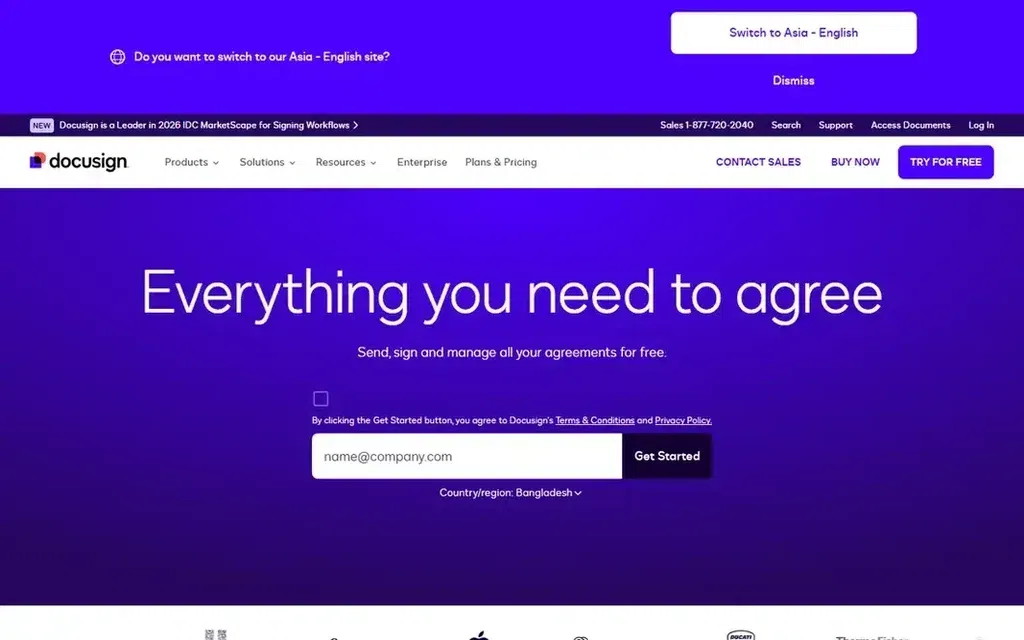
Choose DocuSign for broad agreement management for salons. If you only send the occasional waiver, a more straightforward signing tool may be simpler to adopt. Also, the breadth of an agreement management system can be more than a single-chair salon needs.
The interface may feel heavy for occasional forms. From a buyer's view, choose DocuSign when agreement volume and process matter. In practice, DocuSign positions itself as an electronic signature and intelligent agreement management product, letting firms produce, commit to and handle agreements in one place. DocuSign cost at the entry level: $45 per user per month. Free access: Not stated.
What DocuSign does well: committing to and managing agreements. Where it falls short: Feature depth can take time to learn.
- Widely recognized product
- Handles creating
- Might be more product than a small salon needs
How we compared the tools
We compared the tools on published pricing, free plan or trial availability, feature coverage for E-Signature software for salons, and the limits each vendor documents. Treat prices as a snapshot: vendors change plans often, so check the vendor site for the figure that applies today. The sequence is a judgement call: typical use case first, then pricing transparency, then free access. Use the profiles to check fit.
What to confirm before you sign up
- Get a written quote from Zoho Sign, Penske, SignNow and OneSpan Sign; the list shows no starting price for them.
- Run a trial of Dropbox Sign with real work before paying for a year; your own workflow is the best test.
- Before choosing Zoho Sign, weigh its main limit: best value if you use Zoho apps.
- Total up the real monthly cost of Dropbox Sign, including add-ons, extra users and usage-based fees.
- Check how data leaves Zoho Sign: formats, limits and whether exports are available on every plan.
FAQ
Why is Penske listed among e-signature tools?
Penske is a truck leasing and fleet maintenance provider, not e-signature software, and it appears here due to keyword overlap. It has no document signing features relevant to salons. Ignore it when shortlisting and choose from the e-signature choices instead.
Can e-signature tools deal with client consent forms?
Most e-signature systems are designed for sending and collecting signatures on documents, which spans consent forms and waivers. Features like templates and workflows help when the same form repeats.
How are the tools for E-Signature software for salons ordered?
Zoho Sign sits first and DocuSign last because the order follows typical fit for E-Signature software for salons, then price clarity and free access. It is a judgement call, so read each profile for fit and limits.
What should a salon look for in e-signature software?
Focus on how easily clients can sign on a phone or tablet at the front desk, whether consent forms and waivers are supported, and whether signed documents are stored where you can find them. Confirm the details on each vendor site.
Can I try these tools before paying?
Often, yes. Dropbox Sign offers a free trial. Use your own data and a real task during the test, and check what the free tier or trial limits before you rely on it. All 6 picks in this E-Signature software for salons comparison list a starting price, free plan details and the main limits on their cards above.
Does any tool for E-Signature software for salons here have a free plan?
No tool in this list, Zoho Sign and DocuSign included, has a permanent free plan. Dropbox Sign offer a trial. Trials and quotes are the usual route, so plan a short evaluation period.
Sources
- https://www.zoho.com/sign
- https://www.pensketruckleasing.com
- https://sign.dropbox.com
- https://www.signnow.com
- https://www.onespan.com/products/esignature
- https://www.docusign.com