Best E-Signature Software in 2026: 10 Tools Compared
We compared the best e-signature software for 2026, from DocuSign and Adobe Acrobat Sign to SignNow, PandaDoc and Zoho Sign, on price and limits for teams.
- Editor's choice
 DocuSign
The market standard
Starts at$10 per monthVisit docusign.comFull review - Great alternative
 Adobe Acrobat Sign
PDF-heavy teams
Starts at$14.99 per monthVisit adobe.comFull review - Also consider
 Dropbox Sign
Simple unlimited sending
Starts at$15 per monthVisit hellosign.comFull review
TL;DR:
- DocuSign remains the safest pick when the other party expects a familiar name, starting at $10 per month for the Personal plan.
- SignNow at $8 per user per month and Zoho Sign at $10 per user per month offer the best value for small teams that send regularly.
- PandaDoc has the most generous free tier at 60 documents a year, and it doubles as a proposal and quote builder.
- The real cost trap is envelope caps: DocuSign Standard limits each user to 100 envelopes a year, and SignNow caps workspaces similarly.
- Every tool here produces legally binding signatures under ESIGN and UETA, provided the agreement itself is a valid contract.
Quick comparison
| Tool | Best for | Starts at | Free plan? | |
|---|---|---|---|---|
| DocuSign | The market standard | $10 per month | Free trial | Visit |
| Adobe Acrobat Sign | PDF-heavy teams | $14.99 per month | No | Visit |
| Dropbox Sign | Simple unlimited sending | $15 per month | Yes | Visit |
 PandaDoc | Proposals plus signing | $19 per seat per month | Yes | Visit |
 SignNow | Lowest per-user price | $8 per user per month | Free trial | Visit |
 Zoho Sign | Zoho ecosystem teams | $10 per user per month | Yes | Visit |
 SignWell | Cheap unlimited documents | $10 per month | Yes | Visit |
 Signeasy | Mobile-first signing | $10 per month | Free trial | Visit |
 Foxit eSign | PDF editing plus signing | $10 per month | Yes | Visit |
 BoldSign | Low-cost envelopes and API | See website | Yes | Visit |
The best e-signature software
E-signature software turns a document into a signed, legally binding agreement without printing, scanning or chasing paper. We compared official pricing pages, feature documentation and public reviews to pick ten tools that cover the market standard, budget options and document-automation platforms, all available in October 2026.

DocuSign is the name most clients already trust, and that familiarity alone closes deals faster. The Personal plan costs $10 per month billed annually and allows 5 envelopes a month, while Standard runs $25 per user per month and caps each user at 100 envelopes a year. Features include reusable templates, signing order, bulk send, reminders and detailed audit trails, with support for 44-plus languages.
The pricing model is the catch. Envelope caps and per-seat billing mean a five-person team on Standard pays $1,500 a year before overage fees, and high-volume senders can face bills above $4,000 a year. If your clients expect DocuSign or your industry standardizes on it, pay the premium. If not, the budget tools below deliver the same legal validity for less.
- Most widely recognized by clients and partners
- Deep template and workflow options
- Strong integrations
- Personal plan allows only 5 envelopes a month
- Standard caps each user at 100 envelopes a year
- Costs climb with seats
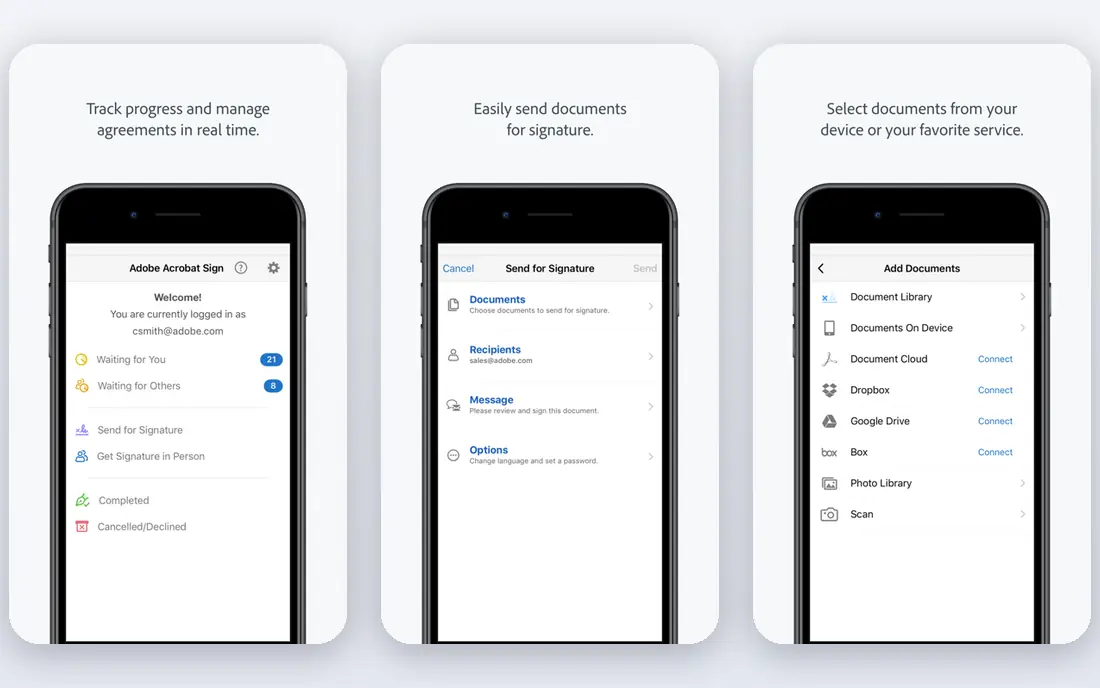
Adobe Acrobat Sign suits teams that already live in PDFs. Acrobat Standard costs $14.99 per month on an annual plan billed monthly, and Acrobat Pro, which bundles Sign, runs $19.99 per month, while dedicated Sign Solutions are quote-based. You get full PDF editing alongside signing, which matters when documents need redaction, form building or last-minute edits before they go out.
There is no free plan, and the standalone enterprise pricing requires a sales conversation. Teams that only need signing, without PDF editing, will find cheaper options here. For companies already paying for Acrobat, adding Sign through the bundle is the sensible route, and enterprise buyers get compliance depth that smaller tools cannot match.
- Bundled with Acrobat for full PDF editing
- Strong enterprise and compliance options
- Familiar Adobe workflow
- No free plan
- Standalone sign solutions are quote-based
- Some features need higher tiers
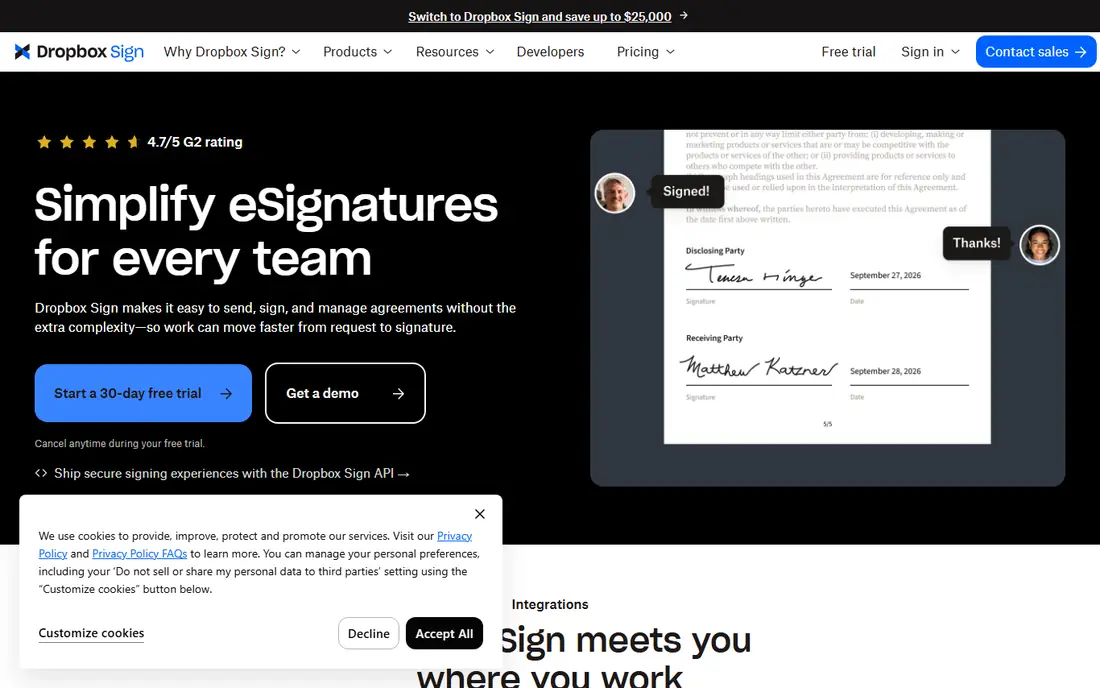
Dropbox Sign, formerly HelloSign, is the well-rounded pick for teams that want signing to just work. Signers open an email link and sign in a few taps with no account required, while you get audit trails and SOC 2 and HIPAA compliance behind the scenes. Essentials costs $15 per month, Standard $25 per user per month, and paid plans include unlimited signature requests, which removes the envelope-cap anxiety of DocuSign.
The trade-off is depth. Dropbox Sign lacks some of the advanced workflow and reporting features of DocuSign and PandaDoc, and it has no mobile app of its own. If your priority is a polished signer experience and predictable unlimited sending, it is one of the best choices here, especially for teams already storing files in Dropbox.
- Signers need no account
- Unlimited signature requests on paid plans
- Clean, fast signing flow
- Fewer advanced workflow features than DocuSign or PandaDoc
- Higher tiers cost more than budget rivals
PandaDoc is more than a signing tool: it builds proposals, quotes and contracts with a full document editor, template library and dynamic pricing tables, then collects signatures and payments in the same flow. The free plan covers 60 documents a year, Starter costs $19 per seat per month billed annually, and Business costs $49 with CRM integrations and advanced pricing tables.
If you only need signatures, PandaDoc costs more than SignNow or Zoho Sign. If your team sends proposals and quotes that need to look professional and close fast, the editor and payment features justify the price. Sales teams in particular get more value here than from any pure signing tool on this list.
- Free tier allows 60 documents a year
- Built-in document editor, templates and pricing tables
- Payment collection built in
- Signing alone costs more than budget rivals
- Some features need the $49 Business plan
SignNow, part of airSlate, offers the lowest headline price in this list: Business starts at $8 per user per month billed annually, with Business Premium at $15 and Enterprise at $30. You get bulk send, smart fields, conditional logic, templates and mobile apps, plus SOC 2, HIPAA and 21 CFR Part 11 compliance, which is a strong package at the price.
The limit to know is the 100-invite-per-year workspace cap on the base plan, which forces heavy senders to a Site License model. For a small team sending a modest number of documents, SignNow is the best value here. For high-volume senders, compare the Site License cost against Dropbox Sign's unlimited requests before committing.
- Cheapest per-seat pricing
- Bulk send and conditional fields
- Strong compliance including HIPAA
- 100-invite-per-year workspace cap on the base plan
- Higher tiers needed for heavy volume
Zoho Sign fits naturally into the Zoho ecosystem, connecting with Zoho CRM, Forms, Books and other Zoho apps so signed documents flow into your existing records. The free plan covers 5 documents a month, Standard costs $10 per user per month, Professional $16 and Enterprise $22, all billed annually. Features include templates, audit trails, signer authentication and API access.
Outside the Zoho world, its advantage narrows, since rival tools offer similar signing at similar prices without the ecosystem lock-in. Bulk send is also limited on lower tiers. For a business already running Zoho, though, Sign is the obvious and affordable choice, and the free plan covers occasional senders entirely.
- Free plan with 5 documents a month
- Deep Zoho CRM, Forms and Books integration
- Certificate-based signing options
- Best value only inside Zoho
- Bulk send is limited on lower tiers
SignWell, formerly Docsketch, is built for freelancers and small teams that want plain, affordable signing without fuss. The free plan covers 3 documents a month, Light costs $10 a month billed annually with unlimited documents, and Business costs $30 with team features and bulk send. Setup is fast, templates handle repeat documents well, and signers need no account.
The downsides are a smaller integration library than the biggest tools and no dedicated mobile app. SignWell also offers chain-of-custody records and configurable authentication for teams that need stronger evidence. If you want the cheapest unlimited-document monthly plan from a simple tool, SignWell is hard to beat.
- Free plan with 3 documents a month
- Light plan allows unlimited documents at $10 a month
- Quick setup for repeat documents
- Smaller integration library than DocuSign
- No mobile app
Signeasy is the mobile-first pick, with highly rated iOS and Android apps that suit field teams, agents and anyone who signs away from a desk. Personal costs $10 per month billed annually, with team plans above that, and the flow is deliberately simple: upload, add fields, send, sign. It covers the essentials, including templates, reminders and audit trails, without a learning curve.
There is no permanent free plan, only a trial, and advanced workflow features trail DocuSign and PandaDoc. For a team that signs mostly on phones and tablets, Signeasy's mobile experience is the deciding factor. For desk-based teams with complex routing needs, a deeper tool fits better.
- Excellent mobile apps for signing on the go
- Simple setup
- Good for field teams
- No free plan, only a trial
- Fewer advanced workflow features than DocuSign
Foxit eSign, formerly Foxit Sign, comes from the company behind Foxit PDF Editor, so it suits teams that already edit PDFs in Foxit. Entry pricing starts around $10 per month, with a free tier available, and the platform covers templates, bulk send, audit trails and API access. Larger organizations value its compliance options and the ability to keep PDF editing and signing with one vendor.
Brand recognition is lower than DocuSign or Adobe, which can matter when clients expect a familiar name on the signature request. Some advanced features also sit on higher tiers. For Foxit users and cost-conscious teams that want PDF tools plus signing, it is a solid alternative to the Adobe bundle.
- Pairs with Foxit PDF tools
- Competitive pricing from $10 a month
- Strong compliance for larger organizations
- Smaller brand recognition than DocuSign or Adobe
- Some features gated to higher tiers
BoldSign is a budget-friendly signing tool with a free tier and paid plans that include unlimited envelopes, which removes the cap worries that affect DocuSign and SignNow base plans. It offers templates, bulk send, audit trails and an API that developers like for embedding signing into their own apps. Business plans are priced per user per month, with premium tiers for larger teams.
The ecosystem is smaller than DocuSign's, so niche integrations may need API work rather than a ready connector. Pricing also varies between monthly and annual billing, so check the current plans page for the exact figure. For developers and small teams that want unlimited envelopes at a low cost, BoldSign deserves a trial.
- Free tier available
- Unlimited envelopes on paid plans
- Affordable API for developers
- Smaller ecosystem than DocuSign
- Pricing varies by plan and billing period
How we picked these
We compared official pricing pages, feature documentation and public reviews, and we only included tools that produce legally binding signatures with audit trails and are available in October 2026. We mixed the market standard with budget options, mobile-first tools and document-automation platforms, and we favored tools with clear pricing and free tiers or trials. Pure PDF editors without real signing workflows were left out.
How to choose the right e-signature tool
Start with volume, not features. Count how many documents you send per month and per year, then check each tool's caps before its feature list. A cheap plan with a 100-envelope annual cap is expensive for a team sending 500 documents, while an unlimited plan at a higher monthly price is cheaper in that case. Signers never need an account on most of these tools, so focus on the sender side.
Next, match the tool to your document type. Sales teams sending proposals should look at PandaDoc. PDF-heavy teams should look at Adobe or Foxit bundles. Zoho users should look at Zoho Sign. Everyone else should compare DocuSign, Dropbox Sign, SignNow and SignWell on price, caps and signer experience.
Check legality and compliance for your documents
E-signatures are legally binding under ESIGN and UETA in the US for most agreements, provided the agreement itself is valid and signers consent. Some documents, like wills and certain court filings, have special rules, and regulated industries may need stronger identity verification or specific compliance certifications. If you handle health, finance or government documents, confirm the tool's certifications and audit trail depth before you buy.
Test the signer experience yourself
Send yourself a test document on each finalist and sign it on a phone. The best tools complete signing in a few taps with no account, no confusing fields and a clear completed copy for everyone. A tool that confuses signers costs you deals, no matter how good its sender features look. Pick the one your least technical client can finish without calling you.
FAQ
Are e-signatures legally binding?
Yes, in the US, e-signatures are legally binding under the ESIGN Act and state UETA laws for most agreements, as long as the signer consents and the agreement itself is valid. Every tool here provides an audit trail showing who signed, when and from where. Some documents, such as wills and certain court orders, have special requirements, so check the rules for your document type.
What is the cheapest e-signature software?
SignNow starts at $8 per user per month, and PandaDoc, Zoho Sign, SignWell and Dropbox Sign offer free tiers for light senders. The cheapest choice depends on your volume: a free tier suits occasional senders, while SignNow or SignWell suit regular senders. Always check envelope caps, since a low monthly price with a strict cap can cost more overall.
How many documents can I send on each plan?
It varies. DocuSign Personal allows 5 envelopes a month and Standard caps each user at 100 envelopes a year. Dropbox Sign, SignWell and BoldSign offer unlimited requests on paid plans. SignNow's base plan caps workspaces at 100 invites a year. Read the cap for your exact plan before you commit.
Do signers need an account to sign?
No, on most of these tools signers open an email link and sign without creating an account. That low-friction flow is one of the main reasons e-signature tools close deals faster than paper. Stronger identity verification, such as SMS codes or ID checks, can be added when a specific document genuinely needs it.
What is the difference between DocuSign and its alternatives?
DocuSign offers the widest recognition, the deepest workflows and the largest integration library, but it costs more and caps envelopes. Alternatives like SignNow, Zoho Sign and SignWell match it on legal validity and core signing at lower prices, while PandaDoc adds proposal building and Dropbox Sign adds unlimited sending. Choose DocuSign when clients expect it, and an alternative when price or volume matters more.
Can I use e-signature software for free?
Yes, for light use. PandaDoc's free tier covers 60 documents a year, Zoho Sign covers 5 a month, SignWell and Dropbox Sign cover 3 a month, and DocuSign offers a trial with a few free sends. Free tiers usually limit templates, branding and team features, so regular senders should budget for a paid plan.