Top 5 Civil Engineering Design Software for Remote Teams for 2026 (Prices and Free Plans)
Compare 5 best Civil engineering design software for remote teams, with prices, free plans and who each fits. Weak spots flagged for every entry. Facts only.
- Editor's choiceCivil Site Design
Civil design inside AutoCAD and BricsCAD
Starts atPricing on requestVisit civilsitedesign.comFull review - Great alternativeAutodesk InfraWorks
Concept modeling in real context
Starts atPricing on requestVisit autodesk.comFull review - Also consider
 Vectorworks Landmark
Landscape design and documentation
Starts atPricing on requestVisit vectorworks.netFull review
Direct answer
For Civil design inside AutoCAD and BricsCAD, Civil Site Design is where this list starts. For a different need, Autodesk InfraWorks covers concept modeling in real context and Vectorworks Landmark covers landscape design and documentation. The remaining 2 options are covered below with pricing notes and limits. None of these vendors publish plan prices, so pricing is on request for every option.
TL;DR:
- Top of the list is Civil Site Design, which targets Civil design inside AutoCAD and BricsCAD.
- Neither Civil Site Design nor Autodesk Civil 3D, nor any of the other 3 tools, has a permanent free plan; trials and quotes are the norm.
- For Roads, land development and surfaces, Autodesk Civil 3D is worth a look.
- What to know about Bentley MicroStation first: general CAD needs add-on workflows.
- Pricing across the list, from Civil Site Design to Autodesk Civil 3D, is by quote only.
Last checked November 2026. Pricing on request: vendors did not publish plan prices when this guide was last checked (November 2026), so ask each vendor for a written quote.
Quick comparison
| Tool | Best for | Starts at | Free plan? | |
|---|---|---|---|---|
| Civil Site Design | Civil design inside AutoCAD and BricsCAD | Pricing on request | Not stated | Visit |
| Autodesk InfraWorks | Concept modeling in real context | Pricing on request | Not stated | Visit |
| Vectorworks Landmark | Landscape design and documentation | Pricing on request | Not stated | Visit |
| Bentley MicroStation | General infrastructure CAD modeling | Pricing on request | Not stated | Visit |
| Autodesk Civil 3D | Roads, land development and surfaces | Pricing on request | Not stated | Visit |
5 Civil engineering design software for remote teams in detail
This LinkVetted guide covers 5 Civil engineering design software for remote teams. Each profile lists a starting price, free plan details, strengths and drawbacks, so you can drop poor fits quickly.
Civil Site Design
Best for: Civil design inside AutoCAD and BricsCAD
Civil Site Design is a good fit for Civil design inside AutoCAD and BricsCAD. Teams already standardized on either product can add civil design capability without abandoning familiar drafting workflows.
Where it falls short: Less handy outside those systems.
From a buyer's view, since it runs on a host CAD product, it is only a choice for teams using AutoCAD or BricsCAD. Pricing for Civil Site Design is not stated here, so ask the vendor for current figures. Free access: Not stated.
- Suits existing CAD workflows
- Complete civil design option
- Relies on a host CAD product
Autodesk InfraWorks
Best for: Concept modeling in real context
In short, Autodesk InfraWorks is for concept modeling in real context. Pick it when communication and context modeling are the goal, not final drawings. Remote teams can use it to align on concepts before in-depth design begins elsewhere.
It centers on conceptual work rather than full construction documentation, so detailed design still happens in other tools. On top of that, Autodesk InfraWorks lets teams model, analyze and visualize infrastructure design concepts in context. It is well suited to early planning and stakeholder communication, where seeing a proposal inside its surroundings matters. Autodesk InfraWorks shows no starting price here, so confirm the cost on the vendor site. Trial and free access: Not stated.
Drawbacks to consider: Large context models need capable hardware.
- Model and analyze design concepts
- Visualize infrastructure in context
- Concept focus, not in-depth documentation
In short, Vectorworks Landmark is for landscape design and documentation. Remote teams working on planting, grading and site presentation can keep those tasks together instead of spread across separate applications.
Choose it when landscape and site design are the core of the work. Vectorworks Landmark does not show a starting price in this comparison, so check the vendor site for current pricing. Trial and free access: Not stated.
Where it is weaker: Not geared toward roadway engineering.
- Design and documentation in one tool
- Irrigation and presentation workflows
- Focused scope limits heavy civil work
Bentley MicroStation
Best for: General infrastructure CAD modeling
Where Bentley MicroStation fits: general infrastructure CAD modeling. Bentley MicroStation is computer aided design software for modeling, documenting, viewing and visualizing infrastructure designs of all sizes and types.
Where it shines: Established CAD foundation.
Honest limits: Needs disciplined file standards.
It serves as a wide CAD foundation that numerous infrastructure workflows build on. No starting price is listed for Bentley MicroStation here; confirm pricing on the vendor site. Free options: Not stated.
- Takes care of infrastructure of plenty of types
- Model
- General CAD needs add-on workflows
Autodesk Civil 3D
Best for: Roads, land development and surfaces
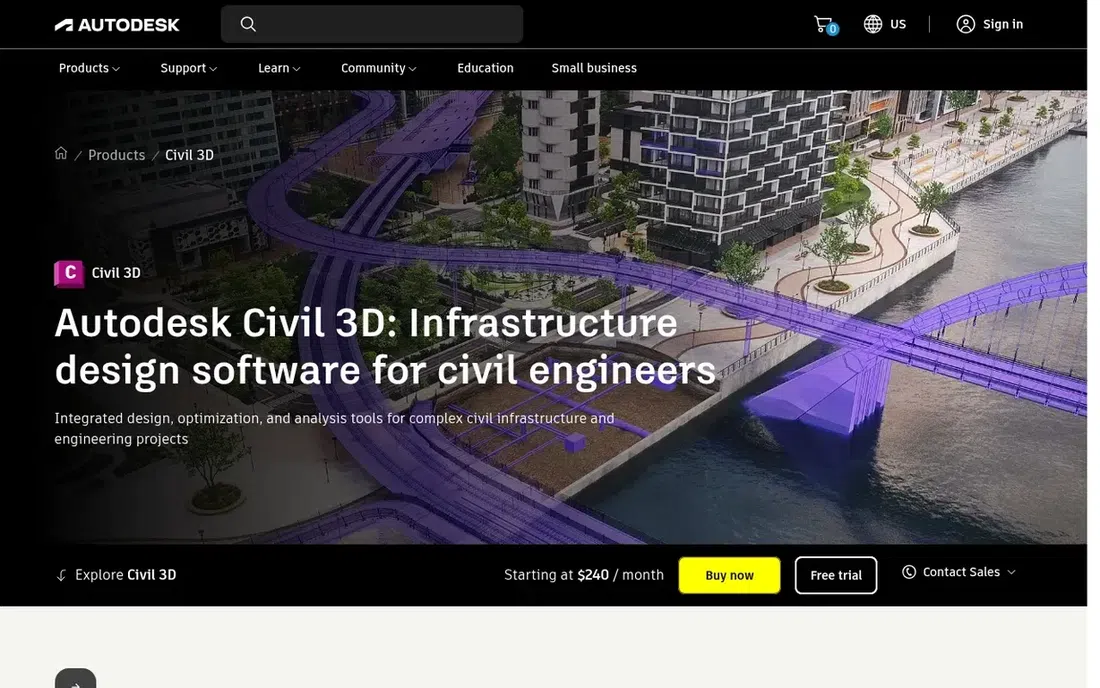
Pick Autodesk Civil 3D if this describes you: Roads, land development and surfaces. Autodesk Civil 3D is a civil infrastructure design and documentation environment built around roads, land development and surfaces. From a buyer's view, smaller teams focused primarily on landscape or site presentation may find it more than they need.
For remote groups, its structured, model-based approach helps keep drawings and design data aligned when work is split across locations. Teams that require one place to model terrain, lay out corridors and produce construction documentation will find it suits well. Consider a lighter alternative when documentation depth is not the priority. Pricing for Autodesk Civil 3D is not stated here, so ask the vendor for current figures. Free plan details: Not stated.
What to check first: Deep feature set takes time to learn.
- Takes care of surfaces and land development work
- Widely used civil design environment
- Large projects demand capable hardware
How we chose
We compared the tools on published pricing, free plan or trial availability, feature coverage for Civil engineering design software for remote teams, and the limits each vendor documents. Where a vendor does not publish a price, the entry says quote. Where a price depends on seats or billing term, the entry says so. The order reflects how well each tool fits the most common buying scenario for Civil engineering design software for remote teams, then price clarity, then free plan access. It is a starting point, not a verdict.
Things to verify first
- Confirm the entry price with every vendor: no tool from Civil Site Design to Autodesk Civil 3D shows a fixed starting price.
- Before choosing Civil Site Design, weigh its main limit: relies on a host CAD product.
- Let daily users try Vectorworks Landmark on real work; their feedback beats any feature checklist.
- Look at the renewal terms for Bentley MicroStation: auto-renewal, notice periods and price changes can matter more than the first-year price.
- Price Autodesk InfraWorks for your actual team size; headline prices rarely include add-ons or overage.
FAQ
Does any tool for Civil engineering design software for remote teams here have a free plan?
A permanent free plan is not offered by Civil Site Design, Autodesk Civil 3D or the other tools here. Plan a short evaluation period instead.
Is Civil Site Design the right pick for everyone comparing Civil engineering design software for remote teams?
No single tool suits every team. Civil Site Design comes first because it fits Civil design inside AutoCAD and BricsCAD, while Autodesk InfraWorks suits concept modeling in real context and Vectorworks Landmark suits landscape design and documentation. Match the tool to your own size, budget and workflow before deciding.
How are the tools for Civil engineering design software for remote teams ordered?
The order follows typical fit for Civil engineering design software for remote teams, with Civil Site Design first and Autodesk Civil 3D last, then price clarity and free access. It is editorial judgement, not a score, so another team could rank the tools differently.
What should remote teams check before choosing?
Confirm how models are shared and reviewed across locations, what hardware and connection accelerates large models need, and whether licensing supports staff working from home.
Can I try these tools before paying?
Not by default. None of the tools, from Civil Site Design to Autodesk Civil 3D, lists a free plan or a free trial here, so ask each vendor for a demo before committing.
Sources
- https://www.civilsitedesign.com
- https://www.autodesk.com/products/infraworks
- https://www.vectorworks.net/en-US/landmark
- https://www.bentley.com/software/microstation
- https://www.autodesk.com/products/civil-3d