Best Church Website Builder WordPress for 2026: Our 6 Vetted Picks
Best church website builder wordpress in 2026: 6 contenders with entry costs and free tiers. Where a tool struggles is spelled out. Built for quick decisions.
- Editor's choice
 WP Engine
Managed WordPress for bigger churches
Starts at$28.00 a monthVisit wpengine.comFull review - Great alternative
 DreamHost
WordPress hosting with domain services
Starts at$1.49 per mailbox a monthVisit dreamhost.comFull review - Also consider
 Kinsta
Performance focused managed WordPress
Starts at$17.50 per monthVisit kinsta.comFull review
Direct answer
If you need managed WordPress for bigger churches, WP Engine is the first tool to look at here. Listed starting prices: WP Engine from $28.00 a month, DreamHost from $1.49 per mailbox a month and Kinsta from $17.50 per month. Alternatives: DreamHost for WordPress hosting with domain services, and Kinsta for performance focused managed WordPress. Prices, free plans and limits for all 6 tools follow.
TL;DR:
- WP Engine is the opening pick, best for managed WordPress for bigger churches.
- A fair warning about Squarespace: not a WordPress system.
- WordPress.com is the only tool of the 6 with a free plan.
- For WordPress hosting with solid support, SiteGround is worth a look.
Last checked November 2026. Prices and plan details were read from the vendors' own pages in November 2026; vendors change plans often, so confirm the current price on the vendor site before you buy.
Quick comparison
| Tool | Best for | Starts at | Free plan? | |
|---|---|---|---|---|
| WP Engine | Managed WordPress for bigger churches | $28.00 a month | Not stated | Visit |
| DreamHost | WordPress hosting with domain services | $1.49 per mailbox a month | Not stated | Visit |
| Kinsta | Performance focused managed WordPress | $17.50 per month | Free trial | Visit |
 Squarespace | All in one builder without WordPress | $12 a month | Free trial | Visit |
 WordPress.com | Straightforward hosted WordPress start | $4 per month | Yes | Visit |
 SiteGround | WordPress hosting with solid support | See website | Not stated | Visit |
Tool-by-tool breakdown
This LinkVetted guide covers 6 options for church website builder wordpress. Each profile lists a starting price, free plan details, strengths and drawbacks, so you can drop poor fits quickly.
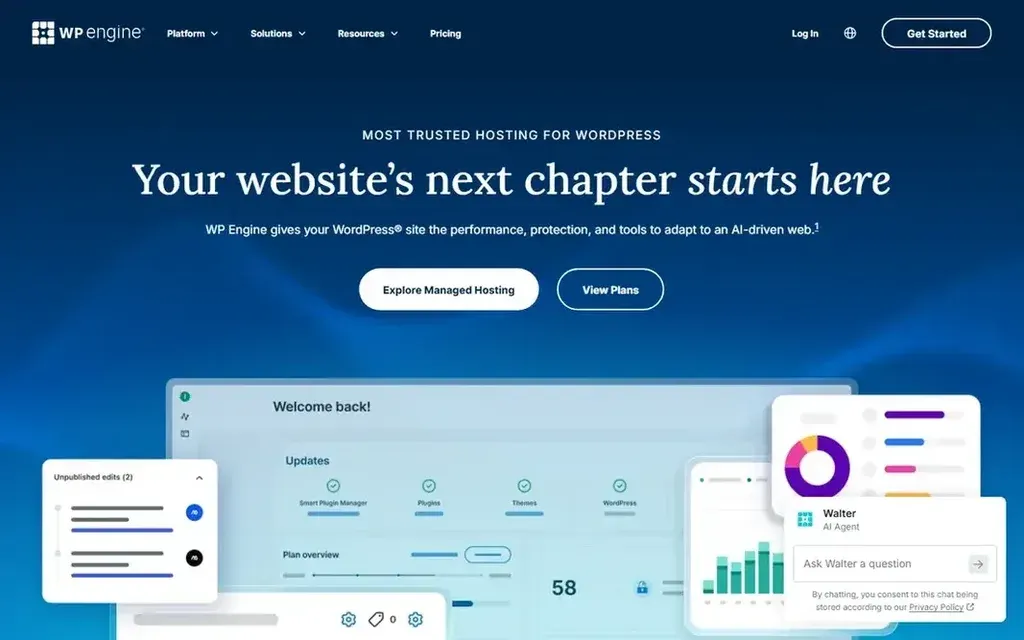
Where WP Engine fits: managed WordPress for larger churches. WP Engine is a managed WordPress hosting system positioned around performance, security and support.
Also, a more straightforward hosted option can handle entry-level pages and announcements with less overhead. Starting cost for WP Engine: $28.00 per month. On free options: Not stated.
Watch-outs: Less suited to very straightforward sites.
- Security options included
- Round the clock support
- Designed for WordPress only
DreamHost is designed for WordPress hosting with domain services. DreamHost provides domain names, web hosting, managed WordPress hosting and business email, which lets a church keep its web address and inbox in one place.
Honest limits: Site building is your responsibility.
Beyond that, churches wanting guided design help may prefer a system with templates and an integrated builder. DreamHost supplies hosting and domains instead of a finished church website, so theme selection, page building and plugin upkeep remain your tasks. On cost, DreamHost starts like this: $1.49 per mailbox per month. On free options: Not stated.
- Managed WordPress hosting offered
- Domain names and email
- Interface can feel technical
Kinsta works best for performance focused managed WordPress. Smaller congregations with restricted content may do fine with an entry-level hosted WordPress choice and fewer moving parts.
Honest limits: WordPress only product.
Churches with expanding media libraries, live stream pages and frequent event updates can use it to keep a WordPress site responsive while offloading server maintenance to the host. Price to start with Kinsta: $17.50 per month. Free access: Free trial.
- Managed WordPress hosting
- Security and support included
- Pitched at more demanding sites
In short, Squarespace is for all in one builder without WordPress. Squarespace is not WordPress, so churches set on the WordPress ecosystem, plugins or a specific sermon plugin will need a different route.
It also provides less extensibility than self hosted WordPress for teams planning custom integrations. Price to start with Squarespace: $12 per month. As for free access: Free trial.
Watch-outs: Less plugin adaptability.
- Domain names available
- AI website builder tools
- Not a WordPress platform

Think of WordPress.com for straightforward hosted WordPress start. If your church needs custom plugins or deep theme customization, a dedicated WordPress host paired with the open source software may suit you better.
Where it falls short: Some features tied to premium levels.
From a buyer's view, since it is a managed system, you get less control over plugins and server configuration than a self hosted WordPress install. WordPress.com is a hosted version of WordPress that bundles hosting, themes and publishing tools so a church team can build a site without managing servers. Price to start with WordPress.com: $4 per month. You can start on WordPress.com without paying.
- Premium themes available
- No technical setup required
- Limited control versus self hosted

SiteGround is designed for WordPress hosting with solid support. Churches that already plan to run self hosted WordPress can use it to host a site with sermon archives, event calendars and giving pages whereas keeping full control over plugins and themes.
The main drawbacks: Needs some WordPress knowledge.
Check the vendor site for SiteGround pricing; none is listed in this comparison. Trial and free access: Not stated.
- Security features included
- Quick hosting focus
- Not a turnkey site builder
What went into this list
Each tool was reviewed on what its vendor publishes: price, plan limits, core features and stated drawbacks. We did not run hands-on tests. Prices and plan limits come from vendor pages and can change, so confirm them on the vendor site before you buy. The order reflects how well each tool fits the most common buying scenario for church website builder wordpress, then price clarity, then free plan access. It is a starting point, not a verdict.
Questions to settle before buying
- Get a written quote from SiteGround; the list shows no starting price for them.
- Test the free plan from WordPress.com against your real workload before relying on it.
- Take the trial from Kinsta and Squarespace and push a live task through it before you pay.
- Read the limits listed for WP Engine first: aimed at WordPress only.
- Make sure Kinsta lets you export your data in a format another tool can read.
- Run a one or two week pilot of WP Engine with the people who will use it every day.
FAQ
Is WP Engine the right pick for everyone comparing church website builder wordpress?
No single tool suits every team. WP Engine comes first because it fits managed WordPress for larger churches, while DreamHost suits WordPress hosting with domain services and Kinsta suits performance focused managed WordPress. Match the tool to your own size, budget and workflow before deciding.
Can I try these tools before paying?
Often, yes. WordPress.com has a free plan and Kinsta and Squarespace offer a free trial. Use your own data and a real task during the test, and check what the free tier or trial limits before you rely on it.
Which options for church website builder wordpress have a free plan?
WordPress.com is the only tool in this list with a free plan. Free plans usually cap users, projects or features, so check the limits on the vendor page. Several others offer a trial instead.
How are the tools for church website builder wordpress ordered?
WP Engine sits first and SiteGround last because the order follows typical fit for church website builder wordpress, then price clarity and free access. It is a judgement call, so read each profile for fit and limits.
What is the difference between WordPress.com and a WordPress host?
WordPress.com bundles hosting and tools so you can publish without server setup, whereas hosts like SiteGround, WP Engine, Kinsta and DreamHost offer the server layer for self hosted WordPress. For everyday use, with a host, you install WordPress yourself and control plugins and themes.
Sources
- https://wpengine.com
- https://www.dreamhost.com
- https://kinsta.com
- https://www.squarespace.com
- https://wordpress.com
- https://www.siteground.com