6 Best CAD Software for Engineers for 2026, Vetted and Compared
6 products for the best CAD software for engineers, ranked by fit, with starting costs and free tiers. Plus the drawbacks of each tool. Prices included.

- Editor's choice
 Onshape
Cloud-native CAD with built-in PDM
Starts at$1,500 per user a yearVisit onshape.comFull review - Great alternativeIronCAD
Adaptable design for smaller engineering teams
Starts atSee websiteVisit ironcad.comFull review - Also consider
 Autodesk Fusion 360
Integrated CAD, CAM and simulation work
Starts atSee websiteVisit autodesk.comFull review
Direct answer
Onshape leads the list, best for cloud-native CAD with built-in PDM. Listed starting prices: Onshape from $1,500 per user a year. Look at IronCAD for adaptable design for smaller engineering teams, and at Autodesk Fusion 360 for integrated CAD, CAM and simulation work. The remaining 3 options are covered below with prices and limits.
TL;DR:
- Onshape is the opening pick, best for cloud-native CAD with built-in PDM.
- Solid Edge is the one to check for mechanical design within Siemens workflows.
- The cheapest monthly starting price in the list is $1,500 per user per year, offered by Onshape.
- One limit worth knowing about Onshape: needs steady internet access.
- Only Onshape offers a free plan among these 6 tools.
Last checked November 2026. Prices and plan details were read from the vendors' own pages in November 2026; vendors change plans often, so confirm the current price on the vendor site before you buy.
Quick comparison
| Tool | Best for | Starts at | Free plan? | |
|---|---|---|---|---|
| Onshape | Cloud-native CAD with built-in PDM | $1,500 per user a year | Yes | Visit |
| IronCAD | Adaptable design for smaller engineering teams | See website | Not stated | Visit |
| Autodesk Fusion 360 | Integrated CAD, CAM and simulation work | See website | Not stated | Visit |
| PTC Creo | Deep parametric 3D design | See website | Not stated | Visit |
| Autodesk Inventor | Industrial design and documentation | See website | Not stated | Visit |
| Solid Edge | Mechanical design within Siemens workflows | See website | Not stated | Visit |
Our 6 CAD software for engineers
This LinkVetted guide covers 6 CAD software for engineers. Each profile lists a starting price, free plan details, strengths and drawbacks, so you can drop poor fits quickly.
Onshape is built with cloud-native CAD with built-in PDM in mind. Onshape describes itself as a cloud-native production CAD system with built-in PDM and AI-powered customization, accessible on any device with no IT required. More specifically, since Onshape lives in the cloud, a stable internet connection is essential, and organizations with strict data residency or offline requirements may hesitate.
Teams with heavy local compute needs or entrenched desktop workflows should weigh whether a browser-first model suits. Distributed engineering teams and startups that want version control and collaboration without running servers tend to benefit most from this browser-based approach. Entry price for Onshape: $1,500 per user per year. Onshape offers a free plan.
Honest limits: Cloud model may not suit every policy.
- Built-in product data management
- Runs in a browser on any device
- Requires steady internet access
IronCAD
Best for: Adaptable design for smaller engineering teams
IronCAD works best for flexible design for smaller engineering teams. Teams with complicated simulation or enterprise data management needs should compare carefully before standardizing.
The main drawbacks: Fewer integrations to verify.
It is commonly chosen by engineers who want a workable design environment without the overhead of bigger enterprise products, especially in shops where designers manage both concept and production detail. Check the vendor site for IronCAD pricing; none is listed in this comparison. Trial and free access: Not stated.
- Known for approachable 3D design
- Fits fast concept work
- Smaller ecosystem than major vendors
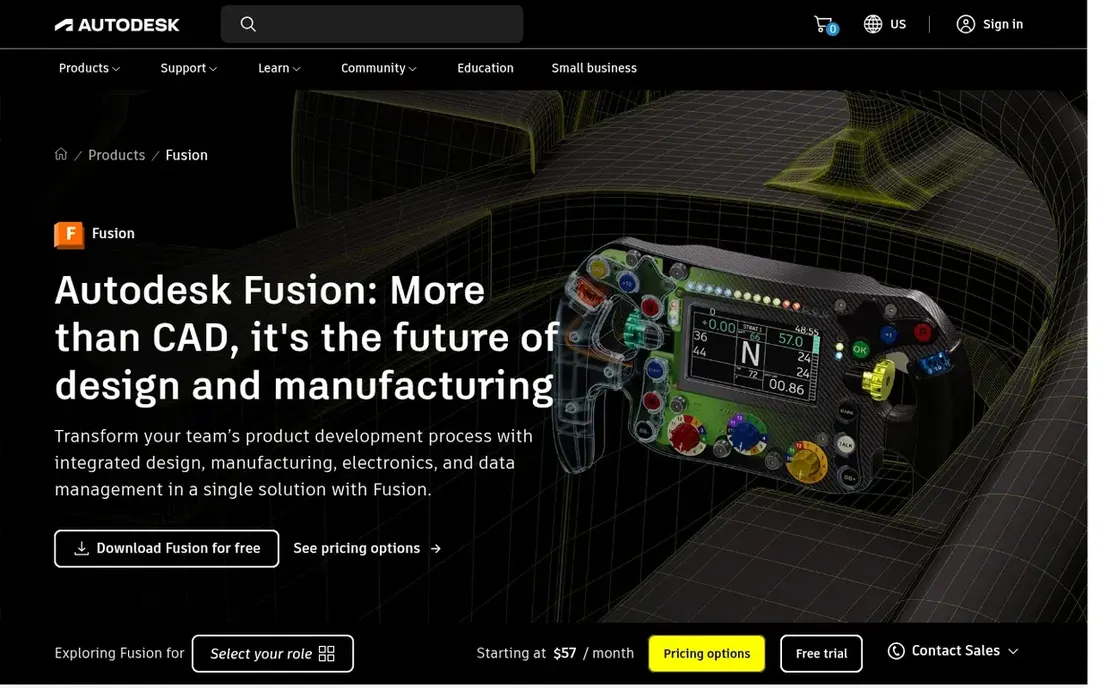
Autodesk Fusion 360 serves integrated CAD, CAM and simulation work. Teams needing only straightforward parametric parts may prefer a lighter desktop tool, whereas large assemblies with heavy simulation may call for a dedicated system.
Pricing for Autodesk Fusion 360 is not stated here, so ask the vendor for current figures. Free access: Not stated.
What works well: CAE and PCB. Where it is weaker: Cloud dependency for collaboration.
- Broad industrial and mechanical focus
- Merges CAD, CAM
- Wide scope can feel heavy for straightforward parts
PTC Creo
Best for: Deep parametric 3D design

For deep parametric 3D design, PTC Creo is a natural candidate. If your work is largely straightforward parts or you want minimal setup, a more approachable modeler may be a better fit.
For everyday use, PTC Creo is presented as a leading 3D CAD system, with Creo Parametric as its core modeling environment. Creo rewards experienced users but can be demanding for newcomers and occasional users, and smaller shops may find its depth exceeds their needs. Pricing for PTC Creo is not stated here, so ask the vendor for current figures. Free plan details: Not stated.
Honest limits: Steep ramp-up time.
- Positioned for advanced design work
- Parametric edition available to evaluate
- Best value seen at bigger design teams
Autodesk Inventor
Best for: Industrial design and documentation
For industrial design and documentation, Autodesk Inventor is a natural candidate. Inventor is desktop-focused, so teams wanting browser-based collaboration may look elsewhere.
Downsides: Overlaps with other Autodesk CAD tools.
Its overlap with other Autodesk CAD offerings means buyers should map which tool suits which workflow. Confirm current feature sets on the vendor site before deciding between Autodesk choices. This comparison lists no price for Autodesk Inventor; ask the vendor. Free access: Not stated.
- Supports simulation and documentation
- Capable fit for mechanical product design
- Desktop-centric workflow
Solid Edge
Best for: Mechanical design within Siemens workflows
Solid Edge is aimed squarely at mechanical design within Siemens workflows. Engineering teams already working with Siemens manufacturing and lifecycle tools commonly find it a natural fit, since design data can stay close to downstream production processes.
Points against: Less appealing outside Siemens-oriented shops.
Confirm current capabilities and compatibility on the vendor site before committing, particularly if your workflow spans mixed software. Pricing for Solid Edge is not stated here, so ask the vendor for current figures. As for free access: Not stated.
- Suits broader manufacturing workflows
- Targeted at mechanical and product design
- Ecosystem can influence tool choice
How the list was put together
The comparison looks at four things: starting price, free access, how well the feature set matches CAD software for engineers, and the main limit of each tool. Seat minimums, billing terms and add-ons can move the real cost, so the starting prices here are a guide and not a quote. The order reflects how well each tool fits the most common buying scenario for CAD software for engineers, then price clarity, then free plan access. It is a starting point, not a verdict.
A buyer's checklist
- Get a written quote from IronCAD, Autodesk Fusion 360, PTC Creo and others; the list shows no starting price for them.
- Look at the free plan from Onshape closely: its caps decide whether it is usable for real work.
- Read the limits listed for Onshape first: needs dependable internet access.
- Involve the people who will use PTC Creo daily; a short pilot beats a long feature checklist.
- Look at the help docs and support options for Autodesk Fusion 360 before you commit.
FAQ
What is the cheapest option for CAD software for engineers in this list?
On published monthly entry prices, Onshape is the lowest here at $1,500 per user per year. Entry price is only part of the cost, because seats, add-ons and billing terms can change the total. For the full picture, the cards above cover all 6 entries of this CAD software for engineers list, including price, free plan and limits.
Can I try these tools before paying?
Often, yes. Onshape has a free plan. Use your own data and a real task during the test, and check what the free tier or trial limits before you rely on it. Prices, free plan details and limits for all 6 tools in this CAD software for engineers roundup sit on the individual cards above.
Which options for CAD software for engineers have a free plan?
Onshape is the only tool in this list with a free plan. Free plans usually cap users, projects or features, so check the limits on the vendor page. Each of the 6 options in this CAD software for engineers guide has its own card above with the price, free plan and limits.
Is cloud-based CAD dependable enough for engineering work?
Cloud-native tools like Onshape and Fusion are built around browser or cloud-connected workflows and are used for production design. Teams with offline or strict data residency needs may prefer desktop-focused choices.
Do these tools publish their prices?
Not all of them. IronCAD, Autodesk Fusion 360, PTC Creo and others publish no starting price, so expect a quote request for those. The rest, Onshape included, show a starting price, though seats and billing terms still change the final cost.
Sources
- https://www.onshape.com
- https://www.ironcad.com
- https://www.autodesk.com/products/fusion-360
- https://www.ptc.com/en/products/creo
- https://www.autodesk.com/products/inventor
- https://solidedge.siemens.com