5 CAD Software for Civil Engineers Worth Shortlisting in 2026
Shortlisting the best CAD software for civil engineers? 5 products compared on cost, free access and ideal buyer. Each pick lists its main limit. No hype.

- Editor's choice
 STAAD.Pro
Structural analysis and design
Starts atSee websiteVisit bentley.comFull review - Great alternative
 BricsCAD
Native DWG drafting through BIM
Starts at€330 a yearVisit bricsys.comFull review - Also consider
 Allplan
Structural, civil and precast concrete engineering
Starts atSee websiteVisit allplan.comFull review
Direct answer
If you need structural analysis and design, STAAD.Pro is the first tool to look at here. Listed starting prices: BricsCAD from €330 a year. BricsCAD is the stronger choice for native DWG drafting through BIM, while Allplan suits structural, civil and precast concrete engineering. Prices, free plans and limits for all 5 tools follow.
TL;DR:
- Top of the list is STAAD.Pro, which targets structural analysis and design.
- A fair warning about Allplan: less oriented to roadway or utility design.
- None of the 5 tools, from STAAD.Pro to OpenRoads Designer, has a free plan, so budget for a subscription or use a trial.
- No starting price is published for STAAD.Pro, Allplan, MicroStation and OpenRoads Designer; expect a quote.
- OpenRoads Designer is the one to check for roadway and stormwater design workflows.
Last checked November 2026. Prices and plan details were read from the vendors' own pages in November 2026; vendors change plans often, so confirm the current price on the vendor site before you buy.
Quick comparison
| Tool | Best for | Starts at | Free plan? | |
|---|---|---|---|---|
| STAAD.Pro | Structural analysis and design | See website | Not stated | Visit |
| BricsCAD | Native DWG drafting through BIM | €330 a year | Free trial | Visit |
| Allplan | Structural, civil and precast concrete engineering | See website | Not stated | Visit |
| MicroStation | General infrastructure modeling and documentation | See website | Not stated | Visit |
| OpenRoads Designer | Roadway and stormwater design workflows | See website | Not stated | Visit |
CAD Software for Civil Engineers, one by one
LinkVetted compared 5 CAD software for civil engineers. The goal is a practical shortlist: published prices, free plan facts, best-fit use cases and honest limits for every entry.
STAAD.Pro is aimed squarely at structural analysis and design. Teams needing drawing production will combine it with CAD software. As for the details, STAAD.Pro is an analysis and design tool, so it does not replace drafting, roadway or site design products.
Where it falls short: Analysis focus instead of drafting or documentation.
In daily use, civil engineers who require to verify structural behavior alongside their design work can pair it with modeling tools to link geometry with analysis and design checks. STAAD.Pro is Bentley's structural software for analyzing and designing any structure, straightforward or complicated, and for sharing synchronized models with confidence across multidiscipline teams. Check the vendor site for STAAD.Pro pricing; none is listed in this comparison. As for free access: Not stated.
- Examines and designs straightforward or complicated structures
- Synchronized models support multidiscipline collaboration
- Not a roadway or site design tool

BricsCAD is designed for native DWG drafting through BIM. For civil engineers who exchange drawings with plenty of consultants, staying on native DWG reduces friction. Consider BricsCAD when DWG compatibility and adaptable drafting-to-BIM coverage matter more than civil-specific automation.
Points against: Several product levels need choosing carefully.
Because BricsCAD is a general design product, civil engineers needing dedicated roadway, drainage or structural analysis tools may have to add specialist software. In daily use, the shared platform means a team can move from drafting into modeling and BIM without switching to a different file format or environment. BricsCAD cost at the entry level: €330 per year. On free options: Free trial.
- Spans 2D drafting
- BIM and mechanical design
- Civil-specific features are less prominent
Allplan was built for structural, civil and precast concrete engineering. Pick Allplan when concrete structures and precast engineering are central to your projects and you want CAD and BIM in one structural-focused package. Teams new to its BIM approach should plan for learning time.
In practice, Allplan, a Nemetschek company, gives you 3D CAD software for structural, civil and precast concrete engineering. Worth adding: Allplan is not aimed primarily at roadway, drainage or utility network design, so transportation-focused engineers may need other tools. Pricing for Allplan is not stated here, so ask the vendor for current figures. On free options: Not stated.
What to check first: Less oriented to roadway or utility design.
- Handles precast concrete engineering
- 3D CAD designed for structural and civil work
- BIM workflows may need training investment
MicroStation
Best for: General infrastructure modeling and documentation
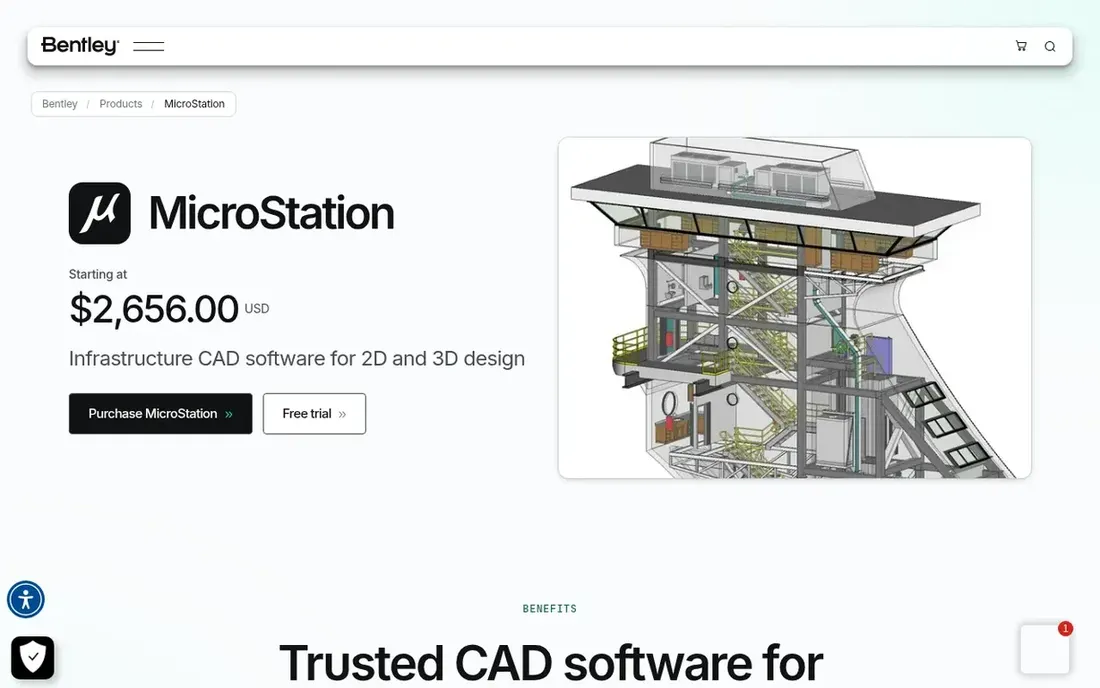
Choose MicroStation for general infrastructure modeling and documentation. MicroStation is Bentley's computer aided design software built around infrastructure. It lets teams model, document, view and visualize designs across varied project sizes and types, which makes it a natural fit for civil engineers working on multi-discipline infrastructure where a single modeling environment matters.
On top of that, since MicroStation is a wide product, teams focused purely on roadway corridors or drainage may find dedicated civil applications more direct. From a buyer's view, choose MicroStation when you need a central infrastructure modeling and documentation environment instead of a single-purpose design package. This comparison lists no price for MicroStation; ask the vendor. Free access: Not stated.
The main drawbacks: Wide product may feel heavy for straightforward drafting.
- Modeling
- Documentation and visualization in one environment
- Specialized roadwork may need companion products
OpenRoads Designer
Best for: Roadway and stormwater design workflows
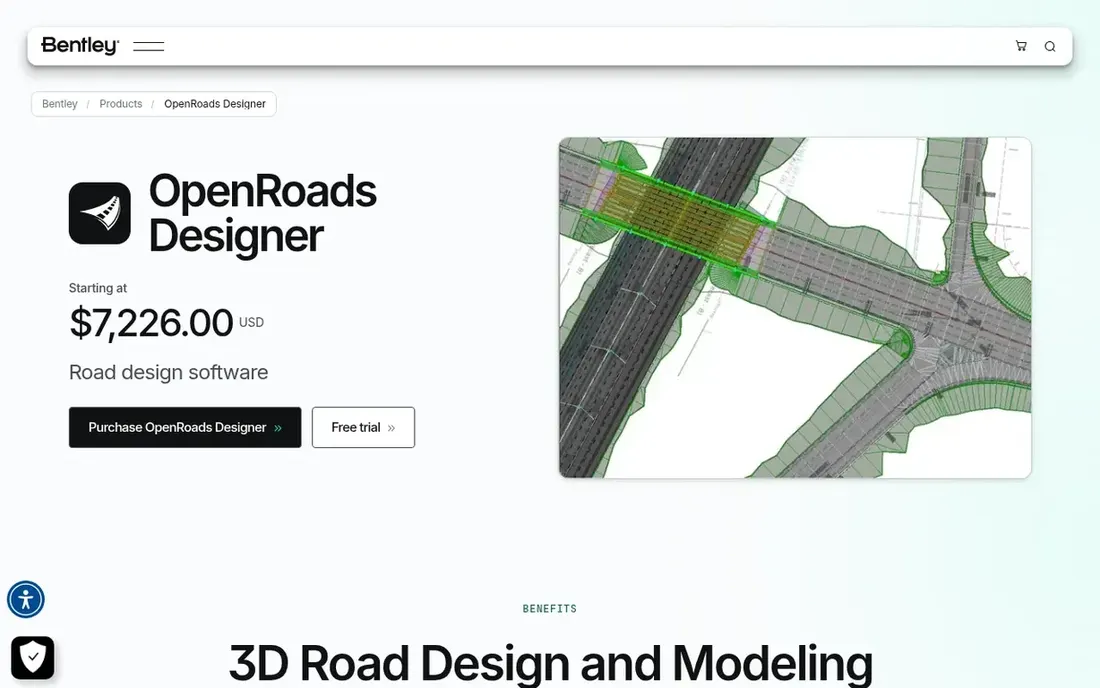
OpenRoads Designer works best for roadway and stormwater design workflows. OpenRoads Designer is Bentley's roadway design software, and its scope reaches well beyond roads. On top of that, teams already invested in Bentley infrastructure software will get the most from it.
As for the details, the product is shaped around civil and roadway workflows, so professionals in structural or architectural disciplines will likely prefer tools designed for their own tasks. Pick OpenRoads Designer when corridor, drainage and utility design are central to your work. No starting price is listed for OpenRoads Designer here; confirm pricing on the vendor site. On free options: Not stated.
Limits to weigh: Narrow focus on civil corridor work.
- Surveying and stormwater analysis
- Bundles underground utilities and visualization
- Best value when paired with broader Bentley tools
How we compared the tools
For each of the 5 tools we noted price, free plan or trial, fit for CAD software for civil engineers and the main limit, using vendor pages and documentation. Prices and plan limits come from vendor pages and can change, so confirm them on the vendor site before you buy. The sequence is a judgement call: typical use case first, then pricing transparency, then free access. Use the profiles to check fit.
What to check before you buy
- Confirm the entry price on the vendor page. For STAAD.Pro, Allplan, MicroStation and OpenRoads Designer that means a quote rather than a fixed price.
- Take the trial from BricsCAD and push a live task through it before you pay.
- Read the limits listed for STAAD.Pro first: analysis focus instead of drafting or documentation.
- Involve the people who will use Allplan daily; a short pilot beats a long feature checklist.
- See whether STAAD.Pro offers onboarding or training, and whether it is included in the price.
FAQ
How are the tools for CAD software for civil engineers ordered?
The order follows typical fit for CAD software for civil engineers, with STAAD.Pro first and OpenRoads Designer last, then price clarity and free access. It is editorial judgement, not a score, so another team could rank the tools differently.
Do these tools publish their prices?
Not all of them. STAAD.Pro, Allplan, MicroStation and OpenRoads Designer publish no starting price, so expect a quote request for those. The rest, BricsCAD included, show a starting price, though seats and billing terms still change the final cost.
Can I try these tools before paying?
Often, yes. BricsCAD offers a free trial. Use your own data and a real task during the test, and check what the free tier or trial limits before you rely on it.
Is STAAD.Pro the right pick for everyone comparing CAD software for civil engineers?
No single tool suits every team. STAAD.Pro comes first because it fits structural analysis and design, while BricsCAD suits native DWG drafting through BIM and Allplan suits structural, civil and precast concrete engineering. Match the tool to your own size, budget and workflow before deciding.
Sources
- https://www.bentley.com/software/staad-pro
- https://www.bricsys.com
- https://www.allplan.com
- https://www.bentley.com/software/microstation
- https://www.bentley.com/software/openroads-designer