6 Access Management Software for Photographers Worth Shortlisting in 2026
6 best access management software for photographers, with entry costs, free tiers and the buyer each one serves. The catches are listed up front. Easy to scan.
- Editor's choice
 LastPass
Everyday password security for studios
Starts atSee websiteVisit lastpass.comFull review - Great alternative
 CyberArk
Privileged access and governance
Starts atSee websiteVisit cyberark.comFull review - Also consider
 OneLogin
Workforce, customer, and partner access
Starts at$3 per user per monthVisit onelogin.comFull review
Direct answer
Start with LastPass if you need everyday password security for studios. Listed starting prices: OneLogin from $3 per user per month, Okta from $6 per user a month and Auth0 from $35 a month. If your case is different, CyberArk suits privileged access and governance and OneLogin suits workforce, customer, and partner access. The other 3 tools in the list cover narrower or pricier cases.
TL;DR:
- Top of the list is LastPass, which targets everyday password security for studios.
- Auth0 stands alone as the one tool in this list with a free plan.
- A fair warning about CyberArk: heavy for small creative teams.
- For Frictionless access at bigger scale, Ping Identity is worth a look.
Last checked November 2026. Prices and plan details were read from the vendors' own pages in November 2026; vendors change plans often, so confirm the current price on the vendor site before you buy.
Quick comparison
| Tool | Best for | Starts at | Free plan? | |
|---|---|---|---|---|
| LastPass | Everyday password security for studios | See website | Free trial | Visit |
| CyberArk | Privileged access and governance | See website | Not stated | Visit |
| OneLogin | Workforce, customer, and partner access | $3 per user per month | Free trial | Visit |
 Okta | Wide identity across staff and clients | $6 per user a month | Free trial | Visit |
 Auth0 | Custom login for client galleries | $35 a month | Yes | Visit |
 Ping Identity | Frictionless access at bigger scale | See website | Not stated | Visit |
Access Management Software for Photographers profiles
LinkVetted compared 6 access management software for photographers. The goal is a practical shortlist: published prices, free plan facts, best-fit use cases and honest limits for every entry.
LastPass is aimed squarely at everyday password security for studios. Studios with numerous staff and strict review requirements may outgrow it. LastPass is a password manager instead of a full access management product.
So it does not deliver the centralized identity governance or custom authentication that bigger tools offer. LastPass describes itself as a password manager that secures every login and offers shadow IT visibility and AI governance across the SaaS and AI tools employees use, with strong password generation and encrypted storage. On top of that, start here for straightforward credential security and reassess as your team and client systems expand. More specifically, for photographers juggling gallery products, editing subscriptions, and client accounts, it supplies a practical way to keep credentials organized. Pricing for LastPass is not stated here, so ask the vendor for current figures. As for free access: Free trial.
Trade-offs to know: Not a custom authentication builder.
- Secures logins in one place
- Visibility into tools staff use
- Not full identity governance
Pick CyberArk if this describes you: privileged access and governance. CyberArk is presented as an identity security system, with Idira described as modernizing identity governance, automating access reviews, and securing every identity across hybrid cloud environments. The system centers on identity governance and privileged access, which is more control than a small studio typically needs.
For photography companies that manage sensitive client data and several administrator accounts, that governance emphasis can matter. Worth adding: if your concern is just protecting shared passwords, a password manager spans that with far less complexity. From a buyer's view, expect administrative overhead to match. Check the vendor site for CyberArk pricing; none is listed in this comparison. Free access: Not stated.
Highlights: Identity security product focus. Where it is weaker: Governance focus may be unnecessary.
- Handles hybrid cloud identities
- Automatic access reviews
- Heavy for small creative teams
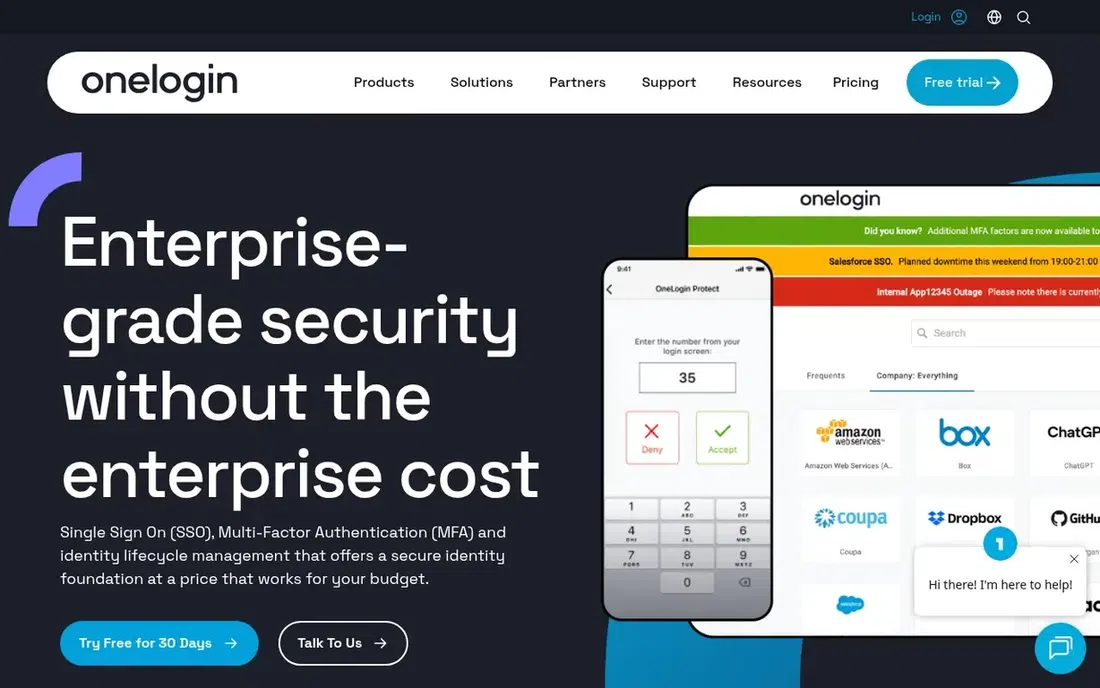
OneLogin is a good fit for workforce, customer, and partner access. Public information centres on general identity management instead of creative-industry workflows, so confirm that your specific gallery and booking tools are supported.
Where it falls short: Feature scope varies by setup.
On top of that, evaluate the integration list against the apps you actually use before committing. OneLogin pricing: $3 per user per month. Free plan details: Free trial.
- Positioned as a modern IAM product
- Handles workforce and customer data
- Fewer public details on niche studio needs
For wide identity across staff and clients, Okta is a natural candidate. Okta presents itself as a secure identity product for employees, customers, and AI, with the Okta and Auth0 products enabling access, authentication, and automation.
The main drawbacks: Can be complicated for very small studios.
Beyond that, configuration takes planning and continuing attention. For an expanding photography business, that breadth means one place to run who reaches booking systems, client galleries, and internal tools. Okta cost at the entry level: $6 per user per month. Free access: Free trial.
- Supports authentication automation
- Broad app integration ecosystem
- Setup needs planning
Auth0 targets custom login for client galleries. Photographers who run their own gallery or booking site can use it to add sign-in and permissions straight into that product.
Auth0 assumes engineering effort, so a photographer without technical support may struggle with integration. If you only need staff to share credentials safely, choose a password manager instead and revisit Auth0 when you build a custom client portal. Auth0 pricing: $35 per month. A free plan is available with Auth0.
Drawbacks to consider: Overkill for entry-level password storage.
- Production-ready authentication product
- Targeted at quicker shipping
- Developer-oriented setup
Ping Identity is a good fit for Frictionless access at bigger scale. Ping Identity positions itself around identity security for the digital enterprise, helping protect users and every digital interaction whereas keeping experiences frictionless. That makes it relevant for established photography companies with client portals and several digital touchpoints.
Where it is weaker: Pitched at bigger organizations.
As for the details, implementation generally demands dedicated administrative effort. The messaging targets enterprises, so a small studio may find the scope bigger than its needs. Consider lighter tools first, and move to Ping Identity if your access requirements grow across plenty of users and systems. This comparison lists no price for Ping Identity; ask the vendor. As for free access: Not stated.
- Emphasis on smooth user experience
- Focus on protecting digital interactions
- May exceed small studio needs
How these tools were picked
LinkVetted looked at what each vendor publishes: pricing, plan limits, feature coverage for access management software for photographers and stated drawbacks. No hands-on testing is claimed. Plan names, prices and limits change often. Treat the figures here as a starting point and verify them with the vendor. The order reflects how well each tool fits the most common buying scenario for access management software for photographers, then price clarity, then free plan access. It is a starting point, not a verdict.
A buyer's checklist
- Ask LastPass, CyberArk and Ping Identity for a written quote, since no starting price is shown.
- Test the free plan from Auth0 against your real workload before relying on it.
- Take the trial from LastPass, OneLogin and Okta and push a live task through it before you pay.
- Before choosing LastPass, weigh its main limit: password focus, not full identity governance.
- Confirm the exact Ping Identity plan that includes your must-have features.
- Ask CyberArk which support channels and response times come with the plan you would buy.
FAQ
Is LastPass the right pick for everyone comparing access management software for photographers?
No single tool suits every team. LastPass comes first because it fits everyday password security for studios, while CyberArk suits privileged access and governance and OneLogin suits workforce, customer, and partner access. Match the tool to your own size, budget and workflow before deciding.
Do these tools publish their prices?
Not all of them. LastPass, CyberArk and Ping Identity publish no starting price, so expect a quote request for those. The rest, OneLogin included, show a starting price, though seats and billing terms still change the final cost.
Which tool is a good match for adding login to my own gallery site?
Start with LastPass if you need everyday password security for studios. CyberArk is the better match for privileged access and governance, and OneLogin for workforce, customer, and partner access. The best choice depends on budget, team size and workflow.
Which options for access management software for photographers have a free plan?
Auth0 is the only tool in this list with a free plan. Free plans usually cap users, projects or features, so check the limits on the vendor page. Several others offer a trial instead. For the full picture, the cards above cover all 6 entries of this access management software for photographers list, including price, free plan and limits.
What is the cheapest option for access management software for photographers in this list?
On published monthly entry prices, OneLogin is the lowest here at $3 per user per month. Entry price is only part of the cost, because seats, add-ons and billing terms can change the total. Prices, free plan details and limits for all 6 tools in this access management software for photographers roundup sit on the individual cards above.
Does a photographer need enterprise identity software?
Most solo photographers do not. Beyond that, a password manager spans everyday login security, whereas identity products become relevant when you run client portals, employ staff, or handle plenty of connected apps with different access levels.
Sources
- https://www.lastpass.com
- https://www.cyberark.com
- https://www.onelogin.com
- https://www.okta.com
- https://auth0.com
- https://www.pingidentity.com