The 5 Best Editing Software for Photographers in 2026, Ranked
Best editing software for photographers in 2026: 5 contenders with entry costs and free tiers. Pros and cons for every tool. Reviewed in November 2026.
- Editor's choiceACDSee Photo Studio
Editing plus digital asset management
Starts atSee websiteVisit acdsee.comFull review - Great alternative
 Affinity Photo
Professional editing without subscriptions
Starts atSee websiteVisit affinity.serif.comFull review - Also considerSkylum Luminar Neo
AI-assisted edits for more straightforward workflows
Starts atSee websiteVisit skylum.comFull review
Direct answer
ACDSee Photo Studio leads the list, best for editing plus digital asset management. Listed starting prices: ON1 Photo RAW from $49.99. Affinity Photo fits professional editing without subscriptions; Skylum Luminar Neo fits AI-assisted edits for simpler workflows. All 5 tools are compared below on price, free plan and limits.
TL;DR:
- ACDSee Photo Studio is the opening pick, best for editing plus digital asset management.
- ACDSee Photo Studio, ON1 Photo RAW and the 3 others all need a premium plan or a trial, since no free plan is listed.
- Pricing for ACDSee Photo Studio, Affinity Photo, Skylum Luminar Neo and Adobe Photoshop is quote-based, which adds a sales step before you can compare cost.
- One limit worth knowing about Skylum Luminar Neo: less depth for complicated retouching.
Last checked November 2026. Prices and plan details were read from the vendors' own pages in November 2026; vendors change plans often, so confirm the current price on the vendor site before you buy.
Quick comparison
| Tool | Best for | Starts at | Free plan? | |
|---|---|---|---|---|
| ACDSee Photo Studio | Editing plus digital asset management | See website | Not stated | Visit |
| Affinity Photo | Professional editing without subscriptions | See website | Not stated | Visit |
| Skylum Luminar Neo | AI-assisted edits for more straightforward workflows | See website | No | Visit |
 Adobe Photoshop | Layered retouching and compositing | See website | Not stated | Visit |
 ON1 Photo RAW | All-in-one raw editing and organizing | $49.99 | Free trial | Visit |
Tool-by-tool breakdown
Short on time? The summary and table above give the quick view of 5 editing software for photographers, and the profiles that follow give the detail behind each entry.
ACDSee Photo Studio
Best for: Editing plus digital asset management
In short, ACDSee Photo Studio is for editing plus digital asset management. It suits photographers with expanding libraries who want editing and organization under one roof, particularly those who prefer a single tool for browsing, keywording and finishing images.
Drawbacks to consider: Feature set can overwhelm.
On top of that, choose it when asset management and layered editing in one application are both requirements. No starting price is listed for ACDSee Photo Studio here; confirm pricing on the vendor site. Free options: Not stated.
- Built-in asset management
- Layered and RAW editing
- Windows-first reputation
Affinity Photo is designed for professional editing without subscriptions. Hobbyists who only make entry-level adjustments may find it more than needed. Beyond that, Affinity Photo is described as a professional photo editor designed for power and creative freedom, emphasizing precision and speed.
It includes the layered, pixel-level editing territory photographers expect from a full editor, making it relevant for retouching, compositing and in-depth image work. It is less centered on catalog organization and guided raw workflows than workflow-focused applications, so high-volume photographers may need another tool for culling and asset management. Also, choose it when layered editing depth matters more than library features. Check the vendor site for Affinity Photo pricing; none is listed in this comparison. Free plan details: Not stated.
What to check first: Fewer guided workflows.
- Positioned as a full photo editor
- Professional editing toolset
- Less catalog-oriented
Skylum Luminar Neo
Best for: AI-assisted edits for more straightforward workflows
For AI-assisted edits for more straightforward workflows, Skylum Luminar Neo is a natural candidate. Photographers who need precise manual control may outgrow it.
Its emphasis is on approachable, AI-assisted adjustments instead of deep manual control. It provides less depth for complicated layered retouching and is not a full digital asset management system, so serious catalog needs belong elsewhere. Skylum Luminar Neo does not show a starting price in this comparison, so check the vendor site for current pricing. No free plan comes with Skylum Luminar Neo.
Downsides: Less depth for complicated retouching.
- Pitched at creative results
- AI-driven editing tools
- Not a full asset manager
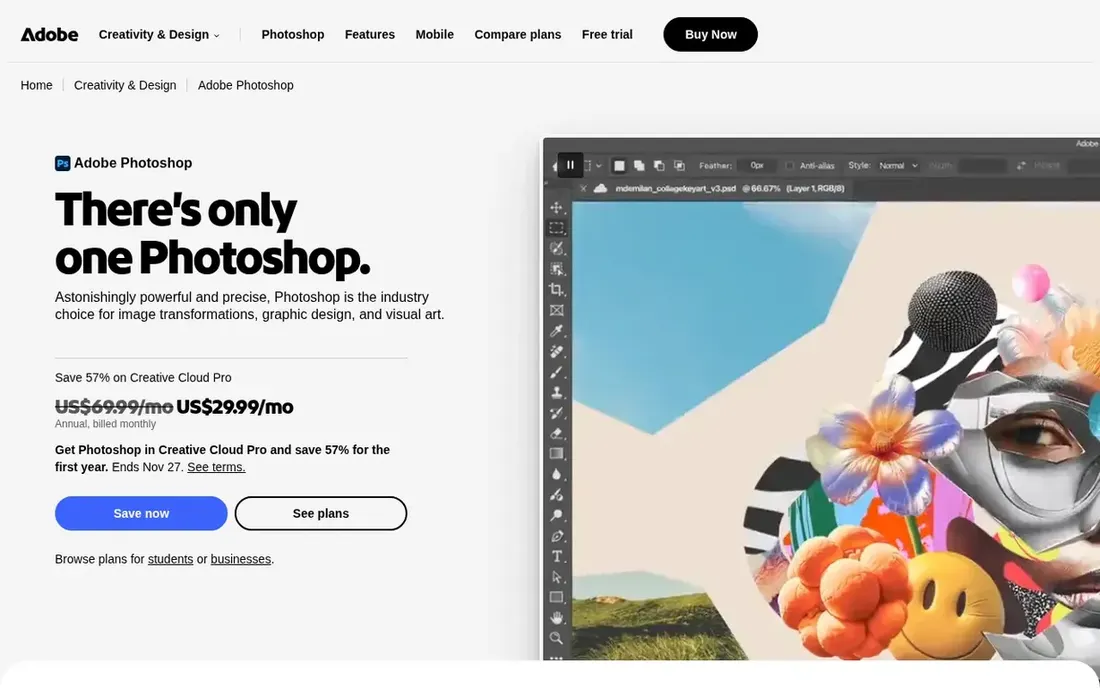
Where Adobe Photoshop fits: layered retouching and compositing. Adobe Photoshop is the long-standing standard for pixel-level editing, combining images, building custom scenes and performing complicated retouching.
Its layer system, selection tools and masking provide photographers fine control over composites and cleanup work. In daily use, straight raw processing and catalog organization are better handled in a dedicated workflow tool. Check the vendor site for Adobe Photoshop pricing; none is listed in this comparison. Trial and free access: Not stated.
Points against: Steeper ramp-up time.
- Deep layer and masking tools
- Works online or in the mobile app
- Raw developing is secondary
ON1 Photo RAW is a good fit for all-in-one raw editing and organizing. Its ecosystem and external integrations are smaller than those of the largest editing suites, and the interface takes some adjustment.
The main drawbacks: Interface takes adjustment.
Worth adding: photographers deeply tied to other catalog systems may prefer to stay where their libraries live. What you pay to start with ON1 Photo RAW: $49.99. On free options: Free trial.
- Editing and organizing combined
- AI-powered raw processing
- Smaller ecosystem than major suites
Selection criteria
We compared the tools on published pricing, free plan or trial availability, feature coverage for editing software for photographers, and the limits each vendor documents. Prices and plan limits come from vendor pages and can change, so confirm them on the vendor site before you buy. The order reflects how well each tool fits the most common buying scenario for editing software for photographers, then price clarity, then free plan access. It is a starting point, not a verdict.
What to confirm before you sign up
- Ask ACDSee Photo Studio, Affinity Photo, Skylum Luminar Neo and Adobe Photoshop for a written quote, since no starting price is shown.
- Use real work to test the free trial from ON1 Photo RAW, rather than a demo project.
- Before choosing ACDSee Photo Studio, weigh its main limit: feature set can overwhelm.
- Find out whether the entry plan of Skylum Luminar Neo covers your must-haves or only a trimmed-down version.
- Check the support hours and onboarding help ON1 Photo RAW offers; smaller vendors vary a lot here.
FAQ
Do these tools publish their prices?
Not all of them. ACDSee Photo Studio, Affinity Photo, Skylum Luminar Neo and Adobe Photoshop publish no starting price, so expect a quote request for those. The rest, ON1 Photo RAW included, show a starting price, though seats and billing terms still change the final cost.
How are the tools for editing software for photographers ordered?
The order follows typical fit for editing software for photographers, with ACDSee Photo Studio first and ON1 Photo RAW last, then price clarity and free access. It is editorial judgement, not a score, so another team could rank the tools differently.
Can I try these tools before paying?
Often, yes. ON1 Photo RAW offers a free trial. Use your own data and a real task during the test, and check what the free tier or trial limits before you rely on it. All 5 picks in this editing software for photographers comparison list a starting price, free plan details and the main limits on their cards above.
Do photographers need both a catalog tool and a pixel editor?
Numerous photographers use one application for importing, culling and raw developing and another for layered retouching and compositing. Lightroom and Photoshop are often paired for this reason, and ON1 Photo RAW or ACDSee aim to include more of the workflow in one place.
Does any tool for editing software for photographers here have a free plan?
A permanent free plan is not offered by ACDSee Photo Studio, ON1 Photo RAW or the other tools here. ON1 Photo RAW offer a trial. Plan a short evaluation period instead.
How should hobbyists choose among these editors?
Photographers who expect to grow into layered editing may prefer Affinity Photo or Photoshop. Match the tool to the edits you actually make rather than to the longest feature list.
Sources
- https://www.acdsee.com/en/products/photo-studio-ultimate
- https://affinity.serif.com/en-us/photo
- https://skylum.com/luminar
- https://www.adobe.com/products/photoshop.html
- https://www.on1.com/products/photo-raw