Best Book Editing Software in 2026: 9 Tools Compared
Compare the best book editing software in 2026, with grammar, style, and manuscript tools, plus how software differs from human book editing services.
- Editor's choice
 ProWritingAid
Manuscript style and structure reports
Starts atFreeVisit prowritingaid.comFull review - Great alternative
 Grammarly
Everyday grammar and clarity across apps
Starts atFreeVisit grammarly.comFull review - Also consider
 AutoCrit
Genre fiction diagnostics
Starts at$30 per monthVisit autocrit.comFull review
TL;DR:
- ProWritingAid is our pick for most book authors because its manuscript reports cover style, pacing, dialogue, and consistency in one place.
- Grammarly suits everyday editing across apps, while Hemingway is best as a clarity check, not a full proofreader.
- Book editing software improves a draft, but it does not replace a human developmental editor or proofreader for a book you plan to publish.
- Try the free tier on a real chapter first, since a tool that fits your genre and workflow matters more than a long feature list.
Quick comparison
| Tool | Best for | Starts at | Free plan? | |
|---|---|---|---|---|
| ProWritingAid | Manuscript style and structure reports | Free | Yes | Visit |
| Grammarly | Everyday grammar and clarity across apps | Free | Yes | Visit |
| AutoCrit | Genre fiction diagnostics | $30 per month | No | Visit |
 Hemingway Editor | Readability and sentence clarity | Free | Yes | Visit |
 LanguageTool | Multilingual grammar checking | Free | Yes | Visit |
 Scrivener | Organizing and drafting a book | See website | No | Visit |
 Reedsy Book Editor | Free book formatting and drafting | Free | Yes | Visit |
 Atticus | Writing and formatting in one tool | See website | No | Visit |
 PerfectIt | Consistency checks for long documents | See website | No | Visit |
The best book editing software
Book editing software should help you revise a full manuscript, not just fix a sentence. These tools differ in grammar depth, style reports, genre analysis, and formatting.
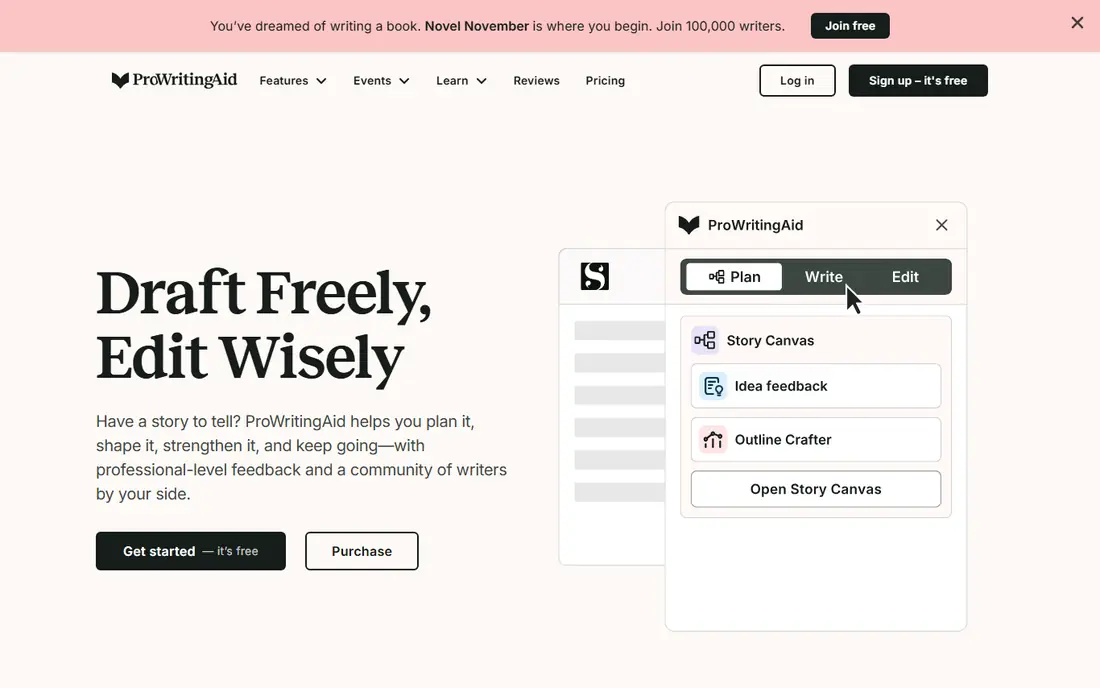
ProWritingAid is built for long form writers, with reports for style, pacing, sticky sentences, dialogue tags, clichés, consistency, and readability across a whole chapter or book. Premium is listed at 30 dollars per month or 120 dollars per year in recent comparisons, with a lifetime license at 399 dollars, which makes it good value for authors who edit many books. Scrivener integration helps if you draft in Scrivener and edit in ProWritingAid.
The free tier limits you to 500 words at a time and a small number of report runs per day, so it is best for testing, not for editing a full novel. The report volume can also feel overwhelming at first, so run three reports per chapter, such as Summary, Readability, and Style, and fix those before running the rest.
- 25 plus manuscript reports
- Scrivener integration
- Lifetime license option
- Interface takes time to learn
- Free tier limits words and report runs
Grammarly Pro is listed at 30 dollars per month or 12 dollars per month billed annually at 144 dollars per year in recent comparisons, with a free tier for basic grammar, spelling, and tone. Its strength is reach: it checks your writing in email, Docs, Word, and browsers, which helps with blurbs, proposals, newsletters, and social posts as well as manuscript text. For authors who write across many apps, that consistency is valuable.
Grammarly is less focused on fiction structure than ProWritingAid or AutoCrit, since it does not analyze pacing, character arcs, or plot threads in depth. Use Grammarly for line level polish and everyday writing, and pair it with ProWritingAid or a human editor for structural revision.
- Works across browsers, Word, and Google Docs
- Strong grammar and tone checks
- Free tier is usable daily
- Less manuscript specific than ProWritingAid
- No deep fiction structure reports
AutoCrit combines writing, editing, and genre analysis, with tools for dialogue, pacing, repetition, and story structure. Its Pro plan is listed at 30 dollars per month, or 15 dollars per month billed annually in recent comparisons, and it includes a Story Analyzer that examines character arcs, conflict, plot threads, world building, and point of view. That makes it more interesting when the problem is fiction development, not just punctuation.
AutoCrit is less central for nonfiction, memoir structure, or academic books, where ProWritingAid reports or a human editor may fit better. For genre fiction authors who want to check whether a draft matches genre norms and holds its story threads, AutoCrit is a strong specialist tool.
- Genre oriented fiction analysis
- Story analyzer for arcs and plot threads
- Planning and editing in one place
- Higher monthly price
- Less useful for nonfiction than for genre fiction
Hemingway Editor highlights hard to read sentences, adverbs, passive constructions, and complex phrases, which helps you spot dense passages in nonfiction and explanatory prose. The web app is free, the desktop app is listed at 19.99 dollars one time in recent comparisons, and a paid Editor Plus tier adds AI rewrites. It is a diagnostic lens, not a full editor, so use it to find problems, then decide yourself whether a long sentence serves your voice.
Hemingway can push literary fiction, historical voice, or complex argument toward short sentences that flatten style, so do not chase a low grade on every passage. Use it on chapters where clarity matters most, such as explanations, instructions, and openings, and ignore it where voice and rhythm matter more.
- Free web app for readability
- Highlights dense sentences and passive voice
- Desktop app is a one time purchase
- Not a grammar proofreader
- Readability scores should not be a universal style target
LanguageTool is a grammar and style checker that supports many languages, which makes it useful for authors writing in a second language, translating, or working with multilingual teams. The free tier covers basic checks up to a character limit, while Premium is listed around 59.90 dollars per year in recent comparisons and adds longer texts and more advanced style checks. It works in browsers, Word, Google Docs, and other apps.
LanguageTool style analysis is lighter than ProWritingAid for fiction, and it does not offer the same manuscript reports for pacing or story structure. If multilingual accuracy is your main need, it is a strong pick. If fiction structure is your main need, pair it with AutoCrit or ProWritingAid.
- Supports many languages
- Browser and document integrations
- Free tier for basic checks
- Style reports are lighter than ProWritingAid
- Premium needed for longer texts and advanced checks
Scrivener is a drafting and organization tool for long projects, with a binder for chapters, scenes, research, and notes, plus a corkboard and outline view. It helps you restructure a book by moving scenes, tracking revisions, and compiling to Word, PDF, or ebook formats. Many authors draft in Scrivener, then edit with ProWritingAid or Grammarly, since Scrivener strength is structure, not grammar depth.
Scrivener takes time to learn, and its built in spelling and grammar checks are basic compared with dedicated editing software. If you already draft in Word or Google Docs and do not need its organization features, you may not need Scrivener. If you juggle many scenes, research, and revisions, it can transform a messy draft into a manageable project.
- Corkboard, outline, and research organization
- Compile to many formats
- Built for long projects
- Learning curve
- Editing reports are basic compared with ProWritingAid
Reedsy Book Editor is a free online tool for writing and formatting books, with a clean interface and export to EPUB and print ready PDF. It suits indie authors who want a professional looking manuscript without buying formatting software, and it works well for a final formatting pass after editing elsewhere. The editor itself is straightforward, with chapters, notes, and formatting controls.
Reedsy does not offer deep grammar, style, or fiction analysis, so it is not a replacement for ProWritingAid, Grammarly, or a human editor. Use it for drafting and formatting, and run your editing passes in a dedicated tool before you export. For a free formatting route, it is hard to beat.
- Free to use
- Clean drafting interface
- Exports professionally formatted books
- Editing checks are basic
- Not a full grammar or style analyzer
Atticus combines writing and book formatting, with themes, chapter styling, and previews for ebook and print, which helps indie authors who want to control the final look without separate formatting software. It is designed for authors who publish themselves and want a polished result without learning a complex layout tool. Check the current one time price on its site before buying, since it is not a free tool.
Atticus editing features are lighter than dedicated editing software, so it works best as a drafting and formatting home, with grammar and style passes done in ProWritingAid or Grammarly. If formatting is your bottleneck, Atticus is worth a look. If editing depth is your bottleneck, start with ProWritingAid.
- Writing plus formatting in one app
- Chapter themes and print preview
- No subscription in its usual model
- Price is a one time purchase to check before buying
- Editing analysis is lighter than ProWritingAid
PerfectIt checks a long document for consistency, such as whether you hyphenate a term the same way throughout, use the same spelling variant, and follow a chosen style for abbreviations and capitalization. That matters for nonfiction, technical, and academic books, where inconsistency undermines credibility even when grammar is correct. It works as a Word add in and is used by professional editors as a consistency pass.
PerfectIt does not analyze story, pacing, or dialogue, so it is not a fiction editing tool on its own. Use it near the end of your editing process, after structural and line edits, to catch the small inconsistencies that readers and proofreaders notice. For a long nonfiction manuscript, it is a useful final check.
- Checks consistency of spelling, hyphenation, and style
- Useful for nonfiction and technical books
- Word integration
- Not a fiction style tool
- Price and trial terms need checking on its site
How we picked these
We compared official pricing pages, product documentation, and 2026 author tool comparisons, and we favored software that clearly supports book length manuscripts, grammar or style analysis, or formatting. We included drafting and formatting tools alongside editing tools because authors need both, and we noted where a tool is not a substitute for human editing.
Book editing software versus book editing services
Software gives you fast, repeatable checks on grammar, style, consistency, and readability, and it costs far less than a human editor for a full manuscript. A book editing service, by contrast, gives you a human developmental editor, line editor, or proofreader who reads your book, judges story and argument, and suggests revisions that software cannot make.
When to hire a human editor
Hire a human editor when you plan to publish, especially for developmental feedback on structure, character, argument, and pacing. Use software first to clean the draft, so the human editor spends time on story and clarity rather than basic errors, and ask for a sample edit before you commit to a full manuscript fee.
FAQ
What is the best book editing software for fiction?
ProWritingAid is the best all around fiction tool because of its manuscript reports, while AutoCrit is best for genre fiction diagnostics. Grammarly is best for line level polish across apps, and Hemingway is best as a readability check, not a full editor.
Are book editing services better than software?
Services and software do different jobs. Software is faster and cheaper for grammar, style, and consistency checks. A human service is better for developmental feedback, story judgment, and final proofreading for publication, since software cannot judge whether a plot or argument works.
How much does book editing software cost?
Free tiers from Grammarly, Hemingway, LanguageTool, and Reedsy cover basic checks at no cost. Paid plans range from about 60 dollars per year for LanguageTool Premium to 120 to 144 dollars per year for ProWritingAid and Grammarly Pro, with lifetime and one time options for some tools.
Can software edit a whole novel at once?
Most tools edit chapter by chapter or in sections, since a full novel is long and reports need a manageable chunk. ProWritingAid and AutoCrit handle long documents better than general grammar checkers, but you should still edit in chapters and keep backups of each revision.
Should I use Hemingway for literary fiction?
Use Hemingway with care for literary fiction. It is useful for spotting dense passages, but it can push you toward short sentences that flatten voice and rhythm. Treat its grade as a diagnostic signal, not a target for every paragraph.
What is the best free book editing software?
Grammarly free and LanguageTool free cover basic grammar well, Hemingway web covers readability for free, and Reedsy covers formatting for free. For a full free workflow, combine Grammarly or LanguageTool for grammar, Hemingway for clarity, and Reedsy for formatting.