Best Tool for Drawing Network Diagrams in 2026: 5 Tools Compared
Best tool for drawing network diagrams in 2026: 5 contenders with entry costs and free tiers. Every pick includes one clear drawback. Jump to the table.

- Editor's choice
 Creately
Org, process, and cloud architecture planning
Starts atSee websiteVisit creately.comFull review - Great alternativeSolarWinds Network Topology Mapper
Automatic network discovery and mapping
Starts at$2 per node a monthVisit solarwinds.comFull review - Also consider
 Lucidchart
AI-assisted, data-linked network diagrams
Starts atSee websiteVisit lucidchart.comFull review
Direct answer
Our first pick is Creately, best for Org, process, and cloud architecture planning. Listed starting prices: SolarWinds Network Topology Mapper from $2 per node a month, Gliffy from $2.80 per user per month and Miro from $8 per member a month. SolarWinds Network Topology Mapper fits automatic network discovery and mapping; Lucidchart fits AI-assisted, data-linked network diagrams. All 5 tools are compared below on price, free plan and limits.
TL;DR:
- This list starts with Creately, which is built for Org, process, and cloud architecture planning.
- Starting prices begin at $2 per node per month with SolarWinds Network Topology Mapper.
- Free plans exist at 3 of 5 tools (Creately, Gliffy, Miro).
- Miro fits collaborative visual workshops and planning.
- Check the limits for Creately before you commit: wide scope beyond pure network diagrams.
Last checked November 2026. Prices and plan details were read from the vendors' own pages in November 2026; vendors change plans often, so confirm the current price on the vendor site before you buy.
Quick comparison
| Tool | Best for | Starts at | Free plan? | |
|---|---|---|---|---|
| Creately | Org, process, and cloud architecture planning | See website | Yes | Visit |
| SolarWinds Network Topology Mapper | Automatic network discovery and mapping | $2 per node a month | Free trial | Visit |
| Lucidchart | AI-assisted, data-linked network diagrams | See website | Not stated | Visit |
| Gliffy | Technical diagramming inside Confluence | $2.80 per user per month | Yes | Visit |
 Miro | Collaborative visual workshops and planning | $8 per member a month | Yes | Visit |
The best tool for drawing network diagrams
LinkVetted compared 5 tool for drawing network diagrams. The goal is a practical shortlist: published prices, free plan facts, best-fit use cases and honest limits for every entry.
Creately targets Org, process, and cloud architecture planning. Creately describes itself as software for org planning, process mapping, and cloud architecture, with AI working alongside you and starting points from HR data, procedures, and cloud accounts.
From a buyer's view, pick Creately when network diagrams are part of a bigger planning effort involving processes and cloud architecture. Creately does not show a starting price in this comparison, so check the vendor site for current pricing. A free plan is available with Creately.
Limits to weigh: Wide scope beyond pure network diagrams.
- AI-assisted planning
- Cloud architecture focus
- AI features rely on connected data
SolarWinds Network Topology Mapper
Best for: Automatic network discovery and mapping
SolarWinds Network Topology Mapper was built for automatic network discovery and mapping. SolarWinds Network Topology Mapper automatically discovers and maps network topology to produce thorough, easy-to-view diagrams.
Where it falls short: Narrower use case than general diagramming.
Beyond that, pick it when up-to-date topology maps generated from the network itself are the priority. On cost, SolarWinds Network Topology Mapper starts like this: $2 per node per month. As for free access: Free trial.
- Easy-to-view diagrams
- Purpose-built for networks
- Centred on discovery instead of freeform drawing
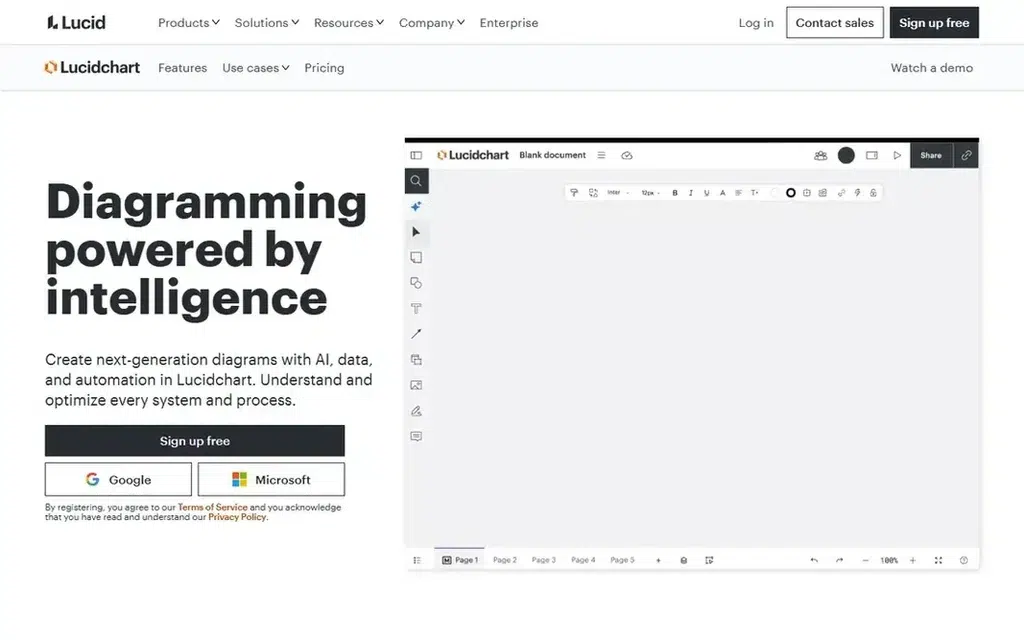
Lucidchart is aimed squarely at AI-assisted, data-linked network diagrams. For network diagrams, that means teams can map topology and link shapes to underlying data instead of treating the diagram as a static picture. If your priority is a light drawing surface with local data control, a more straightforward choice may suit you better.
Also, the breadth of features can slow down users who only need a fast sketch. The system is oriented toward connected, collaborative work instead of offline use. Lucidchart does not show a starting price in this comparison, so check the vendor site for current pricing. As for free access: Not stated.
The main drawbacks: Feature depth may overwhelm beginners.
- AI and automation features
- Data-linked diagramming
- Needs an account to collaborate
Gliffy
Best for: Technical diagramming inside Confluence
Where Gliffy fits: technical diagramming inside Confluence. Gliffy by Perforce is presented as AI-powered technical diagramming for Confluence. Consider Gliffy when your network documentation and diagrams have to sit together in Confluence.
Downsides: Best value tied to Confluence use.
For everyday use, if your team does not use Confluence, Gliffy's primary advantage is harder to realize. A standalone diagramming tool may be a better fit. It is also oriented toward technical documentation workflows instead of automatic network discovery. The starting price for Gliffy: $2.80 per user per month. You can start on Gliffy without paying.
- AI-powered technical diagramming
- Established diagramming tool
- Less suited to standalone drawing
Miro serves collaborative visual workshops and planning. Miro is an AI innovation workspace centred on speeding product development from ideation to launch, aligning teams, and breaking tool silos in one visual product.
Drawbacks to consider: Not a dedicated network diagramming tool.
Miro cost at the entry level: $8 per member per month. A free plan is available with Miro.
- Aligns cross-functional teams
- AI-powered workspace
- Can be unstructured for precise topology
Selection criteria
Things to verify first
- Get a written quote from Creately and Lucidchart; the list shows no starting price for them.
- Read the fine print on the free plans from Creately, Gliffy and Miro; seat, project and feature caps differ.
- Use real work to test the free trial from SolarWinds Network Topology Mapper, rather than a demo project.
- Read the limits listed for Creately first: wide scope beyond pure network diagrams.
- Look at the help docs and support options for Lucidchart before you commit.
- Verify that exporting from Miro is possible on your plan and covers all your records.
FAQ
How are the tool for drawing network diagrams ordered?
The order follows typical fit for tool for drawing network diagrams, with Creately first and Miro last, then price clarity and free access. It is editorial judgement, not a score, so another team could rank the tools differently.
Do these tools publish their prices?
Not all of them. Creately and Lucidchart publish no starting price, so expect a quote request for those. The rest, SolarWinds Network Topology Mapper included, show a starting price, though seats and billing terms still change the final cost.
What is the cheapest option for tool for drawing network diagrams in this list?
On published monthly entry prices, SolarWinds Network Topology Mapper is the lowest here at $2 per node per month. Entry price is only part of the cost, because seats, add-ons and billing terms can change the total. Each of the 5 options in this tool for drawing network Diagrams guide has its own card above with the price, free plan and limits.
Which network diagram tool is a good match for security-conscious teams?
For most readers this guide would start with Creately, built for Org, process, and cloud architecture planning. SolarWinds Network Topology Mapper is the alternative for automatic network discovery and mapping, and Lucidchart for AI-assisted, data-linked network diagrams. The right answer depends on budget and workflow.
Is Creately the right pick for everyone comparing tool for drawing network diagrams?
No single tool suits every team. Creately comes first because it fits Org, process, and cloud architecture planning, while SolarWinds Network Topology Mapper suits automated network discovery and mapping and Lucidchart suits AI-assisted, data-linked network diagrams. Match the tool to your own size, budget and workflow before deciding.
Sources
- https://creately.com
- https://www.solarwinds.com/network-topology-mapper
- https://www.lucidchart.com
- https://www.gliffy.com
- https://miro.com